

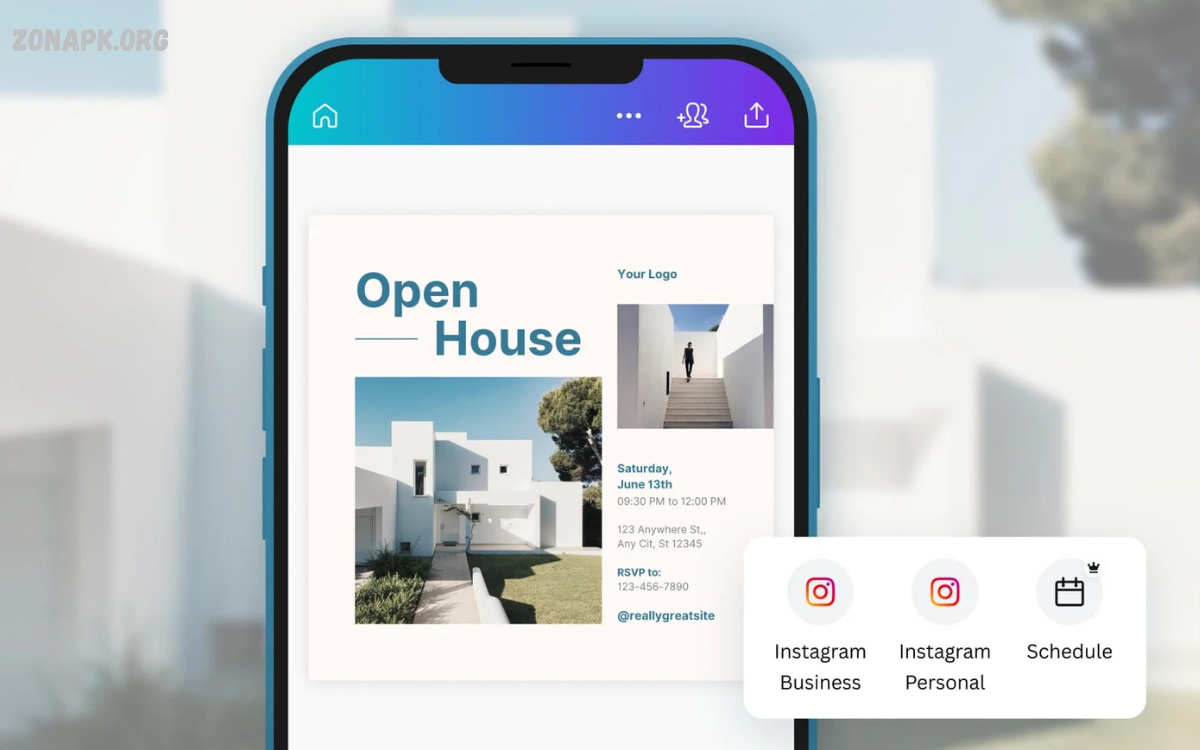
Creating eye-catching Instagram posts no longer requires expensive software or professional design skills. With the rise of powerful mobile apps, anyone can design stunning visuals directly from their smartphone. These apps combine simplicity with creativity, offering intuitive tools, ready-made templates, filters, and effects that make your content stand out in the crowded Instagram feed.
From adding vibrant text overlays and dynamic stickers to editing photos and videos with professional-grade precision, these apps make the design process seamless and enjoyable. Features such as drag-and-drop editors, customizable templates, and AI-powered enhancements help users save time while producing high-quality content.
Why Instagram Visuals Matter?
Instagram is a visual-first platform. Studies show that posts with high-quality visuals get more engagement than plain or unedited content. Every Instagram post is an opportunity to showcase style, personality, and brand identity. Whether promoting a product, sharing lifestyle content, or building a personal brand, visually appealing posts are crucial.
Mobile apps provide tools that enable users to design posts that reflect creativity and professionalism. Templates, filters, and interactive elements allow even beginners to produce content that looks like it was created by a professional designer.
Key Features to Look for in Mobile Apps
When selecting an app to make stunning Instagram posts with mobile apps, several features can enhance your design process:
- Templates – Pre-designed layouts save time and offer inspiration. Templates allow users to customize colors, text, and images while maintaining a professional look.
- Filters and Effects – Instagram posts with unique filters stand out in feeds. Mobile apps often include color corrections, cinematic filters, and artistic effects to enhance visuals.
- Text and Typography – Adding bold, readable text overlays is essential for promotional content, quotes, or announcements. Advanced apps allow font pairing, text shadows, and gradient options.
- Stickers and Graphics – Interactive stickers, icons, and shapes make posts more engaging. Seasonal graphics and trending elements can increase visibility.
- Video Editing – Videos drive higher engagement than static posts. Many apps include features like trimming, transitions, animations, and soundtracks to create compelling video posts.
- AI-Powered Enhancements – Artificial intelligence tools help automate photo editing, background removal, and color adjustments for flawless results.
Top Mobile Apps to Create Stunning Instagram Posts
Several mobile apps have emerged as top choices for creators looking to make stunning Instagram posts with mobile apps. These apps cater to different needs, from photo editing to graphic design and video content creation.
1. Canva
Canva is one of the most popular apps for creating Instagram content. Its drag-and-drop interface, thousands of templates, and vast library of graphics make it beginner-friendly and professional-ready. Canva also supports video posts, reels, and animated graphics.
2. Adobe Express
Adobe Express combines Adobe’s professional-grade tools with user-friendly mobile features. Users can customize templates, apply filters, and create polished visuals with ease. It also integrates with other Adobe tools for advanced editing.
3. Snapseed
Snapseed focuses on photo enhancement and precision editing. Its tools include selective adjustments, healing brushes, and professional filters. Snapseed allows creators to fine-tune images before posting.
4. InShot
InShot is a video editing powerhouse for Instagram creators. Users can trim videos, add music, text overlays, transitions, and effects. It’s ideal for short-form content like reels and stories.
5. VSCO
VSCO is known for its cinematic filters and aesthetic editing tools. Users can achieve a consistent Instagram theme and professional look with minimal effort.
6. Unfold
Unfold specializes in storytelling through templates designed for Instagram stories and posts. Minimalist and elegant designs help create polished content.
Read Also: How to Create Stunning Digital Art on Your Mobile
Tips to Maximize Engagement
Creating posts is only part of the process. To maximize engagement, consider the following strategies:
- Consistent Branding – Use consistent colors, fonts, and design styles to create a recognizable Instagram identity.
- High-Resolution Images – Pixelated or blurry images reduce credibility. Mobile apps often include tools to enhance image quality.
- Storytelling – Every post should tell a story or convey a message. Text, visuals, and design should complement each other.
- Experimentation – Try new layouts, colors, and trends. Mobile apps allow creators to experiment without investing heavily in software.
- Post Scheduling – Apps like Canva and Adobe Express offer scheduling tools to maintain consistent posting, improving follower engagement.
Benefits of Using Mobile Apps
Using mobile apps to make stunning Instagram posts with mobile apps offers numerous advantages:
- Accessibility – Design and edit from anywhere using a smartphone.
- Cost-Effective – Many apps offer free versions or affordable subscriptions, eliminating the need for expensive software.
- Speed – Templates and AI-powered tools reduce time spent on design.
- Creativity Boost – Access to thousands of templates, effects, and editing tools sparks creativity.
- Professional Results – High-quality visuals compete with content produced using professional software.
Case Studies: Success Stories
Several creators and businesses have leveraged mobile apps to transform their Instagram presence:
- Small Businesses – Boutique brands using Canva or Adobe Express increased engagement by 40% by creating visually cohesive posts.
- Influencers – Lifestyle influencers achieved a more professional feed using VSCO and Unfold templates, attracting sponsorships.
- Content Creators – Short video content edited with InShot and Canva generated viral reels, increasing follower count rapidly.
Step-by-Step Guide to Creating Stunning Posts
- Choose a Theme – Decide the visual style, color palette, and typography.
- Select a Mobile App – Pick an app based on your goals: photo, video, or graphic design.
- Use Templates – Start with a template that fits your theme.
- Add Custom Graphics – Incorporate logos, icons, or stickers to make posts unique.
- Enhance Photos or Videos – Adjust lighting, contrast, saturation, and filters for a professional look.
- Add Text Overlays – Highlight important messages using bold, readable fonts.
- Preview and Adjust – Check how the post appears on Instagram before publishing.
- Schedule or Post – Use built-in scheduling tools or post immediately for maximum engagement.
Frequently Asked Questions
How can mobile apps improve Instagram engagement?
By creating visually stunning posts, consistent branding, and eye-catching designs, mobile apps increase likes, comments, shares, and follower growth.
Can I use mobile apps to edit videos for Instagram?
Absolutely. Apps like InShot, Canva, and Adobe Express allow video trimming, transitions, music, and animated text for reels, stories, and posts.
Do I need a powerful smartphone to use these apps?
No. Most mobile apps run smoothly on mid-range smartphones, though faster devices may handle high-resolution editing more efficiently.
Can I maintain a consistent Instagram theme using mobile apps?
Yes. Tools like VSCO, Canva, and Unfold allow color grading, typography consistency, and template reuse to create a cohesive Instagram feed.
How long does it take to create a post using mobile apps?
With templates and AI tools, posts can be created in minutes. More detailed or custom designs may take longer depending on complexity.
Are mobile apps suitable for business branding on Instagram?
Yes. Businesses can create promotional posts, product showcases, and story campaigns without hiring professional designers, saving time and costs.
Can mobile apps help me follow Instagram design trends?
Definitely. Apps regularly update templates, graphics, and filters to reflect current trends, helping creators stay relevant and engaging.
Conclusion
Instagram success depends on creativity, consistency, and high-quality visuals. Mobile apps empower users to make stunning Instagram posts with mobile apps without needing extensive design skills. With features like templates, AI tools, video editing, and filters, creators can save time while producing professional content. Whether you are a small business, influencer, or hobbyist, mobile apps provide the tools to transform your Instagram feed into an eye-catching portfolio.
Investing time in learning mobile apps and experimenting with designs will improve engagement, attract followers, and strengthen your brand.
