

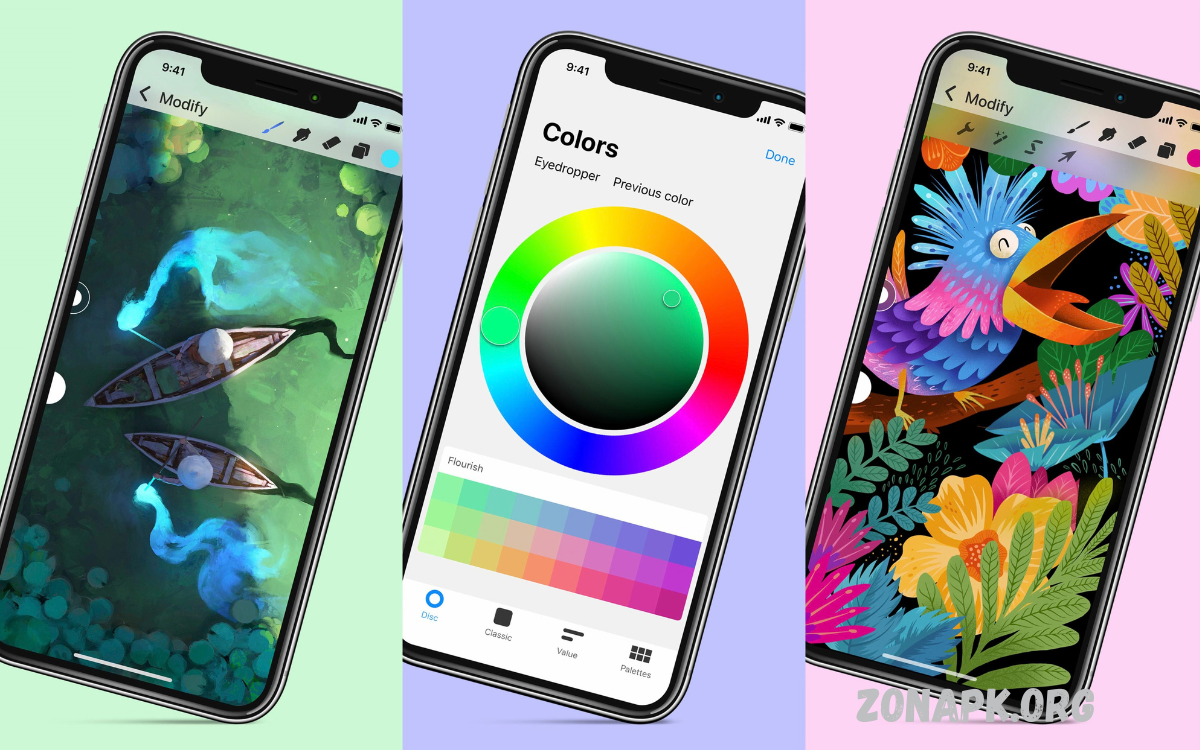
Creating stunning digital art has never been easier, thanks to the power of modern mobile devices. Today’s smartphones and tablets are equipped with advanced processors, high-resolution screens, and intuitive touch interfaces, making them a perfect canvas for artists of all skill levels.
With apps designed for painting, sketching, and graphic design, you can experiment with colors, textures, and layers without any limits. Stylus support adds precision, while customizable brushes enable unique effects that mimic traditional media such as watercolor, oil, and charcoal.
Why Mobile Devices Revolutionize Digital Art?
Modern mobile devices come equipped with high-resolution displays, fast processors, and responsive touchscreens. These features allow artists to achieve precision and detail comparable to desktop setups. Mobile digital art applications provide intuitive interfaces, making navigation effortless while offering layers, brushes, and color palettes. Artists can experiment freely, combining traditional techniques with digital innovation to produce breathtaking results.
Essential Tools for Creating Stunning Digital Art on Your Mobile
To create stunning digital art on your mobile, selecting the right tools is crucial. Popular apps offer features like brush customization, vector graphics support, and layer manipulation. Stylus compatibility enhances control, enabling smooth strokes and detailed work. Additionally, cloud integration allows artists to save projects securely and access them across multiple devices, promoting flexibility and continuous workflow.
Recommended Mobile Apps for Digital Art
- Procreate Pocket – Advanced painting and illustration with extensive brush library.
- Adobe Fresco – Natural media brushes with vector and raster support.
- Autodesk SketchBook – Professional-grade drawing tools with easy interface.
- ibis Paint X – Layer support, screen tones, and smooth drawing features.
- Clip Studio Paint EX – Detailed illustration capabilities optimized for mobile.
Each app offers unique advantages, empowering artists to experiment and define personal styles while creating stunning digital art on your mobile.
Techniques to Enhance Mobile Digital Art
Creating professional-level digital art requires mastering several techniques. Layer management allows complex compositions without damaging existing elements. Blending modes create depth and realistic effects. Color theory application ensures harmony and visual appeal, while digital brushes simulate natural textures like watercolor, oil, and pencil.
Time management also plays a role. Mobile devices allow creation anytime, anywhere, encouraging frequent practice. Quick sketches evolve into polished artwork, building skills progressively.
Read Also: Custom Avatar Outfits – Personalizing Digital Identity and Style
Benefits of Mobile Digital Art
- Portability – Work anywhere, no studio required.
- Cost-efficiency – Affordable compared to traditional tools.
- Instant Sharing – Social media and art platforms enable immediate feedback.
- Flexibility – Undo, redo, and layer functions support experimentation.
Creating stunning digital art on your mobile combines artistic freedom with modern technology. Artists can quickly iterate, refine, and share work without constraints.
Sharing and Monetizing Mobile Digital Art
Mobile digital art opens professional opportunities. Social media platforms, online portfolios, and NFT marketplaces allow artists to showcase and monetize creations. Collaboration tools enable teamwork on projects, enhancing exposure and skill development. Mobile art transforms personal expression into professional growth, offering visibility and income potential.
Tips to Maximize Your Mobile Digital Art Experience
- Invest in a high-quality stylus for precision.
- Experiment with app features to discover unique effects.
- Maintain a consistent practice schedule to improve skill rapidly.
- Backup projects regularly using cloud storage.
- Engage with the digital art community for inspiration and networking.
Frequently Asked Questions
Can beginners create professional-level art on mobile?
Yes. Mobile apps are user-friendly and beginner-friendly while offering advanced tools. Regular practice and exploration of app features help improve skill quickly.
Is mobile digital art expensive?
It can be affordable. Many apps have free versions, while premium apps require one-time purchases or subscriptions. The cost is usually lower than traditional art supplies.
Can I sell art created on mobile devices?
Absolutely. Mobile digital art can be shared and sold online through social media, freelance platforms, or digital marketplaces, including NFT platforms.
Are mobile devices capable of handling large, complex artworks?
Modern smartphones and tablets with high-resolution displays and powerful processors can manage large files with multiple layers efficiently. Cloud storage ensures safe backup.
How can I improve my mobile digital art skills?
Practice consistently, explore different apps, use tutorials, study color theory, and engage with online digital art communities to learn techniques and receive feedback.
Can mobile art mimic traditional mediums?
Yes. Apps offer brushes and textures that replicate oil, watercolor, pencil, ink, and more, allowing artists to achieve realistic traditional effects digitally.
What makes mobile digital art different from desktop digital art?
Mobile art offers portability and convenience, allowing creation anywhere without a studio setup. Desktop art may provide more processing power and advanced software features, but mobile art is accessible and versatile.
Conclusion
Mobile devices empower artists to break traditional barriers and redefine creative potential. By combining professional apps, refined techniques, and consistent practice, anyone can create stunning digital art on your mobile. Portability, accessibility, and technological sophistication make mobile platforms essential for modern artistry. With dedication, imagination, and the right tools, artists transform ideas into visually striking masterpieces ready for the digital world.
