

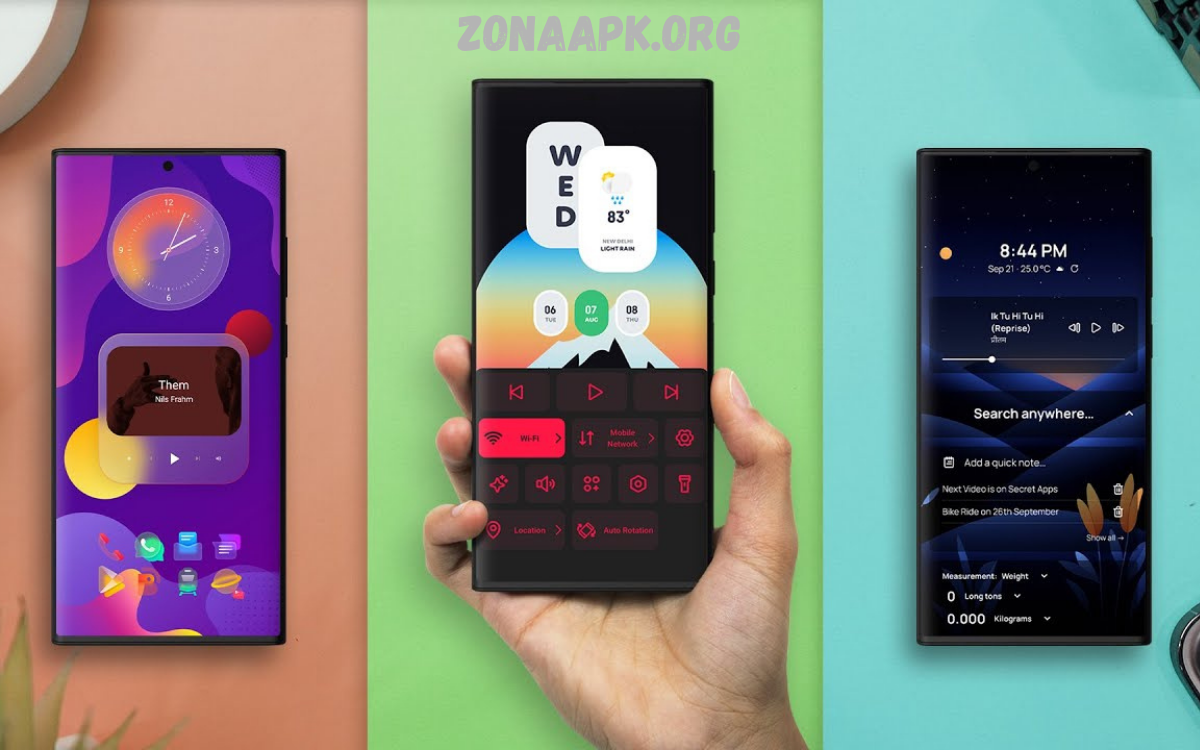
Android launchers are one of the easiest ways to customize and enhance the look, feel, and functionality of your smartphone. Whether you want a cleaner home screen, faster performance, improved productivity, or unique personalization options, the best Android launcher apps can completely transform your device experience.
With hundreds of launcher apps available on the Google Play Store, choosing the right one can be challenging. Some launchers focus on speed and simplicity, while others provide deep customization options for users who enjoy tailoring every aspect of their device. There are also launchers designed specifically for productivity, minimalism, gaming, or recreating the appearance of other operating systems.
What Is an Android Launcher?
An Android launcher serves as the user interface layer that manages how applications, widgets, and home screens appear on a device. Every Android phone includes a default launcher provided by the manufacturer, but users can replace it with a third-party alternative.
Third-party launchers offer greater control over a device’s appearance and behavior. Features often include custom icon packs, gesture controls, app categorization, animation adjustments, theme support, and home screen layouts. These enhancements allow users to create a unique smartphone experience tailored to individual needs.
Why Use the Best Launcher Apps Android Offers?
Many smartphone manufacturers install custom software that may contain unnecessary features, advertisements, or design limitations. A quality launcher provides a cleaner and more efficient interface while maintaining access to core Android functionality.
The best launcher apps Android users install often improve productivity, simplify navigation, and optimize screen organization. Some launchers prioritize speed and battery efficiency, while others focus on aesthetics and advanced customization. Regardless of user goals, a launcher can significantly enhance everyday smartphone usage.
Nova Launcher
Nova Launcher remains one of the most popular and respected Android launchers available today. Its balance of simplicity, performance, and customization has earned widespread recognition among Android enthusiasts and casual users alike.
Users can customize icon sizes, grid layouts, gestures, animations, folders, and app drawers. Nova Launcher also supports extensive backup and restore functionality, making device upgrades seamless. For individuals seeking flexibility without sacrificing performance, Nova Launcher remains a leading choice.
Microsoft Launcher
Microsoft Launcher provides a productivity-focused experience designed for users who frequently interact with Microsoft services. Integration with Microsoft accounts creates a seamless workflow across smartphones and computers.
The launcher offers personalized news feeds, calendar synchronization, task management features, and document access. Clean design principles combined with efficient organization make Microsoft Launcher an excellent option for professionals seeking to enhance productivity.
Read Also: How to Get Free Diamonds in Free Fire Legally and Safely
Niagara Launcher
Niagara Launcher embraces minimalism while maintaining functionality. Instead of traditional home screen layouts, it focuses on quick access to frequently used applications through a streamlined interface.
This unique design reduces clutter and improves one-handed usability. Users appreciate the launcher’s simplicity, speed, and distraction-free environment. Niagara Launcher proves that a powerful Android experience does not require complex visual elements.
Smart Launcher 6
Smart Launcher 6 introduces intelligent app organization and modern design elements. Applications automatically sort into categories, helping users locate content quickly and efficiently.
The launcher includes adaptive icons, customizable widgets, gesture support, and advanced search capabilities. Its attractive interface, combined with practical functionality, makes Smart Launcher 6 a strong contender among the best launcher apps Android users can install.
Action Launcher
Action Launcher focuses on convenience and efficiency. Designed for users seeking faster access to applications and settings, it introduces innovative features that streamline smartphone interactions.
Popular capabilities include Quicktheme, Covers, Shutters, and customizable shortcuts. These features reduce the number of navigation steps while maintaining a clean appearance. Users looking for productivity improvements often find Action Launcher particularly appealing.
Lawnchair Launcher
Lawnchair Launcher delivers a near-stock Android experience enhanced with additional customization features. Many Android enthusiasts appreciate its clean interface and lightweight performance.
The launcher supports icon packs, gestures, adaptive icons, and extensive appearance adjustments. Users who enjoy Google’s Pixel-style design but desire greater control often choose Lawnchair Launcher as their preferred option.
Hyperion Launcher
Hyperion Launcher combines modern design with extensive personalization options. The launcher maintains a familiar Android appearance while introducing advanced customization tools for experienced users.
Features include custom typography, icon shapes, gestures, animations, and desktop controls. Hyperion Launcher appeals to users who want a balance between simplicity and flexibility without overwhelming complexity.
Apex Launcher
Apex Launcher has remained a popular choice within the Android customization community for many years. Its feature-rich environment allows users to modify nearly every aspect of the home screen experience.
Advanced options include transition effects, hidden applications, customizable gestures, and performance optimization tools. Apex Launcher continues attracting users who prioritize control and personalization.
Before Launcher
Before Launcher focuses on reducing distractions and encouraging mindful smartphone usage. Rather than emphasizing visual effects, it promotes simplicity and intentional interaction.
The launcher organizes essential applications while minimizing interruptions from unnecessary notifications and clutter. Users seeking improved focus and digital wellness often find Before Launcher highly effective.
Key Features to Consider When Choosing a Launcher
Selecting the right launcher requires evaluating several important factors. Performance, customization capabilities, ease of use, and compatibility all influence the overall experience.
Users should also consider update frequency, developer support, battery efficiency, and privacy practices. A launcher that aligns with personal usage patterns will provide greater long-term satisfaction than one selected solely for appearance.
Performance and Speed
Performance remains a critical consideration when evaluating launcher applications. A poorly optimized launcher can cause lag, increase battery consumption, and degrade usability.
The best launcher apps Android users recommend typically prioritize efficiency and responsiveness. Lightweight launchers often deliver smoother experiences, particularly on older devices with limited hardware resources.
Customization Options
Customization represents one of the primary reasons users install third-party launchers. The ability to personalize layouts, icons, animations, and widgets allows complete control over device aesthetics.
Advanced launchers provide extensive design flexibility without compromising functionality. Users can create unique home screens that reflect personal preferences while improving organization and accessibility.
Productivity Benefits
Modern launcher applications frequently include productivity-oriented features. Gesture controls, app organization systems, smart search tools, and task integrations help users accomplish activities more efficiently.
Professionals, students, and busy individuals benefit significantly from launchers designed around workflow optimization. Reduced navigation time and improved organization contribute to a more productive mobile experience.
Security and Privacy Considerations
While launcher applications generally require fewer permissions than many other apps, privacy remains an important factor. Users should review permission requests and developer reputations before installation.
Choosing launchers from trusted developers helps reduce potential security risks. Regular updates and transparent privacy policies indicate a commitment to user protection and long-term software reliability.
How to Install an Android Launcher
Installing a launcher is a straightforward process. Users simply download their preferred launcher from the Google Play Store and open it after installation.
Upon launching the app, Android typically prompts users to select a default launcher. Once chosen, the new launcher becomes the primary home screen interface. Most launchers also provide setup guides that simplify customization.
Common Mistakes to Avoid
Many users install multiple launchers simultaneously without evaluating performance impacts. Excessive experimentation can create confusion and inconsistent device behavior.
Another common mistake involves prioritizing appearance over usability. While visual customization is important, functionality and performance should be the primary considerations when selecting a launcher.
Frequently Asked Questions
Are Android launcher apps safe to use?
Most launcher apps available through the Google Play Store are safe when downloaded from reputable developers. Users should review permissions, ratings, and privacy policies before installation.
Can a launcher app improve battery life?
Some lightweight launcher apps can help improve battery efficiency by reducing background processes and animations. Battery performance varies depending on the launcher and device configuration.
Do launcher apps require root access?
No, most Android launcher apps work without root access. Users can install and configure them directly from the Google Play Store without modifying the operating system.
Can I return to my default launcher after installing a new one?
Yes, Android allows users to switch between launchers at any time. The default launcher can be restored through the device settings menu.
Which launcher is best for customization?
Nova Launcher, Hyperion Launcher, and Apex Launcher are popular choices for users seeking advanced customization features such as icon packs, gestures, layouts, and animation controls.
Which launcher offers the cleanest, simplest interface?
Niagara Launcher and Before Launcher are excellent options for users who prefer a minimalist design with reduced clutter and improved focus.
Are launcher apps free?
Many of the best launcher apps for Android offer free versions with essential features. Some also provide premium upgrades that unlock advanced customization tools, gestures, and additional functionality.
Conclusion
The best launcher apps Android users choose can completely redefine the smartphone experience. From productivity-focused solutions such as Microsoft Launcher to highly customizable options like Nova Launcher and Hyperion Launcher, there is a launcher suitable for every type of user.
Selecting the ideal launcher depends on personal priorities, including customization, speed, productivity, simplicity, and design preferences. By exploring the options discussed in this guide, Android users can unlock greater control, improved efficiency, and a more enjoyable mobile experience. A well-chosen launcher transforms an ordinary smartphone into a personalized tool optimized for everyday success.
