

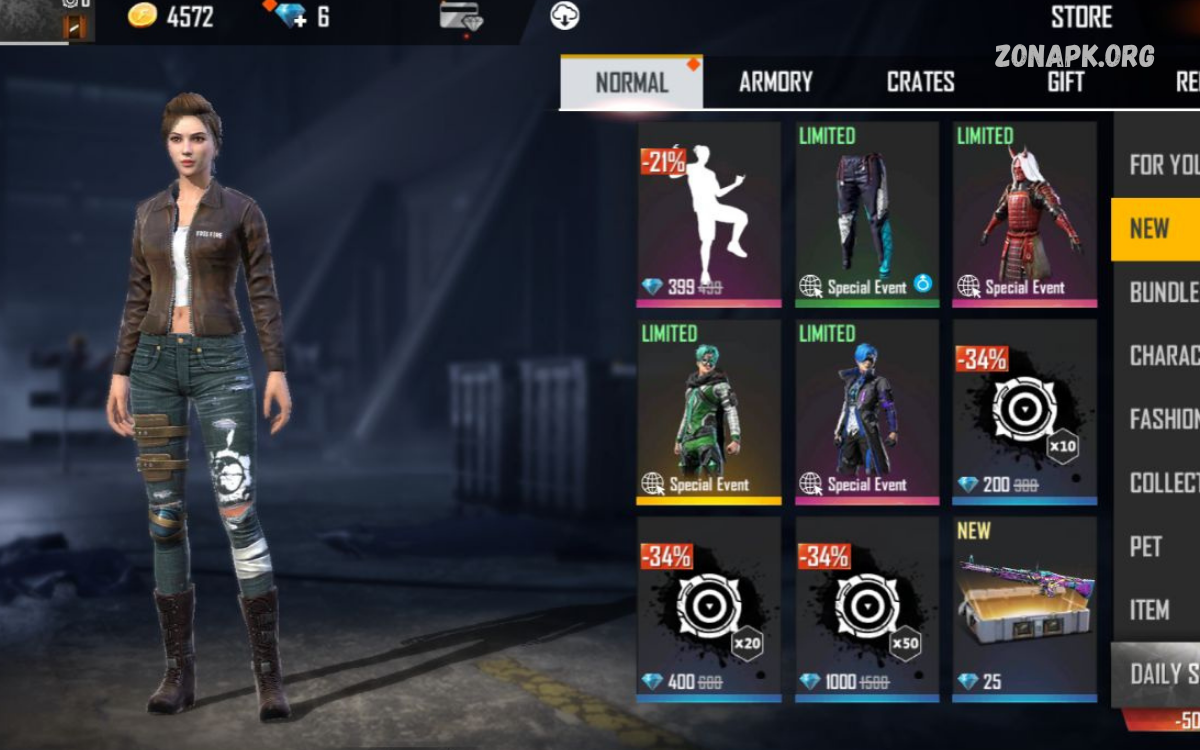
Free Fire diamonds are the game’s premium currency and can be used to access a variety of optional in-game items, features, and cosmetic content. Players can use diamonds to purchase character items, bundles, emotes, weapon skins, special passes, and other content available through the game’s official store.
If you are searching for how to buy Free Fire diamonds, the safest approach is to purchase them through Free Fire’s official in-game options or an authorized payment platform available in your region. The exact payment methods and available packages can vary depending on your country, device, and account.
What Are Free Fire Diamonds?
Diamonds are Free Fire’s premium in-game currency. Unlike regular gameplay rewards, diamonds are generally purchased with real money and can be spent on optional digital content.
Depending on current promotions and the version of the game available in your region, diamonds may be used for things such as:
- Character and cosmetic bundles
- Emotes
- Weapon and vehicle skins
- Special events
- Elite or premium passes when available
- Limited-time items
- Other optional in-game content
The items and prices available can change over time. Therefore, players should always check the current official store rather than relying on old screenshots, videos, or social media posts.
How to Buy Free Fire Diamonds Safely
If you want to know how to buy Free Fire diamonds, start with the official Free Fire application installed on your device. The safest purchasing method is normally the payment system provided directly through the game or an officially supported top-up service.
Open Free Fire
Launch the official Free Fire game on your Android or iOS device and sign in to the correct account.
Before continuing, verify that you are using the account where you want the diamonds to be credited. If you have multiple game accounts, double-check the account information to prevent purchasing for the wrong profile.
Open the Diamond Section
Look for the diamond icon or the in-game option that allows you to purchase diamonds. The location and appearance of this section can change after game updates.
Select the available diamond package that fits your needs. Packages may contain different quantities of diamonds and may have different prices.
Review the Purchase
Before confirming the transaction, carefully review the package, price, currency, and account information.
This step is especially important when purchasing digital items because completed transactions may not always be reversible. If the account belongs to a younger player, make sure a parent or guardian approves the purchase before any payment is made.
Select an Official Payment Method
Choose a payment option supported by the official game store or your device’s app store. Depending on your region, available options may include cards, mobile billing, digital wallets, or other approved payment methods.
Payment options differ by country, so do not assume that a method available to another player will also be available to you.
Confirm the Transaction
Follow the payment provider’s normal confirmation process. Never share your password, verification codes, or account credentials with another person who claims they need them to complete a diamond purchase.
After a successful transaction, the diamonds should normally be added to the appropriate account according to the store’s processing system.
Use Official Sources for Diamond Purchases
One of the most important rules when learning how to buy Free Fire diamonds is to use legitimate sources.
Avoid websites, social media accounts, videos, or messages promising extremely cheap diamonds or unlimited free diamonds. These offers can be misleading and may attempt to obtain account credentials or payment information.
How Much Do Free Fire Diamonds Cost?
The price of diamonds depends on the package, region, taxes, platform, and current promotions. There is no single worldwide price that applies to every player.
When choosing a package, focus on the amount displayed in your own official game store rather than prices advertised by third-party websites.
Read Also: Free Fire Diamonds Guide: How to Get, Buy, and Use Diamonds Safely
How to Choose the Right Diamond Package
You do not necessarily need to purchase the largest available package. A smaller package may be enough if you only want to buy a particular cosmetic item or participate in a limited event.
Before spending money, consider:
- What item you actually want
- The current price
- Whether the item is permanent or temporary
- Whether the event has an expiration date
- Your available spending budget
- Whether a parent or guardian has approved the purchase
Planning your purchase can help prevent unnecessary spending on digital items.
Can You Buy Free Fire Diamonds Without a Credit Card?
In some regions, players may have payment options other than traditional credit cards. Depending on the platform and country, these can include debit cards, supported digital wallets, prepaid methods, or mobile payment systems.
However, payment options vary considerably by location. Always use methods officially supported by the game or your device’s app store.
How to Avoid Free Diamond Scams
Free diamond scams are common because diamonds are valuable to players. Scammers may use attractive offers such as “unlimited diamonds,” “free diamond generators,” or “100% working diamond hacks.”
These claims should be treated with caution.
Common warning signs include:
- Requests for your account password
- Requests for verification codes
- Promises of unlimited diamonds
- Extremely unrealistic discounts
- Unknown websites asking you to log in
- Requests to install suspicious applications
- Social media accounts pretending to be official representatives
- Pressure to pay immediately
A genuine diamond purchase does not require you to give your game password to a random person or website.
What to Do If Diamonds Do Not Arrive
Sometimes a legitimate purchase may take time to process. If you have completed a payment but the diamonds have not appeared, avoid making the same purchase repeatedly.
First, check your purchase history and payment confirmation. Make sure the transaction was completed successfully and that you purchased the diamonds for the correct game account.
Are Third-Party Diamond Sellers Safe?
Not every third-party seller is legitimate. Some regions may have officially authorized top-up partners, but players should verify authorization through reliable official information before using any external service.
An unfamiliar website offering dramatically cheaper diamonds should not automatically be considered a bargain. The potential risks can include payment fraud, account theft, fake transactions, or loss of money.
Tips for Spending Diamonds Responsibly
Diamonds are optional digital purchases, so it is useful to establish a spending limit before buying them.
Consider these tips:
- Decide what you want before purchasing.
- Check the final price before confirming.
- Avoid impulse purchases.
- Do not spend money you need for important expenses.
- Look carefully at limited-time offers.
- Keep purchase receipts.
- Use parental approval when required.
- Never share account passwords or security codes.
If you are a younger player, talk to a parent or guardian before making any purchase involving real money.
Why Official Purchases Are Better
Buying diamonds through official channels provides a clearer and safer purchasing experience. Official stores generally provide recognizable payment processes, transaction records, and customer-support options.
Unofficial sellers may offer attractive prices, but the risks can outweigh the potential savings. Your Free Fire account and payment information are more important than a temporary discount.
Frequently Asked Questions
How to buy Free Fire diamonds?
Open the official Free Fire application, select the diamond purchase section, choose an available package, review the price, and complete the transaction through an officially supported payment method.
Can I buy Free Fire diamonds without a credit card?
Depending on your country and platform, other officially supported payment methods may be available. Check the payment options shown by your device or game’s official purchase system.
Are free diamond generators real?
Claims about unlimited free diamond generators should be treated as scams or security risks. Avoid entering account credentials on unknown websites or installing suspicious applications.
Can someone buy diamonds for my account?
A purchase may be possible through supported gifting or top-up options where officially available, but you should never give another person your password or security codes.
Why have my purchased diamonds not appeared?
Check your payment confirmation and transaction history first. If the payment succeeded and the diamonds are still missing, contact official customer support.
Are cheap Free Fire diamonds safe?
An unusually cheap offer from an unknown seller can be risky. Use the official game store or a verified authorized payment provider instead.
Can children buy Free Fire diamonds?
Purchases should follow the age requirements and payment rules applicable to the player’s region and platform. Younger players should get permission from a parent or guardian.
Do diamond prices vary by country?
Yes. Prices and available payment methods can differ according to region, currency, taxes, platform, and local pricing policies.
Should I share my Free Fire password to receive diamonds?
No. Your password should remain private. A legitimate purchase should not require you to give your password to an unknown seller or website.
What is the safest way to purchase diamonds?
The safest general method is to use the official Free Fire purchase system or an officially authorized payment service available in your region.
Conclusion
Learning how to buy Free Fire diamonds is straightforward when you use legitimate purchasing methods and pay attention to account security. Start by opening the official game, selecting the appropriate diamond package, checking the final price, and completing the purchase through an approved payment method.
Most importantly, avoid suspicious websites, diamond generators, hacks, and sellers that request your password or security codes. A tempting offer is not worth risking your account or payment information.
