

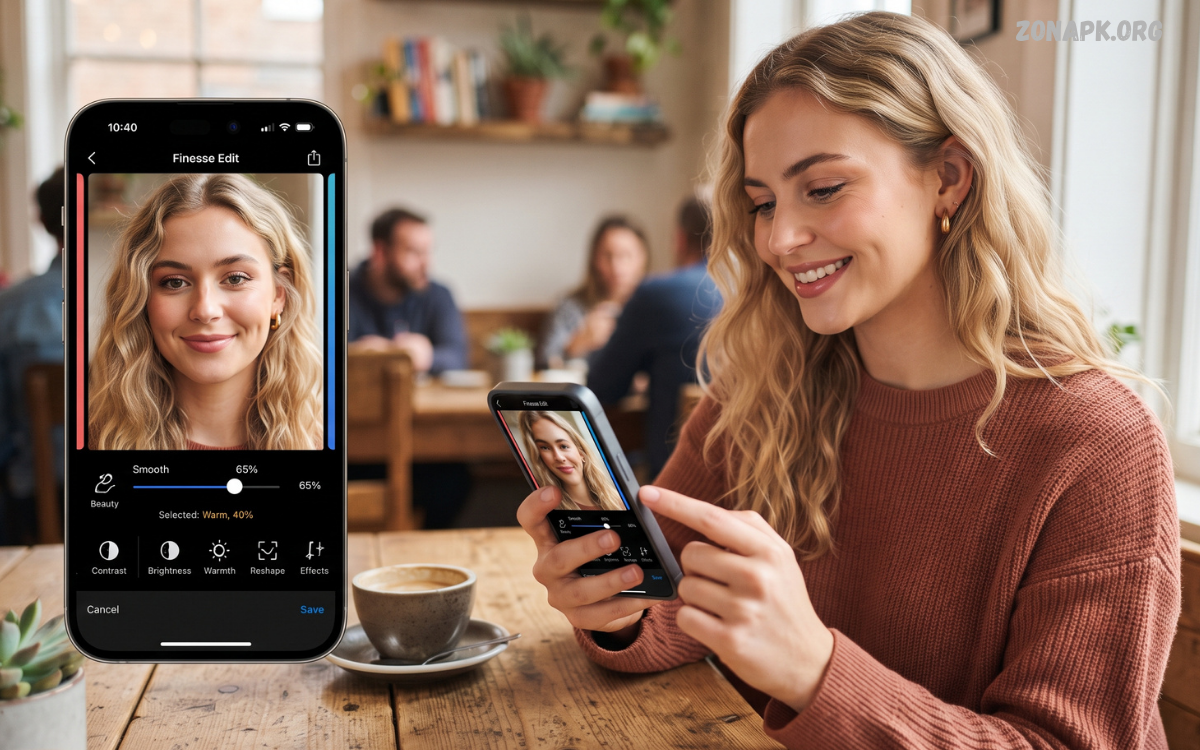
A selfie editing app can turn an ordinary smartphone selfie into a polished and visually appealing photo. Modern editing apps provide tools for brightness, contrast, colors, skin retouching, filters, cropping, backgrounds, and creative effects without requiring professional photography skills.
The growing popularity of smartphone cameras has made selfie editing a common part of everyday photography.
What Is a Selfie Editing App?
A selfie editing app is a mobile application designed to improve photographs taken with a front-facing camera. These apps commonly include basic adjustment tools, portrait effects, filters, retouching controls, lighting corrections, and creative features that help users refine selfies directly from a smartphone.
Unlike traditional desktop photo-editing software, mobile selfie editors focus on convenience and simple controls. Users can import an image, make adjustments, preview changes, and save the finished photo within a short workflow.
Why Use a Selfie Editing App?
Selfies can sometimes appear darker, flatter, or less balanced than expected because smartphone cameras capture changing lighting conditions. A selfie editing app can help correct brightness, exposure, color temperature, contrast, and shadows so the photograph appears clearer and more balanced.
Editing can also help create a consistent visual style across a collection of photos. Instead of applying random effects, users can adjust colors, lighting, and composition according to the mood of the image. Subtle corrections often produce a cleaner result than heavy editing.
Important Features of a Selfie Editing App
A good selfie editor usually combines basic photography controls with portrait-focused tools. Exposure, contrast, highlights, shadows, saturation, temperature, sharpness, cropping, and rotation are useful features for improving the overall appearance of an image without changing its original character.
Advanced apps may include selective adjustments, background editing, blur effects, AI enhancement, face detection, makeup effects, and object removal. The usefulness of these features depends on the type of selfie being edited and the amount of creative control the user wants.
Brightness and Exposure Adjustment
Brightness is one of the first settings worth checking when editing a selfie. An image captured indoors or during evening hours may appear darker than intended, while strong outdoor lighting can make parts of the photograph appear overly bright. Exposure controls can help establish a more balanced appearance.
Small adjustments are usually more effective than extreme changes. Increasing exposure too much can remove detail from bright areas, while reducing it heavily can hide important facial and background details. A balanced adjustment keeps the photo clear while preserving natural contrast.
Contrast and Shadow Control
Contrast determines the visual difference between lighter and darker areas of a photograph. Increasing contrast can create a stronger appearance, while reducing it can produce a softer and flatter look. Selfies generally benefit from controlled contrast rather than extreme settings.
Shadow adjustments are particularly useful for photos captured under uneven lighting. Raising shadows can reveal details in darker areas, while reducing highlights can recover information from brighter sections. Combining both controls can improve overall tonal balance.
Color Correction for Selfies
Color correction can significantly change the mood of a selfie. Temperature controls can make an image appear warmer or cooler, while tint adjustments can correct unwanted color casts caused by artificial lighting. These tools are useful when skin tones or clothing colors appear different from real-life conditions.
Saturation should also be used carefully. Excessive saturation can make colors look unnatural and distracting. A professional editing approach usually focuses on maintaining believable colors while adding enough vibrancy to make the image visually appealing.
Selfie Filters
Filters provide quick ways to create a particular visual style. A filter can modify multiple settings simultaneously, including color, contrast, exposure, and tone. This makes filters convenient for users who want a finished look without manually adjusting every setting.
However, a filter does not always need to be applied at full strength. Many selfie editing apps provide an intensity slider that allows users to reduce the effect. Lower intensity can preserve the original appearance while still adding a subtle stylistic change.
Skin Retouching Tools
Skin retouching is a common feature in selfie editing applications. Basic retouching tools can help reduce temporary distractions such as small marks or uneven areas while keeping the photograph recognizable. The goal should be refinement rather than completely changing natural facial details.
Modern editors may provide smoothing, texture, clarity, and blemish-removal controls. These tools should be applied with moderation because excessive smoothing can remove natural detail and create an artificial appearance. Subtle editing generally produces a more convincing result.
Portrait Enhancement Features
Portrait enhancement tools are designed specifically for images containing a person. Depending on the app, these features may adjust lighting, background blur, facial detail, or overall portrait clarity. Some applications can automatically detect the subject and apply targeted improvements.
Portrait tools are particularly useful when the original camera image has distracting background elements. A controlled blur or depth effect can draw attention toward the subject while maintaining enough background information to preserve context.
Background Editing
Background editing has become an important feature in modern photo-editing applications. Users can blur, replace, remove, or modify backgrounds depending on the capabilities of the application. These tools can help create a cleaner composition when the original environment is distracting.
Background changes should complement the subject instead of competing with it. A simple background often works better for profile pictures, while creative backgrounds can suit social media content. Checking edges around hair and clothing is important when using automatic background tools.
Face Editing Tools
Many selfie editors provide face-focused adjustment options. These may include lighting corrections, eye enhancement, facial detail controls, and other portrait adjustments. Such tools can be useful when applied carefully and with a consistent editing goal.
Professional-looking edits generally avoid excessive changes to facial proportions. Instead, users can focus on lighting, color, clarity, and small distractions. This approach maintains the identity of the person while improving the photograph’s presentation.
Makeup and Beauty Effects
Some selfie editing apps include digital makeup features such as lipstick, blush, eyeliner, eyeshadow, and other cosmetic effects. These tools allow users to experiment with different visual styles without applying physical products before taking the photograph.
The intensity of digital makeup can usually be adjusted to suit the image. Lower settings can produce subtle effects, while stronger settings may be appropriate for creative portraits. Previewing the image at full size helps determine whether the effect looks balanced.
Teeth and Eye Enhancement
Portrait editors sometimes provide targeted enhancement controls for eyes and teeth. These features can brighten specific areas or improve local contrast. When used carefully, they can help a portrait appear clearer without requiring extensive manual editing.
Overusing targeted enhancement can make certain facial features look disconnected from the rest of the photograph. A better workflow is to make small adjustments and compare the edited version with the original before saving the final image.
Hair and Detail Enhancement
Hair can lose detail in low-light selfies or compressed images. Sharpness, clarity, texture, and selective enhancement tools can sometimes improve the visibility of hair details. These controls are most effective when used selectively rather than across the entire photograph.
Excessive sharpening can introduce harsh edges and digital artifacts. A professional editing workflow checks the image at both normal viewing size and zoomed-in detail. This helps prevent small editing problems from becoming noticeable in the final photo.
Cropping and Composition
Cropping is one of the simplest ways to improve a selfie. Removing unnecessary background space can place greater attention on the subject and create a stronger visual composition. Different social platforms may also require different image dimensions.
Before cropping, consider the position of the face, eyes, shoulders, and important background elements. Keeping enough space around the subject can prevent the image from feeling cramped. A balanced crop can improve the photograph without requiring additional effects.
Blur and Depth Effects
Blur effects can separate a subject from the background and create a portrait-style appearance. Some selfie editors automatically detect the subject and apply blur around it, while advanced applications provide manual control over the strength and area of the effect.
Natural-looking blur usually works best when it gradually increases away from the subject. Extremely strong or uniform blur can make the image appear artificial. Checking the transition around hair, shoulders, and clothing can help create a smoother result.
AI Features in Selfie Editing Apps
Artificial intelligence has introduced automatic editing capabilities that can analyze photographs and recommend improvements. AI-powered tools may detect faces, identify backgrounds, improve lighting, remove distractions, upscale images, or apply portrait adjustments with minimal manual work.
AI tools can save time, especially when editing multiple photos. However, automatic results should still be reviewed before publishing. Different lighting conditions, backgrounds, and camera qualities can produce different outcomes, so manual adjustments may still be necessary.
One-Tap Enhancement
One-tap enhancement is designed for users who want fast results. The application analyzes the image and applies a combination of adjustments, potentially including exposure, contrast, color, sharpness, and portrait enhancement.
This feature can be useful as a starting point rather than a final editing solution. After applying automatic enhancement, users can reduce or modify individual effects. This creates more control while retaining the convenience of automated editing.
How to Edit a Selfie Professionally
Start by opening the original image in your chosen selfie editing app and checking its lighting, composition, colors, and background. Make basic corrections first, beginning with exposure and white balance before moving toward contrast, shadows, and color adjustments.
Next, apply portrait or retouching tools only where needed. Finish with cropping, a subtle filter if appropriate, and a final review at normal viewing size. Saving the edited image separately from the original ensures that the untouched photograph remains available for future projects.
Step-by-Step Selfie Editing Workflow
A simple workflow can begin with cropping and straightening, followed by exposure and white-balance correction. After the basic image is balanced, adjust contrast, highlights, shadows, and color intensity to create a consistent visual appearance.
The next stage can include selective retouching, background adjustments, sharpening, and optional filters. Before exporting, compare the edited image with the original and reduce any effect that appears excessive. This final review can make a major difference in overall quality.
Choosing the Right Selfie Editing App
When choosing a selfie editor, consider the features you actually need. Basic users may prefer a simple interface with filters, cropping, brightness, and color controls, while advanced users may want selective editing, layers, background tools, AI features, and detailed portrait adjustments.
It is also useful to consider export quality, advertisements, supported image formats, editing speed, and privacy options. An application with many features is not automatically the right choice. A clean interface and reliable editing controls can be more valuable for everyday use.
Free Selfie Editing Apps
Many mobile editing applications provide free versions with basic tools. These commonly include cropping, exposure adjustments, filters, color controls, and simple retouching. Free options can be sufficient for casual users who mainly edit images for personal use or social media.
Before choosing a free editor, review which features are included without payment. Some applications limit high-resolution exports or advanced tools to premium plans. Checking the available features first helps users select an editor that matches their editing needs.
Selfie Editing Apps for Social Media
Social media content often requires consistent image quality and dimensions. A selfie editing app can help prepare photos for profile pictures, posts, stories, thumbnails, and other formats by providing cropping, resizing, filters, and visual enhancement tools.
Consistency can make a collection of photos look more organized. Using similar color adjustments, lighting levels, and editing intensity across multiple images can create a recognizable visual style without requiring complicated editing techniques.
Read Also: Free Fire MAX Latest Emotes: Complete Guide to New Emotes in 2026
Selfie Editing Apps for Beginners
Beginners should start with applications that provide straightforward controls and an easy-to-understand interface. Basic adjustments such as brightness, contrast, crop, color temperature, saturation, and sharpness are enough to learn the foundations of photo editing.
Instead of applying every available effect, beginners can experiment with one adjustment at a time. This approach makes it easier to understand how each control changes the image and helps develop practical editing skills over time.
Common Selfie Editing Mistakes
One common mistake is applying too many effects to a single photograph. Heavy filters, excessive smoothing, extreme color changes, and aggressive sharpening can reduce image quality and make the result appear unnatural.
Another mistake is editing without checking the original image. Comparing the edited photograph with the original helps identify unnecessary changes. Keeping a natural reference point can make it easier to decide which adjustments genuinely improve the photo.
How to Keep Selfies Natural
Natural-looking editing begins with small adjustments. Instead of dramatically changing facial details or colors, focus on improving exposure, correcting white balance, reducing distractions, and maintaining realistic skin texture.
It can also help to take breaks during longer editing sessions. After spending time looking at the same image, subtle changes may become difficult to notice. Reviewing the image again later can provide a clearer perspective on the final result.
Privacy and Security Considerations
When using a selfie editing app, privacy deserves attention because photographs can contain personal visual information. Users should review an application’s privacy policy, permissions, storage practices, and account requirements before uploading personal images.
It is also useful to understand whether editing occurs directly on the device or through cloud-based services. If an application requires online processing, users should check what information is collected and how uploaded photographs are handled according to the application’s published policies.
Exporting High-Quality Selfies
After finishing an edit, export settings can affect the final image quality. Choosing an appropriate resolution and file format helps preserve detail while keeping the file size manageable. JPEG is commonly used for general photographs, while other formats may be useful for specific editing workflows.
Avoid repeatedly saving and re-editing the same compressed image because repeated compression can gradually reduce quality. Keeping the original image and exporting a separate final copy provides a better workflow for future editing.
Selfie Editing for Profile Pictures
Profile pictures usually work best when the subject is clearly visible and the composition is simple. A selfie editor can help crop the image, improve lighting, correct colors, and reduce distracting background elements before the photo is used as a profile image.
Because profile pictures are often displayed at smaller sizes, clarity and composition are particularly important. The face should remain recognizable after resizing, while excessive effects may become more noticeable when the image is viewed as a small thumbnail.
Selfie Editing for Creative Photography
Creative selfie editing can involve artistic filters, double exposure, overlays, color grading, background changes, light effects, and other visual techniques. These features allow users to create images that go beyond traditional portrait editing.
Creative editing works best when the effects support a clear visual concept. Combining unrelated effects can make an image confusing, while a controlled set of complementary adjustments can create a stronger result. Experimentation is useful, but reviewing the final composition remains important.
Tips for Better Selfies Before Editing
Good editing begins with a strong original photograph. Clean camera lenses, suitable lighting, stable positioning, and an uncluttered background can improve the quality of the source image before any editing begins.
Natural light can provide useful illumination when available, while harsh direct light may create strong shadows. Positioning the camera at a comfortable angle and checking the background before taking the photo can reduce the amount of correction required later.
Mobile Selfie Editing vs Desktop Editing
Mobile selfie editing provides convenience because photographs can be adjusted immediately after capture. Touch-based controls, automatic enhancement, filters, and portrait tools make smartphones suitable for everyday editing and quick social media preparation.
Desktop software can provide deeper control for advanced workflows, including detailed masking, layers, color grading, and professional retouching. However, many modern mobile applications now offer enough features for users who want high-quality selfie editing without a computer.
How Selfie Editing Apps Improve Photo Quality
A selfie editing app can improve a photograph by correcting technical issues and refining visual elements. Exposure adjustments can improve visibility, color correction can balance tones, and cropping can create a stronger composition.
The application itself does not replace good photography. Instead, it provides tools that help users refine an existing image. The best results usually come from combining a well-captured selfie with careful, controlled editing.
Future of Selfie Editing Apps
Selfie editing technology continues to move toward automated and intelligent workflows. AI-based subject detection, background separation, lighting correction, image restoration, and personalized editing recommendations are becoming increasingly common across mobile photography tools.
Future applications may provide more precise editing with fewer manual controls. Even as automation improves, creative decisions will remain important because users still determine the desired mood, style, composition, and level of enhancement for each photograph.
Frequently Asked Questions
What is the best selfie editing app?
The right selfie editing app depends on the features and editing style you need. Look for useful controls such as exposure, color correction, cropping, retouching, filters, background editing, and high-quality export options.
Can I edit selfies without professional skills?
Yes. Most modern mobile editors are designed for simple workflows. Beginners can start with brightness, contrast, color, crop, and basic retouching tools before exploring more advanced features.
How can I make a selfie look natural?
Use subtle adjustments instead of applying strong effects. Correct lighting, balance colors, reduce distractions, and preserve natural facial and skin details for a more realistic result.
Can a selfie editing app remove backgrounds?
Many modern editing applications offer automatic background removal or replacement. Results can vary depending on the image, especially around complex edges such as hair and clothing.
Are selfie filters useful?
Filters can provide a quick visual style, but their intensity should be controlled. Reducing filter strength can help preserve natural colors and details while still creating a consistent appearance.
Can I edit selfies on Android?
Yes. Android devices support many mobile photo-editing applications with tools for filters, retouching, color adjustment, cropping, portrait effects, and AI-powered enhancements.
Can selfie editors improve dark photos?
Many editing applications can improve dark images by adjusting exposure, shadows, brightness, and contrast. However, extremely underexposed photographs may have limited recoverable detail.
How can I avoid over-editing a selfie?
Make small changes and compare the result with the original image regularly. If an adjustment becomes immediately noticeable as an effect rather than an improvement, reducing its intensity can produce a more balanced result.
Should I keep the original selfie?
Yes. Keeping the original file gives you a clean reference and allows you to create different edited versions later. Exporting edited copies separately is a useful photography workflow.
What makes a good selfie editing app?
A good editor should offer reliable basic adjustments, useful portrait features, a simple interface, suitable export quality, and privacy options that match your needs. Advanced tools are valuable when they support your actual editing workflow.
Conclusion
A selfie editing app provides an accessible way to improve smartphone portraits through lighting correction, color adjustments, cropping, filters, retouching, background tools, and creative effects.
The most effective approach is to edit with a clear purpose and maintain a natural balance. Start with basic corrections, use portrait tools carefully, review every effect, and preserve the original photograph.

1 Comment
Pingback: Photo Filters App: Complete Guide to Creative Photo Editing- Zonapk