

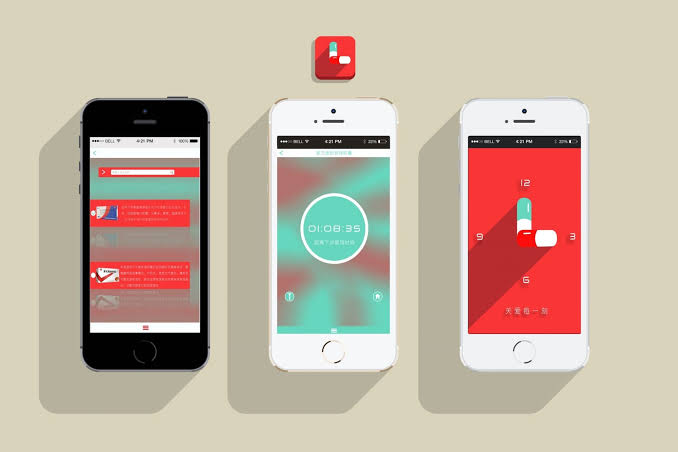
The best reminder apps help users manage daily tasks, remember important events, and organize personal or professional schedules. These apps offer notifications, recurring alerts, calendar integration, and task-management features that make daily planning easier.
Whether you need reminders for meetings, assignments, shopping, appointments, or personal goals, choosing the right app can improve your productivity. Modern reminder apps support Android, iPhone, Windows, and Mac, allowing users to manage schedules across multiple devices.
What Are Reminder Apps?
Reminder apps are digital tools designed to notify users about important tasks, events, deadlines, and activities. They let users set reminders with specific dates, times, locations, and repeat schedules to help prevent missed commitments.
Many reminder apps also include task lists, calendar views, voice commands, collaboration tools, and cloud synchronization. These features make them useful for students, professionals, business owners, families, and anyone who wants a more organized daily routine.
Why Use the Best Reminder Apps?
The best reminder apps reduce the need to memorize every responsibility throughout the day. Instead of relying on memory or handwritten notes, users can create scheduled notifications that appear when a task needs attention.
Reminder apps also support better time management by helping users prioritize responsibilities and track unfinished work. With recurring alerts and organized task lists, users can build consistent habits and manage busy schedules more efficiently.
Best Reminder Apps for Android
Android users can choose from several reminder apps available through Google Play. Popular options include Google Keep, Todoist, Microsoft To Do, TickTick, and Any.do, each offering different combinations of reminders, task management, and productivity features.
When selecting an Android reminder app, consider notification reliability, ease of use, synchronization, and battery optimization settings. An app that supports widgets and quick task entry can make creating reminders faster without requiring users to open multiple screens.
Best Reminder Apps for iPhone
iPhone users can take advantage of Apple Reminders, Todoist, TickTick, Microsoft To Do, and Any.do. Apple Reminders offers convenient integration with Apple’s ecosystem, while third-party apps provide additional task organization, collaboration, and cross-platform functionality.
The ideal iPhone reminder app should support Lock Screen widgets, Siri commands where available, recurring notifications, and synchronization across compatible devices. Users who rely on Mac or iPad can benefit from an app that keeps their reminders updated throughout the Apple ecosystem.
1. Google Keep
Google Keep is a simple note-taking and reminder app that helps users capture ideas, create lists, and remember important activities. Its colorful notes, checklists, labels, and sharing features make it useful for everyday organization.
Users can create time-based reminders and access their notes across supported devices through their Google account. Google Keep works especially well for shopping lists, quick notes, study tasks, and simple personal reminders without the complexity of a full project management system.
2. Todoist
Todoist is a popular productivity app designed for organizing tasks, setting deadlines, and managing projects. Users can create projects, assign priorities, organize tasks with labels, and structure responsibilities into manageable lists.
The app supports recurring tasks and natural-language task entry, making it easier to describe deadlines in everyday language. Some advanced reminder capabilities may require a paid plan, so users should check current plan details before choosing Todoist as their primary reminder solution.
3. Microsoft To Do
Microsoft To Do helps users organize daily responsibilities through customizable lists, due dates, reminders, and recurring tasks. Its My Day feature allows users to select important tasks and focus on the responsibilities that matter most.
The app integrates with supported Microsoft services and synchronizes tasks across compatible devices. It is particularly useful for students, office workers, and people who already use Microsoft accounts for email, calendars, and other productivity tools.
4. Apple Reminders
Apple Reminders is a built-in task management app available on compatible Apple devices. Users can create lists, schedule alerts, set recurring reminders, organize groceries, and receive notifications for important activities.
The app offers useful integration with Siri, iCloud, and other supported Apple features. It is an excellent starting point for iPhone and Mac users who want an accessible reminder system without installing another application or paying for a separate subscription.
5. TickTick
TickTick combines reminders, task lists, calendar planning, and habit tracking in one productivity application. Its features help users organize personal responsibilities, schedule work, and monitor progress toward recurring goals.
Depending on the platform and subscription, TickTick may also offer calendar views, focus tools, and additional planning features. Users looking for an all-in-one productivity solution may find it useful, particularly when simple notifications are not enough to manage a busy schedule.
6. Any.do
Any.do is a task management and reminder app designed to simplify daily planning. It provides task lists, calendar-related features, recurring activities, and organizational tools that help users manage personal and professional responsibilities.
Its straightforward interface makes it suitable for people who prefer a visual overview of their upcoming tasks. Before subscribing, users should review the available free features, premium benefits, supported integrations, and notification options for their preferred device.
7. Google Calendar
Google Calendar is an effective choice for users who need reminders connected to appointments and scheduled events. It allows users to organize meetings, birthdays, deadlines, and personal activities through daily, weekly, and monthly calendar views.
Calendar notifications help users prepare for upcoming events, while shared calendars support family planning and team coordination. Users who need detailed task management may prefer combining Google Calendar with Google Tasks or another dedicated reminder application.
8. Notion
Notion is a flexible workspace for organizing notes, projects, databases, and personal plans. Users can create task databases, maintain schedules, document goals, and manage information in a customizable digital workspace.
Its reminder functionality is useful within supported pages and workflows, although it may not provide the same straightforward notification experience as dedicated reminder apps. Notion is best suited to users who want reminders connected to a broader system for managing projects and information.
9. Structured
Structured is a visual daily planner designed to help users arrange activities along a timeline. Its schedule-focused interface makes it easier to see how tasks, appointments, and personal routines fit together throughout the day.
The app is particularly useful for people who prefer visual planning rather than long lists of tasks. Feature availability varies by platform and plan, so users should check compatibility and notification options before making it their primary reminder application.
10. Remember The Milk
Remember The Milk is a task management application that helps users organize responsibilities, create lists, and track deadlines. It supports task organization and reminder-related features designed for people managing many activities simultaneously.
Users can separate work, household duties, shopping, and personal projects into distinct lists. Its established task management approach makes it worth considering for people who need more structure than a basic notes app provides.
Best Free Reminder Apps
Google Keep, Apple Reminders, Microsoft To Do, and Google Calendar offer useful free features for everyday scheduling. Depending on the platform, these tools can support notifications, lists, deadlines, recurring events, and synchronization without requiring an initial subscription.
The best free option depends on your requirements and existing devices. Students may prefer Microsoft To Do or Google Keep, while iPhone users may find Apple Reminders convenient. Review subscription restrictions carefully if you need advanced alerts, integrations, or collaboration tools.
Best Reminder Apps with Recurring Notifications
Recurring reminders help users manage activities that happen regularly, such as medication schedules, bill payments, exercise sessions, cleaning routines, and weekly meetings. Apps such as Todoist, TickTick, Microsoft To Do, and Apple Reminders support recurring task workflows, although exact options vary.
When choosing an app for recurring notifications, check whether it supports daily, weekly, monthly, and custom repetition. Flexible schedules are especially helpful for activities that occur on specific weekdays or repeat after a particular interval rather than following a simple daily routine.
Best Reminder Apps for Students
Students can use reminder apps to organize assignments, examination dates, project deadlines, reading schedules, and extracurricular activities. Microsoft To Do, Google Keep, Todoist, and TickTick offer practical ways to divide academic responsibilities into smaller tasks.
A useful student reminder system should include deadlines, priority levels, recurring study sessions, and notifications before important examinations. Creating separate lists for each subject can also make schoolwork easier to manage and help students identify upcoming responsibilities without searching through scattered notes.
Best Reminder Apps for Work
Professionals need reminder apps that support meetings, deadlines, follow-ups, and daily priorities. Todoist, Microsoft To Do, Google Calendar, and TickTick can help users organize responsibilities and maintain visibility over upcoming work.
For workplace use, consider shared task lists, collaboration features, calendar synchronization, and compatibility with existing business software. Users handling confidential work information should also review organizational policies, account security options, and data privacy practices before adding company information to a personal application.
Best Reminder Apps for Families
Family reminder apps can help coordinate grocery shopping, household chores, school activities, birthdays, and appointments. Shared lists and calendars allow multiple family members to view responsibilities and update tasks as plans change.
Google Calendar, Any.do, Todoist, and Microsoft To Do may suit different family planning needs, depending on their sharing and collaboration features.
Read Also: Best Cleaner Apps for Android: Top Tools to Manage Storage and Improve Performance
Best Reminder Apps for Business Owners
Business owners often manage meetings, invoices, customer follow-ups, employee tasks, and administrative deadlines. A reliable reminder app can help organize these responsibilities into clear lists and reduce the chance of overlooking important commitments.
Microsoft To Do, Todoist, Google Calendar, and other productivity tools can support business planning. However, businesses with complex workflows may need dedicated project management or customer relationship management software rather than a basic reminder application alone.
Best Location-Based Reminder Apps
Location-based reminders notify users when they arrive at or leave a selected place, where the app, operating system, and permissions support this feature. These reminders can be useful for shopping near a supermarket, collecting an item when arriving home, or remembering a task at the office.
Apple Reminders and selected third-party productivity applications offer location-related reminder capabilities on supported devices. Before relying on this feature, check location permissions, background activity settings, device compatibility, and battery restrictions because these factors can affect notification delivery.
Best Voice Reminder Apps
Voice reminders help users create tasks without typing. Depending on device compatibility and settings, Siri, Google Assistant, and other supported voice interfaces can help users schedule events, create reminders, or add tasks using spoken commands.
Voice entry is convenient while preparing food, working at a desk, or handling everyday activities. Users should confirm that the assistant understood the correct task, date, and time, particularly when scheduling important appointments or deadlines.
Important Features to Look for in Reminder Apps
A good reminder app should provide reliable notifications, recurring schedules, clear task lists, and convenient task creation. Calendar integration, widgets, synchronization, and flexible organization features can also improve the experience for users managing several responsibilities.
Advanced features may include location-based alerts, collaboration, voice entry, attachments, and custom priority levels. Not every user needs every feature, so compare the available options with your daily requirements instead of choosing an app solely because it has the longest feature list.
How to Choose the Right Reminder App
Start by identifying the tasks you need to manage most frequently. If you only need shopping lists and occasional alerts, a simple application such as Google Keep may be sufficient, while users handling work projects may benefit from Todoist or TickTick.
Next, consider device compatibility, ease of use, pricing, privacy, and synchronization. Test the app with a few ordinary tasks before transferring your entire schedule, and confirm that notifications appear at the expected times on your device.
Tips for Using Reminder Apps Effectively
Create reminders as soon as you learn about an upcoming responsibility rather than waiting until later. Use specific task names, realistic deadlines, and suitable notification times so each alert clearly explains what needs attention.
Review your reminder lists daily and remove completed or outdated tasks. Grouping responsibilities into categories such as work, study, home, and personal goals can reduce clutter and make it easier to focus on the most important activities.
Common Reminder App Problems and Solutions
Missed notifications can occur because of disabled permissions, battery optimization, Focus modes, Do Not Disturb settings, or incorrect schedules. When alerts don’t appear as expected, check the app’s notification settings and your device’s system settings.
Synchronization problems may result from network issues, incorrect account settings, or temporary service interruptions. Confirm that you are using the correct account, install available updates, and check the application’s support information before relying on it for important deadlines.
Reminder Apps vs. Calendar Apps
Reminder apps generally focus on individual tasks and actions, while calendar apps emphasize scheduled events, appointments, and time-based planning. Some apps combine both functions, letting users manage tasks and appointments in a single interface.
Choose a reminder app when your main priority is completing tasks, and use a calendar when you need a clear overview of events and available time. Combining the two can work, as long as you avoid duplicate entries that create unnecessary notifications.
Privacy and Security Considerations
Reminder apps may store personal schedules, addresses, work details, and other sensitive information. Before choosing an app, review its privacy policy, account security features, sync behavior, and available data-management controls.
Use a strong account password and enable additional security protections where available. Avoid entering unnecessary confidential information into reminders, especially on shared devices or in collaborative lists, and verify who can access shared tasks and calendars.
Frequently Asked Questions
What Are the Best Reminder Apps?
Popular options include Google Keep, Todoist, Microsoft To Do, Apple Reminders, TickTick, Any.do, and Google Calendar. The right choice depends on your device, preferred features, budget, and whether you need simple alerts or advanced task management.
Which Reminder App Is Best for Android?
Google Keep, Microsoft To Do, Todoist, and TickTick are useful Android options. Compare notification controls, recurring schedules, widgets, synchronization, and subscription requirements to identify the app that best matches your routine.
Which Reminder App Is Best for iPhone?
Apple Reminders is a convenient option for iPhone users because it integrates with supported Apple services. Todoist, TickTick, and Any.do are alternatives for people who want additional organization features or use multiple platforms.
Are Reminder Apps Free?
Many reminder apps provide free versions with basic task lists, alerts, and scheduling features. Some charge for advanced reminders, collaboration, integrations, or additional productivity tools, so review current pricing before subscribing.
Can Reminder Apps Send Repeating Notifications?
Yes, many reminder apps support repeating tasks and scheduled notifications. Available repetition patterns vary, but common options include daily, weekly, monthly, and custom schedules.
Can I Sync Reminders Across Devices?
Many apps synchronize reminders through an online account. To use this feature, sign in with the same account on supported devices and confirm that synchronization is enabled.
Are Reminder Apps Useful for Students?
Yes, reminder apps help students track assignments, study sessions, examinations, and project deadlines. Separate lists, priority settings, and advance notifications can make academic responsibilities easier to organize.
Which Reminder App Is Best for Work?
Todoist, Microsoft To Do, Google Calendar, and TickTick are useful choices for work-related scheduling. Teams should compare collaboration features, integrations, access controls, and company requirements before selecting a shared solution.
Do Reminder Apps Work Offline?
Some reminder apps allow users to view or create tasks offline, then synchronize changes when an internet connection becomes available. However, online features and certain notifications may depend on the application, device settings, and connection status.
How Can I Make Sure My Reminders Appear on Time?
Enable notifications, check the correct date and time, review battery restrictions, and test the app with a simple reminder. For important events, use a backup calendar alert instead of relying on a single notification.
Conclusion
The best reminder apps make daily planning easier by organizing tasks, sending notifications, and helping users keep track of important responsibilities. Google Keep and Apple Reminders suit straightforward needs, while Todoist, TickTick, and Microsoft To Do offer more structured task management.
Choose an application that matches your devices, schedule, and preferred workflow. By creating clear reminders, reviewing tasks regularly, and checking notification settings, you can build a more organized routine and manage personal, academic, and professional responsibilities with greater confidence.
