

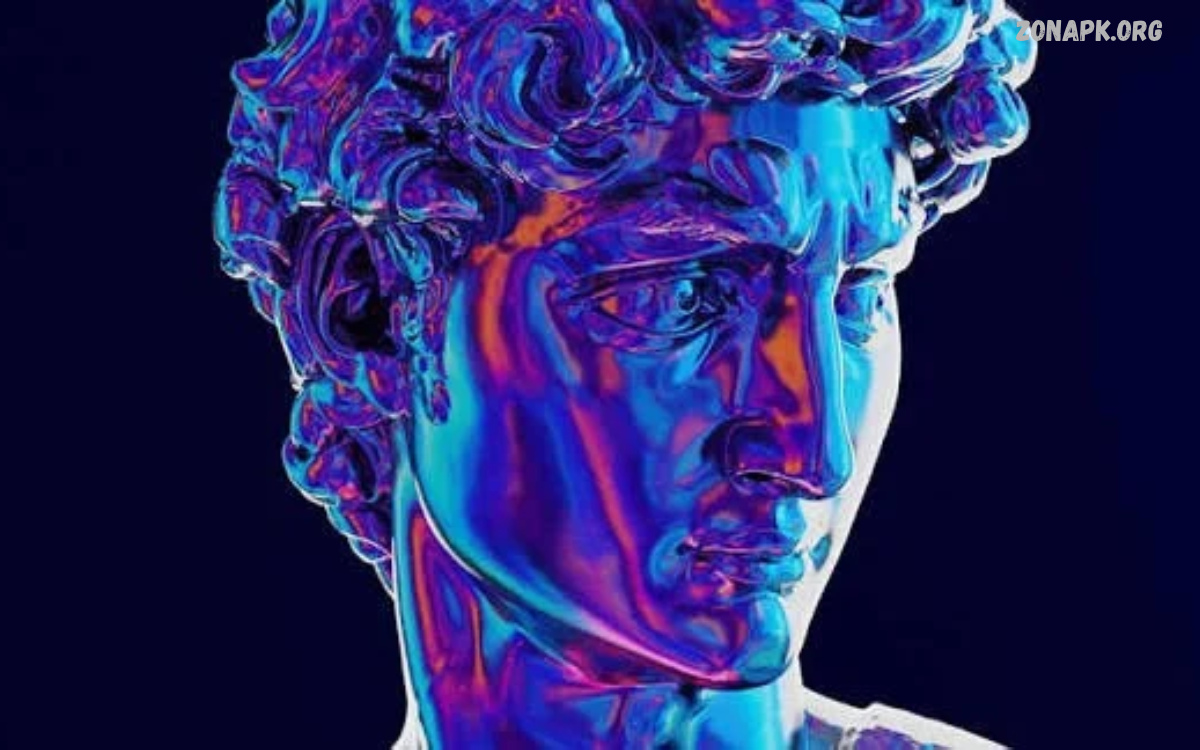
Creative digital artwork combines imagination, technology, and artistic skills to produce visually appealing designs. Artists use digital tools to create illustrations, paintings, graphics, character designs, and unique visual compositions.
Digital art continues to grow across social media, advertising, gaming, entertainment, and website design. Beginners and experienced artists can explore endless creative possibilities through digital drawing applications, graphic design software, and modern artistic techniques.
What Is Creative Digital Artwork?
Creative digital artwork refers to visual art created or enhanced using digital devices and software. Artists work with tablets, computers, smartphones, styluses, brushes, layers, textures, and colors to transform original ideas into digital creations.
Unlike traditional artwork, digital art offers flexible editing options and convenient file storage. Artists can experiment with different styles, correct mistakes, combine visual elements, and export finished projects in formats suitable for websites, printing, presentations, and social media.
Importance of Creative Digital Artwork
Creative digital artwork helps communicate ideas through attractive visuals and expressive compositions. Businesses use digital illustrations, promotional graphics, logos, and branded images to capture attention and establish recognizable visual identities across online platforms.
Digital art also encourages personal expression and creative exploration. Artists can develop original characters, imaginary environments, abstract patterns, and meaningful visual stories while building valuable skills for personal projects, education, and professional design opportunities.
Popular Types of Creative Digital Artwork
Digital artwork includes numerous styles, each offering different creative opportunities. Digital painting, vector illustration, photo manipulation, typography, pixel art, 3D modeling, and concept art allow artists to communicate ideas through distinctive visual approaches.
Choosing an appropriate art style depends on personal interests, project requirements, and available tools. Some artists prefer realistic portraits, while others explore cartoon illustrations, fantasy environments, minimalist graphics, or experimental compositions featuring unusual shapes and vibrant colors.
Digital Painting and Illustration
Digital painting recreates the appearance of traditional painting through electronic brushes, textures, and customizable color palettes. Artists can produce realistic portraits, landscapes, expressive characters, and imaginative scenes without requiring physical canvases or traditional painting materials.
Digital illustration focuses on communicating concepts through carefully constructed visual elements. Illustrators create editorial graphics, educational diagrams, book covers, character designs, and website illustrations using drawing applications that support layers, custom brushes, and precise editing.
Vector Art and Graphic Design
Vector art uses mathematically defined paths, shapes, and curves to create clean graphics that remain sharp at different sizes. This format works particularly well for logos, icons, illustrations, infographics, and branding materials that require consistent visual quality.
Graphic design combines typography, colors, imagery, spacing, and composition to deliver clear visual messages. Designers use vector tools to develop posters, banners, advertisements, social media graphics, and website layouts that balance creativity with readability and practical communication.
Photo Manipulation and Digital Compositing
Photo manipulation transforms ordinary photographs into creative visual compositions through editing, retouching, color adjustments, and image combinations. Artists can create surreal scenes, cinematic posters, fantasy landscapes, and imaginative portraits by combining carefully selected visual elements.
Digital compositing involves blending multiple images into a convincing or deliberately artistic composition. Effective results depend on consistent lighting, realistic shadows, suitable perspective, accurate masking, and balanced colors that help separate elements appear connected within one visual scene.
3D Digital Artwork
Three-dimensional digital artwork uses specialized software to create objects, characters, environments, and realistic product visualizations. Artists build models, apply materials, arrange lighting, and render images that communicate depth, texture, scale, and spatial relationships.
Industries such as gaming, animation, architecture, advertising, and product development rely on 3D artwork for visual storytelling and presentation. Beginners can start with simple objects before exploring character modeling, environmental design, realistic materials, and advanced rendering techniques.
Pixel Art and Retro Digital Designs
Pixel art creates images through carefully arranged square pixels, often inspired by classic video games and retro computer graphics. Artists use limited color palettes and deliberate pixel placement to produce recognizable characters, environments, icons, and animated scenes.
This artistic style rewards patience, visual planning, and attention to detail. Beginners can practice by designing small sprites, simple landscapes, and recognizable objects before experimenting with animation, lighting effects, and more complicated game-inspired compositions.
Essential Tools for Creative Digital Artwork
Choosing suitable digital art tools makes the creative process more efficient and enjoyable. Popular options include drawing applications, photo editors, vector design programs, 3D modeling software, and illustration platforms designed for different experience levels and project requirements.
Artists should consider device compatibility, pricing, available features, learning resources, and export options before selecting software. Beginners can start with free applications and upgrade when their projects require advanced brushes, professional color management, specialized effects, or collaborative features.
Best Software for Digital Artists
Different software applications support different artistic workflows. Raster editors are useful for digital painting and photo manipulation, while vector applications excel at scalable graphics, logos, typography, and illustrations requiring clean geometric shapes.
Professional creative suites often provide advanced tools for illustration, animation, compositing, and 3D production. However, beginners do not need expensive subscriptions immediately; a reliable free application can provide sufficient features for learning foundational techniques and developing an impressive portfolio.
Drawing Tablets and Digital Pens
Drawing tablets provide a natural way to create digital illustrations through pen-based input. Pressure sensitivity, tilt recognition, responsive surfaces, and customizable shortcuts help artists control brush thickness, opacity, and expressive linework during detailed drawing sessions.
Artists can choose between screenless tablets, display tablets, and compatible touchscreen devices. The best option depends on budget, workspace, portability, and personal comfort rather than price alone, making it possible to develop strong artistic skills using different types of equipment.
Smartphone Apps for Creative Digital Artwork
Smartphones offer accessible tools for creating digital illustrations, editing photographs, designing social media graphics, and experimenting with visual effects. Mobile applications often include brushes, templates, filters, layers, stickers, and typography features suitable for quick creative projects.
Mobile artwork works particularly well for beginners who prefer drawing on the go or exploring simple design concepts. A stylus can improve precision on compatible devices, while cloud storage and file-sharing options make it easier to continue projects across supported platforms.
Creative Digital Artwork Ideas for Beginners
Beginners can develop artistic confidence by starting with simple projects that encourage experimentation. Popular ideas include colorful landscapes, abstract compositions, illustrated quotes, character portraits, minimalist wallpapers, fantasy creatures, and decorative patterns inspired by everyday objects.
Small projects provide opportunities to practice shapes, color combinations, shading, and composition without becoming overwhelmed. Completing one illustration at a time also helps artists recognize their progress, discover preferred styles, and gradually attempt more detailed creative challenges.
How to Create Creative Digital Artwork
Creating successful digital artwork begins with a clear concept and a manageable plan. Artists should identify the subject, choose an appropriate style, collect visual references, select suitable software, and sketch the composition before adding detailed elements.
After preparing the initial sketch, refine the shapes, apply colors, develop lighting, and introduce textures where appropriate. Review the overall composition before exporting the finished image in a format that matches its intended use, whether digital publication, printing, or portfolio presentation.
Develop a Strong Artistic Concept
A strong artistic concept gives digital artwork a clear purpose and visual direction. Artists can begin with a feeling, story, object, environment, or imaginative question that inspires the composition and influences the choice of colors, shapes, textures, and visual details.
Reference boards help organize inspiration from photographs, architecture, nature, fashion, and other visual sources. Use references as learning aids while developing original compositions, combining personal observations with thoughtful experimentation instead of simply copying another artist’s finished work.
Sketching and Composition Techniques
Sketching helps establish the basic structure of an artwork before detailed rendering begins. Artists can explore several thumbnail sketches, test different arrangements, and identify the strongest focal point before committing time to intricate details and decorative elements.
Effective composition guides the viewer’s attention through balance, contrast, perspective, negative space, and visual hierarchy. Techniques such as the rule of thirds, leading lines, and intentional asymmetry can make illustrations more engaging while keeping important elements easy to recognize.
Read Also: Artistic Photography Techniques: A Complete Guide to Creative Photography
Choosing Colors for Digital Artwork
Color selection strongly influences the atmosphere, readability, and emotional character of digital artwork. Warm colors can suggest energy and excitement, while cooler colors often communicate calmness, distance, or mystery, depending on context and surrounding visual elements.
Artists can build harmonious palettes using complementary, analogous, or monochromatic color relationships. Limiting the number of dominant colors helps maintain consistency, while carefully placed contrasting accents can highlight important subjects and create a stronger visual focal point.
Lighting, Shading, and Texture
Lighting gives digital artwork a sense of depth, volume, and atmosphere. Artists should establish a consistent light source and apply highlights, midtones, and shadows according to the shape and position of each object within the composition.
Textures add visual interest by suggesting materials such as metal, fabric, stone, wood, or skin. Custom brushes and texture overlays can support this process, but excessive effects may distract from the subject, so apply them selectively to preserve clarity and artistic intention.
Using Layers and Digital Brushes
Layers allow artists to separate sketches, linework, colors, shadows, highlights, and background elements. This organization makes editing easier because individual components can be adjusted without unnecessarily affecting the rest of the artwork.
Digital brushes offer different effects for painting, sketching, blending, and texturing. Experiment with brush size, opacity, spacing, and pressure settings to discover suitable combinations, then save useful presets to create a consistent workflow across future projects.
Creative Digital Artwork for Social Media
Social media provides a platform for sharing illustrations, graphic designs, digital portraits, wallpapers, and experimental visual projects. Artists can develop recognizable visual themes by maintaining consistent colors, composition styles, typography, and presentation across their published work.
Each platform may support different image dimensions and display formats, so prepare artwork according to the intended placement. Use clear focal points, readable text, and high-quality exports to improve presentation, while keeping original files available for future edits and alternative layouts.
Digital Artwork for Branding and Marketing
Businesses use creative digital artwork to communicate brand values and make promotional materials more visually appealing. Illustrations, product graphics, campaign banners, logos, and branded social media posts help create a consistent identity across websites, advertisements, and digital publications.
Successful commercial artwork combines visual creativity with clear communication. Designers should understand the target audience, follow brand guidelines, maintain readable typography, and prepare suitable file formats to ensure that each design supports its intended marketing purpose.
Creative Digital Artwork for Gaming
Gaming artwork includes character concepts, environmental illustrations, interface graphics, item designs, promotional images, and visual assets for interactive experiences. Artists help establish a game’s atmosphere by developing consistent styles, recognizable silhouettes, expressive characters, and detailed fictional worlds.
Aspiring game artists can begin by designing original characters, fantasy weapons, fictional locations, or simple interface elements. Studying perspective, anatomy, storytelling, and visual consistency helps build relevant skills, while a focused portfolio demonstrates artistic ability to potential collaborators and employers.
Artificial Intelligence and Digital Art
Artificial intelligence tools can support selected stages of the digital art process, including brainstorming, reference organization, background exploration, and creative experimentation. Their usefulness depends on the project, the chosen tool, and the artist’s ability to evaluate the resulting visuals critically.
Artists should review each tool’s usage terms, privacy policies, and licensing conditions before using generated material in public or commercial projects. Maintaining human creative direction, checking visual accuracy, and respecting other creators’ rights helps support responsible digital art practices.
Common Digital Artwork Mistakes
Beginners sometimes add too many details before establishing a strong composition. Other common challenges include inconsistent lighting, overly complicated color palettes, weak contrast, excessive texture, and unclear focal points that make the finished artwork difficult to understand.
These problems can be reduced through regular practice and deliberate review. Zoom out frequently, compare the composition with the original concept, check lighting consistency, and simplify distracting elements when necessary to create a more cohesive visual result.
Tips for Improving Digital Art Skills
Consistent practice helps artists strengthen observation, drawing accuracy, color understanding, and visual storytelling. Setting achievable goals, studying fundamental techniques, completing short exercises, and reviewing previous projects can make improvement more manageable over time.
Learning from tutorials, art communities, and constructive feedback also supports artistic development. Study the techniques behind successful artwork, experiment with unfamiliar approaches, and use feedback to identify specific areas for improvement without losing the personal creativity that makes each project distinctive.
Building a Creative Digital Art Portfolio
A digital art portfolio presents an artist’s strongest work and demonstrates their creative range. Include carefully selected illustrations, concept designs, graphic compositions, or other relevant projects that reflect the intended audience and showcase both artistic ability and technical understanding.
Organize projects into clear categories and provide short descriptions explaining the purpose, tools, and creative decisions behind each piece. A well-presented portfolio should prioritize quality over quantity, feature original work, and remain updated as new skills and stronger projects develop.
Sharing and Protecting Digital Artwork
Sharing artwork through a personal website, portfolio platform, or social media account helps artists reach audiences and connect with other creators. Appropriate file formats, clear presentation, and useful project descriptions make artwork easier to view and understand across different devices.
Artists can protect their work by retaining original project files, adding discreet watermarks when appropriate, and reviewing platform privacy and licensing settings. Copyright rules vary by jurisdiction, so creators should understand relevant protections and obtain permission before incorporating material owned by others into published projects.
Career Opportunities in Digital Art
Creative digital artwork supports several career paths, including illustration, graphic design, concept art, animation, advertising, game development, and digital content creation. Each field requires a different combination of artistic fundamentals, software knowledge, communication skills, and project-specific experience.
Aspiring professionals can begin by developing relevant portfolio projects and learning the tools used in their preferred field. Freelance assignments, collaborative projects, internships, and personal creative challenges can provide valuable experience while helping artists discover the type of work they enjoy most.
Future Trends in Creative Digital Artwork
Digital art continues to evolve alongside advances in software, mobile devices, interactive media, and real-time rendering. Artists increasingly combine traditional illustration skills with animation, three-dimensional design, immersive experiences, and collaborative digital workflows to explore new forms of visual communication.
Emerging technologies may introduce additional creative possibilities, but strong artistic fundamentals remain valuable. Composition, color theory, visual storytelling, originality, and technical judgment help artists adapt to new tools while maintaining control over their creative decisions and artistic identity.
Frequently Asked Questions
What Is Creative Digital Artwork?
Creative digital artwork is visual content created or enhanced using digital devices and software. It includes digital paintings, illustrations, graphic designs, photo manipulations, pixel art, and three-dimensional creations.
Which Software Is Best for Creative Digital Artwork?
The best software depends on your goals and experience level. Beginners can explore free drawing and graphic design applications, while advanced artists may prefer specialized tools for painting, vector illustration, animation, or 3D modeling.
Can Beginners Create Digital Artwork?
Yes, beginners can start with simple drawings, abstract designs, digital portraits, and colorful illustrations. Practicing basic shapes, composition, shading, and color theory helps develop skills gradually without requiring expensive equipment.
Do I Need a Drawing Tablet for Digital Art?
A drawing tablet can improve precision and make digital illustration more comfortable, but it is not essential. Artists can create digital artwork using a mouse, touchscreen, smartphone, or computer, depending on the application and project requirements.
How Can I Improve My Digital Artwork?
Practice regularly, study fundamental artistic techniques, experiment with different brushes, and seek constructive feedback. Reviewing completed projects and learning from mistakes can help improve composition, lighting, color selection, and overall visual quality.
How Can I Share Creative Digital Artwork Online?
You can publish artwork through social media platforms, personal websites, and online portfolios. Export images in suitable formats, check platform requirements, provide appropriate attribution, and review licensing settings before sharing your work.
Can Digital Artwork Become a Career?
Yes, digital artwork can support careers in graphic design, illustration, animation, gaming, advertising, and digital marketing. Developing technical skills, building a strong portfolio, and understanding industry requirements can help prepare artists for professional opportunities.
What Makes Digital Artwork Creative?
Creative digital artwork combines original ideas, thoughtful composition, artistic experimentation, and effective visual communication. Distinctive styles, meaningful concepts, balanced colors, and carefully selected details help make artwork memorable and expressive.
Conclusion
Creative digital artwork offers an accessible way to transform ideas into illustrations, graphics, paintings, and imaginative visual experiences. With the right tools, consistent practice, and a clear creative direction, beginners can build practical skills and explore a wide range of artistic styles.
Start with simple projects, experiment with different techniques, and gradually build a collection of original work.

1 Comment
Pingback: Photography Art Styles: Popular Techniques, Creative Ideas, and Inspiration - Zonapk