

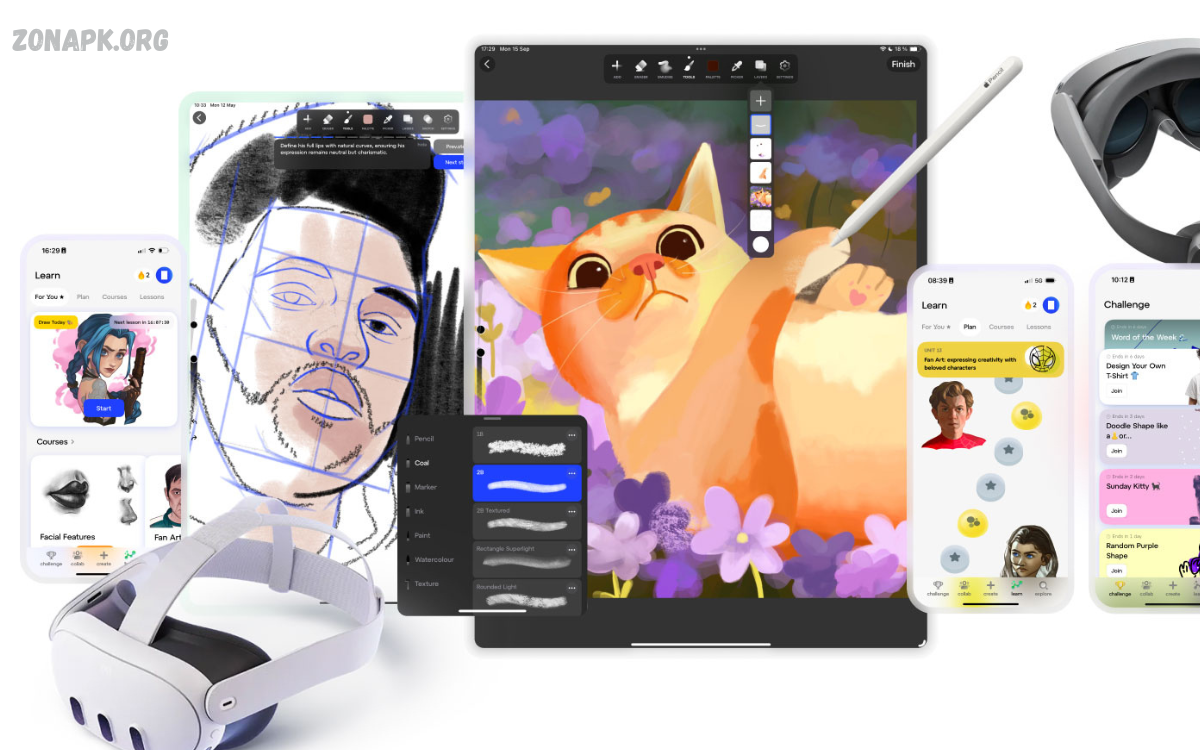
Creating stunning art no longer requires a professional studio or expensive software. Your mobile device can now serve as a powerful canvas, allowing artists, hobbyists, and content creators to transform ideas into captivating digital masterpieces anytime, anywhere.
Creating digital art on your mobile offers not just convenience but also a unique level of experimentation. You can quickly try new styles, blend colors seamlessly, and manipulate images with precision, all from the palm of your hand.
Why Choose Mobile Digital Art?
Creating digital art on your mobile comes with multiple benefits. First, the learning curve is gentler than that of complex desktop software. Mobile apps are designed to be user-friendly, allowing beginners to dive into drawing and painting with minimal setup. Second, mobile devices support both touch and stylus input, enabling precise control over lines, textures, and color blending.
Another advantage is speed and efficiency. With mobile apps, artists can quickly sketch ideas, experiment with styles, or refine final pieces. Exporting and sharing creations online is seamless, allowing artists to engage audiences on social media or professional portfolios instantly.
Top Mobile Apps to Create Stunning Digital Art on Your Mobile
Several apps have revolutionized mobile digital art, catering to different skill levels and artistic needs:
- Procreate Pocket – Known for its vast brush library, layer system, and high-resolution canvas, Procreate Pocket is perfect for serious artists looking to create professional-quality art.
- Adobe Fresco – Integrates raster and vector brushes, ideal for illustrators who want versatility. It also syncs with Adobe Creative Cloud, making cross-platform work easy.
- Ibis Paint X – Popular among manga and comic artists, this app offers over 2,500 brushes, smooth stabilization, and advanced layer features.
- Autodesk SketchBook – Provides realistic drawing tools, customizable brushes, and user-friendly interface for quick sketches or detailed artwork.
- MediBang Paint – Lightweight, cloud-supported, and great for comic artists. It supports collaboration and has extensive resources for beginners.
Choosing the right app depends on your art style, workflow, and device compatibility. Most apps offer free versions with essential tools and paid upgrades for advanced features.
Essential Tools for Mobile Digital Art
While your mobile device is powerful, pairing it with the right tools can enhance results:
- Stylus – For precise control and pressure-sensitive strokes, a stylus is essential. Popular options include Apple Pencil, Wacom styluses, and Adonit pens.
- Tablet or Large Smartphone – Larger screens provide more workspace, making detailed art easier to manage.
- High-Resolution Displays – Devices with high pixel density allow clearer lines and better color accuracy.
- Cloud Storage – Backing up projects ensures no work is lost and enables cross-device access.
Read Also: Free Art Resources – Complete Professional Guide For Artists, Designers, Educators
Techniques to Create Stunning Digital Art on Your Mobile
Mastering digital art on mobile requires understanding certain techniques:
- Layer Management – Layers allow artists to separate elements, making edits simpler. Use multiple layers for sketches, line art, color, and effects.
- Brush Customization – Experiment with brush shapes, textures, and opacity to achieve unique effects.
- Blending and Smudging – Smooth gradients and textures improve realism. Many apps provide blending tools to mimic traditional painting techniques.
- Color Theory – Choosing complementary colors and understanding color harmony improves visual appeal. Most apps provide palettes and color wheels.
- Reference Integration – Import photos or sketches for guidance, ensuring accuracy in anatomy, perspective, and composition.
- Regular Practice – Consistency enhances skill. Mobile devices make daily practice easy, even for just 10-15 minutes.
Creating Art for Social Media
One of the biggest advantages of mobile digital art is instant sharing. Artists can create content tailored for social media platforms like Instagram, TikTok, or Pinterest. Optimizing your art for mobile screens ensures higher engagement. Using trending themes, vibrant colors, and appealing compositions can attract a larger audience. Additionally, many apps allow direct export in social media-friendly formats.
Tips for Beginners
- Start simple: Focus on basic shapes, sketches, and simple coloring before moving to complex designs.
- Explore tutorials: Many apps provide built-in tutorials or community guides.
- Experiment with styles: Try manga, realism, abstract, or minimalist styles to find your niche.
- Use references: Studying real-world objects improves accuracy and realism.
- Avoid overcomplicating: Mobile art is about efficiency and creativity; simplicity often produces stunning results.
Advanced Mobile Digital Art Strategies
For professional or aspiring artists:
- Combine raster and vector elements for versatility.
- Use custom brushes for textures, patterns, and effects.
- Apply layer masks for non-destructive editing.
- Experiment with lighting and shading to add depth.
- Collaborate using cloud-based apps for shared projects.
Future of Mobile Digital Art
Mobile digital art continues to evolve. Artificial intelligence integration, augmented reality tools, and cloud collaboration are reshaping the creative landscape. Artists can now use AI-assisted tools for color suggestions, style transfer, and idea generation. Mobile devices are no longer secondary tools; they have become primary creative hubs for professional artists, hobbyists, and content creators worldwide.
Frequently Asked Questions
Can beginners start creating digital art on mobile?
Absolutely. Mobile apps are designed to be intuitive, with tutorials and simple interfaces. Beginners can start with basic sketches and gradually explore advanced tools as they gain confidence.
Are there free apps for mobile digital art?
Yes, apps like Ibis Paint X, MediBang Paint, and Autodesk SketchBook offer free versions with essential tools. Upgrading to paid versions unlocks advanced brushes, higher-resolution canvases, and more professional features.
How do I choose the right app for my art style?
Consider your preferred art style, workflow, and device compatibility. Illustrators may prefer Procreate Pocket or Adobe Fresco, while comic or manga artists may choose Ibis Paint X or MediBang Paint.
Can I use layers on mobile digital art apps?
Yes, almost all professional mobile art apps support layers, allowing non-destructive editing, easy color changes, and organized workflow. Layer features are essential for creating detailed and complex artwork.
How can I improve my mobile digital art skills?
Regular practice, following tutorials, experimenting with brushes and styles, and studying real-world references help improve skills. Joining online art communities can provide feedback and inspiration.
Can I sell my mobile digital art?
Yes, mobile-created artwork can be sold as prints, digital downloads, or commissioned pieces. Ensure your final artwork is exported in high resolution and proper file formats for professional use.
What makes mobile digital art different from desktop digital art?
Mobile digital art offers portability, instant sharing, and a touch-based interface. While desktop tools may offer more power and advanced options, mobile devices allow artists to create anywhere without losing professional quality.
Conclusion
Learning to create stunning digital art on your mobile opens endless possibilities for creativity. With the right apps, tools, and techniques, anyone can transform ideas into vibrant, professional-quality art. Mobile devices empower artists to create anywhere, experiment fearlessly, and share their work instantly.
Embrace mobile digital art today, explore new styles, and let your creativity flow from your pocket to the world.
