

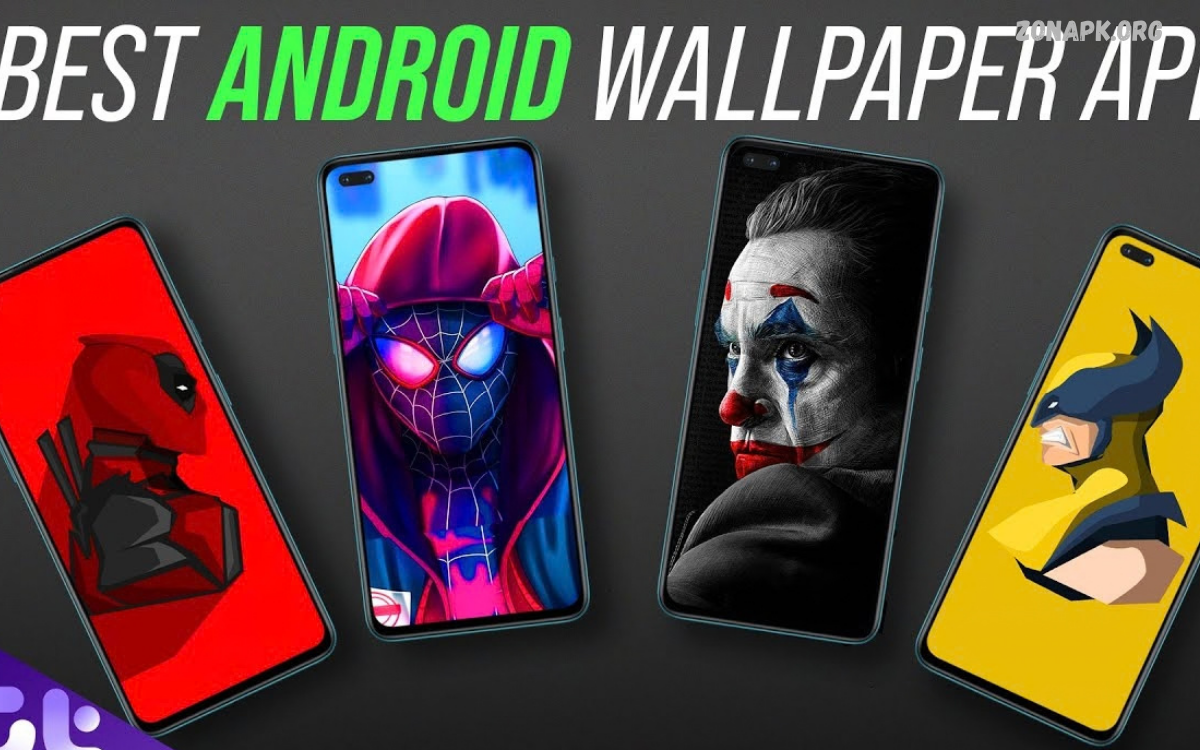
The Best Wallpaper Apps for Android help users personalize smartphones with beautiful backgrounds, creative designs, high-resolution images, and dynamic effects.
Android offers a wide range of wallpaper applications featuring nature photography, abstract artwork, minimalist designs, anime illustrations, and live backgrounds. The best app depends on image quality, customization options, battery efficiency, and access to fresh wallpapers.
Why Wallpaper Apps Matter for Android Users
Wallpapers play an important role in smartphone personalization. A carefully selected background can improve the home screen’s appearance, complement app icons, and create a consistent visual style across the device.
Modern wallpaper apps provide more than static pictures. Users can explore animated backgrounds, AI-generated artwork, automatic wallpaper changes, and personalized recommendations. These features make it easier to refresh a smartphone’s appearance without manually searching multiple websites for images.
What Makes a Great Wallpaper App
A great wallpaper application combines attractive images with a simple interface and reliable performance. High-resolution downloads help wallpapers appear sharp on modern Android displays, while category filters make it easier to discover specific themes. An effective search function also saves time when looking for particular colors, styles, or subjects.
Other important features include regular content updates, preview options, cropping tools, and direct wallpaper application. Users should also consider advertisements, optional subscriptions, download restrictions, and privacy practices before choosing an application for everyday use.
Zedge for Creative Wallpaper Collections
Zedge is a popular personalization platform offering wallpapers, ringtones, notification sounds, and other smartphone customization options. Its wallpaper library includes colorful illustrations, scenic photographs, gaming artwork, abstract designs, and numerous styles suitable for different Android devices.
The application is useful for users who want to customize several aspects of their smartphones through a single platform. Some content and features may require payment or involve advertisements, so reviewing the available options before downloading is worthwhile.
Backdrops for Artistic Backgrounds
Backdrops appeals to users who appreciate carefully curated artwork and original wallpaper designs. Its collections include minimalist illustrations, geometric patterns, colorful compositions, and contemporary backgrounds created to give Android home screens a distinctive appearance.
The application is particularly suitable for people who prefer organized collections instead of browsing countless unrelated images. Availability of particular features, community content, and premium collections can vary, making the current app listing useful when comparing available options.
Walli for Creative Artwork
Walli focuses on artistic wallpapers created by illustrators and digital artists. Its collection features imaginative characters, colorful illustrations, abstract compositions, and visually distinctive designs that help users move beyond conventional photography.
This application is a strong choice for people who enjoy creative backgrounds and want to discover different artistic styles. Users should check image resolution, licensing information, and any premium restrictions before selecting artwork for personal or commercial purposes.
Resplash for High-Quality Photography
Resplash has been associated with Unsplash photography, offering access to visually appealing images captured by photographers. Its photographic collections include mountains, forests, architecture, city streets, beaches, and minimalist compositions suitable for modern smartphone screens.
Photography enthusiasts may appreciate the natural colors, detailed textures, and realistic scenery available through this type of wallpaper application. Because app availability and maintenance can change, users should verify the current listing and consider the official Unsplash platform when looking for reliable photographic resources.
Pinterest for Unique Wallpaper Ideas
Pinterest provides a broad discovery platform where users can find wallpaper inspiration across numerous visual categories. Searches for aesthetic wallpapers, pastel backgrounds, anime designs, dark themes, and minimalist phone backgrounds can reveal a wide variety of creative ideas.
Pinterest works especially well for users who enjoy exploring different styles before selecting a background. However, image quality, download permissions, and original ownership can vary between pins, so users should seek authorized downloads and avoid assuming every image is free for unrestricted use.
Google Wallpapers for Simple Customization
Google Wallpapers offers a straightforward approach to smartphone personalization on supported devices. Depending on device compatibility and the available version, users may find collections featuring landscapes, textures, artwork, and other background categories.
Its clean presentation makes it appealing to people who prefer simple wallpaper selection without an overwhelming number of customization options. Availability and functionality may differ across Android versions and manufacturers, so checking compatibility through Google Play is recommended.
Live Wallpapers for Dynamic Home Screens
Live wallpaper applications introduce motion and animation to Android home screens. Popular themes include flowing water, moving clouds, particle effects, abstract animations, and interactive visual scenes that respond to device movement or touch.
These backgrounds can make a smartphone feel more engaging, but their effect on battery consumption and performance depends on the animation, display, and device. Users should select reputable applications, review permissions, and avoid unnecessarily complex effects when battery efficiency is a priority.
AMOLED Wallpapers for Dark Displays
AMOLED wallpaper applications specialize in dark backgrounds, black artwork, and high-contrast designs. These collections are particularly attractive to users who prefer a clean interface with bright icons standing out against darker home screen backgrounds.
On OLED and AMOLED displays, black pixels can be switched off individually, potentially reducing display power consumption when much of the screen is black. Actual battery savings depend on brightness, screen usage, application behavior, and the display technology used by the device.
Minimalist Wallpapers for Clean Home Screens
Minimalist wallpaper applications focus on simple compositions, balanced colors, subtle gradients, and uncluttered designs. These backgrounds work well for users who want their app icons, widgets, and important information to remain visually prominent.
A minimalist background can also create a consistent appearance across the home screen and lock screen. Soft colors, geometric patterns, and understated illustrations are useful choices for people who prefer elegant smartphone customization without distracting visual elements.
Anime Wallpapers for Fans of Japanese Animation
Anime wallpaper applications feature illustrations inspired by animated characters, fantasy worlds, action scenes, and expressive artwork. Users can search for different artistic styles and select backgrounds that match their interests and preferred color schemes.
Before downloading anime images, users should consider image resolution, source reliability, and copyright restrictions. Official artwork and properly licensed images provide a safer choice, particularly for people who intend to publish wallpapers on websites or use them in commercial projects.
Nature Wallpapers for Relaxing Backgrounds
Nature wallpaper applications offer photographs and illustrations featuring forests, mountains, oceans, flowers, wildlife, and peaceful landscapes. These backgrounds provide a natural visual style that suits users who enjoy outdoor photography and scenic environments.
High-quality landscape images can look especially appealing on large Android displays. Choosing images with suitable composition and enough empty space can also improve icon visibility, while portrait-oriented photographs generally fit smartphone screens more naturally than images designed for desktop monitors.
AI Wallpaper Apps for Personalized Designs
AI wallpaper apps let users generate original backgrounds from text descriptions or customize existing images with AI. Depending on the app, users can create futuristic artwork, colorful gradients, imaginative landscapes, or abstract compositions tailored to their preferences.
These tools offer creative flexibility for people who cannot find a suitable background in traditional wallpaper libraries. However, generation limits, subscription requirements, privacy policies, and commercial usage rights vary by service, so users should review the terms before relying on AI-generated artwork.
Read Also: Best Keyboard Apps for Android: Top Picks for Typing, Customization, and Productivity
How to Choose the Right Wallpaper App
The best wallpaper application depends on the style, functionality, and image quality a user prefers. Photography enthusiasts may favor image libraries, while design lovers might prefer original illustrations, minimalist collections, or AI-powered customization tools.
It is also important to consider device compatibility, download quality, update frequency, and the number of advertisements. Reading recent reviews and checking the developer’s reputation can help users identify reliable applications and avoid unnecessary downloads.
How to Download and Apply Wallpapers on Android
Users can begin by opening Google Play and searching for a trusted wallpaper application. After checking its developer, reviews, permissions, and available features, they can install the app and browse its wallpaper categories to find a suitable background.
Once an image has been selected, users can preview it and adjust its positioning when the application provides cropping controls. Depending on the device, the wallpaper can then be applied to the home screen, lock screen, or both through the app or Android’s built-in personalization settings.
Tips for Getting the Best Wallpaper Quality
Choosing an image that matches the smartphone’s screen resolution helps maintain sharpness and prevents unnecessary stretching. Portrait images are often suitable for phone displays, while very small images may appear blurry when enlarged to cover the entire screen.
Users should also consider how wallpaper colors interact with app icons, widgets, and system text. A background with balanced contrast improves readability, while a less crowded composition can make the home screen easier to navigate.
Battery Life and Wallpaper Performance
Static wallpapers generally require fewer ongoing resources than animated backgrounds because they do not continuously render motion. Live wallpapers can consume additional processing power, although the impact varies significantly between applications and devices.
Users concerned about battery life can choose static images, disable unnecessary animation, and monitor battery usage through Android settings. Dark wallpapers may offer additional benefits on OLED displays, but the result depends on the amount of black content and the phone’s overall usage.
Privacy and Security Considerations
A wallpaper application should not require access to personal information unrelated to its main purpose. Before installing an app, users should review requested permissions, developer information, privacy disclosures, and the application’s data collection practices.
Downloading applications through Google Play or official developer websites reduces exposure to suspicious files, although no platform guarantees complete safety. Users should avoid modified application packages from unknown sources and uninstall apps that display suspicious behavior or request unnecessary permissions.
Free and Premium Wallpaper Apps
Free wallpaper applications allow users to explore many backgrounds without an upfront purchase. Some offer optional advertisements, premium downloads, additional customization tools, or paid subscriptions that unlock selected collections.
Premium options may be useful for people seeking exclusive artwork or specialized features, but paying does not automatically guarantee better image quality. Comparing free collections, subscription terms, and available previews can help users decide whether a paid upgrade provides meaningful value.
Common Wallpaper App Problems and Solutions
Some wallpaper apps may display blurry images, fail to apply backgrounds correctly, or interrupt downloads. These problems can result from low-resolution source files, restricted storage access, network issues, or temporary application errors.
Users can try selecting a higher-resolution image, checking their internet connection, updating the app, and reviewing relevant Android permissions. If the problem continues, restarting the device or choosing another reputable wallpaper source may solve it.
Best Wallpaper Apps for Different Preferences
Users who want broad personalization options may prefer Zedge, while people interested in original artwork can explore Backdrops or Walli. Photography enthusiasts may appreciate Unsplash, and Pinterest can inspire a wide range of visual styles.
Those seeking simple customization can investigate Google Wallpapers where supported, while AMOLED, live wallpaper, and AI wallpaper applications serve more specialized needs. The best choice depends on compatibility, personal preferences, image quality, and the features each app currently offers.
Frequently Asked Questions
Which wallpaper app is best for Android?
The best option depends on personal preferences and device compatibility. Zedge offers a wide range of personalization options, Backdrops emphasizes curated designs, and Walli focuses on artistic illustrations. Users interested in photography can explore Unsplash, while specialized applications offer live animations, AMOLED backgrounds, or AI-generated designs.
Are wallpaper apps free to use?
Many wallpaper apps offer free downloads and browsing, though some include ads, premium collections, or subscriptions. Users should review the app’s pricing details before downloading content or enabling extra features.
Do live wallpapers drain battery?
Live wallpapers can consume more power than static images because animations may require additional processing. The impact depends on the wallpaper design, device hardware, screen technology, and usage patterns. Static backgrounds are a practical option for users prioritizing battery efficiency.
Can I create my own Android wallpaper?
Yes. Users can create wallpapers with photo editors, graphic design applications, and AI-powered image generators. Images can be cropped, recolored, or adjusted to match the phone’s screen dimensions before being applied through Android’s personalization settings.
Where can I find HD wallpapers for Android?
Users can explore trusted wallpaper applications, photographic platforms, and official creator websites. Checking image resolution and download permissions helps ensure backgrounds look sharp and can be used appropriately.
Conclusion
The Best Wallpaper Apps for Android offer numerous ways to personalize a smartphone with beautiful photography, artistic illustrations, minimalist designs, AMOLED backgrounds, and animated effects.
For everyday customization, explore trusted options such as Zedge, Backdrops, Walli, Unsplash, Pinterest, and Google Wallpapers where available. Compare image quality, privacy practices, advertisements, and premium features before deciding which application deserves a place on your device

1 Comment
Pingback: Best AI Chat Apps in 2026: Top Tools for Smart Conversations - Zonapk