

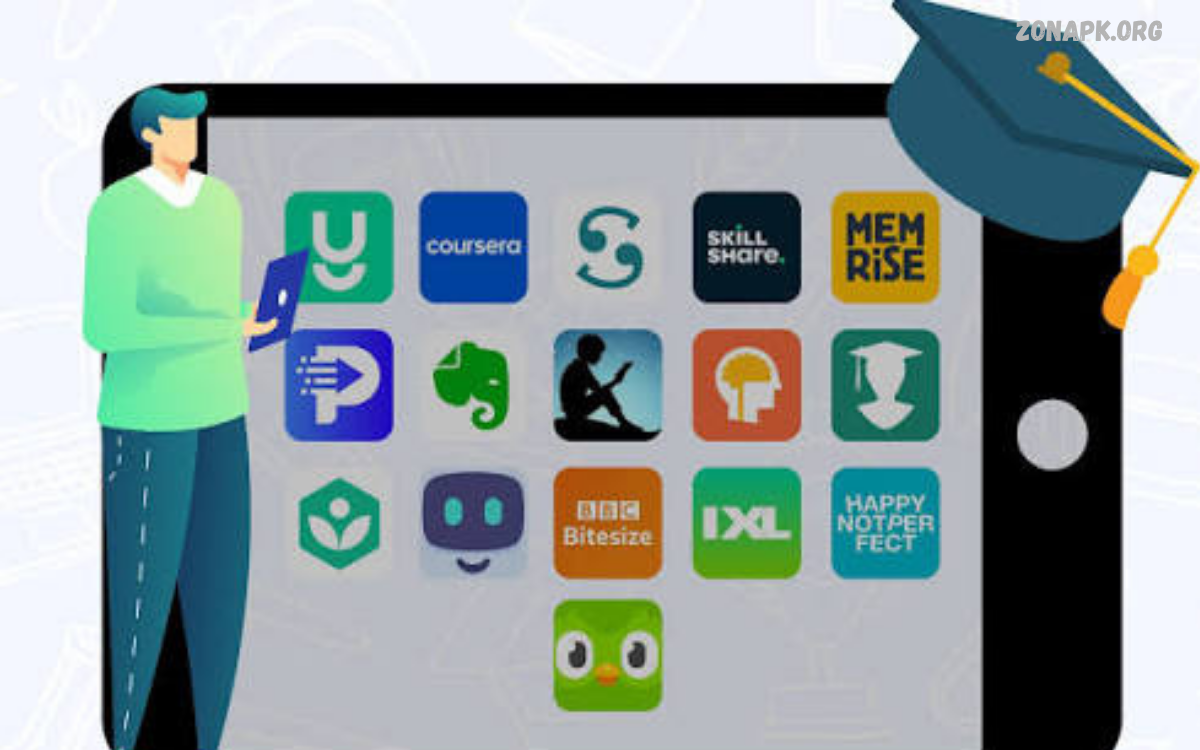
The Best Education Apps make learning easier, faster, and more accessible for students of different ages. From online courses and language learning to math, science, and exam prep, these apps help learners build valuable skills on smartphones, tablets, and computers.
Modern education apps provide interactive lessons, practice exercises, video tutorials, progress tracking, and personalized learning experiences.
What Are Education Apps?
Education apps are digital tools designed to support teaching, learning, practice, and academic development. They offer resources such as digital textbooks, quizzes, recorded lectures, flashcards, interactive activities, and online classrooms that students can access from almost anywhere.
The Best Education Apps combine useful learning materials with simple interfaces and engaging activities. Some focus on specific subjects, while others provide complete courses, homework assistance, study planning, or communication between teachers and students.
Why Are Education Apps Important for Students?
Education apps allow students to study at their own pace and revisit lessons whenever necessary. Instead of relying exclusively on classroom explanations, learners can watch tutorials, complete practice questions, and review challenging concepts until they understand them better.
These applications also help students develop independent learning habits and improve time management. With regular practice, progress tracking, and organized study materials, learners can identify knowledge gaps, set achievable goals, and prepare more confidently for examinations.
Best Education Apps for Online Learning
Khan Academy
Khan Academy is one of the most useful free learning platforms for students who need help with mathematics, science, economics, history, and other academic subjects. Its educational resources include instructional videos, practice exercises, and lessons designed to explain complex ideas through manageable steps.
Students can use Khan Academy to strengthen classroom knowledge, revise important topics, and explore subjects beyond their school curriculum. Its structured lessons make it a valuable option for independent learners, although available courses and features can vary by subject and educational level.
Coursera
Coursera provides online courses from universities, educational institutions, and professional organizations. Students can explore subjects such as computer science, business, data analysis, communication, and artificial intelligence through recorded lectures, readings, assignments, and selected guided projects.
The platform is especially helpful for learners interested in developing skills beyond traditional school subjects. Many courses allow free access to selected learning materials, while certificates, graded assignments, and some programs may require payment.
edX
edX offers online courses and educational programs covering technology, science, business, humanities, and other fields. Its learning resources help students explore university-level subjects, develop professional knowledge, and study topics that may not be available through their regular educational institutions.
Learners can choose courses according to their interests, current abilities, and long-term goals. Some courses provide free learning access, while verified certificates and certain advanced programs may involve fees, so students should review course conditions before enrolling.
Udemy
Udemy provides a large collection of online courses covering academic support, programming, graphic design, productivity, communication, and practical skills. Students can select courses based on their learning goals and study through video lessons, demonstrations, exercises, and downloadable resources where available.
The platform is useful for learners who prefer flexible schedules and topic-specific instruction. Course quality, teaching style, pricing, and available resources differ between instructors, so reviewing course outlines and learner feedback can help students make informed choices.
Best Education Apps for Mathematics
Photomath
Photomath helps students understand mathematical problems by allowing them to scan questions using a compatible device camera or enter them manually. Depending on the problem, the app can present worked solutions and explanations covering topics such as arithmetic, algebra, and other mathematical concepts.
Students can use Photomath as a supplementary learning tool rather than simply copying answers. Reviewing each calculation and attempting similar questions independently helps learners understand mathematical methods and develop the problem-solving skills needed for tests and examinations.
GeoGebra
GeoGebra offers interactive mathematics tools for algebra, geometry, graphing, statistics, and calculus. Its visual activities allow students to explore mathematical relationships by changing values, moving objects, and observing how equations and geometric constructions behave.
The app is particularly valuable when abstract mathematical ideas become difficult to understand through written explanations alone. Students can experiment with graphs, compare results, and develop a stronger understanding of mathematical relationships through hands-on exploration.
Wolfram Alpha
Wolfram Alpha is a computational knowledge tool that can help students explore mathematics, scientific calculations, statistics, and other technical subjects. It can evaluate many types of mathematical expressions and provide useful information for learners working through challenging academic problems.
Students should use the tool to check calculations, investigate mathematical concepts, and verify their work. Since some detailed steps or advanced features may require a paid subscription, it is helpful to compare the available functionality with individual study requirements.
Best Education Apps for Language Learning
Duolingo
Duolingo makes language learning engaging through short lessons, interactive exercises, listening activities, and vocabulary practice. Learners can study languages such as Spanish, French, German, and other supported options through activities designed to encourage consistent daily practice.
The app works well for beginners who want to build vocabulary and become familiar with basic sentence structures. However, students seeking advanced fluency should combine app-based practice with reading, conversation, listening to native speakers, and writing exercises.
Busuu
Busuu provides structured language courses featuring vocabulary, grammar, listening, reading, and speaking activities. Depending on the language and subscription plan, learners may also access feedback features and additional resources that support communication skills.
Students can use Busuu to follow a learning path and practice language skills in manageable sessions. Combining its lessons with real conversations and regular revision can improve understanding and help learners apply new vocabulary in everyday situations.
ELSA Speak
ELSA Speak focuses on English pronunciation and speaking practice through interactive exercises. Its speech-recognition features can help learners identify pronunciation challenges, practice particular sounds, and work toward clearer spoken English.
The app can support students preparing for interviews, presentations, classroom discussions, or English-language examinations. However, pronunciation scores should be treated as learning feedback rather than a complete assessment of communication ability, since natural conversation also involves vocabulary, grammar, and listening.
Best Education Apps for Science
NASA
NASA’s official educational resources and mobile experiences help students explore space, astronomy, Earth science, and scientific discoveries. Depending on the particular app or service, learners may find mission updates, educational videos, images, interactive material, and information about ongoing scientific research.
These resources can make science more engaging by connecting textbook concepts with real-world exploration. Students studying planets, spacecraft, satellites, and Earth’s environment can use NASA materials to support school projects and develop curiosity about scientific questions.
Brilliant
Brilliant offers interactive lessons in mathematics, science, computer science, and logical reasoning. Its activities emphasize problem-solving, visual explanations, and active participation rather than relying entirely on passive video watching.
The platform suits learners who enjoy exploring concepts through puzzles and practical challenges. Some content requires a subscription, so students should check the available free lessons and consider whether the platform matches their learning goals before paying.
Quizlet
Quizlet helps students create and review digital flashcards, practice vocabulary, and study important facts across many subjects. Learners can organize material into study sets covering biology, chemistry, physics, history, and other school or college topics.
The app is particularly useful for memorizing definitions, scientific terms, formulas, and key concepts before examinations. To develop deeper understanding, students should combine flashcard revision with written explanations, practical exercises, and questions that require them to apply what they have learned.
Best Education Apps for Note-Taking
Microsoft OneNote
Microsoft OneNote provides digital notebooks for organizing lecture notes, research, diagrams, images, and study materials. Students can create separate sections for different subjects, making it easier to keep classroom information organized and locate important details during revision.
The app is useful for learners who prefer combining typed notes with handwritten content on supported devices. Its organization features can also support group projects and long-term assignments, although synchronization and some features depend on the device, account, and software configuration.
Evernote
Evernote helps students collect notes, documents, web clippings, and other study resources in one organized workspace. Search and categorization features can make it easier to retrieve information when preparing assignments, researching topics, or revising classroom material.
Students can create subject-based notebooks and record important information from lectures or independent study sessions. Available plans have different limits and features, so learners should compare the current options before deciding whether the free version or a paid subscription suits their needs.
Notion
Notion combines note-taking, task management, databases, calendars, and project organization in a flexible workspace. Students can build revision schedules, organize research, maintain assignment lists, and create study dashboards that bring academic responsibilities together.
The platform is especially useful for learners who want to customize their study systems instead of using separate apps for every task. However, complicated layouts can consume unnecessary time, so starting with a simple subject notebook and assignment tracker is often the most practical approach.
Best Education Apps for Exam Preparation
Quizlet for Revision
Quizlet can support examination preparation by helping students review definitions, terminology, dates, formulas, and other information through digital flashcards. Repeated practice makes it easier to identify unfamiliar material and focus revision sessions on topics that need additional attention.
Students can create their own study sets based on class notes, textbooks, and official syllabuses. For stronger results, flashcard sessions should be combined with timed practice papers, written answers, and questions that test understanding instead of memorization alone.
Google Classroom
Google Classroom helps teachers distribute assignments, share educational materials, communicate with students, and manage classroom activities. Where schools use the platform, students can access relevant coursework and follow assignment instructions through a centralized digital environment.
The app can make schoolwork easier to manage by keeping announcements, deadlines, and learning resources together. Its usefulness depends on whether a school or teacher uses the service, and students should follow their institution’s instructions for accounts, submissions, and classroom communication.
Moodle
Moodle is a learning management platform used by educational institutions, training providers, and online courses. Depending on how an institution configures its system, students can access course materials, complete activities, submit assignments, participate in discussions, and review learning progress.
The Moodle app is most helpful when a student’s school, college, or university provides access to a Moodle-based learning environment. Features may vary between institutions, so learners should check their course dashboard and follow the guidance provided by their teachers.
Best Education Apps for Kids
ABCmouse
ABCmouse provides early-learning activities for young children, with content covering early literacy, mathematics, science, art, and other foundational skills. Its lessons often use colorful visuals, interactive activities, and guided learning paths to make educational practice accessible to younger learners.
Parents can consider this platform when looking for structured digital activities that complement early childhood education. Subscription requirements, supported devices, and available content should be checked before use, and screen-based activities should remain balanced with reading, play, movement, and family interaction.
PBS KIDS Games
PBS KIDS Games offers educational games connected to children’s learning and entertainment content. Activities can introduce early mathematics, literacy, problem-solving, creativity, and basic scientific ideas through age-appropriate interactive experiences.
The platform can help younger children practice foundational skills in an engaging environment. Parents should choose games that match a child’s developmental stage, check current regional availability, and encourage children to explain what they learn rather than focusing only on completing game levels.
Scratch
Scratch introduces children and beginners to programming through a visual, block-based coding environment. Learners can create animations, interactive stories, and simple games by connecting programming blocks instead of needing to memorize complex code syntax.
Using Scratch can strengthen logical thinking, creativity, and step-by-step problem-solving. Students learn by building projects, testing ideas, and correcting mistakes, making it a useful introduction to computer science and computational thinking.
Read Also: Best WiFi Analyzer Apps: Top Tools to Analyze and Improve WiFi Performance
Best Education Apps for Online Classes
Google Meet
Google Meet supports video meetings that schools, tutors, and educational organizations can use for online classes and remote discussions. Depending on account settings and the meeting organizer’s configuration, students can join lessons, communicate with teachers, and participate in scheduled learning sessions.
A stable internet connection, a suitable device, and a quiet study environment can improve the online learning experience. Students should join meetings using authorized links, keep microphones muted when appropriate, and follow classroom privacy and participation rules.
Zoom
Zoom is a video communication platform widely used for online teaching, virtual workshops, tutoring, and educational meetings. Teachers can deliver lessons, share screens, discuss assignments, and use supported interactive features to engage students during remote classes.
Students can benefit from Zoom by attending lessons from home and asking questions without traveling to a classroom. Features depend on the account and meeting settings, and learners should protect meeting links, use their correct display names, and follow their institution’s online safety policies.
Microsoft Teams
Microsoft Teams brings together video meetings, chat, shared files, and collaboration features that educational institutions can use for classroom communication. Students can access course conversations, participate in virtual lessons, and work with classmates when their school provides the relevant services.
The platform can be especially convenient for students whose institutions already use Microsoft 365 education tools. Available features depend on the account, license, and school configuration, so learners should check their institution’s instructions before setting up their study workspace.
Best Free Education Apps
Free education apps help students access useful learning resources without committing to a paid subscription. Khan Academy, GeoGebra, Scratch, and many educational resources from NASA provide valuable opportunities for studying, exploring concepts, practicing skills, or creating projects at little or no cost.
However, the word “free” does not always mean that every feature is available without payment. Some platforms restrict advanced lessons, certificates, downloads, or additional tools to paid plans, while others may require accounts or collect usage information, so reviewing terms and privacy settings is important.
How to Choose the Best Education Apps
Start by identifying your primary learning goal, such as improving mathematics, learning English, preparing for examinations, organizing notes, or developing programming skills. Select apps that directly support that goal and match your current academic level instead of installing numerous applications that perform similar functions.
Next, compare lesson quality, ease of use, device compatibility, internet requirements, accessibility, privacy practices, and pricing. Read recent reviews carefully, test free features where possible, and choose tools that encourage active learning and provide explanations rather than simply presenting answers.
Benefits of Using Education Apps
One major benefit of education apps is flexibility, allowing students to review lessons at a convenient time and revisit difficult concepts as needed. Interactive exercises, videos, flashcards, and digital notes can accommodate different learning preferences while making educational resources easier to organize and access.
Education apps can also encourage independent learning and improve study organization. When used consistently, they help learners track tasks, practice important skills, discover new interests, and prepare for assessments, although meaningful progress still depends on effort, feedback, and regular revision.
Disadvantages of Education Apps
Although educational technology offers many advantages, excessive screen time and frequent notifications can interrupt concentration. Some apps also contain advertisements, subscription prompts, distracting features, or complicated interfaces that make it harder for students to focus on the material they need to learn.
Another limitation is that not every digital resource provides accurate, complete, or age-appropriate information. Students should check important facts against textbooks, trusted educational institutions, and teacher guidance, while also protecting personal information and avoiding dependence on automated answers.
Tips for Using Education Apps Effectively
Set a clear objective before opening an educational app, such as completing one lesson, reviewing ten vocabulary terms, or solving several practice problems. Short, focused study sessions can help students stay organized, while planned breaks and notification controls reduce unnecessary distractions.
Review what you learn by explaining concepts in your own words, answering questions without assistance, and revisiting topics at regular intervals. Use apps as learning companions rather than replacements for teachers, textbooks, practical experiences, and independent thinking.
Education Apps for Personalized Learning
Personalized learning tools adapt activities, recommendations, or difficulty levels according to learner progress and available performance information. Some platforms identify areas that need more practice, recommend suitable lessons, or provide immediate feedback that helps students decide what to study next.
These features can make independent study more organized, but automated recommendations are not always perfect. Students should monitor their own understanding, seek help when lessons remain confusing, and remember that individual learning needs may require different explanations, teaching methods, or classroom support.
Future of Education Apps
Education apps continue to develop through artificial intelligence, interactive simulations, accessibility tools, cloud-based collaboration, and more flexible learning environments. These technologies may help students explore complex subjects, receive timely feedback, and access educational material suited to their needs and interests.
However, effective education depends on more than technology alone. Good teaching, reliable information, thoughtful assessment, digital safety, and meaningful student participation will remain essential as educational platforms introduce new tools and learning experiences.
Frequently Asked Questions
What Are the Best Education Apps for Students?
Useful options include Khan Academy for academic subjects, Duolingo for language learning, Photomath for math support, Quizlet for revision, and OneNote for organizing notes. The right choice depends on your age, educational level, subject, budget, and learning goals.
Which Education Apps Are Free?
Khan Academy, GeoGebra, Scratch, and selected NASA educational resources offer free learning opportunities. Other platforms may provide free courses or basic features alongside paid subscriptions, so check the current pricing and access conditions before registering.
Which Education App Is Best for Online Learning?
Khan Academy is a strong starting point for school-level academic learning, while Coursera and edX offer courses across many subjects. Google Classroom, Moodle, Zoom, and Microsoft Teams are useful when schools or teachers use them to deliver lessons and manage coursework.
Which Apps Help Students Improve Mathematics?
Photomath can help explain mathematical problems, GeoGebra provides interactive graphing and geometry tools, and Wolfram Alpha supports mathematical calculations. Students should use these tools to understand methods and verify their work instead of relying on answers alone.
Are Education Apps Useful for Exam Preparation?
Yes, education apps can support exam preparation through flashcards, practice questions, instructional videos, and organized revision materials. For the best results, combine them with official syllabuses, past papers, timed exercises, and regular review of difficult topics.
How Many Education Apps Should a Student Use?
No fixed number works for every student. Start with a few applications that serve distinct purposes, such as learning course material, practicing questions, and organizing notes, then add another tool only when it addresses a clear need.
Can Education Apps Replace Teachers?
Education apps can supplement classroom instruction, but they cannot fully replace teachers. Educators provide context, personalized guidance, meaningful feedback, classroom interaction, and support that digital tools may not deliver consistently.
How Can Parents Choose Education Apps for Children?
Parents should consider age suitability, educational quality, privacy policies, advertisements, subscription costs, and parental controls. Choose trusted platforms and balance digital activities with reading, physical play, and real-world experiences to create a healthier learning environment.
Conclusion
The Best Education Apps help students build knowledge, improve academic skills, organize assignments, and explore new subjects through convenient digital resources.
Instead of downloading every available app, choose a few reliable tools that meet your most important needs. Combine digital lessons with textbooks, teacher guidance, regular practice, and healthy study habits to create a balanced learning routine that supports long-term academic development.
