

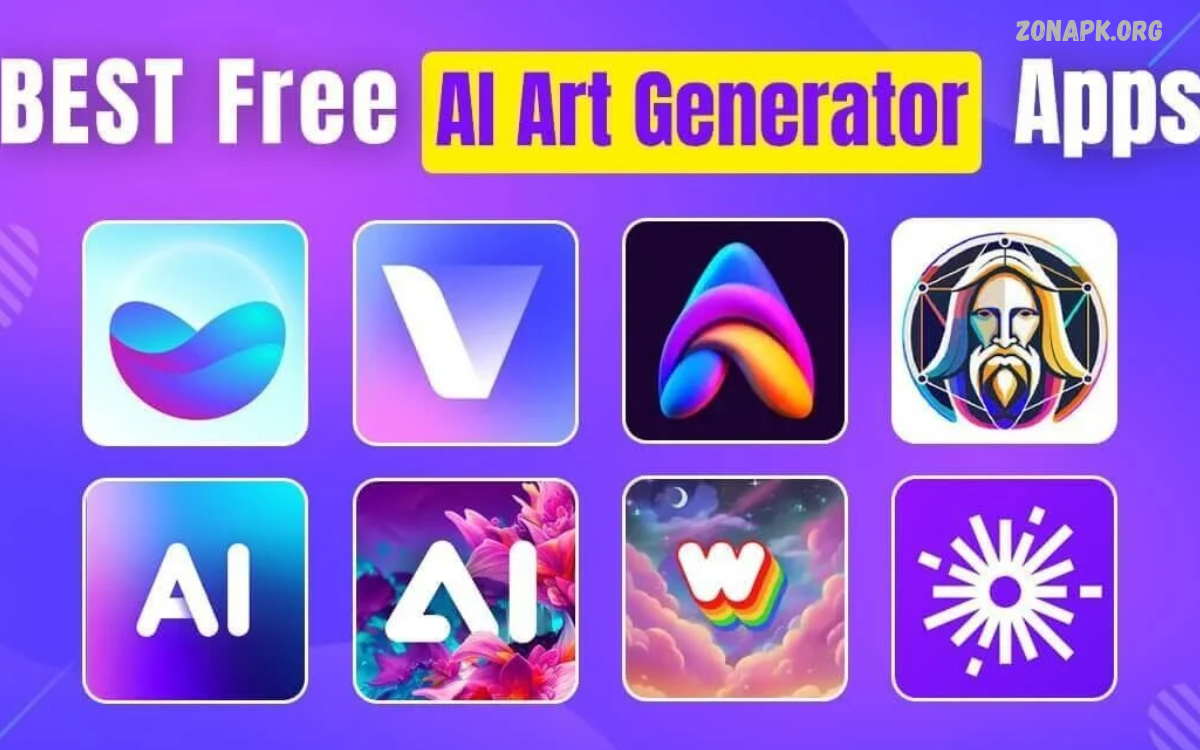
AI Art Generator Apps are changing how people create digital artwork, illustrations, wallpapers, and creative designs. These tools use artificial intelligence to turn text prompts, photos, and ideas into visually appealing images in seconds.
Whether you are a beginner, content creator, student, or digital artist, AI Art Generator Apps make artwork creation more accessible. Many applications offer simple interfaces, customizable styles, and creative features that help users turn imagination into impressive digital visuals.
What Are AI Art Generator Apps?
AI Art Generator Apps are digital tools that use AI models to generate images from written descriptions, uploaded photos, or existing visual references. Users can describe a scene, select an artistic style, and allow the application to produce an image based on the supplied instructions.
These applications can create realistic portraits, fantasy landscapes, anime illustrations, abstract artwork, product concepts, and digital paintings. Depending on the platform, users may also find image editing, background replacement, text effects, and image enhancement features.
How Do AI Art Generator Apps Work?
Most AI Art Generator Apps rely on trained machine learning models that recognize relationships between visual elements and descriptive language. When users enter a prompt, the system interprets the requested subject, colors, composition, lighting, and style before generating an image.
Some applications also support image-to-image generation, allowing users to upload a picture and transform it into a different artistic style. Processing speed, image quality, and available editing options depend on the application, selected model, device, and subscription plan.
Best AI Art Generator Apps to Try
Choosing the right application depends on your creative goals, preferred artistic style, budget, and editing requirements. Some tools are designed for quick mobile artwork, while others provide advanced controls for professional design projects and detailed image generation.
The following AI Art Generator Apps are worth exploring because they offer different approaches to creating digital images. Features, pricing, usage limits, and commercial rights can change, so check each platform’s current terms before choosing a tool for regular use.
ChatGPT for AI Image Creation
ChatGPT can help users create images from natural-language descriptions and refine results through follow-up instructions. Instead of learning complicated design software, users can explain their ideas conversationally and request adjustments to colors, composition, subjects, backgrounds, or overall visual style.
This approach is useful for creating illustrations, concept art, social media graphics, and creative visual references. Available image-generation features depend on the account and product experience, while more complex projects may require several prompt revisions to achieve the desired result.
Microsoft Designer and Image Creator
Microsoft Designer provides AI-assisted design features that help users develop visual content for presentations, social media, invitations, and other creative projects. Its image-generation capabilities can turn descriptive prompts into artwork that supports different design ideas and visual themes.
The platform is especially useful for people who want to combine generated images with layouts, text, and ready-made design elements. Availability, generation limits, and individual features may vary by region, account, and product updates.
Canva AI Image Generator
Canva combines graphic design tools with AI-assisted features that help users produce creative visuals without advanced design experience. Depending on the available tools, users can generate images and incorporate them into posters, presentations, thumbnails, advertisements, and social media posts.
Canva is particularly helpful when an image is only one part of a larger design project. Users can adjust layouts, add typography, apply visual effects, and organize multiple design elements within the same workspace, although some features require a paid plan.
Adobe Firefly
Adobe Firefly offers AI-powered tools for generating and editing visual content, including images and other creative assets. Users can describe an idea, explore different visual treatments, and use available editing features to develop artwork for digital projects and design workflows.
Firefly may appeal to creators who already use Adobe’s creative software and want AI-assisted features within their existing process. Before using generated assets commercially, review the applicable product terms, content restrictions, and licensing conditions for the specific feature.
Picsart AI Image Generator
Picsart combines photo editing, graphic design, and AI-powered creative features in a single platform. Its tools can help users experiment with generated artwork, stylized portraits, creative backgrounds, and visuals intended for social media or personal projects.
The application is useful for creators who want to generate an image and continue editing it without switching between several programs. Available features, export options, and usage allowances may differ between free and premium accounts.
WOMBO Dream for Artistic Images
WOMBO Dream is associated with AI-generated artwork and stylized illustrations. Depending on the available version, users can explore imaginative scenes, colorful compositions, fantasy-inspired visuals, and artistic interpretations of written prompts.
This type of application can be helpful for beginners who enjoy experimenting with different art styles rather than manually drawing every detail. Results may vary between generations, so adjusting the description and trying alternative styles can help users explore more suitable outcomes.
Leonardo AI for Creative Projects
Leonardo AI provides AI-powered image-generation tools for creating illustrations, concept art, characters, and other digital assets. Its available features may include model selection, image guidance, and controls that support more detailed creative workflows.
The platform can be useful for artists, game-design enthusiasts, and content creators who need visuals with a particular theme or atmosphere. Learning its settings may take longer than using a simple image generator, but additional controls can offer greater flexibility for supported projects.
NightCafe for AI Artwork
NightCafe is an AI art platform that allows users to explore different approaches to digital image generation. Depending on current availability, users may find multiple generation methods, style options, and community features that encourage experimentation with creative ideas.
It can be a useful option for people who enjoy exploring artistic variations and discovering how different prompts influence image results. Review the platform’s current credit system, generation limits, and account terms before relying on it for frequent artwork production.
Key Features of AI Art Generator Apps
The best AI Art Generator Apps offer features that make the creative process easier, faster, and more flexible. Common capabilities include text-to-image generation, image-to-image transformation, style selection, background editing, image enhancement, and high-resolution export options.
Some platforms also provide reference-image controls, aspect-ratio settings, prompt suggestions, and tools for refining existing artwork. Comparing these features before choosing an application helps users find a tool that matches their preferred workflow instead of paying for unnecessary extras.
Text-to-Image Generation
Text-to-image generation allows users to create artwork by describing a subject in ordinary language. A prompt can specify the main subject, environment, lighting, color palette, composition, and artistic style to guide the image-generation process.
For example, a user might request a peaceful mountain landscape at sunrise with soft colors and cinematic lighting. More specific descriptions often provide clearer creative direction, although AI systems can still interpret instructions differently and may require repeated attempts.
Image-to-Image Transformation
Image-to-image tools allow users to supply an existing picture and generate a new interpretation based on selected instructions. This feature can help transform a photograph into a painting, explore alternative design concepts, or develop visual variations from an initial reference.
The amount of control varies by application, and some tools may change important details in the original image. Users should review the output carefully, especially when preserving facial features, product details, proportions, or other specific visual elements is important.
Artistic Styles and Customization
AI Art Generator Apps often support a wide range of visual styles, including watercolor, oil painting, anime, cinematic photography, fantasy illustration, and abstract design. Style controls help users explore different interpretations of the same subject without creating each version manually.
Customization options may include aspect ratios, lighting descriptions, color preferences, image references, and composition guidance. Experimenting with these settings can produce more distinctive artwork, although the exact controls available depend on the application and its underlying image-generation model.
Benefits of Using AI Art Generator Apps
One major benefit of AI Art Generator Apps is their ability to turn ideas into visual concepts without requiring advanced drawing or painting skills. They can help users explore creative possibilities, produce illustrations, and develop initial designs in less time than traditional manual workflows.
These tools can also support brainstorming, visual storytelling, educational projects, and content creation. However, generated images may need additional editing, fact-checking, or professional review before they are suitable for commercial publication or important design work.
Easy Artwork Creation for Beginners
Beginners can use AI image generators to experiment with digital art without first mastering complex drawing techniques. A simple written description can provide a starting point, while built-in style controls and editing features make it easier to explore different creative directions.
This accessibility encourages users to learn about composition, lighting, color combinations, and visual storytelling through experimentation. Although the technology simplifies image creation, developing strong prompts and evaluating the final results still requires creativity and attention to detail.
Saving Time During Design Work
AI Art Generator Apps can accelerate the early stages of many creative projects by producing visual concepts quickly. Designers can compare different compositions, test background ideas, and explore possible styles before investing additional time in detailed editing.
For professional work, generated images are often most useful as starting points rather than automatic replacements for the entire design process. Reviewing details, correcting inconsistencies, and adapting artwork to project requirements can improve quality and make the final result more suitable for its intended purpose.
Supporting Social Media Content
Content creators can use AI-generated visuals to develop thumbnails, promotional graphics, backgrounds, banners, and illustrations for social platforms. Generating several concepts can make it easier to explore different creative directions while maintaining a consistent theme across related posts.
However, social media images should remain clear, relevant, and appropriate for the audience. Users should also check platform specifications, ensure text remains readable, and avoid misleading imagery that could confuse viewers about real products, events, or people.
Helping With Education and Learning
Students and educators can use AI Art Generator Apps to create visual references for presentations, creative writing assignments, classroom activities, and educational projects. Generated illustrations may help explain imaginative concepts or make certain learning materials more engaging.
These tools should support learning rather than replace independent thinking or reliable research. Users should verify factual details, follow school policies on AI assistance, and clearly identify generated content when disclosure is required by their institution or assignment guidelines.
Limitations of AI Art Generator Apps
Although AI Art Generator Apps can produce impressive results, they do not always interpret prompts accurately. Images may contain inconsistent details, unusual object arrangements, distorted text, or visual elements that differ from the user’s original intention.
Another limitation is that advanced features may require subscriptions, credits, or reliable internet access. Users should also consider privacy, content restrictions, copyright issues, and licensing terms before uploading sensitive photos or using generated artwork in commercial projects.
Free AI Art Generator Apps
Free AI Art Generator Apps can be a practical starting point for users who want to explore digital creativity without paying immediately. Some platforms provide free generations, limited credits, trial access, or basic image-editing features for personal experimentation.
However, free access often doesn’t include unlimited generations, high-resolution downloads, private projects, or commercial usage rights. Carefully compare the current restrictions and avoid assuming that every image created through a free account can be used for every purpose.
Read Also: Smartphone Photography Ideas: Creative Ways to Capture Stunning Photos
Paid AI Art Generator Apps
Paid AI Art Generator Apps may offer higher usage limits, faster generation, additional models, advanced controls, or expanded export options. These benefits can be valuable for users who create artwork regularly or need more consistent access for ongoing projects.
Before purchasing a subscription, compare the monthly cost, included credits, renewal terms, cancellation process, and licensing conditions. Choosing a plan based on actual creative needs can help avoid unnecessary expenses while ensuring access to the features required for your work.
How to Choose the Best AI Art Generator App
Start by identifying the type of artwork you want to create, such as portraits, fantasy scenes, product concepts, illustrations, or social media graphics. Then compare each application’s image quality, ease of use, available styles, editing tools, supported devices, and export capabilities.
Budget and privacy should also influence your decision. Review free usage limits, subscription prices, data-handling policies, and commercial-use terms before uploading images or purchasing access, especially if your project involves client work or unpublished creative material.
Tips for Writing Better AI Art Prompts
A clear prompt gives an AI image generator useful information about the subject, setting, mood, lighting, composition, and desired style. Instead of entering a vague phrase, describe the important visual elements and explain how they should appear together in the final image.
For example, specify a detailed subject, a recognizable environment, soft natural lighting, a balanced composition, and a particular artistic approach. Avoid adding too many conflicting instructions, and refine one or two details at a time when the first result does not match your expectations.
Common Mistakes to Avoid
One common mistake is expecting a perfect image from a short or unclear prompt. AI systems may overlook important details, so reviewing the result and refining the description can improve alignment with the intended design.
Another mistake is ignoring licensing conditions, privacy concerns, or image accuracy. Avoid uploading confidential photographs without understanding the service’s data policies, and do not assume that generated artwork is automatically free from copyright, trademark, or other legal concerns.
AI Art Generator Apps for Android and iPhone
Mobile AI Art Generator Apps allow users to explore digital creativity directly from their smartphones. Depending on the platform, users can enter prompts, upload photographs, create illustrations, edit backgrounds, and prepare images for sharing without needing a desktop computer.
When selecting a mobile application, check device compatibility, storage requirements, account restrictions, and in-app purchase details. Some services operate primarily through a mobile browser, while others provide dedicated applications with different features and user experiences.
Are AI Art Generator Apps Suitable for Professional Artists?
Professional artists can use AI Art Generator Apps for brainstorming, mood boards, concept development, and exploring alternative visual directions. These tools may help artists test ideas quickly before producing a carefully refined illustration or design through their preferred creative workflow.
However, professional projects often require precise control, originality, consistent visual details, and clear licensing arrangements. Artists should evaluate generated material carefully, follow client requirements, and understand the relevant platform terms before incorporating AI-created assets into finished work.
Future of AI Art Generator Apps
AI image-generation technology continues to develop, with ongoing improvements in image quality, prompt understanding, editing capabilities, and integration with creative software. Future tools may offer more precise controls over individual objects, consistent characters, text placement, and complex visual compositions.
As these systems evolve, users will need to balance convenience with thoughtful creative decisions. Understanding how to write prompts, evaluate results, protect private information, and follow licensing requirements will remain valuable skills for anyone working with AI-generated artwork.
Frequently Asked Questions
What Are the Best AI Art Generator Apps?
Popular options include ChatGPT, Microsoft Designer, Canva, Adobe Firefly, Picsart, WOMBO Dream, Leonardo AI, and NightCafe. The best choice depends on your preferred artistic style, editing requirements, budget, and whether you need personal or commercial usage rights.
Are AI Art Generator Apps Free?
Some AI Art Generator Apps provide free generations or limited access, while others require subscriptions or credits for particular features. Check each service’s current pricing and restrictions because free plans may limit image quantity, resolution, editing tools, or commercial usage.
Can I Create AI Art Without Drawing Skills?
Yes, many AI Art Generator Apps allow users to generate artwork from written descriptions without manually drawing every element. Basic prompt-writing skills and an understanding of visual preferences can help users produce more useful results and refine images more effectively.
Can AI Art Generator Apps Create Realistic Images?
Many modern AI image generators can create realistic-looking scenes, portraits, and objects. However, generated images may still contain visual inconsistencies, so careful inspection and additional editing may be necessary when accuracy is important.
Can I Use AI-Generated Images Commercially?
Commercial use depends on the application’s terms, the specific generation feature, and applicable laws. Review licensing conditions and check for potential copyright, trademark, privacy, or publicity-rights concerns before using generated images in advertisements, products, or client projects.
Which AI Art Generator App Is Best for Beginners?
Canva, ChatGPT, and other applications with straightforward interfaces can be useful starting points for beginners. Compare their available features and free usage options, then choose the platform that makes it easiest to describe ideas and refine generated images.
Do AI Art Generator Apps Work on Smartphones?
Many AI Art Generator Apps work on Android phones and iPhones through dedicated applications or mobile-friendly websites. Availability and performance depend on the service, device compatibility, internet connection, and account requirements.
How Can I Improve AI-Generated Artwork?
Use specific prompts, describe the intended style, and refine the image through small adjustments. Review the result for incorrect details, experiment with different settings, and use editing tools when necessary to bring the artwork closer to your original idea.
Conclusion
AI Art Generator Apps provide an accessible way to transform written ideas and visual references into creative digital artwork. From simple illustrations to detailed concept art, these tools offer features for beginners, students, content creators, and experienced designers.
Choosing the right platform requires comparing image quality, customization options, pricing, privacy policies, and usage rights. With clear prompts and careful editing, users can make AI image generators a useful part of their creative process while maintaining control over quality and originality.

1 Comment
Pingback: Best Photo Art Apps: Transform Ordinary Photos into Creative Masterpieces - Zonapk