

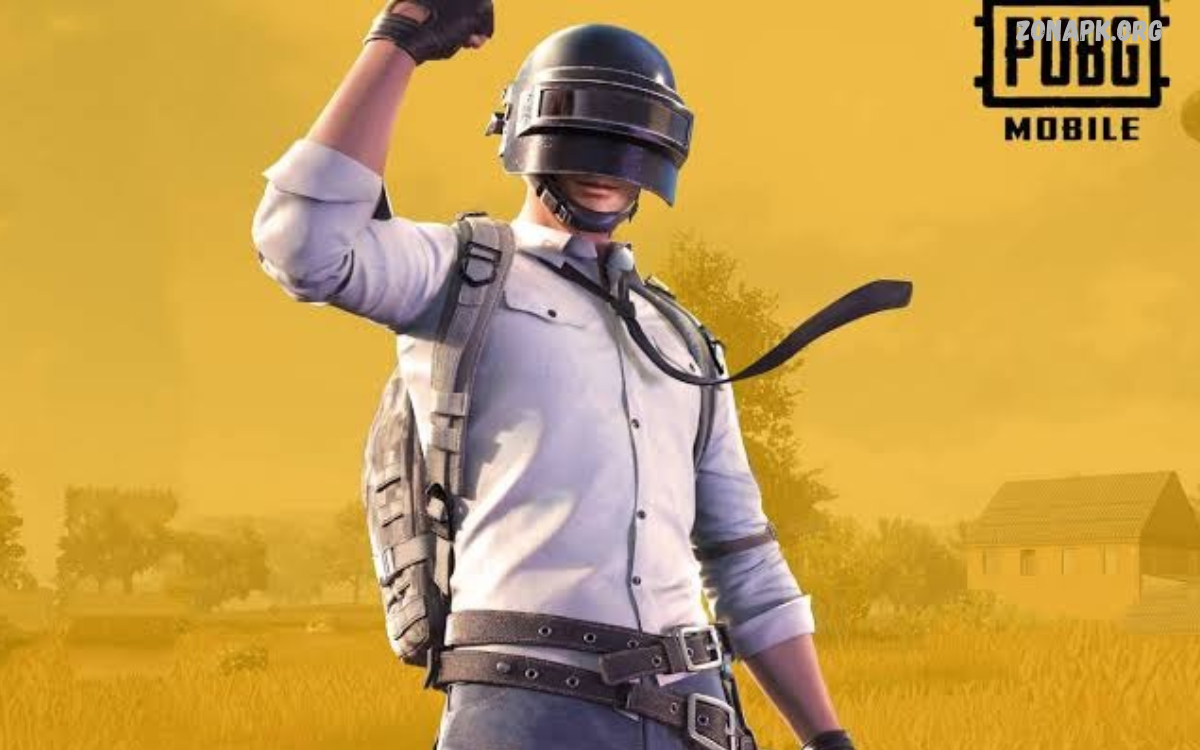
PUBG Mobile is a popular battle royale game featuring survival challenges, strategic combat, realistic environments, and competitive multiplayer action. Players drop onto a large map, gather gear, and compete against opponents until one player or team remains.
PUBG Mobile combines exploration, teamwork, weapon selection, tactical movement, and quick decision-making. Beginners can learn the basics, while experienced players can refine their strategies, master different weapons, and compete in ranked matches.
What Is PUBG Mobile?
PUBG Mobile is the mobile version of PUBG: Battlegrounds, designed for compatible Android and iOS devices. The game brings battle royale action to smartphones, allowing players to compete solo or with teammates across different maps and game modes.
The main objective is to survive against other players as the play zone shrinks. Players search for weapons, armor, medical supplies, and useful equipment while avoiding danger and planning their next moves.
PUBG Mobile Gameplay
PUBG Mobile gameplay begins when players enter a match and choose a landing location. After landing, players collect equipment, explore buildings, watch enemy movements, and prepare for encounters across the battlefield.
Survival requires more than accurate shooting. Players must understand positioning, manage ammunition, use cover, monitor the play zone, and choose suitable moments for attacking or retreating.
PUBG Mobile Game Modes
PUBG Mobile offers different gameplay experiences for players with varying preferences. Battle royale matches focus on survival, while other available modes may provide faster combat, special challenges, or different objectives depending on the current game version.
Players can explore available modes to discover their preferred style. Some enjoy long survival matches, while others prefer quick battles that emphasize movement, weapon control, and rapid decision-making.
PUBG Mobile Classic Mode
Classic mode delivers the traditional battle royale experience that made PUBG Mobile popular. Players land on a large map, collect equipment, survive against opponents, and move toward the final safe zone as the playable area becomes smaller.
The mode supports different team arrangements, depending on the selected queue. Players can enter matches alone or cooperate with teammates, using communication and tactical planning to increase their chances of survival.
PUBG Mobile Arena Mode
Arena-style modes focus on faster encounters and more frequent combat. These matches allow players to practice aiming, recoil control, movement, and close-range fighting without following the same long survival structure as classic battle royale matches.
Available Arena experiences can change with updates and seasonal events. Checking the in-game mode selection helps players find current options and choose activities suited to their preferred pace.
PUBG Mobile Maps
PUBG Mobile features several maps with different landscapes, building layouts, terrain, and combat opportunities. Map knowledge helps players identify useful landing areas, plan rotations, locate cover, and understand where opponents may appear during a match.
Some maps emphasize long-range engagements across open terrain, while others encourage close-range combat around buildings and narrow streets. Learning popular locations gradually improves navigation and supports better tactical decisions.
PUBG Mobile Weapons
Weapons play an important role in PUBG Mobile because each category suits different combat situations. Assault rifles provide flexible performance, sniper rifles support long-range engagements, and shotguns can be effective in close encounters.
Players should experiment with available weapons to understand their firing patterns, recoil, ammunition types, and effective distances. Carrying complementary weapons can also help prepare for encounters across different ranges.
PUBG Mobile Weapon Attachments
Weapon attachments can improve handling, stability, aiming, or other weapon characteristics. Depending on the weapon, players may find scopes, grips, magazines, muzzle attachments, and stocks that support their preferred combat style.
Choosing attachments requires understanding the weapon’s strengths and weaknesses. A suitable combination can make aiming more comfortable, while unnecessary equipment may occupy valuable inventory space.
PUBG Mobile Graphics and Performance
PUBG Mobile includes graphics and frame-rate settings that allow players to adjust the experience according to their device capabilities. Higher visual settings may improve environmental details, while suitable frame rates can make movement and aiming feel more responsive.
For smoother gameplay, players should select settings supported by their phones. Closing unnecessary applications, maintaining sufficient storage, and avoiding excessive device heat can also help reduce performance problems during matches.
PUBG Mobile Controls and Sensitivity
Control settings affect movement, aiming, firing, and other important actions during PUBG Mobile matches. Players can customize button positions, adjust sensitivity, and explore different layouts to find a comfortable setup for their device and play style.
Sensitivity preferences vary between players, so copying another player’s settings does not guarantee better results. Practicing in training areas helps players test adjustments and develop consistent aiming habits before entering competitive matches.
PUBG Mobile Beginner Tips
Beginners should focus on learning the controls, understanding the map, and collecting suitable equipment before taking unnecessary risks. Landing in a manageable area can provide time to explore buildings, find supplies, and become familiar with the match environment.
New players should also prioritize positioning and survival rather than chasing every opponent. Moving carefully, using cover, listening for nearby activity, and entering the safe zone early can create more opportunities to learn and improve.
PUBG Mobile Squad Strategies
Teamwork can make a significant difference in squad matches. Players should communicate enemy positions, share useful supplies, coordinate movement, and avoid separating too far from teammates during important encounters.
A balanced squad benefits from clear communication and thoughtful decisions. Reviving teammates when safe, watching different directions, and planning rotations together can improve coordination and reduce unnecessary mistakes.
Read Also: Mobile Drawing Tools: Best Apps and Features for Digital Art
PUBG Mobile Ranked Matches
Ranked matches provide a competitive environment where players work toward higher tiers through match performance. Progress depends on several factors, including survival, combat results, and the ranking system used in the current season.
Players seeking consistent progress should avoid unnecessary early fights and focus on smart rotations. Understanding personal strengths, choosing suitable engagements, and learning from previous matches can help build more reliable performance over time.
PUBG Mobile Updates and New Features
PUBG Mobile receives updates that may introduce new content, gameplay adjustments, events, equipment changes, and performance improvements. Update details vary, so players should review official announcements for accurate information about current features and upcoming content.
Keeping the game updated helps maintain compatibility and provides access to supported improvements. Players should download updates through trusted app stores or official channels and check available storage before installing larger files.
PUBG Mobile Events and Rewards
In-game events provide opportunities to earn rewards by completing activities, meeting objectives, or participating in limited-time challenges. Depending on the event, rewards may include outfits, weapon cosmetics, vouchers, or other digital items.
Players should review event requirements and expiration dates before participating. Completing available tasks regularly can help players understand reward conditions and avoid missing activities they intended to finish.
PUBG Mobile Outfits and Customization
Customization allows players to personalize their characters with available outfits, accessories, and cosmetic items. These features add visual variety and let players express their preferences without changing the core objective of surviving a match.
Some cosmetic items are available through events, missions, or in-game purchases. Players should review the official reward details and make careful spending decisions, remembering that cosmetic appearance does not automatically improve combat performance.
PUBG Mobile UC and In-Game Purchases
Unknown Cash, commonly called UC, is PUBG Mobile’s premium in-game currency. Depending on the current game version and regional availability, UC may be used to obtain eligible cosmetic items, passes, crates, or other digital content.
Players should purchase currency only through authorized channels and avoid websites promising suspiciously cheap UC or free premium rewards. Never share account passwords or verification codes with unknown sellers, and review purchase details before confirming a transaction.
PUBG Mobile Security and Account Protection
Protecting a PUBG Mobile account helps preserve progress, purchased items, and personal settings. Players should use secure login methods, protect linked email accounts, and avoid sharing account credentials with strangers or unofficial services.
Suspicious offers promising free rewards may attempt to collect login details or verification codes. Use official support channels for account problems and follow the game’s rules to reduce the risk of unauthorized access or penalties.
PUBG Mobile Common Problems and Solutions
Players may experience connection errors, installation failures, crashes, or performance issues while playing PUBG Mobile. These problems can result from unstable internet access, limited storage, outdated software, device limitations, or temporary service interruptions.
Start by checking the internet connection, restarting the game, and confirming that the device meets current requirements. If the problem continues, check official announcements, update the application through a trusted source, or contact the game’s support team.
PUBG Mobile Tips for Better Performance
Consistent improvement comes from practicing important skills instead of changing every setting at once. Players can work on aiming, movement, recoil control, positioning, and decision-making during regular matches or available training activities.
Reviewing mistakes after each match can reveal habits that need attention. Players should consider why an encounter was lost, whether the positioning was safe, and how communication or equipment choices could improve future decisions.
PUBG Mobile Competitive Gaming
PUBG Mobile supports a competitive community featuring skilled players, organized teams, tournaments, and esports events. Competitive matches often require advanced coordination, consistent mechanical skills, strong map knowledge, and the ability to make decisions under pressure.
Fans can follow official esports announcements to learn about tournaments, participating teams, and competition schedules. Watching experienced players can also reveal useful approaches to rotations, teamwork, resource management, and tactical positioning.
PUBG Mobile Responsible Gaming
Maintaining a healthy balance between gaming, school, work, sleep, and other activities is important. Taking regular breaks can reduce fatigue and help players remain comfortable during longer gaming sessions.
Players should also manage spending carefully and avoid treating in-game purchases as necessary for success. Enjoying PUBG Mobile at a comfortable pace makes it easier to focus on learning, teamwork, and entertainment.
Frequently Asked Questions
Is PUBG Mobile free to play?
PUBG Mobile is generally free to download and play on supported devices. Optional in-game purchases may be available for cosmetic items, premium content, and other eligible digital products.
Can PUBG Mobile run on Android and iPhone?
Yes, PUBG Mobile is available for compatible Android and iOS devices. Performance depends on device specifications, operating system compatibility, storage availability, and the game’s current requirements.
How can beginners improve in PUBG Mobile?
Beginners can improve by practicing aiming, learning maps, adjusting controls, and understanding the safe zone. Playing carefully and communicating with teammates also helps develop better decision-making.
Does PUBG Mobile receive regular updates?
PUBG Mobile receives updates that may include new content, events, gameplay changes, and technical improvements. Players should consult official announcements for the latest release information.
Can players enjoy PUBG Mobile with friends?
Yes, supported multiplayer modes allow players to team up with friends. Coordinating landing locations, sharing supplies, and communicating during combat can make squad matches more enjoyable.
Conclusion
PUBG Mobile combines battle royale survival, tactical combat, customization, and competitive multiplayer gameplay in a mobile gaming experience. Its maps, weapons, game modes, and regular content updates offer different challenges for beginners and experienced players.
Learning the controls, practicing aiming, understanding safe-zone movement, and communicating effectively can improve match performance over time.

1 Comment
Pingback: PUBG Mobile Update: Latest Features, New Modes, Events, and Patch Notes - Zonapk