

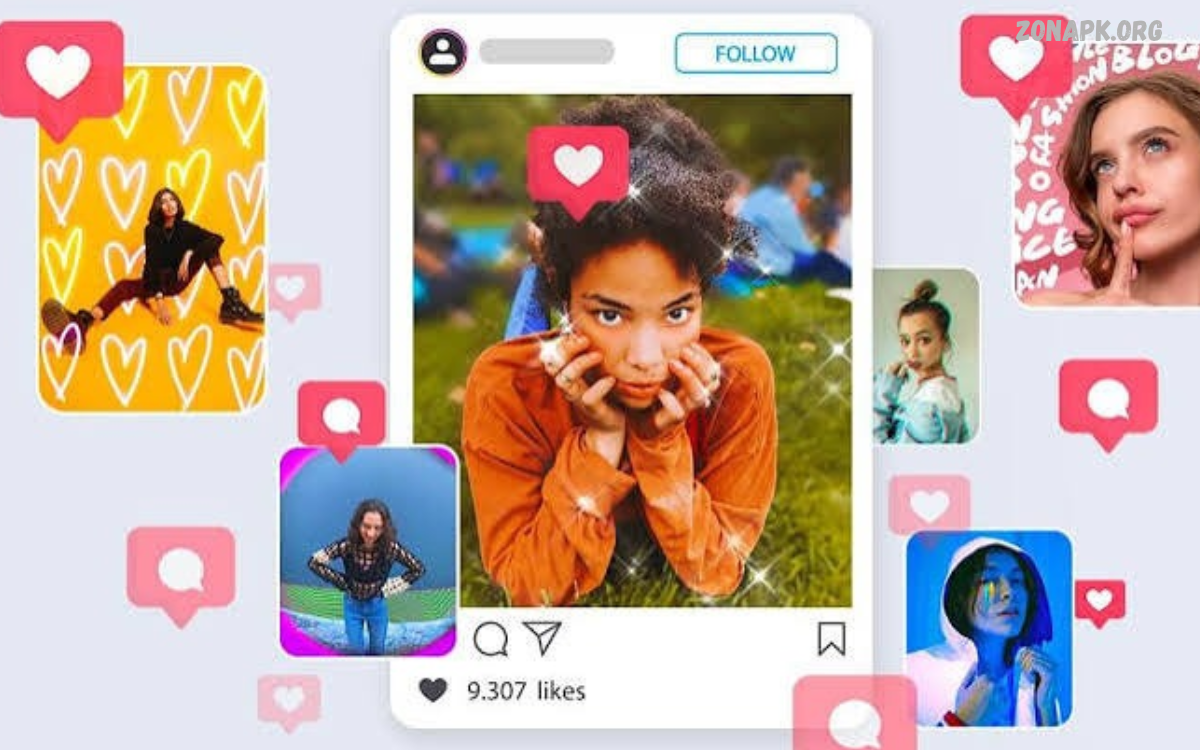
Instagram has become a popular platform for sharing photos, videos, stories, and reels. High-quality visuals help creators express their ideas, build a recognizable style, and make content more engaging.
The Best Instagram Editing Apps offer features like color correction, filters, background removal, text overlays, retouching, and video transitions.
Why Instagram Editing Apps Matter
Instagram is a visual platform where presentation shapes how people experience your content. Bright colors, balanced lighting, clean compositions, and consistent editing styles can make posts look more professional.
The right app also saves time with ready-made presets, templates, and simple editing controls. Beginners can create attractive visuals without advanced technical skills, while experienced creators can fine-tune exposure, contrast, saturation, sharpness, and other settings for more precise results.
Best Instagram Editing Apps for Photos
Photo editing applications help transform ordinary pictures into polished Instagram posts. They offer tools to adjust brightness, improve colors, remove distractions, apply creative filters, and prepare images for different formats. Many apps also include presets that make it easier to maintain a consistent appearance across multiple posts.
When selecting a photo editor, consider your preferred style and editing experience. Some applications focus on natural colors and detailed adjustments, while others emphasize artistic effects, beauty filters, or ready-made designs. Choosing an app that matches your creative goals can make editing faster and more enjoyable.
Snapseed: Powerful Photo Editing Tools
Snapseed is a photo editing application known for its detailed adjustment tools and straightforward interface. It offers features such as Tune Image, Curves, Details, Selective adjustments, healing, and perspective correction. These tools help users improve photographs without requiring complicated editing software or advanced photography knowledge.
Snapseed works well for travel photography, portraits, landscapes, product pictures, and everyday Instagram posts. Users can adjust individual parts of an image, correct lighting problems, and refine colors to create a balanced appearance. Its editing capabilities make it a useful choice for creators who prefer hands-on control over automatic filters.
Lightroom Mobile: Professional Color Grading
Adobe Lightroom Mobile is a strong option for creators who want consistent colors and detailed control over their photographs. Its editing tools include exposure adjustments, white balance, tone curves, color mixing, and sharpening. Supported versions also offer masking tools and other advanced features that help users edit specific parts of an image.
Lightroom is particularly useful for creators who want a recognizable Instagram aesthetic. Presets can help apply a similar color style across photographs, while manual adjustments allow further customization. Some features require a paid subscription, so users should compare the available free tools with their editing needs before choosing a plan.
VSCO: Stylish Filters and Presets
VSCO is popular among creators who prefer subtle filters and artistic color treatments. Its presets can give photographs a film-inspired appearance, with options for softer tones, muted colors, and distinctive contrast. Additional adjustment tools help users refine exposure, temperature, grain, and other visual elements.
This application suits lifestyle bloggers, photographers, travelers, and creators who want a cohesive feed. Instead of applying strong effects to every picture, users can choose a restrained editing style that keeps photographs visually connected. Availability of presets and advanced tools varies by plan, so checking current features is worthwhile.
Instagram Editing Apps for Stories
Instagram Stories provide a quick way to share updates, announcements, behind-the-scenes moments, and everyday experiences. Story-focused editing applications offer templates, animated text, stickers, backgrounds, and layouts that help users create attractive vertical content. These features are useful when you want a polished design without spending too much time editing.
A good Story editor should make it easy to organize text, photographs, and graphic elements. Choose readable fonts, maintain sufficient contrast, and avoid overcrowding the screen with too many decorations. Simple designs often communicate messages more clearly and make promotional content easier to understand.
Canva: Templates for Instagram Posts
Canva is a versatile design application for creating Instagram posts, Stories, promotional graphics, carousels, and other social media content. Its templates help users arrange photographs, headlines, illustrations, shapes, and backgrounds without needing advanced graphic design skills. It is especially useful for creators who publish educational content or manage a business account.
Canva also helps maintain a consistent visual identity through reusable designs, brand colors, and coordinated typography. Users can create a series of related posts using the same layout and then change the text or images for each publication. Some templates, assets, and advanced features require a paid plan, but the free version offers useful design options.
Unfold: Minimalist Story Designs
Unfold focuses on clean layouts and elegant Story designs. Its templates can combine photographs, captions, borders, and simple graphic elements to create a magazine-inspired appearance. These layouts work well for travel diaries, fashion updates, lifestyle content, and personal storytelling.
The application is helpful when you want Stories to look organized without adding excessive effects. A consistent template style can connect several slides into one visual narrative, making updates easier to follow. Available templates and premium features may vary, so review the current offering before building an entire content workflow around one design.
Best Instagram Editing Apps for Reels
Reels editing applications help creators produce short videos with music, transitions, captions, effects, and carefully timed clips. A well-edited Reel can communicate an idea quickly while keeping viewers interested. Useful features include trimming, splitting, speed adjustments, audio controls, automatic captions, and tools for matching transitions to the rhythm of a soundtrack.
The best editor depends on your video style and the complexity of your projects. A simple tutorial may need clean cuts and readable captions, while a travel montage may benefit from speed changes and smooth transitions. Regardless of the application, clear visuals, understandable audio, and a strong opening can make a video more effective.
CapCut: Creative Video Editing
CapCut offers a range of video editing tools for short-form content, including trimming, transitions, effects, text overlays, speed controls, and audio adjustments. Depending on the version and region, creators may also have access to automatic captions, background removal, and additional editing features. Its timeline interface helps users arrange clips into a finished video.
CapCut is useful for tutorials, product demonstrations, travel montages, and entertainment videos. Creators can combine several clips, add captions, adjust timing, and refine the overall presentation before exporting. Some features may require payment or may not be available everywhere, so check the current app listing and export settings before starting a project.
InShot: Simple Reels and Video Editing
InShot provides approachable video editing tools for users who want to create social media content without a complicated workflow. Its features commonly include trimming, cropping, transitions, music, text, stickers, filters, and canvas adjustments. These options make it practical for editing everyday clips into short videos suitable for Instagram.
The application is especially useful for beginners who want to combine several clips and add basic effects quickly. Users can adjust the video canvas, organize scenes, and add captions or background music to support the message. Certain features may be restricted to paid plans, and some exports may include branding depending on the selected version.
VN Video Editor: Flexible Timeline Editing
VN Video Editor is another option for creators who want more control over their video timelines. It offers tools to arrange clips, adjust speed, add transitions, work with music, and place text over footage. The interface supports projects that need more precise timing than a simple one-tap editor can provide.
VN can be useful for cinematic travel videos, educational Reels, daily vlogs, and product showcases. Creators can refine clip sequencing and sync visuals with audio for a more intentional result.
Read Also: PUBG Mobile Skins: Best Outfits, Weapon Skins, and Rare Collections
Best Apps for Instagram Collages
Collage apps let you combine several photos into a single composition. They are useful for travel highlights, outfit collections, event memories, before-and-after presentations, and product comparisons. Layout controls, borders, background colors, and image positioning help create an organized design from multiple pictures.
A successful collage should have a clear visual focus rather than presenting every image with equal importance. Choose photographs that share a theme, maintain balanced spacing, and avoid placing important details too close to the edges. For Instagram carousels, separate images can also be arranged into a sequence that encourages viewers to explore the complete story.
Picsart: Creative Photo Effects and Collages
Picsart combines photo editing, creative effects, collage layouts, text tools, stickers, and graphic design features. Users can experiment with overlays, artistic filters, background changes, and decorative elements to develop distinctive Instagram visuals. Its broad selection of creative tools makes it suitable for both personal posts and more elaborate promotional graphics.
Picsart works well for creators who enjoy expressive designs rather than purely natural photo corrections. You can create themed collages, stylized portraits, announcement graphics, and imaginative compositions. Some assets and advanced tools may require a subscription, so consider whether you need its specialized effects or would be better served by a simpler editor.
Polish: Quick Photo Enhancements
Polish is a photo editing application that offers tools for enhancing images, applying filters, creating collages, and adding decorative effects. Its accessible controls make it suitable for users who want to improve pictures quickly without learning a complex editing workflow. Depending on the current version, available features may include portrait adjustments, frames, text, and other creative effects.
The app can be useful for casual Instagram posts, profile pictures, and simple promotional visuals. However, the quality of the final image depends on the original photograph and the adjustments you choose. Avoid applying too many filters or smoothing effects, as excessive editing can reduce detail and make images appear less natural.
Best Instagram Editing Apps for Background Removal
Background removal tools help isolate a person, product, or other subject from its surroundings. This feature can be useful for product promotions, profile graphics, thumbnails, and creative compositions. Some applications automatically detect the main subject, while others provide manual controls for refining edges and correcting areas that the automatic selection misses.
When choosing a background removal application, consider the accuracy of its subject detection and the quality of the exported image. Hair, transparent objects, and complicated backgrounds can be difficult to process cleanly. Review the edges carefully and choose a replacement background that complements the subject without distracting from the main message.
PhotoRoom: Product Photos and Background Editing
PhotoRoom is designed to simplify product photography and visual content creation. Its tools can remove backgrounds, place subjects on new backgrounds, and create clean compositions for product listings and social media promotions. These capabilities make it useful for small businesses, online sellers, and creators who showcase products on Instagram.
Users can prepare product images with consistent backgrounds and layouts to create a more organized brand presentation. For better results, begin with a well-lit photograph and ensure that the subject is clearly separated from the original background. Some export options and advanced features may require a paid plan, so compare current limitations before choosing the app.
Best Instagram Editing Apps for Portraits
Portrait editing tools help improve lighting, correct color balance, and refine details in photographs of people. Depending on the application, features may include blemish correction, selective adjustments, portrait lighting, and background effects. These tools can be useful for profile pictures, fashion content, creator introductions, and professional-looking lifestyle posts.
Natural-looking edits usually produce the most versatile results. Avoid excessive smoothing, exaggerated facial effects, or strong adjustments that remove important details. Instead, focus on balanced lighting, accurate skin tones, and a clean background. These improvements can make a portrait look polished while preserving its original character.
Facetune: Portrait Retouching Tools
Facetune offers portrait-focused editing features designed to refine photographs. Depending on the version and plan, users may find tools to adjust lighting, smooth minor imperfections, enhance details, and change selected visual elements.
The most effective approach is to use portrait adjustments carefully and preserve realistic textures. Small lighting corrections and balanced colors can improve a photograph without making it appear artificial. Check which features are available in the current version, since some tools may require payment or may change over time.
How to Choose the Right Instagram Editing App
Start by identifying the type of content you publish most often. Photo creators may prefer Snapseed or Lightroom Mobile, while video creators may benefit from CapCut, InShot, or VN Video Editor. Canva is useful for designed posts and Stories, while Picsart and PhotoRoom offer more specialized creative and background-editing features.
Next, consider your budget, device compatibility, editing experience, and export requirements. A free app may provide everything you need, while a paid subscription could be worthwhile if you regularly use advanced features. Before committing to a tool, test its interface, review export quality, and confirm that it supports the image or video formats you plan to publish.
Tips for Editing Instagram Photos Professionally
Begin with a high-quality original image whenever possible. Correct exposure and white balance before adding filters, then adjust contrast, highlights, shadows, and saturation carefully.
Consistency is another important part of professional-looking content. Reuse similar color treatments, maintain a recognizable visual style, and choose fonts that remain readable on mobile screens. Export images at an appropriate resolution and preview the final result before publishing.
Tips for Editing Instagram Reels
Plan your video around one clear idea and remove clips that do not support it. Place an interesting visual or useful statement near the beginning, then arrange the remaining footage into a logical sequence.
Before exporting, pay attention to sound, captions, and framing. Keep spoken audio understandable, use readable captions when they improve accessibility, and make sure important subjects fit within the vertical frame.
Common Mistakes to Avoid When Editing Instagram Content
One common mistake is applying too many filters or effects to a single image. Excessive saturation, strong sharpening, unnatural skin smoothing, and heavy contrast can reduce image quality.
Another mistake is ignoring the post’s intended format. Text may become difficult to read when a design is cropped, while important details can disappear if the subject is placed too close to an edge.
Free vs Paid Instagram Editing Apps
Free editing applications are often sufficient for everyday Instagram content. Many provide essential tools for cropping, adjusting colors, adding text, applying filters, and trimming videos.
Paid versions may provide additional presets, premium templates, advanced retouching tools, cloud features, or expanded export options. However, a subscription does not automatically guarantee better content.
Frequently Asked Questions
What Are the Best Instagram Editing Apps?
Popular choices include Snapseed, Lightroom Mobile, VSCO, Canva, CapCut, InShot, VN Video Editor, and Picsart. Each app serves a different purpose, from photo correction and color grading to video editing and graphic design. The best option depends on your content and the features you need.
Which Instagram Editing App Is Best for Beginners?
Canva, Snapseed, and InShot are useful starting points because they offer accessible tools for common editing tasks. Canva helps users design posts and Stories, Snapseed supports photo adjustments, and InShot simplifies basic video editing.
Which App Is Best for Instagram Reels?
CapCut, InShot, and VN Video Editor are popular options for editing short videos. They offer tools to trim clips, add transitions, arrange audio, and place text over footage. Compare their current features and export settings to find an editor that suits your preferred video style.
Which App Is Best for Instagram Photo Filters?
VSCO offers artistic presets, while Lightroom Mobile provides more detailed color controls and customizable editing options.
Can I Edit Instagram Photos Without Paying?
Yes, several applications offer free photo editing tools. Snapseed provides detailed adjustments, while Canva and other editors offer useful free design features. Free plans may limit premium assets, advanced tools, or exports, so check the current terms before starting a project.
How Can I Make My Instagram Feed Look Consistent?
Choose a recognizable editing style and apply similar color adjustments across your photographs. Reuse a small selection of fonts, maintain consistent graphic layouts, and plan how posts appear together. Lightroom presets or reusable Canva templates can help make the process easier.
Are Instagram Editing Apps Safe to Use?
Choose applications from official app stores and review their permissions, privacy policies, and developer information. Be cautious if an editor requests access unrelated to its purpose, and avoid uploading sensitive images to services you don’t trust. Keep apps updated and review subscription terms before purchasing.
Do Editing Apps Reduce Instagram Photo Quality?
Editing itself doesn’t always reduce quality, but excessive processing or exporting at low resolution can. Start with a good original image, avoid repeatedly saving compressed copies, and use appropriate export settings. Instagram may also compress uploaded media, so preview your post after publishing.
Conclusion
The Best Instagram Editing Apps make it easier to create attractive photos, engaging Reels, polished Stories, and consistent social media designs.
You don’t need every editing app to build an appealing Instagram presence. Start with one photo editor and one video or design tool that match your needs, then learn their most useful features.

1 Comment
Pingback: Short Video Editing Apps: For Creating Stunning Videos - Zonapk