

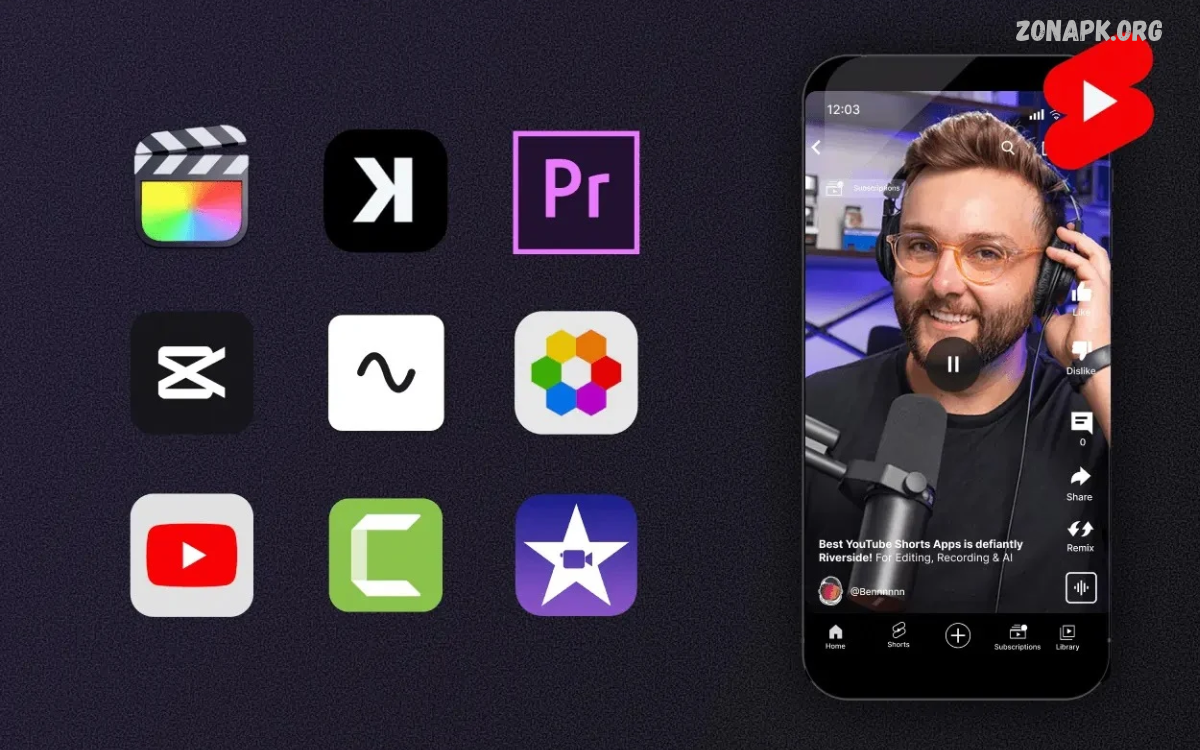
Short Video Editing Apps help creators turn ordinary clips into engaging videos for social media. These apps offer trimming, transitions, music, captions, filters, effects, and export options for beginners and experienced editors.
Whether creating YouTube Shorts, Instagram Reels, TikTok-style clips, or Facebook videos, choosing the right editor makes a difference. The best app depends on your editing skills, device performance, creative goals, and preferred features.
What Are Short Video Editing Apps?
Short Video Editing Apps are mobile or desktop tools designed to create, edit, and improve short video content. They allow users to combine clips, add background music, adjust colors, insert text, and apply visual effects without needing advanced editing knowledge.
Many editors provide ready-made templates that simplify the creative process. Users can select a template, add personal clips, customize text, and export a polished video for social media. These features make short-form video production accessible to students, creators, small businesses, and casual users.
Why Short Video Editing Apps Are Popular
Short videos have become an important format for sharing information, entertainment, tutorials, product demonstrations, and personal experiences. Platforms such as YouTube, Instagram, and TikTok encourage creators to publish content that captures attention quickly and communicates a clear message.
Short Video Editing Apps help creators produce content more efficiently. Instead of transferring footage to a computer, users can edit directly on their phones, add suitable audio, create captions, and publish finished videos from the same device.
CapCut: A Versatile Video Editing App
CapCut is a popular choice for creators who want an accessible interface and a broad selection of editing features. Depending on the version and region, it may provide trimming, transitions, filters, effects, text animations, automatic captions, background removal, and audio tools.
The app works well for social media content, including tutorials, travel clips, product videos, and entertaining edits. Some advanced features may require payment or account access, so users should check current availability before building a workflow around a particular tool.
VN Video Editor: Flexible Editing Controls
VN Video Editor offers a timeline-based editing experience that gives users control over clips, audio, text, transitions, and video speed. Its layout suits creators who want more flexibility than a basic template editor without immediately moving to complicated desktop software.
Users can arrange clips, adjust timing, add music, and refine transitions to create a consistent visual style. Availability of particular features, export settings, and watermark policies can change between versions, making it useful to review the current app listing before installing.
InShot: Simple Editing for Social Media
InShot is designed for convenient mobile editing, making it useful for creators who need to prepare videos quickly. Its commonly available tools include trimming, merging, cropping, canvas adjustments, music, stickers, text, filters, and transitions.
The app is especially helpful when adapting footage to different social media formats. Creators can adjust the video canvas, place text within safe viewing areas, and improve the overall presentation without learning a complicated editing workflow. Certain effects and features may require a paid subscription.
Canva: Templates and Branded Videos
Canva combines video editing with graphic design, making it useful for promotional clips, educational content, announcements, and branded social media posts. Its templates help users create consistent layouts using text, illustrations, images, animations, and video footage.
Small businesses, teachers, and beginner creators may appreciate the ability to maintain consistent colors, fonts, and logos across multiple videos. Canva also supports other design tasks, allowing users to create thumbnails, posters, and social media graphics alongside short videos.
Adobe Express: Quick Video Creation
Adobe Express provides tools for creating social media content with a focus on templates, visual design, and convenient editing. Depending on the current version and plan, users may access video trimming, text overlays, design assets, animations, and other content creation features.
It can be useful for creators who want their videos to match a broader visual identity. Businesses can use consistent typography and colors, while individual creators can prepare polished introductions, announcements, and promotional clips. Some assets and premium features may be restricted to paid plans.
KineMaster: More Control Over Editing
KineMaster offers a more detailed editing environment for users who want to work with multiple visual and audio elements. Depending on the version, its features may include multiple layers, transitions, keyframe animation, color adjustments, audio controls, and chroma key effects.
These controls help creators produce tutorials, gaming highlights, reaction videos, and other projects that need careful timing. Although the interface may take longer to learn than a template-based editor, the additional control can be valuable for creators who want to develop more advanced editing skills.
Filmora: Creative Effects and Easy Editing
Filmora offers video editing tools for users who want creative effects alongside straightforward editing controls. Depending on the platform and plan, features may include transitions, titles, filters, audio editing, speed adjustments, and AI-assisted tools.
It can support social media projects that require a consistent look without extensive manual work. Before choosing Filmora, review the available export quality, watermark conditions, subscription requirements, and device compatibility to make sure the current version meets your needs.
YouTube Create: Editing for YouTube Content
YouTube Create is designed to help eligible creators prepare videos for YouTube, including short-form content. Depending on regional availability and the supported device, its tools may include trimming, music, voiceovers, filters, captions, and other basic editing features.
A dedicated workflow can make it easier to prepare videos for publishing on YouTube. Creators should confirm whether the app supports their device and region, then review its current feature set to determine whether it offers enough flexibility for their projects.
Splice: Editing Clips With Music
Splice focuses on making mobile video editing convenient for creators who want to combine footage, music, and visual adjustments. Its available tools may include trimming, transitions, text, speed controls, and audio editing, depending on the version and subscription.
It can be useful for travel videos, lifestyle clips, sports highlights, and short promotional content. A simple timeline helps users organize footage and adjust pacing, while music and transitions can improve the overall flow when used thoughtfully.
PowerDirector: Features for Creative Projects
PowerDirector provides editing tools for creators who want to combine accessible controls with more advanced options. Depending on the device and plan, it may offer timeline editing, transitions, effects, stabilization, color controls, titles, and AI-powered features.
The app can support different video styles, from educational explainers to action clips and social media promotions. Users should consider device performance and storage requirements because projects with many effects or high-resolution footage may demand more processing power.
Best Short Video Editing Apps for Beginners
Beginners should prioritize an editor with a clear interface, simple trimming tools, easy text placement, and convenient music controls. InShot, Canva, and VN Video Editor are options worth exploring because they serve different needs, from quick social posts to more controlled timeline editing.
Start with a small project instead of trying every effect at once. Import a few clips, remove unnecessary sections, add a title, balance the audio, and export the result. Practicing this basic workflow builds confidence and helps beginners understand which advanced features are genuinely useful.
Best Apps for YouTube Shorts and Instagram Reels
YouTube Shorts and Instagram Reels benefit from clear framing, readable text, suitable pacing, and strong audio. CapCut, VN Video Editor, InShot, and YouTube Create may suit different workflows, depending on feature availability, device compatibility, and personal preference.
Vertical video is usually a practical starting point for these platforms. Keep important subjects near the center, avoid placing captions beneath interface buttons, and preview the final video on a phone. Platform specifications and publishing features can change, so check the current requirements before exporting.
Read Also: Best Instagram Editing Apps: for Stunning Photos and Reels
Essential Features to Look For
A good short video editor should provide accurate trimming, clip arrangement, text overlays, audio controls, transitions, and reliable export settings. Additional features such as automatic captions, background removal, stabilization, and speed adjustments can save time when they match the needs of a particular project.
Consider whether the app supports the resolution, frame rate, aspect ratio, and file format you need. A large collection of effects is not always necessary. For many creators, a stable timeline, accurate previews, convenient controls, and dependable exports are more valuable than complicated features they rarely use.
How to Choose the Right Video Editing App
Begin by identifying the type of content you want to create. A beginner making personal reels may prefer simple controls, while a business producing branded advertisements may need reusable templates, consistent typography, and detailed audio adjustments.
Next, compare the app’s cost, supported devices, export limitations, watermark policy, and privacy information. Test a short sample project before committing to a subscription. The right choice is the app that fits your workflow and produces reliable results without adding unnecessary complexity.
How to Edit Short Videos Professionally
Professional-looking videos usually start with a clear idea and well-organized footage. Select the strongest clips, remove unnecessary pauses, arrange scenes in a logical order, and make sure the opening communicates the subject quickly. A focused edit often feels more polished than a video filled with distracting effects.
After arranging the footage, refine audio levels, add readable captions, and apply consistent color adjustments. Use transitions only when they help connect scenes, and watch the complete video before exporting. Small improvements to timing, sound, and readability can make a noticeable difference in the finished result.
Tips for Creating Engaging Short Videos
Begin with an interesting question, a useful tip, an attractive scene, or a clear demonstration. Keep the message focused so viewers can understand the purpose without unnecessary explanation. Captions can improve accessibility and help communicate the main idea when viewers watch without sound.
Maintain a consistent style across your content by choosing suitable fonts, colors, music, and framing. Avoid excessive effects that compete with the message, and use only footage and audio you have permission to publish. Reviewing audience feedback can also help you understand which formats and topics are worth developing further.
Free vs Paid Short Video Editing Apps
Free versions can provide enough tools for trimming, adding music, placing text, and exporting everyday social media videos. However, some apps restrict premium effects, advanced features, cloud storage, or high-quality exports to paid subscriptions. Watermarks and usage limits may also vary.
Paid versions can be worthwhile when they remove a limitation that regularly interrupts your work. Before subscribing, compare the complete cost, renewal terms, available features, and cancellation conditions. If a free editor already meets your needs, there may be no reason to pay for additional tools.
Common Video Editing Mistakes to Avoid
One common mistake is adding too many transitions, filters, sound effects, or animated captions. These elements can distract viewers when they do not support the message. Another problem is using music that overwhelms speech, leaving important information difficult to hear.
Poor framing, unreadable text, inconsistent colors, and unsuitable export settings can also reduce video quality. Review your edit before publishing, check the audio with headphones, and confirm that captions remain visible on a phone screen. A careful final review helps catch issues that are easy to miss during editing.
Privacy and Copyright Considerations
Before installing any Short Video Editing Apps, review the requested permissions and privacy policy. Grant access only when necessary for the features you want to use, and avoid uploading private footage or sensitive information to services unless you understand how that content may be processed and stored.
Music, images, video clips, fonts, and templates may have different licensing conditions. A sound available inside one platform may not be cleared for use elsewhere. Check the relevant terms, use properly licensed assets, and obtain permission when required to reduce the risk of copyright claims or content removal.
Frequently Asked Questions
Which Short Video Editing Apps Are Best?
CapCut, VN Video Editor, InShot, Canva, and KineMaster are options worth comparing. The best choice depends on your editing experience, desired features, device compatibility, and whether you prefer templates or detailed timeline controls.
Which Video Editing App Is Best for Beginners?
InShot and Canva can be good starting points for straightforward projects, while VN Video Editor offers timeline-based controls. Try a simple project in each available option to see which interface feels easiest to use.
Can I Edit Short Videos for Free?
Yes. Several editors offer free tools to trim clips, add text, arrange footage, and adjust audio. Some features, export options, or assets may require payment, so check the current terms before starting a large project.
Which App Is Suitable for YouTube Shorts?
CapCut, VN Video Editor, InShot, and YouTube Create may suit YouTube Shorts workflows, depending on device and regional availability. Choose an editor that supports vertical video, readable captions, suitable audio, and the export settings you need.
Do Short Video Editing Apps Add Watermarks?
Some free versions add watermarks, while others offer watermark-free exports or make them dependent on the selected features or plan. Check the current export settings and subscription terms before editing an important project.
How Can I Improve Short Video Quality?
Use clear footage, remove unnecessary pauses, balance audio, add readable captions, and avoid excessive effects. Export using suitable settings for your target platform, then watch the finished video on a phone before publishing.
Conclusion
Short Video Editing Apps make it easier to create engaging content for social media, educational projects, personal memories, and business promotion. Options such as CapCut, VN Video Editor, InShot, Canva, and KineMaster offer different combinations of templates, timeline controls, effects, and audio tools.
Choose an app that fits your creative goals, device, budget, and experience level. Focus on clear storytelling, good sound, readable text, and careful editing rather than relying on effects alone.

1 Comment
Pingback: QR Code Scanner Apps: Best Tools to Scan QR Codes Quickly and Safely - Zonapk