

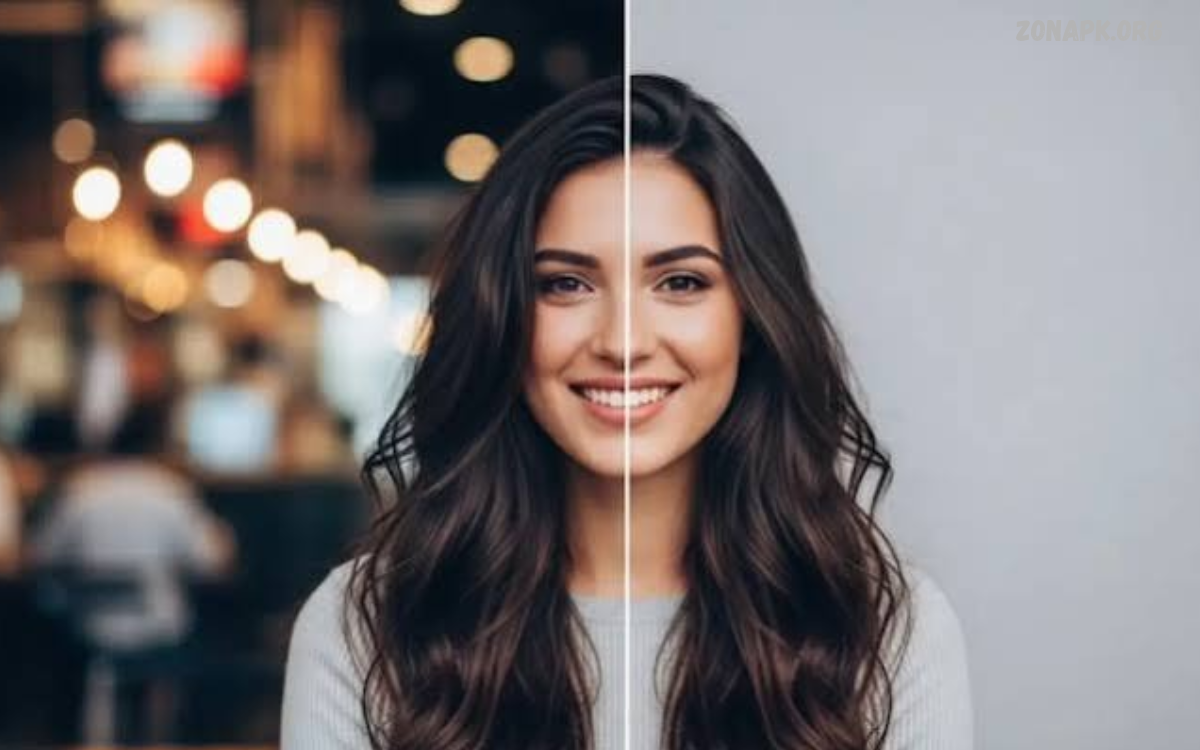
An AI Background Remover is a digital tool that automatically separates a subject from its background. It uses artificial intelligence to identify people, products, animals, and other objects, producing clean images without requiring advanced editing skills.
From online shopping to social media content, AI Background Remover tools simplify image editing. Users can remove unwanted backgrounds, create transparent images, replace scenery, and prepare professional visuals within seconds, saving time and improving creative workflows.
What Is an AI Background Remover?
An AI Background Remover is an image-editing solution powered by machine learning and computer vision. It analyzes an image, identifies the main subject, and separates the foreground from surrounding objects, colors, and scenery.
Traditional background removal often requires manual selection, careful brushing, and detailed edge adjustments. AI technology automates much of this process, making image editing faster and more accessible for beginners, photographers, designers, content creators, and business owners.
How AI Background Remover Technology Works
AI Background Remover technology uses trained neural networks to recognize visual patterns, shapes, textures, and object boundaries. When a user uploads an image, the system analyzes its pixels to determine which areas belong to the subject and which belong to the background.
After identifying the subject, the tool creates a selection mask that separates foreground and background pixels. Advanced systems refine edges around hair, clothing, glass, and other challenging details to produce a more natural result with minimal manual adjustments.
Key Features of AI Background Remover Tools
Modern AI Background Remover tools offer automatic detection, transparent background creation, background replacement, image downloading, and edge refinement. Some platforms also include image enhancement, shadow generation, color adjustment, and ready-made templates for different creative purposes.
The available features depend on the platform, subscription plan, and supported file formats. Free tools may provide basic background removal, while premium services can offer higher-resolution exports, batch processing, advanced editing options, and commercial-use features.
Benefits of Using an AI Background Remover
One major benefit of an AI Background Remover is speed. Instead of spending several minutes manually tracing an object, users can often produce a usable result within seconds, depending on image complexity, internet speed, and the tool’s processing capabilities.
Another advantage is accessibility. Users without professional design experience can create polished visuals for websites, presentations, advertisements, and personal projects. Automated editing also helps maintain consistent image quality across large collections of product photographs and marketing materials.
AI Background Remover for Product Photography
Online sellers frequently use AI Background Remover tools to create clean product images. Removing distracting scenery helps customers focus on the product itself, making photographs suitable for online stores, product catalogs, promotional banners, and marketplace listings.
A transparent or plain background can also create a consistent appearance across a store’s product pages. Sellers should review image requirements for their chosen marketplace, because certain platforms specify background colors, image dimensions, file types, and other presentation standards.
AI Background Remover for Social Media
Social media creators can use an AI Background Remover to prepare profile pictures, thumbnails, promotional graphics, posters, and short-form video assets. Removing the original background allows creators to place subjects over colorful designs, branded templates, or relevant visual settings.
This feature can be particularly useful for creators who publish content regularly. A single portrait can become part of multiple designs without needing a new photo for each project, though careful lighting and realistic background placement still matter for professional results.
AI Background Remover for Graphic Design
Graphic designers often need isolated objects for posters, advertisements, brochures, website banners, and digital artwork. An AI Background Remover makes it easier to extract visual elements and combine them with typography, shapes, illustrations, and other design components.
Transparent PNG files are particularly useful because they allow designers to place subjects over different backgrounds without displaying a solid rectangular image area. Depending on the project, designers may still need to refine edges, adjust colors, or correct small areas manually.
AI Background Remover for Personal Photos
An AI Background Remover can improve personal photos by removing distractions, simplifying scenery, or preparing portraits for creative projects. Users can isolate family photographs, profile pictures, travel images, and hobby-related pictures for different layouts and presentations.
Background removal does not automatically improve every aspect of a photograph. Blurry subjects, poor lighting, overlapping objects, and low-resolution images can affect the final result, so choosing a clear source image usually yields a better outcome.
AI Background Remover for Professional Headshots
Professional headshots often require a clean, distraction-free appearance for business profiles, resumes, portfolios, and company websites. An AI Background Remover can isolate a person from a busy setting and place the portrait against a neutral or branded background.
For the most natural result, users should select a background that matches the subject’s lighting and perspective. Hair edges, shoulders, glasses, and clothing outlines deserve special attention because inaccurate selections can make an otherwise professional headshot look artificial.
AI Background Remover for E-Commerce Businesses
E-commerce businesses depend on clear product presentation to communicate value and help customers understand what they are buying. An AI Background Remover supports this process by producing consistent product visuals across clothing, accessories, electronics, furniture, cosmetics, and other merchandise.
Businesses managing hundreds of photographs may benefit from batch-processing features that edit multiple images in one workflow. Before publishing the results, teams should verify product details, colors, edges, and shadows to ensure that the edited images accurately represent the items for sale.
Free AI Background Remover Tools
Free AI Background Remover tools offer a convenient starting point for students, casual users, small businesses, and content creators. Many online services allow users to upload an image, process the background automatically, preview the result, and download an edited file with limited restrictions.
However, free plans may limit export resolution, monthly usage, supported formats, or access to advanced editing features. Some services require an account or display paid upgrade options, so users should review the terms before relying on a particular tool for regular work.
Online AI Background Remover Tools
An online AI Background Remover works through a web browser, allowing users to edit images without installing dedicated software. This approach can be convenient for people who switch between computers or need a quick editing solution while working on different projects.
Most browser-based services follow a simple workflow: upload an image, wait for automatic processing, inspect the result, and download the finished file. Processing requirements vary, and some tools may need a stable internet connection or upload images to external servers.
AI Background Remover Apps for Mobile Devices
Mobile AI Background Remover apps make it possible to edit images directly on smartphones and tablets. They can help users prepare social media posts, online listings, profile pictures, invitations, and promotional graphics without transferring photographs to a desktop computer.
When choosing a mobile app, consider export quality, editing controls, supported file formats, advertisements, and subscription requirements. It is also helpful to check whether the app processes images locally or uploads them to a remote service, particularly when working with private photographs.
AI Background Remover for Transparent PNG Images
Transparent PNG images allow subjects to appear without an unwanted background. An AI Background Remover can create this effect by removing the background and preserving transparency, making the resulting image suitable for websites, presentations, digital artwork, and layered graphic designs.
PNG is often a suitable format for transparent images because it supports an alpha channel that stores transparency information. JPEG files do not support transparency, so exporting an isolated subject as JPEG typically adds a solid background instead of preserving transparent areas.
AI Background Remover for Replacing Backgrounds
Removing a background creates opportunities to place a subject in a completely different setting. An AI Background Remover can prepare a portrait for a studio-style backdrop, a product for a promotional layout, or an object for a custom graphic.
For convincing results, the replacement background should complement the subject’s lighting, perspective, and color temperature. Adding realistic shadows and maintaining appropriate scale can also improve visual consistency, especially when combining separately photographed elements into a single composition.
AI Background Remover for Batch Image Editing
Batch editing is useful when multiple images need the same basic treatment. Instead of processing each photograph separately, users can upload several files to a compatible AI Background Remover and generate isolated images through a single workflow.
This feature can save time for online stores, photography studios, catalog managers, and marketing teams. However, automatic processing may produce different results across images, so checking each output remains important when accuracy and consistent presentation are essential.
Read Also: Rummy 41 Bonus
AI Background Remover for High-Resolution Images
High-resolution images contain more visual information, which can help preserve small details during editing. An AI Background Remover may produce better results from clear, detailed photographs, particularly when the subject has well-defined edges and sufficient contrast against the background.
Output resolution depends on the original image, the tool’s processing capabilities, and any export restrictions. Users preparing images for printing or large displays should verify the final dimensions and inspect the image at full size before using it in a professional project.
AI Background Remover for Hair and Fine Details
Hair is one of the most challenging elements in background removal because individual strands can blend with nearby colors and textures. An advanced AI Background Remover attempts to distinguish these fine details from the background while maintaining the subject’s natural outline.
Transparent objects, fur, feathers, lace, and thin accessories can also create difficulties. For the best outcome, use a sharp photograph with good lighting and a visible difference between the subject and background, then refine any imperfect edges with available editing controls.
AI Background Remover for Business Marketing
Businesses use visual content across advertisements, landing pages, email campaigns, brochures, and social media channels. An AI Background Remover helps marketing teams adapt existing photographs for different layouts while maintaining a consistent visual identity across promotional materials.
A clean image can make a design easier to understand, but background removal alone does not guarantee successful marketing. Strong messaging, relevant imagery, readable typography, and an appropriate call to action remain important when creating materials intended to attract customers.
AI Background Remover and Image Privacy
Image privacy deserves attention when selecting an AI Background Remover, especially when photographs contain personal information, confidential documents, or identifiable individuals. Some services process images on remote servers, while others may offer local processing or additional privacy controls.
Before uploading sensitive images, review the service’s privacy policy, storage practices, deletion options, and data-use terms. Avoid uploading confidential material to unfamiliar websites, and choose a reputable provider with transparent security practices and clear information about how uploaded files are handled.
AI Background Remover and Copyright Considerations
Removing an image background does not automatically grant permission to use the original photograph commercially. Copyright may still apply to the underlying image, even after its background has been removed, so users should confirm that they have the necessary rights before publishing or selling the edited result.
Businesses should also review the licensing terms of their chosen editing platform. Some services distinguish between personal and commercial use, while others apply restrictions to specific features, stock assets, or subscription levels. Understanding these conditions can help prevent avoidable publishing and licensing problems.
Common Problems With AI Background Remover Tools
An AI Background Remover may occasionally remove part of the subject, retain unwanted background fragments, or create rough edges around complex objects. These issues often occur when the photograph has low contrast, motion blur, overlapping elements, similar colors, or insufficient lighting.
Users can improve results by choosing a clearer image, increasing subject-background contrast when taking photographs, and using manual refinement tools when available. Testing another tool can also help when the first result fails to preserve important details.
How to Choose the Best AI Background Remover
The best AI Background Remover depends on the user’s needs, budget, technical experience, and intended output. Casual users may prefer a simple free tool, while photographers and businesses may require higher-resolution exports, batch processing, advanced edge controls, and reliable commercial licensing.
Compare image quality, supported formats, privacy policies, processing speed, and pricing before making a decision. Testing the same photograph across several services can reveal differences in edge accuracy, transparency, and overall output quality without committing immediately to a paid subscription.
Tips for Getting Better Results With AI Background Remover
Start with a sharp image in which the main subject is clearly visible. Good lighting, suitable contrast, and minimal obstruction can help an AI Background Remover distinguish the subject from surrounding elements and preserve important details.
After processing, inspect the edges, transparent areas, and overall composition. Correct any visible artifacts, confirm the output format, and test the image against its intended background before publishing it on a website, social media platform, or marketing material.
Future of AI Background Remover Technology
AI Background Remover technology continues to develop alongside improvements in computer vision and generative AI. Future tools may offer more precise subject detection, improved handling of transparent objects, faster batch processing, and better integration with photography, design, and e-commerce workflows.
Further improvements may also make editing more accessible across mobile devices and professional software. Even as automation advances, human review will remain valuable for projects requiring accurate product representation, realistic compositions, privacy protection, and consistent visual quality.
Frequently Asked Questions
What Is an AI Background Remover?
An AI Background Remover is a tool that uses artificial intelligence to separate a subject from its surrounding background. It can create transparent images or prepare subjects for new backgrounds with minimal manual editing.
Is an AI Background Remover Free?
Some AI Background Remover tools offer free background removal, while others charge for high-resolution downloads, batch processing, or advanced features. Available options and usage limits depend on the service.
How Does an AI Background Remover Work?
The tool analyzes an image using machine-learning models to identify the main subject and distinguish it from the background. It then creates a selection mask and removes the unwanted areas.
Can an AI Background Remover Create Transparent Images?
Yes, many tools can export transparent PNG files. Users should select a supported format and confirm that transparency remains intact after downloading the edited image.
Is an AI Background Remover Suitable for Product Photos?
Yes, it can help prepare consistent product photographs for online stores, catalogs, and promotional materials. Users should inspect the final images to ensure that important product details remain accurate.
Can I Use an AI Background Remover on My Phone?
Yes, many browser-based tools and mobile apps support background removal on smartphones. Features, export quality, and compatibility vary between services.
Does an AI Background Remover Work With Hair?
Many tools can detect hair and preserve fine details, but results depend on image quality, lighting, contrast, and the complexity of the background. Manual refinement may improve difficult selections.
Are AI Background Remover Tools Safe?
Safety depends on the provider’s security and privacy practices. Review its data policies before uploading personal or confidential images, particularly when processing takes place on remote servers.
Which Image Format Is Best After Background Removal?
PNG is generally a good choice when transparency is required. JPEG is suitable for images with solid backgrounds, while WebP may be useful when a compatible workflow requires smaller image files.
Who Should Use an AI Background Remover?
Photographers, designers, students, online sellers, social media creators, and businesses can benefit from automated background removal. The tool is especially useful when clean, consistent images are needed regularly.
Conclusion
An AI Background Remover offers a practical way to create clean, flexible images for personal projects, social media, product photography, graphic design, and business marketing.
Choosing the right tool involves balancing image quality, ease of use, privacy, pricing, and export options. With clear source photographs and careful final checks, an AI Background Remover can become a useful part of an efficient, professional image-editing workflow.

1 Comment
Pingback: Best AI Voice Generator: Apps for Realistic Text-to-Speech - Zonapk