

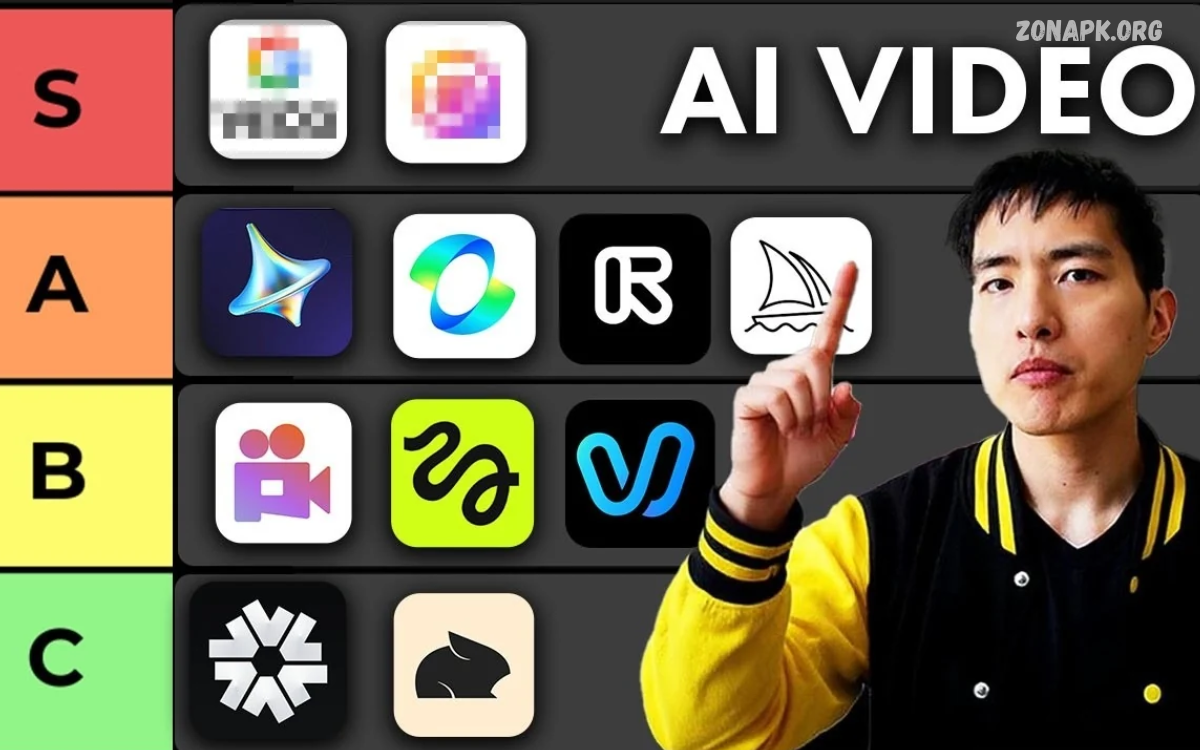
AI Video Generator Tools transform text prompts, images, scripts, and existing footage into engaging videos. These tools simplify video production, helping beginners, content creators, marketers, and businesses create visual content without advanced editing skills.
Artificial intelligence automates several production tasks, including scene generation, animation, voiceovers, subtitles, and visual effects. With suitable tools, creators can produce social media clips, promotional videos, educational content, product demonstrations, and storytelling videos more efficiently.
What Are AI Video Generator Tools?
AI Video Generator Tools are software applications that use artificial intelligence to create or enhance video content. Users can describe a scene, upload an image, provide a script, or select a template to generate video sequences based on their requirements.
Many platforms combine generative AI with editing features, allowing users to adjust scenes, change visual styles, generate narration, and add music. The available capabilities depend on the platform, subscription plan, and model used to create each video.
How AI Video Generator Tools Work
AI video generation begins with an input, such as a written prompt, reference image, recorded clip, or prepared script. The system interprets the input and generates visual content using trained machine learning models, producing motion, scenes, transitions, or other requested elements.
Some platforms generate complete videos, while others focus on individual clips or editing assistance. Users can refine prompts, adjust settings, select aspect ratios, and regenerate scenes to achieve better results. Processing time and output quality vary according to the model and project complexity.
Best AI Video Generator Tools for Content Creators
Several AI video platforms serve different creative needs, from cinematic scene generation to automated social media production. Choosing the right solution depends on the desired video style, editing experience, budget, output length, and available features.
Popular options include Runway, OpenAI Sora, Google Veo, Adobe Firefly, Synthesia, HeyGen, and InVideo AI. Each platform offers a different combination of video generation, editing, animation, or presenter-based production features, so creators should compare current capabilities before selecting a tool.
Runway for Creative Video Generation
Runway provides AI-powered video creation and editing features designed for filmmakers, designers, and digital content creators. Depending on the available model and plan, users can generate video clips from text or images and experiment with camera movement, visual styles, and creative scene transformations.
The platform suits projects requiring artistic visuals, experimental storytelling, and detailed creative control. Users should write specific prompts, review generated footage carefully, and check available export settings before starting larger projects or choosing a subscription.
OpenAI Sora for Text-to-Video Creation
OpenAI Sora is designed to generate video content from text and other supported inputs, depending on the version and access available. It can help creators explore visual concepts, develop scene ideas, and produce AI-generated footage for creative projects.
Its usefulness depends on current product availability, supported features, and account access. Creators should review the official product information before planning a workflow around Sora, particularly when commercial usage, video duration, resolution, or editing capabilities are important.
Google Veo for AI Video Production
Google Veo is a generative video model developed for creating video content from prompts and supported visual inputs. Its capabilities can help users explore realistic scenes, cinematic movement, and visually detailed sequences for creative or professional applications.
Access methods and features may differ across Google products and subscription plans. Before using Veo for a commercial project, creators should check current availability, output limitations, applicable content policies, and any restrictions associated with generated media.
Adobe Firefly for AI-Assisted Video Creation
Adobe Firefly offers generative AI capabilities within Adobe’s creative ecosystem, including video-related features where supported. It can help creators develop visual assets, experiment with scene concepts, and incorporate AI-generated material into broader editing workflows.
Firefly may be especially useful for designers and marketing teams already working with Adobe applications. Its integration with familiar creative tools can simplify the process of developing visual concepts, refining assets, and preparing content for different publishing platforms.
Synthesia for AI Presenter Videos
Synthesia focuses on AI-generated presenter videos that use digital avatars and synthetic speech. Users can prepare scripts, select supported avatars, choose available languages, and create structured presentations without recording a traditional on-camera performance.
This approach works well for employee training, educational lessons, product explanations, and internal business communication. Creators should verify pronunciation, avatar suitability, language quality, and available licensing terms before publishing videos for professional audiences.
HeyGen for AI Avatar and Marketing Videos
HeyGen provides tools for creating avatar-based videos, AI-assisted presentations, and other forms of visual communication. Depending on the features available, users can create videos from scripts, select digital presenters, and produce content in supported languages.
Businesses can use these capabilities for product introductions, training resources, marketing campaigns, and personalized communication. Users should obtain appropriate permission before using real people’s likenesses or voices and clearly consider how synthetic media may affect audience trust.
InVideo AI for Automated Video Creation
InVideo AI helps users turn written prompts or scripts into video projects using available templates, stock media, narration, and editing features. It is designed to simplify the production process for creators who want to develop content without managing every editing task manually.
The platform can support explainer videos, social media posts, promotional content, and YouTube projects. Generated footage, stock assets, narration, and captions should be reviewed before publication to ensure the final video accurately represents the topic and meets the intended quality standard.
Benefits of AI Video Generator Tools
One major benefit of AI Video Generator Tools is faster content production. Tasks that traditionally require multiple editing steps can sometimes be completed through automated generation, making it easier to develop initial concepts, produce short clips, and create alternative versions of existing material.
These tools can also reduce the technical barriers associated with video creation. Beginners can experiment with visual storytelling, while experienced editors can use AI to explore ideas and automate selected tasks. However, output quality still depends on good instructions, careful review, and appropriate editing decisions.
Time-Saving Video Production
Traditional video production may involve scriptwriting, filming, lighting, recording, editing, and post-production. AI-powered platforms can automate selected parts of this process, allowing creators to develop video concepts and visual drafts without completing every production stage manually.
Automation is particularly helpful when creating multiple versions of a video for different audiences or platforms. Even so, users should allow time for reviewing scenes, correcting mistakes, checking narration, and ensuring the final content communicates the intended message clearly.
Affordable Content Creation
AI video tools may reduce expenses associated with certain production tasks, including filming equipment, studio arrangements, and some editing services. Free tiers and entry-level subscriptions can provide an accessible starting point for individuals exploring video creation on limited budgets.
However, affordability depends on the project and the platform’s pricing structure. Some services restrict generation credits, export quality, video duration, or commercial features on lower-tier plans. Users should calculate the overall cost before relying on a tool for frequent or large-scale production.
Creative Freedom and Visual Experimentation
AI video generation allows creators to explore visual concepts that may be difficult, expensive, or time-consuming to film traditionally. Text prompts can describe imaginary locations, stylized animations, futuristic environments, or conceptual scenes that help bring creative ideas to life.
This flexibility makes AI useful during brainstorming and pre-production. Creators can test different visual directions, compare scene concepts, and refine story ideas before committing to a complete project. Human judgment remains essential for maintaining consistency, originality, and emotional impact.
Limitations of AI Video Generator Tools
Despite their advantages, AI video generators can produce inconsistent movement, inaccurate details, distorted objects, or scenes that do not fully match the original prompt. Characters may change appearance between shots, and generated text or complicated actions may not appear as intended.
Some tools also impose limits on video duration, resolution, generation credits, and available export formats. Because capabilities continue to evolve, creators should test a platform using a small project before depending on it for important commercial or educational work.
Choosing the Right AI Video Generator Tool
The best tool depends on the type of video you want to create. Cinematic clips may require a generative video model, while training presentations may benefit from AI avatars. Marketing videos might need templates, automated editing, brand assets, subtitles, and voiceover features.
Compare output quality, ease of use, pricing, language support, editing controls, privacy settings, and commercial licensing. Testing several tools with the same prompt can reveal differences in consistency, visual quality, and workflow efficiency, helping you make a more informed decision.
AI Video Generator Tools for YouTube
YouTube creators can use AI tools to develop video concepts, generate supporting visuals, prepare narration, and create short promotional clips. These capabilities may help streamline production for educational channels, technology reviews, tutorials, storytelling projects, and other video formats.
However, automated generation does not guarantee audience engagement or channel growth. Strong scripts, accurate information, meaningful editing, and original contributions remain important. Creators should also review current YouTube policies concerning synthetic content disclosures and monetization before publishing AI-generated videos.
AI Video Generator Tools for Social Media
Social media creators often need short, visually engaging videos suited to different screen sizes and audience preferences. AI tools can help generate vertical clips, promotional scenes, captions, and visual variations for platforms such as Instagram, TikTok, and YouTube Shorts.
Using templates and reusable prompts can make content production more consistent across campaigns. Nevertheless, each video should be adapted to its platform, reviewed for accuracy, and designed to communicate its message quickly without relying entirely on automated effects or generic visuals.
Read Also: Best Android Apps for Phones: Essential Apps You Should Try
AI Video Generator Tools for Business Marketing
Businesses can use AI-generated videos to explain products, introduce services, demonstrate features, and communicate brand messages. Marketing teams may also create multiple creative variations to explore different messaging approaches without arranging a separate filming session for every concept.
Successful business videos still require a clear objective, appropriate branding, and accurate product information. Companies should verify all generated claims, confirm commercial usage rights for included assets, and maintain human oversight to ensure the final content reflects their standards and customer expectations.
AI Video Generator Tools for Education
Educators can use AI video platforms to prepare visual explanations, language lessons, instructional presentations, and supplementary learning materials. Animated scenes and presenter-based videos can make complex topics easier to introduce, particularly when visual examples support the written explanation.
Educational content requires careful fact-checking and age-appropriate presentation. Teachers should review generated narration, captions, diagrams, and examples before sharing them with students. Institutions should also consider student privacy, accessibility, copyright, and relevant policies when selecting AI video services.
How to Write Better AI Video Prompts
A strong prompt explains the subject, setting, action, camera perspective, lighting, mood, and visual style. Instead of writing a vague request such as “create a city video,” describe the scene more precisely, including the time of day, movement, atmosphere, and intended composition.
For example, a prompt might describe a quiet modern city at sunrise, with vehicles moving along wet streets and warm light reflecting from glass buildings. Clear descriptions can improve alignment with the intended concept, although results will vary by model and may require several attempts.
Tips for Improving AI-Generated Videos
Start with a simple concept and divide complex projects into manageable scenes. Generate short clips, review the results, and adjust prompts when important details appear incorrectly. Consistent descriptions of characters, locations, lighting, and visual style can help maintain continuity across a sequence.
After generation, use editing software to trim unwanted footage, balance audio, correct captions, and improve transitions. Review the complete video on different screen sizes before publishing. Human editing helps turn individual AI-generated clips into a coherent and engaging final production.
Copyright, Privacy, and Responsible AI Video Creation
Before publishing an AI-generated video, review the platform’s terms, licensing conditions, and rules concerning commercial use. Rights associated with generated outputs, uploaded reference materials, music, stock footage, and digital likenesses can differ depending on the service and jurisdiction.
Avoid uploading confidential information or using someone’s face or voice without appropriate authorization. Clearly disclose synthetic content when required by platform policies or applicable law. Responsible practices protect audiences, reduce avoidable legal risks, and help creators establish trust with viewers.
Future of AI Video Generator Tools
AI video technology continues to develop, with ongoing improvements in motion generation, visual consistency, audio integration, editing workflows, and prompt interpretation. These developments may make video production more accessible and help creative teams explore new storytelling approaches.
Future progress will also depend on reliability, transparent licensing, privacy protections, and responsible deployment. Human creativity is likely to remain valuable for developing compelling ideas, evaluating generated results, and deciding how videos should communicate information to specific audiences.
Frequently Asked Questions
What Are the Best AI Video Generator Tools?
Popular options include Runway, OpenAI Sora, Google Veo, Adobe Firefly, Synthesia, HeyGen, and InVideo AI. The right choice depends on your project, available features, budget, and whether you need cinematic scenes, AI presenters, or automated editing.
Can I Create Videos Using AI for Free?
Some platforms provide free access, trial credits, or limited generation features. Free plans may restrict video duration, resolution, exports, or commercial use, so check the current terms before selecting a service for regular production.
Are AI Video Generator Tools Suitable for Beginners?
Yes, many platforms offer simple interfaces, templates, and prompt-based generation. Beginners can start with short projects, experiment with clear descriptions, and use basic editing features to improve their results without extensive video production experience.
Can AI Video Generator Tools Create YouTube Videos?
Yes, AI tools can help create visual clips, presentations, voiceovers, and supporting footage for YouTube. Creators should add original value, verify information, review licensing requirements, and follow applicable platform policies before publishing.
Do AI Video Generators Support Text-to-Video Creation?
Many AI video generators support text-to-video creation, allowing users to describe a scene in natural language. The generated result depends on the model, prompt quality, supported settings, and the platform’s current capabilities.
Are AI-Generated Videos Copyright-Free?
Not necessarily. Copyright protection and usage rights depend on applicable laws, platform terms, and the materials included in the video. Always check licensing requirements for generated content, music, reference images, and other assets before commercial publication.
How Can I Improve AI Video Quality?
Use specific prompts, generate manageable scenes, and maintain consistent descriptions of subjects and settings. Review every clip, correct visual errors, improve audio, and edit the final sequence to create a clear and polished video.
Can Businesses Use AI-Generated Videos Commercially?
Many platforms permit certain commercial uses under specific conditions, but permissions vary by service and subscription plan. Businesses should review licensing terms, obtain necessary permissions, protect confidential data, and verify product claims before publishing.
Conclusion
AI Video Generator Tools provide practical ways to create video content from text, images, scripts, and other supported inputs.
Choosing the right platform requires evaluating your goals, budget, desired video style, and editing requirements.

1 Comment
Pingback: AI Translation Apps: for Accurate and Fast Language Translation - Zonapk