

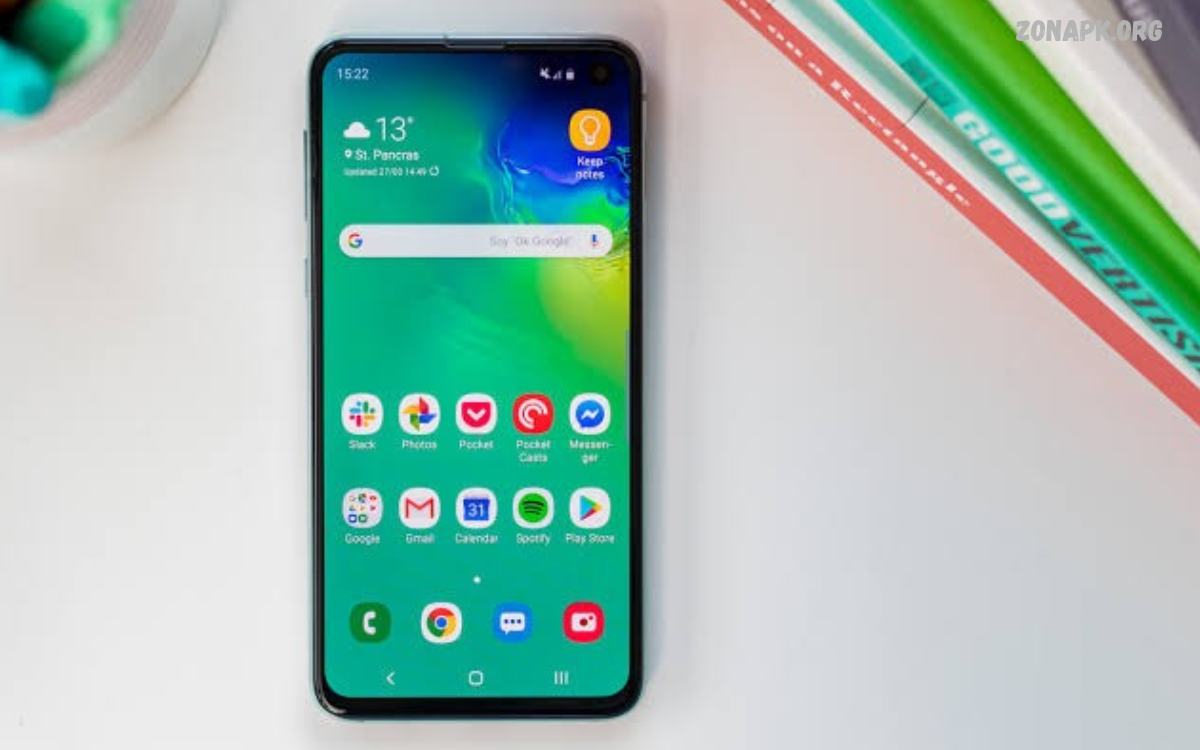
The best Android apps for phones make everyday tasks easier, improve productivity, support creativity, and provide convenient access to entertainment.
Whether you use a budget smartphone or a premium Android device, the right applications can improve your mobile experience. Some apps help manage files, while others make photo editing, online communication, navigation, and learning more convenient.
Why Android Apps Are Important for Smartphones
Android applications expand the capabilities of smartphones by providing tools for almost every everyday activity. Users can organize schedules, communicate with friends, edit pictures, watch videos, read books, and manage documents without needing separate devices.
Another advantage of Android is its flexibility. Users can personalize their home screens, choose preferred browsers, manage notifications, and install applications from trusted sources. However, not every app is necessary for every person.
Best Productivity Apps for Android Phones
Productivity apps help users manage responsibilities, organize information, and complete daily tasks more efficiently. Applications such as Google Keep, Microsoft To Do, and Notion provide tools for creating notes, tracking tasks, storing ideas, and organizing projects.
These applications are particularly useful when responsibilities involve multiple activities throughout the day. Notes, checklists, calendars, and reminders help users keep important information accessible.
Best Communication Apps for Android
Communication applications allow Android users to exchange messages, make calls, share files, and stay connected with friends, family, classmates, and colleagues. WhatsApp offers messaging, voice calls, video calls, and media sharing, while Telegram provides messaging features, channels, groups, and cloud-based synchronization. Google Meet is another option for video meetings and online discussions.
The best communication app depends on the people you need to contact and the features you use regularly. Some users prefer simple messaging, while others need group conversations, video meetings, or file-sharing capabilities. Always review privacy settings, control who can contact you, and enable available security features to help protect personal conversations and account information.
Best Photo Editing Apps for Android Phones
Photo editing apps help users improve pictures, adjust colors, remove distractions, and create attractive images directly from their smartphones. Snapseed offers detailed editing tools, including exposure adjustments, selective edits, and color correction. Lightroom provides additional controls for lighting, tones, color grading, and consistent editing across collections of photographs.
These applications are useful for casual photography, school projects, social media posts, and personal creative work. Beginners can start with automatic adjustments and simple filters before exploring more advanced editing features. When choosing a photo editor, consider image quality, export options, available tools, subscription requirements, and whether the application adds watermarks to saved pictures.
Best Video Editing Apps for Android
Video editing applications make it possible to create polished videos without using a desktop computer. CapCut and VN Video Editor are examples of mobile editing tools that may offer features such as trimming, transitions, text overlays, music, and visual effects. Available features can vary by region, application version, and subscription level.
A good video editor should provide an understandable timeline, convenient controls, suitable export settings, and reliable performance on your device. Users who create short clips may prefer a simple interface, while those producing longer videos might need advanced audio controls and multiple editing tracks. Check storage requirements and permissions before installing an editor, especially if it requests access to personal media.
Best Web Browsers for Android Phones
A web browser is one of the most important applications on an Android smartphone because it provides access to websites, online services, educational resources, and digital tools. Google Chrome offers synchronization with Google accounts, while Mozilla Firefox provides customization options and support for browser extensions on compatible versions. Other browsers may focus on privacy, speed, or reduced data consumption.
Choosing the best browser depends on your browsing habits and privacy preferences. Useful features include password management, tab organization, safe browsing protection, reader modes, and tracking protection. Keep your browser updated, avoid suspicious websites, and review saved passwords and site permissions regularly. Using a trusted browser can make everyday internet access more convenient and secure.
Best Security Apps for Android Phones
Security applications and built-in Android protection features help users reduce common digital risks. Google Play Protect checks applications for potentially harmful behavior, while password managers such as Bitwarden can help create and store strong, unique passwords. Many Android phones also include security tools for screen locking, device tracking, and reviewing application permissions.
Good smartphone security involves more than installing an additional application. Users should install operating system updates, download apps from trusted sources, enable a secure screen lock, and activate two-step verification for important accounts. Be cautious with applications promising unrealistic protection or requesting excessive permissions. Unnecessary security apps may consume resources without providing meaningful benefits.
Best File Manager Apps for Android
File manager applications help users organize documents, photographs, videos, downloads, and other files stored on their smartphones. Google Files provides file browsing, storage management, and sharing features on supported devices. Other file managers may include folder organization, archive handling, network access, or additional tools for managing documents.
A useful file manager makes it easier to locate large files and remove unnecessary downloads. However, users should review files carefully before deleting them because some folders contain information required by applications. Avoid granting broad access to unfamiliar file managers unless it is necessary for their advertised features. A trusted file manager can help keep storage organized without adding unnecessary complexity.
Best Cloud Storage Apps for Android Phones
Cloud storage applications allow users to save files online and access them across supported devices. Google Drive, Microsoft OneDrive, and Dropbox provide options for storing documents, sharing files, and synchronizing information. Depending on the service and account, users may receive a limited amount of free storage and have the option to purchase additional space.
Cloud storage is particularly useful for students, professionals, and anyone who works with multiple devices. Backing up important documents can reduce the risk of losing information when a phone becomes damaged or needs replacement. Users should review sharing permissions, secure their accounts, and understand which folders are synchronized automatically. Cloud storage complements local storage but should not replace sensible backup practices.
Best Music and Audio Apps for Android
Music and audio applications provide access to songs, podcasts, audiobooks, and other forms of entertainment. Spotify offers music and podcast streaming, while YouTube Music provides music discovery and access to supported music content. Availability, offline listening, advertising, and playback controls depend on the service, region, and subscription plan.
The best audio app is one that fits your listening preferences and budget. Users who listen during travel may value offline downloads, while podcast listeners may prefer playback speed controls and episode management. Check mobile data settings before streaming regularly, because audio playback can use significant data over time. Downloading content through official app features can make listening more convenient when an internet connection is unavailable.
Best Video Streaming Apps for Android Phones
Video streaming apps let users watch movies, television programs, documentaries, educational videos, and other content on their smartphones. YouTube offers a wide range of free video content, while services such as Netflix and Amazon Prime Video provide subscription-based entertainment in supported regions. Available catalogs and features differ by country and account type.
A good streaming app should provide reliable playback, understandable controls, and suitable video quality settings. Users with limited mobile data can reduce streaming quality or download eligible content through official features when available. It is also important to consider screen size, battery consumption, and storage requirements. Choosing legitimate services helps users access content while avoiding potentially unsafe downloads and unauthorized applications.
Best Education Apps for Android
Education apps help students learn new subjects, practice languages, improve reading skills, and develop professional knowledge. Khan Academy provides educational lessons and practice materials, while Duolingo offers language-learning activities. Google Classroom can also help students access assignments and communicate with teachers when their school uses the platform.
These applications work best when they support a clear learning goal. Students can combine short lessons with regular revision, notes, and practice exercises to improve understanding. Before selecting an education app, review its subject coverage, teaching style, available languages, and offline features. Some applications include paid subscriptions, so check which learning materials are available without payment.
Best Note-Taking Apps for Android Phones
Note-taking apps help users record ideas, save important information, and organize personal or professional documents. Google Keep is suitable for quick notes, checklists, and reminders, while Microsoft OneNote supports more structured notebooks. Notion offers flexible pages and databases for users who want to organize projects, reference material, and personal plans in one workspace.
The right note-taking application depends on how you prefer to store information. Quick-note users may value simplicity and fast access, while students may need notebooks, images, document attachments, and searchable notes. Synchronization can help keep information available across devices, but users should review account security and backup options. Avoid storing sensitive information in unsecured notes when a more appropriate secure tool is available.
Best Navigation Apps for Android
Navigation applications help users find destinations, explore unfamiliar areas, and plan journeys. Google Maps provides directions, place information, traffic updates in supported areas, and options for different travel methods. Depending on the region, other navigation apps may offer additional features for public transportation, driving, cycling, or offline maps.
Before starting a journey, check the route, destination, and available travel information. Downloadable offline maps can be helpful when mobile internet access is limited, although some features may not work offline. Location permissions should be configured according to your needs, and background location access should only be enabled when a feature genuinely requires it. These habits help make navigation more convenient while limiting unnecessary access to personal location information.
Best Weather Apps for Android Phones
Weather applications provide forecasts, temperature information, rainfall estimates, and alerts about changing conditions. Google weather information and dedicated weather services can help users plan outdoor activities, travel, and daily routines. The accuracy and detail of forecasts depend on the provider, location, and available weather data.
When choosing a weather app, look for clear forecasts, useful alerts, and understandable information about changing conditions. Some applications provide radar maps and extended forecasts, while others focus on simple daily summaries. Review notification settings to avoid unnecessary alerts, and remember that forecasts can change as new data becomes available. For severe weather, consult official local meteorological authorities and emergency guidance.
Best Calendar Apps for Android
Calendar applications help users manage appointments, school schedules, meetings, birthdays, and personal events. Google Calendar provides event scheduling, reminders, and synchronization with supported accounts. Microsoft Outlook combines calendar features with email, making it useful for people who manage professional communications and appointments together.
A well-organized calendar can help users understand their commitments and avoid scheduling conflicts. Color-coded calendars, recurring events, and reminders make it easier to distinguish between different activities. When sharing calendars, review who can view or edit events, particularly when appointments contain private information. Selecting an app that works across your devices can make schedule management more consistent.
Best Keyboard Apps for Android Phones
Keyboard applications influence how users type messages, search online, write documents, and enter information into mobile applications. Gboard provides features such as multilingual typing, voice typing, predictive text, and customizable settings. Microsoft SwiftKey is another keyboard option known for personalized typing suggestions and support for multiple languages.
The best keyboard should support your preferred languages and make typing comfortable. Users who regularly switch between English, Urdu, and other languages may benefit from multilingual layouts and language-specific suggestions. Review keyboard permissions and privacy information carefully because keyboards process the text you enter. Download keyboards from trusted sources and choose settings that balance convenience with privacy.
Best Personal Finance Apps for Android
Personal finance applications can help users track expenses, organize budgets, and understand everyday spending. Depending on availability, users may choose a budgeting app, an expense tracker, or a spreadsheet application such as Google Sheets. These tools can organize income and expenses without requiring a complicated financial management system.
Before selecting a finance app, review its privacy practices, account requirements, security features, and subscription costs. Avoid applications that make unrealistic promises about guaranteed profits or request unnecessary financial information. Users can also create a simple budget manually if they prefer not to connect financial accounts. A trustworthy finance tool should help users understand their finances rather than encourage unnecessary spending or risky decisions.
Best Shopping Apps for Android Phones
Shopping applications allow users to compare products, review prices, explore available sizes, and order items from online retailers. Depending on the country, popular options may include Amazon, Daraz, and official shopping apps operated by individual brands.
Safe online shopping requires checking seller information, product descriptions, customer reviews, delivery charges, and return policies. Compare the final price rather than relying only on advertised discounts.
Read Also: Foods With Omega-3 for Dogs to Support Everyday Health
Best AI Apps for Android Phones
Artificial intelligence applications offer tools for writing assistance, brainstorming, translation, image creation, research support, and everyday questions. ChatGPT can help users explore ideas, understand difficult concepts, draft content, and work through problems. Other AI applications may specialize in language translation, transcription, photo editing, or document analysis.
AI tools are most useful when users understand their strengths and limitations. Generated information may contain mistakes, so important facts should be checked against reliable sources. Avoid entering passwords, private documents, or sensitive personal information into services without understanding their data policies. Choosing an AI app based on a specific need can help users work more efficiently without installing multiple applications that perform similar tasks.
Best Customization Apps for Android
Customization applications let users change the appearance and organization of their Android home screens. Depending on device compatibility, launchers such as Nova Launcher alternatives and other reputable launcher apps may provide custom icon layouts, widgets, gestures, and additional home-screen controls. Wallpaper applications can also help users personalize their devices.
Customization should improve usability rather than make the interface unnecessarily complicated. Choose applications that receive updates, explain their permissions, and work reliably with your Android version. Some launchers offer paid features or optional purchases, so review pricing before committing. Users can also begin with built-in Android settings, which often provide useful wallpaper, widget, theme, and display options without installing additional software.
Best Health and Fitness Apps for Android
Health and fitness applications can help users record physical activity, develop healthy routines, and monitor selected wellness information. Google Fit and compatible fitness applications may provide activity tracking, exercise records, and progress summaries, depending on the device and connected services. Some smartphones can also connect to wearable devices for additional measurements.
The best wellness app is one that supports realistic goals and encourages balanced habits. Review which information the application collects, whether data is shared with other services, and how to delete or export records. Activity estimates and wearable measurements may not always be accurate, so they should not replace professional medical advice. Users should choose tools that support everyday well-being without creating unnecessary pressure or excessive monitoring.
Best Apps for Managing Android Storage
Storage management apps and built-in Android tools help users understand which files and applications occupy space. Google Files and the storage section in Android settings can identify large downloads, unused applications, and certain unnecessary files. These tools can help users make informed decisions about which items to keep and which to remove.
Before deleting anything, check whether the file contains important documents, photographs, or application data. Back up valuable files before performing major cleanup tasks, and avoid unfamiliar apps that promise unrealistic storage improvements. Clearing an application’s cache may help in some situations, but deleting application data can remove saved settings or locally stored information. Regular reviews are generally more useful than installing multiple cleaning utilities.
How to Choose the Best Android Apps for Phones
Choosing the best Android apps for phones starts with identifying the tasks you want to improve. Students may prioritize education and note-taking tools, content creators may need photo and video editors, and professionals may prefer calendars, document applications, and cloud storage. Selecting apps based on actual needs helps prevent unnecessary downloads and makes the home screen easier to manage.
It is also important to consider compatibility, privacy, cost, and ease of use. Check recent reviews, developer information, update history, and required permissions before installing an application. Compare free and paid features carefully, because some apps restrict essential tools behind subscriptions. A smaller collection of reliable, regularly updated apps can often provide a better experience than a phone filled with applications you rarely use.
Tips for Keeping Android Apps Safe and Updated
Keeping applications updated helps users receive new features, compatibility improvements, and available security fixes. Google Play Store updates can be managed through its settings, while Android system updates are generally available through the device settings when supported by the manufacturer. Automatic updates can be convenient, although users may prefer Wi-Fi-only downloads to manage mobile data usage.
Users should also review permissions and uninstall applications they no longer need. Avoid downloading modified application packages from unknown websites, particularly when they promise premium features for free or request unusual access. Use strong account passwords, enable two-step verification where available, and check the publisher before installing an app. These simple practices can help reduce common risks while keeping a smartphone organized and dependable.
Common Mistakes to Avoid When Installing Android Apps
One common mistake is installing applications simply because they are popular or heavily promoted. An app may offer features that overlap with tools already installed on your phone, adding notifications and consuming storage without providing meaningful benefits.
Another mistake is ignoring privacy policies, subscription details, and permission requests. Some applications request access to contacts, location, photographs, or microphone features that may not be necessary for their main purpose.
Best Android Apps for Phones for Different Users
Different users need different applications, so there is no single collection that works perfectly for everyone. Students may benefit from Google Keep, Google Calendar, Khan Academy, and cloud storage tools, while photographers may prefer Snapseed and Lightroom.
Professionals may prioritize document editing, meeting applications, task management, and secure password storage. Travelers may need maps, translation tools, weather forecasts, and booking applications, while entertainment fans may prefer music and video streaming services.
Frequently Asked Questions
What Are the Best Android Apps for Phones?
The best Android apps for phones depend on your needs, but useful options include Google Maps for navigation, Google Keep for notes, WhatsApp for communication, Snapseed for photo editing, and Google Drive for cloud storage. ChatGPT can also help with learning, brainstorming, writing, and everyday questions.
Which Android Apps Should I Install First?
Start with essential applications for communication, navigation, web browsing, notes, and file management. Many Android phones already include suitable tools, so check your existing applications before installing alternatives. Add photo editors, education tools, entertainment services, or productivity apps when you need their specific features.
Are Free Android Apps Safe to Use?
Many free Android apps are safe, but price alone does not determine security. Check the developer, reviews, permissions, privacy information, and update history before installing an app. Prefer trusted sources such as Google Play and avoid applications that request unnecessary access or make unrealistic promises.
How Can I Find Reliable Android Apps?
Use the Google Play Store to explore applications, compare ratings, read recent reviews, and check developer details. Review requested permissions and confirm that the app supports your device. For applications that handle financial, personal, or sensitive information, pay particular attention to security features and privacy practices.
Do Android Apps Slow Down a Phone?
Some applications can affect performance by using memory, storage, battery power, or background activity. Installing too many apps may also create clutter and unnecessary notifications. Keep your phone updated, remove applications you do not use, and review battery and storage settings if performance becomes noticeably slower.
How Often Should Android Apps Be Updated?
Check for updates regularly and use automatic updates when they suit your preferences and data plan. Updates can provide security fixes, compatibility improvements, and new features. For important applications, avoid postponing security updates for long periods, particularly when the developer recommends installing them promptly.
Can I Use Android Apps Without Internet Access?
Yes, many Android apps provide offline features. Note-taking tools, downloaded videos, offline maps, document viewers, and some games can work without an active internet connection. However, synchronization, streaming, online searches, and certain account features may require internet access, so check each application’s offline capabilities.
How Many Apps Should I Install on My Android Phone?
There is no fixed number of apps suitable for every smartphone. The best approach is to install applications that serve a clear purpose and work well with your device. Consider available storage, performance, battery usage, and privacy when deciding whether to keep additional apps.
Conclusion
The best Android apps for phones can improve communication, productivity, entertainment, education, photography, and everyday organization. From Google Maps and WhatsApp to Snapseed, Google Drive, and AI-powered tools, Android offers a wide range of applications for different interests and requirements.
The key is to choose reliable apps that match your needs instead of installing everything you discover. Check compatibility, review permissions, compare costs, and keep essential applications updated.

1 Comment
Pingback: AI Video Generator Tools: For Creating High-Quality Videos - Zonapk