

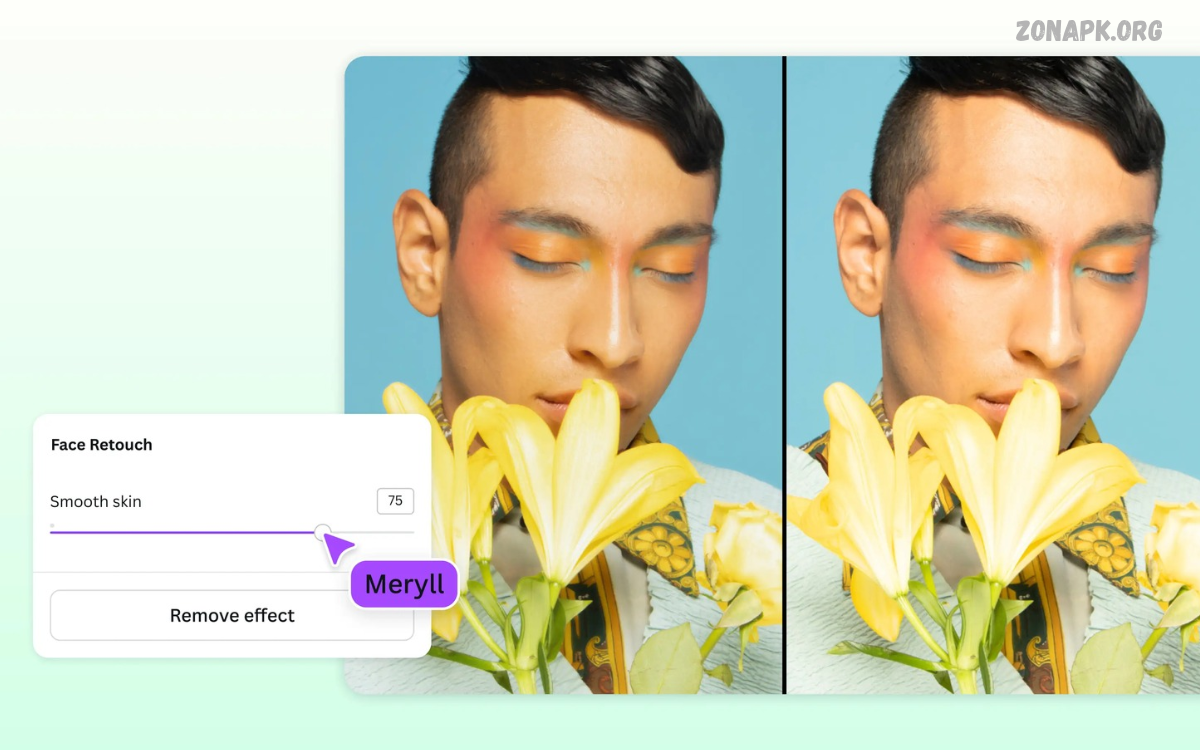
The best face editing apps offer powerful tools to improve selfies, enhance portraits, and create attractive photos. Modern editing apps include skin retouching, lighting adjustments, background changes, filters, and facial enhancement.
Smartphone photography keeps improving, making professional-looking portraits easier to create. Whether you’re editing selfies, profile pictures, or creative photos, the right app can offer useful tools without requiring advanced editing experience.
What Are Face Editing Apps?
Face editing apps are mobile applications designed to improve portrait photos with various editing features. These tools let users adjust lighting, smooth details, correct colors, and apply creative effects.
Most apps offer simple interfaces with automatic enhancements and manual controls. Users can choose specific adjustments depending on their photography style and desired results.
Best Face Editing Apps for Android and iPhone
The right application depends on its features, editing quality, ease of use, and device compatibility. Some apps specialize in portrait retouching, while others offer a full photo-editing experience.
The following applications provide different tools for selfie enhancement, portrait editing, creative filters, and professional photography. Features and free options may vary by device and subscription.
Facetune
Facetune is a popular portrait editing application designed for selfie enhancement and creative photo adjustments. It provides tools for refining facial details, adjusting lighting, improving image colors, and applying portrait effects.
Users can experiment with different editing options to create natural-looking photographs or artistic portraits. Some advanced features require a paid subscription, while availability varies across devices and regions.
YouCam Makeup
YouCam Makeup combines selfie editing tools with virtual makeup features. Users can experiment with different makeup styles, adjust portrait appearance, and explore creative beauty effects.
The application includes virtual lipstick, eye makeup, skin adjustments, and facial enhancement features. It can be useful for exploring makeup styles before applying similar looks in real life.
AirBrush
AirBrush offers a collection of selfie enhancement and portrait editing tools. Its interface makes common adjustments accessible to beginners who want to improve photographs using straightforward editing controls.
Features include portrait retouching, lighting adjustments, filters, and background editing. Users can combine different effects to create balanced photographs without complicated editing processes.
Picsart
Picsart is a versatile photo editing application offering more than basic face enhancement. It includes filters, stickers, background removal, creative effects, text tools, and several AI-powered editing features.
Users can create portraits, social media graphics, profile pictures, and artistic compositions. Its wide selection of editing options makes it suitable for beginners and experienced content creators.
Snapseed
Snapseed is a photo editing application developed by Google. It offers detailed editing controls, including selective adjustments, color correction, brightness settings, and portrait enhancement tools.
Its editing interface supports both quick improvements and more advanced adjustments. Users can refine photographs while maintaining greater control over exposure, contrast, and image appearance.
Lightroom Mobile
Adobe Lightroom Mobile provides advanced photo editing features for smartphone photographers. It includes exposure controls, color grading, contrast adjustments, presets, and detailed image correction tools.
Although Lightroom focuses on complete photo editing rather than dedicated face retouching, it works well for improving portrait lighting and colors. Its selective editing tools also provide additional control over specific image areas.
PhotoDirector
PhotoDirector combines traditional photo editing with AI-powered creative features. Users can explore portrait adjustments, background effects, image enhancement, and different artistic editing options.
Its interface provides several tools for improving photographs and creating personalized visual content. Some advanced tools and editing effects may require a premium subscription.
BeautyPlus
BeautyPlus focuses on selfie enhancement and portrait photography. It provides filters, skin adjustments, creative effects, and camera features designed for taking and editing selfies.
Users can explore different editing styles and adjust photographs according to their preferences. The application also includes creative tools for making social media-ready pictures.
B612
B612 offers selfie camera features, filters, stickers, and portrait effects. It allows users to capture photographs with different visual styles and make adjustments directly within the application.
The application is useful for casual photography, creative selfies, and short visual content. Its collection of effects provides multiple ways to personalize everyday pictures.
Meitu
Meitu is a photo editing application offering selfie enhancement, artistic filters, and creative portrait effects. It includes different editing options for improving photographs and creating personalized visual styles.
Users can explore makeup effects, portrait adjustments, and decorative features. The application also provides creative editing tools suitable for social media photography.
Fotor
Fotor provides photo editing tools for portraits, general photography, and creative image projects. Its features include filters, image enhancement, color adjustments, and AI-assisted editing options.
The application offers a combination of automatic and manual controls. Users can improve portrait photographs or create visually appealing images using its editing features.
Best Features to Look for in Face Editing Apps
Selecting an editing application becomes easier when users understand which features matter most. Different applications offer different combinations of portrait tools, filters, and creative adjustments.
A useful application should provide accessible controls, reliable performance, and suitable export options. The following features can help users identify an appropriate face editing tool.
Skin Retouching
Skin retouching tools help adjust the appearance of portrait photographs. Depending on the application, users may find options for reducing temporary visual distractions and improving image texture.
Good editing tools should preserve natural photographic details. Using moderate adjustments can help maintain realistic results instead of creating an artificial appearance.
Lighting and Exposure Adjustment
Lighting plays an important role in portrait photography. Brightness, highlights, shadows, and exposure controls help users improve photographs captured under different lighting conditions.
These adjustments can make facial details easier to see and improve overall image balance. Applications with manual lighting controls offer greater flexibility for different photography environments.
Background Editing
Background editing tools allow users to change or improve the environment surrounding a portrait. Some applications provide background removal, replacement, blur, and decorative effects.
These features can help create profile pictures, creative portraits, and professional-looking compositions. Accurate background selection is important for achieving clean editing results.
Filters and Color Effects
Filters provide quick ways to change the appearance of photographs. They can adjust colors, contrast, brightness, and overall visual style through preset editing options.
Applications with customizable filters offer more creative flexibility. Users can select subtle effects for everyday photographs or stronger styles for artistic projects.
Makeup Effects
Virtual makeup tools allow users to explore different cosmetic styles through digital editing. Common options include lipstick, eyeshadow, eyeliner, blush, and other makeup effects.
These features can be useful for creative experimentation and photography projects. Users can adjust effect intensity to explore different styles without changing the original photograph.
AI Photo Enhancement
AI-powered enhancement features can automatically improve certain image details. Depending on the application, these tools may support image sharpening, lighting correction, background adjustments, and portrait enhancement.
Automatic editing can save time when working with multiple photographs. However, results may vary depending on image quality, application settings, and the complexity of the photograph.
How to Choose the Best Face Editing Apps
Choosing an application requires considering personal editing needs and available features. Someone interested in simple selfie adjustments may prefer a lightweight application, while photography enthusiasts may need more detailed editing controls.
Device compatibility, privacy settings, subscription costs, and export quality also matter. Comparing these factors can help users find an application that matches their requirements.
Choose an App Based on Editing Needs
Start by identifying the type of photographs you want to edit. Selfie enhancement, professional portraits, makeup experimentation, and creative image design require different editing features.
An application with specialized portrait tools may be more convenient for regular selfie editing. A complete photo editor may provide greater flexibility for different photography projects.
Check Free and Premium Features
Many face editing applications provide free editing options alongside premium subscriptions. Basic features may include filters, simple adjustments, and limited portrait enhancement tools.
Premium versions can unlock additional effects, advanced tools, and expanded editing options. Review subscription details before purchasing to understand available features and recurring costs.
Consider Ease of Use
An easy-to-use interface helps beginners understand editing tools without spending excessive time learning complicated controls. Clear menus and accessible adjustments can improve the overall editing experience.
Advanced applications may offer more customization but require additional practice. Choosing an interface that matches your experience level can make photo editing more enjoyable.
Review Export Quality
Export quality affects how photographs appear after editing. Applications may provide different image resolutions, compression settings, and file formats.
Look for suitable export options when preparing photographs for social media, printing, or personal collections. Preserving the original image quality is particularly useful when making multiple edits.
Check Privacy and Permissions
Photo editing applications may request access to photographs, cameras, or other device features. Review permissions to understand what information an application can access.
Read the privacy information and select appropriate permission settings. Download apps from trusted app stores and review their data-handling practices before using them.
Read Also: Yono Game: The Importance of Clear Rules and Instructions in Online Gaming
Best Face Editing Apps for Different Purposes
Different applications serve different photography needs. Comparing their main strengths can help users select suitable editing software without installing numerous applications.
Facetune and AirBrush focus on portrait enhancement, while Picsart provides broader creative editing options. Snapseed and Lightroom Mobile are useful for detailed photographic adjustments.
Best Apps for Selfie Editing
Selfie editing applications generally focus on portrait filters, lighting adjustments, and easy-to-use enhancement tools. BeautyPlus, B612, and AirBrush provide features designed for everyday selfie photography.
These applications can help users explore different visual styles. Their camera effects also make it possible to experiment with filters before capturing photographs.
Best Apps for Professional Portrait Editing
Professional portrait editing requires greater control over lighting, colors, and image details. Lightroom Mobile and Snapseed provide useful tools for photographers who prefer manual adjustments.
Facetune can also support specialized portrait editing. Combining careful retouching with balanced lighting adjustments can help create polished photographic results.
Best Apps for Creative Photo Editing
Creative editing involves combining photographs with filters, backgrounds, stickers, and other visual elements. Picsart, PhotoDirector, and Meitu provide several options for experimenting with different designs.
These applications are useful for creating profile pictures, social media posts, and artistic portraits. Their creative tools support different editing styles and visual projects.
Tips for Getting Better Results
Good portrait editing starts with a clear photograph and suitable lighting. Images captured with adequate focus and balanced exposure generally provide a better foundation for editing.
Avoid applying every available effect to one photograph. Select only the adjustments that improve the image and support the intended visual style.
Start With a High-Quality Photograph
A clear original photograph makes editing easier. Good focus, balanced lighting, and a suitable camera angle can help preserve important image details.
Whenever possible, use the original photograph rather than repeatedly editing compressed copies. This approach helps maintain image quality throughout the editing process.
Use Filters Carefully
Filters can improve photographic colors and create consistent visual styles. However, strong effects may reduce natural details or make photographs look overly processed.
Experiment with filter intensity and compare different versions before saving the final image. Subtle adjustments often provide a balanced and professional-looking result.
Maintain Natural Editing Results
Natural-looking editing focuses on improving photographic quality without removing every visible detail. Balanced adjustments can help preserve the original character of a portrait.
Avoid excessive smoothing, sharpening, or color changes. Keeping the original image available also makes it easier to compare editing results.
Explore Manual Editing Tools
Automatic enhancement features are convenient, but manual controls provide greater flexibility. Adjusting exposure, highlights, shadows, contrast, and saturation can improve the overall image.
Learning these basic controls helps users understand how different adjustments affect photographs. Regular experimentation can also improve general photo editing skills.
Common Mistakes to Avoid When Editing Faces
Some editing mistakes can reduce image quality and create unrealistic results. Applying too many effects, ignoring lighting, and saving low-resolution photographs can affect the final appearance.
Understanding these problems helps users make better editing decisions. A simple editing process with carefully selected adjustments can produce more consistent results.
Applying Too Many Effects
Using multiple filters and effects simultaneously can make photographs look cluttered. Some effects may also conflict with one another and reduce visual consistency.
Choose a small number of suitable adjustments instead. Reviewing the photograph after each change helps maintain a clear editing direction.
Ignoring Original Image Quality
Editing cannot always restore details missing from a low-quality photograph. Blurry images and poor lighting can limit the effectiveness of enhancement features.
Start with the clearest available image and use suitable camera settings. This creates a better foundation for portrait editing.
Overlooking App Permissions
Some users accept every permission request without reviewing its purpose. However, understanding application permissions is an important part of responsible smartphone usage.
Check whether camera, storage, and photo access are necessary for the features you want to use. Review privacy settings whenever application permissions change.
Saving Compressed Images
Repeatedly exporting and editing compressed photographs can reduce image quality. Some applications also apply automatic compression when users save edited images.
Choose suitable resolution and export settings whenever available. Keeping an original copy provides a useful backup for future editing.
Are Face Editing Apps Free?
Many face editing applications offer free versions with basic editing features. Users can usually access selected filters, portrait adjustments, and simple enhancement tools without purchasing a subscription.
However, premium features may include advanced effects, additional filters, AI tools, and expanded export options. Availability and pricing depend on the application, device, and region.
Are Face Editing Apps Safe to Use?
Face editing applications can be suitable for everyday photography when downloaded from trusted sources. Users should review application permissions, privacy policies, and account settings before uploading personal photographs.
Avoid sharing sensitive photographs with unknown services. Understanding how an application stores and processes images can help users make informed privacy decisions.
Can Face Editing Apps Work Without the Internet?
Some editing applications provide offline features, allowing users to adjust photographs without an active internet connection. Basic filters, cropping, and certain manual adjustments may work locally on a device.
However, cloud-based editing, online templates, and some AI-powered features may require internet access. Offline availability depends on the application and the specific tool being used.
Frequently Asked Questions
Which Are the Best Face Editing Apps?
Facetune, AirBrush, BeautyPlus, Picsart, and YouCam Makeup are popular choices for portrait and selfie editing. Each application offers different features and editing options.
Which Face Editing App Is Best for Beginners?
AirBrush and BeautyPlus provide accessible interfaces and straightforward selfie editing tools. Their basic features can help beginners explore portrait enhancement.
Which Face Editing App Is Best for Android?
Android users can explore Picsart, Snapseed, Facetune, Lightroom Mobile, and BeautyPlus. Availability and features may vary depending on the device.
Which Face Editing App Is Best for iPhone?
iPhone users can consider Facetune, AirBrush, Lightroom Mobile, Snapseed, and YouCam Makeup. The best choice depends on individual editing requirements.
Are There Free Face Editing Apps?
Yes, several applications offer free versions with basic editing tools. Some advanced features, filters, and AI-powered options may require payment.
Which App Is Best for Selfie Editing?
BeautyPlus, B612, and AirBrush offer selfie-focused features. They include filters, portrait adjustments, and creative camera effects.
Can I Edit Portraits Without Losing Original Quality?
Yes, many applications support high-resolution exports. Using original photographs and selecting suitable export settings can help preserve image quality.
Do Face Editing Apps Support AI Features?
Many modern editing applications include AI-powered tools. These may support automatic enhancement, background changes, image correction, and creative effects.
Can I Use Face Editing Apps Offline?
Some applications support offline editing for basic features. Certain online effects, cloud services, and AI tools may require an internet connection.
How Do I Choose the Right Face Editing App?
Compare editing features, ease of use, privacy settings, export quality, and subscription options. Select an application that matches your photography needs.
Conclusion
The best face editing apps offer different ways to improve selfies, adjust portraits, and create attractive photos. Facetune, AirBrush, BeautyPlus, Picsart, Snapseed, and Lightroom Mobile each offer useful features for different editing requirements.
The right app depends on your editing preferences, device compatibility, privacy needs, and available tools. Start with an app that offers the features you need, experiment with its controls, and focus on keeping photos natural and high-quality.

1 Comment
Pingback: Image Enhancement Apps: Top Tools to Improve Photo Quality - Zonapk