

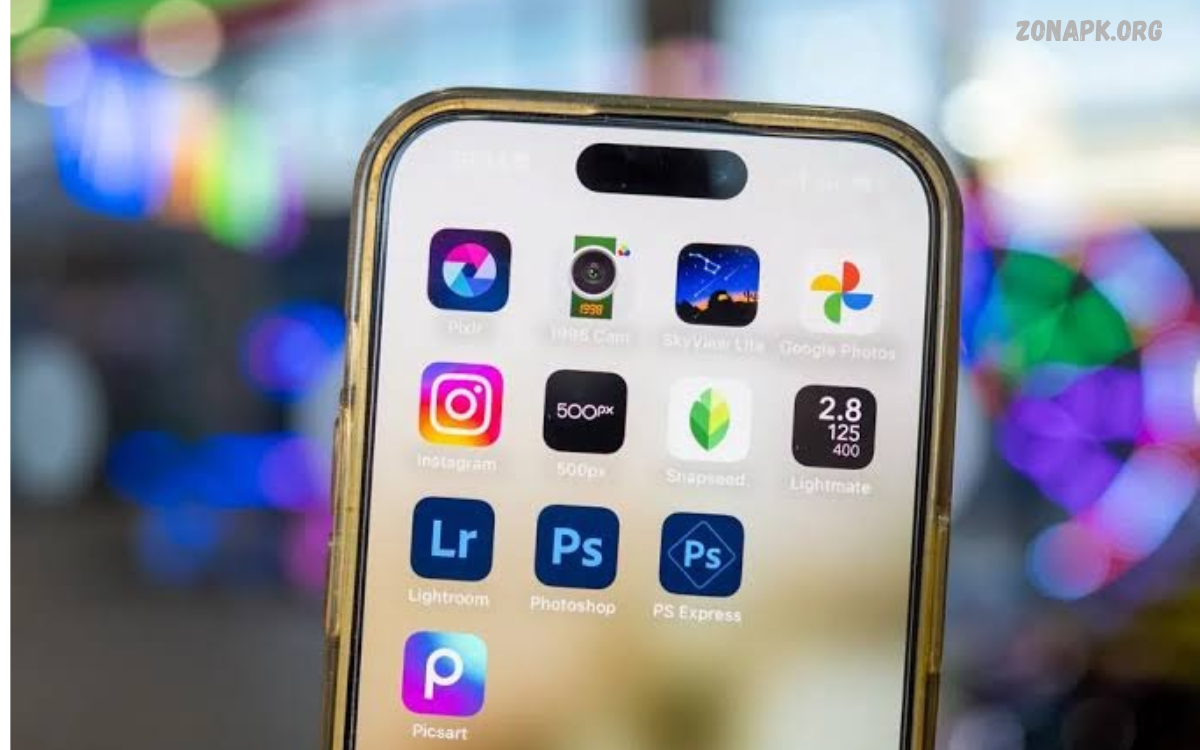
The Best Professional Photo Editing Apps help photographers, designers, content creators, and beginners transform ordinary photographs into impressive visual content.
Choosing the right photo editor depends on your creative goals, experience, device compatibility, and budget. Some applications specialize in professional color grading, while others focus on AI-powered enhancements, graphic design, or portrait editing.
What Are Professional Photo Editing Apps?
Professional photo editing apps are digital tools designed to improve photographs through advanced adjustments and creative features. They provide controls for brightness, exposure, contrast, saturation, sharpness, shadows, highlights, and white balance.
These applications help photographers maintain image quality while developing consistent editing styles. Whether creating commercial photography, product images, portraits, travel pictures, or social media content, a suitable editor can improve the final presentation.
Best Professional Photo Editing Apps
Selecting a professional editor becomes easier when you understand each application’s strengths. Some tools provide complete photography workflows, while others offer specialized features for creative projects. The following applications stand out because of their editing capabilities, accessibility, and different approaches to photo enhancement.
Before choosing an application, consider its free features, premium subscriptions, supported file formats, and available editing controls. A professional editor should provide enough flexibility to achieve your desired results without making everyday editing unnecessarily complicated.
Adobe Lightroom
Adobe Lightroom is one of the strongest choices for photographers seeking professional image editing and organized photo management. Its editing tools include exposure adjustment, color grading, tone curves, detail enhancement, selective masking, and preset customization. RAW photo support makes Lightroom particularly useful for photographers who want greater control over image development.
Lightroom also provides tools for organizing photography collections and maintaining consistent visual styles. Users can create custom presets, adjust individual image areas, and develop editing workflows across supported devices. Its free version covers several essential adjustments, while advanced features and additional cloud capabilities require an eligible paid plan.
Adobe Photoshop
Adobe Photoshop is a powerful image editing solution designed for detailed retouching, creative compositions, and advanced graphic manipulation. Its layer-based workflow allows users to combine multiple images, adjust individual elements, remove unwanted objects, and create complex visual projects. Professional designers and photographers frequently use Photoshop for projects requiring precise control.
Photoshop offers selection tools, masks, blending options, adjustment layers, filters, and sophisticated retouching capabilities. These features make it suitable for product photography, advertising graphics, portraits, and digital artwork. However, beginners may need time to understand its interface and advanced tools before developing an efficient editing workflow.
Snapseed
Snapseed is a popular photo editing application for users who want powerful editing controls without an expensive subscription. It offers exposure adjustments, selective editing, curves, healing, perspective correction, filters, and RAW image editing capabilities. Its combination of simple controls and advanced features makes it useful for different photography styles.
The application is particularly suitable for smartphone photographers who prefer manual adjustments over automatic effects. Users can enhance landscapes, improve portrait lighting, correct colors, and remove minor distractions. Snapseed also provides a convenient editing experience without requiring users to learn complicated professional software before improving their photographs.
Picsart
Picsart combines photo editing, creative effects, graphic design, and AI-powered features in one application. Its tools support background removal, object editing, filters, stickers, text overlays, collages, and creative image compositions. These features make it a useful choice for content creators who want to produce visually engaging photographs and social media graphics.
The application provides an accessible interface with creative tools suitable for different experience levels. Users can experiment with artistic effects, combine multiple images, add typography, and customize designs. Some advanced features and premium resources require a subscription, so reviewing the available plans before upgrading is a sensible approach.
Adobe Photoshop Express
Adobe Photoshop Express provides convenient photo editing tools in a simplified mobile-friendly interface. Users can adjust brightness, contrast, exposure, colors, and sharpness while applying filters and correcting common image imperfections. Its quick editing features make it useful for people who want attractive results without navigating a complicated desktop-style workspace.
The application also includes creative options such as collage creation, image effects, cropping, and portrait adjustments. Integration with other Adobe products can support a more connected creative workflow. Although Photoshop Express offers useful free features, certain advanced tools and premium resources require additional access.
Canva
Canva is a versatile design platform with built-in photo editing features for creators, students, marketers, and small businesses. It allows users to adjust images, apply filters, remove backgrounds, add text, and combine photographs with graphic elements. Its ready-made templates make it particularly helpful for creating professional-looking promotional visuals.
Unlike traditional photography editors, Canva focuses heavily on visual communication and graphic design. Users can prepare social media posts, presentations, banners, thumbnails, posters, and marketing materials. Its simple interface reduces the learning curve, although photographers seeking detailed RAW development and advanced color grading may prefer Lightroom or Photoshop.
VSCO
VSCO is well known for its photography filters, film-inspired presets, and creative color treatments. It helps photographers develop consistent visual styles through adjustments to exposure, contrast, temperature, tint, and other image properties. Its editing approach appeals to users who appreciate natural-looking photographs and carefully developed aesthetic styles.
The application is useful for travel photography, lifestyle images, portraits, and social media content. Users can experiment with different visual treatments and customize presets to create a recognizable photography style. VSCO offers limited free features, while its larger preset collections and additional editing options are available through membership plans.
Pixlr
Pixlr offers accessible photo editing through mobile applications and browser-based editing tools. Its features include cropping, filters, overlays, color adjustments, background editing, and creative effects. This flexibility makes it a convenient choice for users who want to edit photographs without installing complicated desktop software.
The platform supports different creative workflows, including quick image improvements and graphic composition. Its interface is suitable for beginners, while its selection of editing tools provides additional flexibility for everyday projects. Some advanced features may require a paid subscription, and users should review export limitations before choosing a plan.
PhotoDirector
PhotoDirector combines traditional photo editing with creative effects and AI-assisted image enhancement. Its features include color adjustments, portrait retouching, background editing, object removal, and artistic effects. The application is designed for users who want several editing capabilities within one accessible creative environment.
Its creative tools can help improve portraits, enhance landscapes, and prepare engaging images for digital platforms. Beginners can explore automatic adjustments, while more experienced users can experiment with manual controls and advanced effects. Certain features depend on premium access, so available tools may vary between subscription levels.
Google Photos
Google Photos provides convenient image organization, backup options, and practical editing features for everyday photography. Users can improve brightness, contrast, color, cropping, and other basic image properties through a straightforward interface. Its editing tools make it useful for quick corrections without opening a separate professional editing application.
Some supported devices and eligible accounts also provide additional AI-powered editing options. Google Photos is particularly helpful for managing large image collections and finding photographs through its organization features. However, photographers requiring advanced RAW processing, detailed masking, or complex image compositions may need a dedicated editor.
Affinity Photo
Affinity Photo is a professional image editing application designed for users who need advanced control over photographs and creative compositions. Its editing environment supports layers, masks, selection tools, retouching, image adjustments, and detailed manipulation. These capabilities make it useful for complex projects that require more than simple filters.
The application is especially relevant to designers and photographers who prefer detailed desktop-style editing workflows. Users can work with multiple image elements, refine selections, and develop creative compositions.
Read Also: Image Enhancement Apps: Top Tools to Improve Photo Quality
VSCO vs Lightroom: Which Is Better?
VSCO and Lightroom serve different photography needs, making their usefulness dependent on individual editing preferences. Lightroom focuses on detailed image adjustments, RAW processing, selective editing, and organized photography workflows. VSCO places greater emphasis on presets, film-inspired color treatments, and creating a consistent aesthetic across photographs.
Photographers who need precise exposure control and advanced color correction may find Lightroom more suitable. Creators who prefer quick stylistic adjustments and attractive presets may enjoy VSCO. Both applications can produce impressive results, but the best choice depends on the amount of editing control and creative flexibility required.
Lightroom vs Snapseed: Main Differences
Lightroom and Snapseed are strong options for mobile photography, although their approaches to editing are different. Lightroom provides an extensive photography workflow with advanced controls, RAW development, presets, masking, and cloud-based features. Snapseed focuses on accessible editing with useful manual adjustments and a selection of creative tools.
Snapseed is an excellent starting point for users seeking a capable free editor. Lightroom is a better choice for photographers who want to develop a more advanced editing workflow and use additional professional features. Comparing both applications before purchasing a subscription can help identify the most suitable option.
Important Features to Look For in Photo Editing Apps
A professional photo editor should provide essential image correction tools, including exposure, contrast, highlights, shadows, saturation, temperature, and sharpness. These controls allow users to improve image quality while maintaining a natural appearance. RAW support is another valuable feature because it provides additional flexibility when adjusting photographs captured with compatible cameras.
Advanced capabilities can make an application even more useful for professional projects. Look for masking, layers, healing tools, background removal, noise reduction, perspective correction, and high-quality export options. Cloud synchronization, batch editing, and custom presets can also improve productivity when working with large photography collections.
Benefits of Using Professional Photo Editing Apps
Professional editing applications provide greater creative control over photographs and help users develop consistent visual presentations. Color correction, lighting adjustments, detailed retouching, and selective editing can improve images without requiring complicated equipment. Smartphone applications also make it possible to complete many editing tasks while traveling or working away from a desktop computer.
Another important benefit is workflow flexibility. Users can prepare product photographs, improve portraits, create promotional graphics, and organize image collections through suitable editing tools. Learning a few essential techniques can also improve editing efficiency and help photographers make better creative decisions.
How to Choose the Right Photo Editing App
Start by identifying the type of photography you regularly edit. Portrait photographers may prioritize skin retouching and selective adjustments, while landscape photographers may need RAW support, color grading, and perspective correction. Social media creators may prefer applications with templates, background removal, text tools, and ready-made visual effects.
Next, compare device compatibility, available features, subscription costs, export quality, and ease of use. Test free versions before paying for premium access, and check whether the application supports your preferred image formats. Choosing an editor that matches your actual workflow is more valuable than selecting an application simply because it offers the largest number of features.
Tips for Professional Photo Editing
Begin each editing project by correcting exposure, white balance, highlights, shadows, and contrast. These adjustments create a balanced foundation before you apply creative effects or detailed retouching. Avoid making too many changes at once because excessive adjustments can create unnatural colors, lost details, and inconsistent image quality.
Develop a consistent editing style by using carefully selected presets and repeating similar color adjustments across related photographs. Use selective editing when specific areas need additional attention, and preserve original files whenever possible.
Free vs Paid Professional Photo Editing Apps
Free photo editing applications can provide impressive capabilities for beginners, students, and experienced photographers.
Paid subscriptions often unlock additional capabilities, including advanced masking, premium presets, AI-powered tools, cloud storage, and expanded creative resources. However, an expensive subscription does not automatically guarantee better results.
Common Photo Editing Mistakes to Avoid
One common mistake is applying excessive filters, saturation, sharpening, or skin smoothing. These adjustments can make photographs look artificial and reduce important visual details.
Another mistake is ignoring image resolution, cropping, and export settings. Incorrect settings can reduce image quality or create unsuitable dimensions for printing and digital platforms.
Frequently Asked Questions
What Are the Best Professional Photo Editing Apps?
Adobe Lightroom, Adobe Photoshop, Snapseed, Picsart, and Affinity Photo are among the popular professional photo editing applications. Each offers different tools for image enhancement, retouching, color correction, and creative editing.
Which Photo Editing App Is Best for Professional Photographers?
Adobe Lightroom is an excellent choice for professional photographers because it offers RAW processing, advanced color grading, selective adjustments, presets, and photo organization features.
Which Is the Best Free Professional Photo Editing App?
Snapseed is a strong free option for photo editing. It provides professional-style adjustment tools, filters, healing, curves, selective editing, and RAW photo support.
Is Adobe Lightroom Better Than Photoshop?
Lightroom is particularly useful for photography adjustments, color correction, and photo management. Photoshop is better suited to advanced retouching, image manipulation, layers, and creative compositions.
Which Photo Editing App Is Best for Android?
Snapseed, Lightroom, Picsart, and Photoshop Express are popular Android photo editing applications. Their features support different editing requirements, from basic corrections to advanced creative projects.
Which Photo Editing App Is Best for Portrait Editing?
Adobe Photoshop, Lightroom, and PhotoDirector offer useful portrait editing capabilities. Their tools support skin adjustments, lighting correction, color enhancement, and detailed image retouching.
Can I Edit RAW Photos Using Mobile Apps?
Yes, applications such as Adobe Lightroom and Snapseed support RAW photo editing on compatible devices. RAW files provide greater flexibility for adjusting exposure, white balance, highlights, and shadows.
Are Professional Photo Editing Apps Free?
Some professional photo editing applications offer free versions with useful editing tools. Others provide premium subscriptions that unlock additional features, advanced controls, AI tools, and creative resources.
Which App Is Best for Background Removal?
Picsart, Canva, Photoshop, and PhotoDirector provide background editing or removal capabilities. Feature availability may depend on the application version, device, or subscription plan.
How Can I Make My Photos Look Professional?
Start with exposure correction, balanced colors, proper contrast, and natural sharpness. Use selective adjustments when necessary, avoid excessive filters, and export photographs with suitable resolution and quality settings.
Conclusion
The Best Professional Photo Editing Apps offer different advantages for photographers, designers, and digital content creators. Adobe Lightroom is an excellent choice for advanced photography workflows, while Photoshop provides detailed image manipulation.
Ultimately, the right application depends on your photography goals, preferred device, editing experience, and budget. Explore free features, practice essential editing techniques, and compare different workflows before committing to a subscription.

1 Comment
Pingback: Best Photo Filter Apps: for Stunning Pictures - Zonapk