

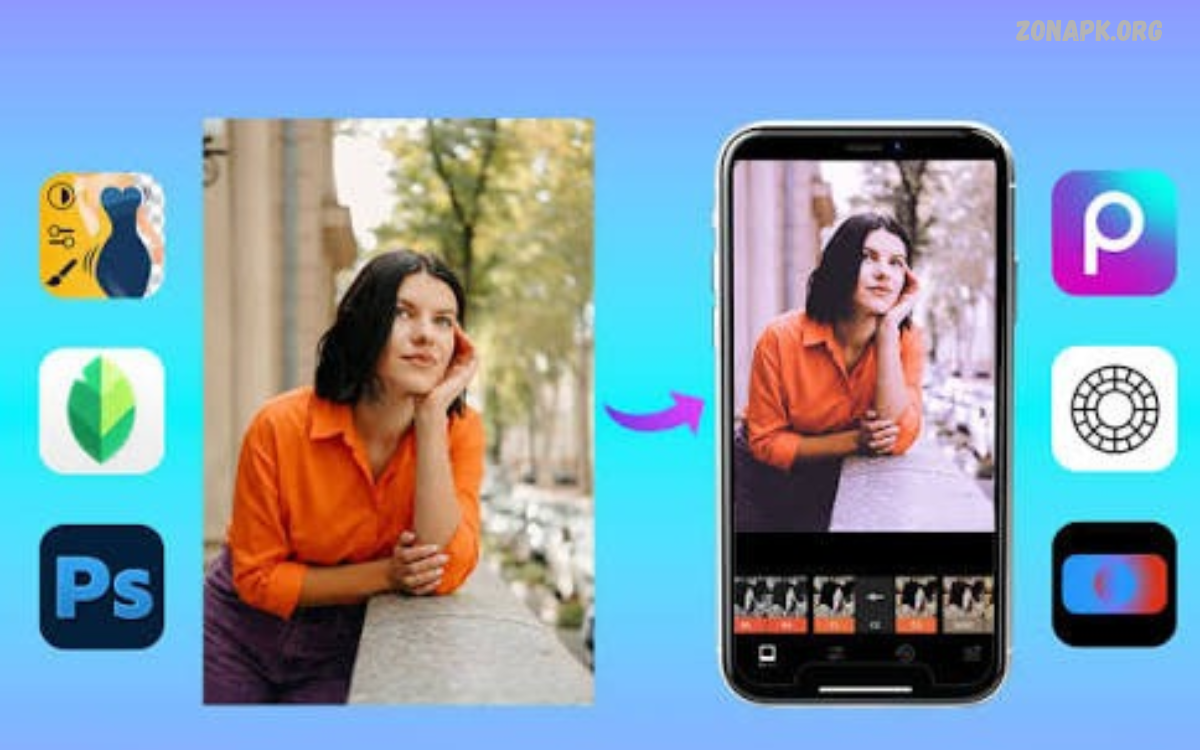
Best Photo Filter Apps help transform ordinary pictures into creative, attractive, and visually appealing images. These apps offer different filters, color effects, presets, and editing tools to improve everyday photos.
Modern photo editing applications make professional-looking results accessible to beginners and experienced photographers. Whether you’re editing portraits, landscapes, travel photos, or social media content, the right app can make photo editing easier and more enjoyable.
What Are Photo Filter Apps?
Photo filter apps are mobile applications designed to change the appearance of digital photographs. They provide ready-made effects that adjust colors, brightness, contrast, saturation, shadows, and other visual elements.
These applications help users create different photography styles without requiring advanced editing knowledge. A single filter can give a picture a vintage appearance, cinematic atmosphere, warm tone, or modern aesthetic.
Why Use the Best Photo Filter Apps?
The Best Photo Filter Apps provide convenient editing features that help improve photographs quickly. Users can apply attractive effects, adjust colors, and enhance image quality directly from mobile devices.
Another advantage is creative flexibility. Instead of spending considerable time adjusting individual settings, users can experiment with different presets and customize their favorite effects according to personal preferences.
Best Photo Filter Apps for Android and iPhone
Choosing the right photo editing application depends on available features, editing preferences, and device compatibility. Some applications focus on professional color adjustments, while others specialize in creative filters and artistic effects.
Android and iPhone users can explore several popular applications offering different editing experiences. Understanding their features makes it easier to select an application suitable for everyday photography.
Snapseed
Snapseed is a popular photo editing application developed by Google. It offers advanced editing tools, selective adjustments, color correction, and creative filters for users who want greater control over their photographs.
The application includes features such as Tune Image, Details, Curves, White Balance, and Perspective. Its selective editing options allow users to adjust specific areas without changing the entire photograph.
VSCO
VSCO is widely recognized for its photography filters and film-inspired presets. Its editing collection includes different color styles that help create soft, cinematic, vintage, and minimalist photography.
Users can adjust exposure, contrast, saturation, temperature, and other settings after applying filters. VSCO also provides a photography-focused community where users can explore creative inspiration and editing styles.
Lightroom Mobile
Adobe Lightroom Mobile provides powerful photo editing features for beginners and experienced photographers. Its preset collection helps users apply consistent color styles across different photographs.
The application includes advanced controls for exposure, highlights, shadows, curves, color mixing, and white balance. These features make Lightroom useful for portrait photography, travel pictures, landscape images, and social media content.
PicsArt
PicsArt combines photo editing tools with creative effects and artistic filters. Users can explore different visual styles, apply color adjustments, add backgrounds, and experiment with creative image designs.
Its editing features also include stickers, text effects, collages, and background editing. PicsArt works well for people who want more than traditional photography filters in one mobile application.
Canva
Canva is a versatile design application that includes photo editing tools and ready-made visual effects. Its filters help users improve images before adding them to social media posts, presentations, posters, and other designs.
The application also provides templates, typography, graphics, and background editing options. Canva is particularly useful for creating consistent visual content without switching between multiple editing applications.
Prisma
Prisma focuses on artistic photo transformations using creative visual effects. Its filters can make ordinary photographs resemble paintings, illustrations, and other artistic compositions.
The application offers different styles for portraits, landscapes, and everyday photography. Prisma is a suitable choice for users who enjoy experimenting with unusual artistic appearances rather than traditional color correction.
Afterlight
Afterlight is a photo editing application known for its filters, textures, and creative adjustment tools. Its editing options help users produce vintage-inspired photographs and customized visual effects.
Users can explore color adjustments, light effects, and different textures to create distinctive photography styles. It provides a useful combination of traditional editing controls and creative filter options.
Facetune
Facetune offers portrait-focused editing features alongside filters and color adjustments. Users can improve lighting, experiment with visual effects, and customize the appearance of portrait photographs.
Its editing tools are designed for selfies and personal photography. Users should choose natural-looking adjustments that preserve realistic details and avoid unnecessary changes to their photographs.
Instagram includes built-in photo filters that allow users to customize images before sharing posts and stories. Its editing options provide convenient adjustments for brightness, contrast, warmth, saturation, and other visual elements.
The application is especially useful for people who regularly create social media content. Users can experiment with different filters and editing settings without installing another photography application.
Fotor
Fotor offers photo editing tools, creative filters, and image enhancement features. Its interface makes it convenient to explore different effects and customize photographs according to individual preferences.
Users can adjust image colors, apply artistic effects, and improve overall presentation. Fotor also includes additional design features that make it useful for creating different types of visual content.
Features to Look for in Photo Filter Apps
Selecting an appropriate editing application requires understanding the features that influence editing quality. A good application should provide useful filters, simple controls, and enough customization options for different photography styles.
Users should also consider image export quality, application performance, and device compatibility. These factors help create a smoother editing experience and make it easier to achieve consistent results.
Variety of Creative Filters
A diverse filter collection gives users more opportunities to experiment with different photography styles. Popular options include vintage, cinematic, black-and-white, warm, cool, and natural color effects.
Some applications also provide filters designed specifically for portraits, landscapes, food photography, and travel images. Having multiple choices makes it easier to select effects that complement the subject and lighting conditions.
Manual Editing Controls
Manual editing controls allow users to customize photographs beyond the available presets. Important adjustments include exposure, brightness, contrast, saturation, highlights, shadows, and color temperature.
These controls are valuable when a filter changes an image more than expected. Small adjustments can help maintain natural colors while creating a balanced and attractive final photograph.
High-Quality Image Export
Image export quality is an important consideration when choosing a photo filter application. Some applications offer different resolution settings and file formats for saving edited photographs.
High-resolution exports are useful for digital portfolios, presentations, and large displays. Users should review export settings before saving images to avoid unnecessary reductions in image quality.
Easy-to-Use Interface
A simple interface makes photo editing more convenient, especially for beginners. Clearly organized menus and easy-to-understand adjustment controls help users find key features without spending too much time learning the app.
An organized editing workspace also improves the overall experience. Users can focus on experimenting with filters and creating attractive images instead of navigating complicated menus.
Read Also: Best Professional Photo Editing Apps: for High-Quality Image Editing
Free Filters and Premium Features
Many photo editing applications offer free filters alongside additional premium collections. Free versions can provide enough features for everyday photography, while paid subscriptions may unlock advanced presets and editing options.
Users should compare available features before purchasing subscriptions. Checking pricing, free limitations, and renewal conditions helps avoid unexpected costs and supports informed decisions.
How to Choose the Best Photo Filter Apps
Choosing the Best Photo Filter Apps depends on the type of photographs users create and the editing tools they need. Someone interested in professional color correction may prefer Lightroom, while another user may enjoy the artistic effects available in Prisma.
It is also important to consider device compatibility and ease of use. Testing free features before choosing a premium plan can help users understand whether an application matches their photography preferences.
Best Photo Filter Apps for Portrait Photography
Portrait photography benefits from filters that maintain natural skin tones and balanced lighting. Soft color adjustments, gentle contrast, and realistic brightness can improve the overall presentation without making photographs look artificial.
Applications such as Lightroom Mobile, Snapseed, and VSCO provide useful tools for portrait editing. Users can experiment with exposure, white balance, and color adjustments to achieve a consistent visual appearance.
Best Photo Filter Apps for Landscape Photography
Landscape photographs often contain different colors, lighting conditions, and environmental details. Suitable filters can enhance skies, natural colors, shadows, and overall contrast while maintaining important image details.
Lightroom Mobile and Snapseed provide controls that help users customize landscape photographs. Adjusting highlights, shadows, saturation, and temperature can produce balanced results for outdoor photography.
Best Photo Filter Apps for Instagram
Instagram content often benefits from consistent colors and recognizable visual styles. Applying similar filters across multiple photographs can create a coordinated appearance for social media profiles.
VSCO, Lightroom Mobile, Canva, and Instagram offer useful editing options for this purpose. Users can develop a preferred color style and apply it to different photographs while making small adjustments for individual lighting conditions.
Best Photo Filter Apps for Vintage Effects
Vintage photography filters recreate visual characteristics associated with older photographs. These effects commonly include warm tones, faded colors, soft contrast, and subtle grain textures.
VSCO and Afterlight provide options for creating nostalgic photography styles. Users can experiment with different presets and texture settings to achieve a vintage appearance without losing important image details.
Best Photo Filter Apps for Professional Editing
Professional photo editing requires more than applying ready-made filters. Photographers often need accurate color adjustments, exposure control, selective editing, and consistent image export settings.
Lightroom Mobile and Snapseed provide tools that support these requirements. Their adjustment options allow users to develop customized editing styles and maintain greater control over the final appearance of photographs.
How to Apply Filters to Your Photos
Applying filters is generally a simple process across most mobile photography applications. Users can open an image, select a filter, preview the result, and adjust its intensity according to their preferred appearance.
After selecting a suitable effect, reviewing brightness, contrast, and color balance can improve the final result. Saving the edited photograph in an appropriate resolution helps preserve its quality for future use.
Tips for Creating Attractive Filter Effects
Creating attractive photographs does not always require complicated editing techniques. Selecting filters that complement natural lighting and photograph colors can make a noticeable difference in the final appearance.
Users should avoid applying excessive effects that hide important image details. Maintaining balanced colors, realistic contrast, and suitable brightness helps photographs look polished and visually consistent.
Common Mistakes to Avoid When Using Photo Filters
One common mistake is applying filters without considering the original photograph’s lighting and colors. A filter that looks attractive on one image may produce an unsuitable result on another photograph.
Another mistake is making too many adjustments without checking the complete image. Reviewing the photograph before saving helps identify excessive saturation, unnatural color tones, and unwanted visual effects.
Benefits of Using Photo Filter Apps
Photo filter applications make creative photography more accessible by providing convenient editing features. Users can improve image presentation, experiment with different styles, and create customized photographs without requiring complicated desktop software.
These applications also support different creative projects, including social media posts, digital portfolios, travel photography, and personal collections. Their flexible tools encourage users to explore photography and develop individual editing preferences.
Future of Photo Filter Apps
Photo editing applications continue to introduce new features that make image customization more convenient. Artificial intelligence, automatic enhancement, advanced presets, and improved color adjustment tools are becoming important parts of modern photography software.
Future applications may offer more personalized editing recommendations and smarter image enhancement options. These developments can help users achieve consistent results while maintaining greater creative control over their photographs.
Frequently Asked Questions
What Are the Best Photo Filter Apps?
Popular options include Snapseed, VSCO, Lightroom Mobile, PicsArt, and Prisma. Each application offers different filters and editing features for various photography styles.
Which Photo Filter App Is Best for Android?
Snapseed, Lightroom Mobile, and PicsArt are popular Android options. Their features support different editing requirements, from basic filters to advanced color adjustments.
Which Photo Filter App Is Best for iPhone?
VSCO, Lightroom Mobile, Snapseed, and Afterlight are useful options for iPhone photography. The best choice depends on preferred filters and editing requirements.
Are Photo Filter Apps Free?
Many photo filter applications provide free versions with basic editing tools. Some also offer premium subscriptions containing additional filters, presets, and advanced features.
Which App Offers Professional Photo Filters?
Lightroom Mobile is a popular choice for professional-style photo editing. It provides advanced color controls, customizable presets, and detailed adjustment options.
Can I Use Photo Filter Apps Without Internet?
Some applications support offline editing after installation and downloading necessary resources. However, certain filters, cloud features, and online tools may require an internet connection.
Which App Is Best for Vintage Photo Filters?
VSCO and Afterlight offer useful vintage-inspired effects. Their filters and texture options help create nostalgic photography styles.
Which Photo Filter App Is Best for Instagram?
VSCO, Lightroom Mobile, Canva, and Instagram provide useful options for creating social media photographs. They support different filters and color adjustments.
Do Photo Filters Reduce Image Quality?
Filters do not necessarily reduce image quality. However, image compression and export settings can affect the final resolution and appearance of edited photographs.
How Can I Make My Photos Look Professional?
Start with suitable lighting and select a filter that complements the photograph. Adjust exposure, contrast, saturation, and white balance carefully to maintain a balanced appearance.
Conclusion
The best photo Filter apps offer useful ways to improve photographs and explore different creative styles. Applications such as Snapseed, VSCO, Lightroom Mobile, PicsArt, and Prisma offer different combinations of filters and editing features.
The right application depends on personal preferences, photography needs, and available editing tools. By experimenting with different filters and keeping adjustments balanced, users can create attractive photos for everyday use and social media.

1 Comment
Pingback: Snapseed App Guide: Complete Photo Editing Tips, Tools, and Features - Zonapk