

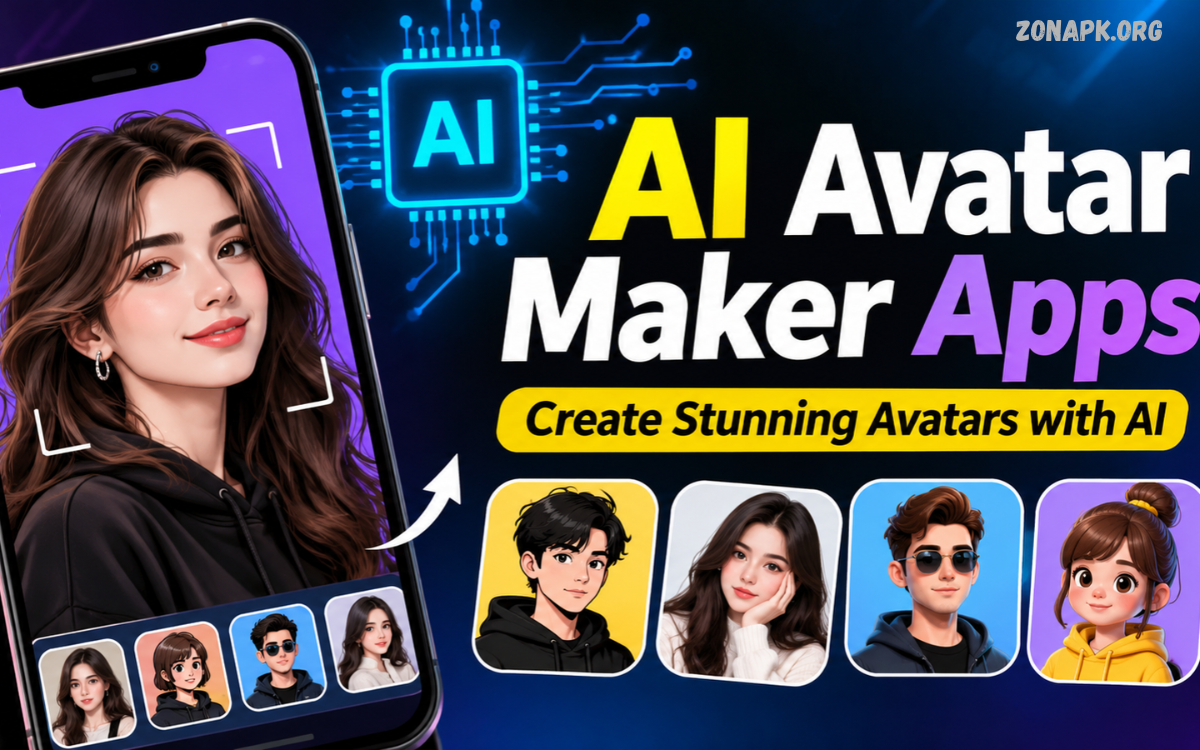
AI Avatar Maker Apps make digital creativity easier through artificial intelligence. These applications transform ordinary photos into attractive digital portraits, cartoon characters, professional profile pictures, and personalized avatars. Users can explore different artistic styles without advanced editing skills.
Modern AI technology offers impressive customization options for social media profiles, gaming accounts, messaging platforms, and digital branding. Whether creating realistic portraits or animated characters, AI avatar tools provide convenient ways to express creativity and build a unique online identity.
What Are AI Avatar Maker Apps?
AI Avatar Maker Apps are digital applications that use artificial intelligence to generate personalized avatars. These tools analyze uploaded photographs or written descriptions before producing customized digital characters.
Most applications provide automated editing features that simplify avatar creation. Users can experiment with hairstyles, clothing, backgrounds, facial expressions, colors, and artistic effects. Some platforms also support text prompts, allowing users to describe their preferred avatar appearance.
How AI Avatar Maker Apps Work
AI avatar generators use machine learning models trained on large visual datasets. These systems recognize different visual patterns and generate new images based on uploaded photographs, selected styles, or written descriptions.
After you select an image or enter a prompt, the application processes the available information. The AI system then creates an avatar that reflects the selected preferences, providing a customized result within a relatively short period.
Best AI Avatar Maker Apps
Choosing the right AI avatar software depends on your creative needs, editing features, image quality, and customization options. Some applications specialize in realistic portraits, while others focus on cartoons, anime characters, and professional digital artwork.
The following applications offer different approaches to AI-powered avatar creation. Exploring their features can help users identify suitable tools for profile pictures, entertainment, gaming, and creative projects.
Lensa AI
Lensa AI is a popular photo-editing application featuring AI-powered portrait creation. Its Magic Avatars feature can transform personal photographs into artistic portraits with different visual styles, colors, and creative effects.
The app also offers portrait enhancement and background editing. Users can explore artistic transformations and create distinctive profile pictures, though some advanced features may require payment or a subscription.
PicsArt
PicsArt combines photo editing, graphic design, and AI-powered creative tools within one application. Users can experiment with AI image generation, artistic effects, background editing, and portrait customization to develop personalized avatar designs.
Its editing environment provides additional flexibility for users who enjoy customizing their creations. Different visual effects, stickers, filters, and design elements make PicsArt useful for creating social media avatars and creative profile images.
Canva
Canva offers accessible design tools alongside AI-powered creative features. Users can create digital avatars, profile pictures, illustrations, and personalized graphics using available templates and image-generation capabilities.
Its simple editing interface makes it suitable for beginners and content creators. Users can combine generated portraits with backgrounds, text, colors, and other design elements to create polished digital profile images.
Fotor
Fotor provides AI image-generation and photo-editing capabilities for creating personalized digital portraits. Users can explore different artistic styles, adjust visual effects, and transform ordinary photographs into creative avatar designs.
The platform also includes background removal, image enhancement, and portrait editing tools. These features make Fotor a useful option for people who want an accessible creative workspace without complicated editing procedures.
Remini
Remini focuses primarily on AI-powered photo enhancement and portrait improvement. Its image-processing technology can improve photograph clarity and produce enhanced portraits that work well for professional profile pictures and digital identity designs.
The application also offers creative AI features that may vary according to its current version. Users should review available features and subscription requirements before choosing Remini for regular avatar creation.
Photo Lab
Photo Lab provides creative photo effects, artistic transformations, and portrait customization options. Users can explore different visual treatments to turn ordinary photographs into interesting digital portraits and personalized profile pictures.
Its collection of effects offers opportunities for experimentation and entertainment. The application is particularly useful for users interested in decorative portraits, artistic compositions, and creative social media images.
Avatoon
Avatoon specializes in cartoon-style avatar creation and personalized digital characters. Users can customize facial features, hairstyles, clothing, accessories, and other design elements to develop characters that reflect their creative preferences.
The application is suitable for cartoon profile pictures and messaging platform identities. Its customization options provide an enjoyable experience for users who prefer illustrated characters instead of realistic photographic portraits.
Zmoji
Zmoji offers tools for creating personalized cartoon avatars with customizable appearances. Users can select different facial features, hairstyles, outfits, and accessories to build recognizable digital characters for online communication.
Its cartoon-focused approach makes it useful for casual profile pictures and creative digital expressions. Availability of specific features may depend on the application version and supported device.
Bitmoji
Bitmoji allows users to create personalized cartoon characters for digital communication. Its avatar customization system includes different clothing styles, hairstyles, facial details, and accessories that help users develop recognizable characters.
The application also supports avatar-based stickers and expressive digital content. These features make Bitmoji suitable for people who want a consistent cartoon identity across supported messaging and social platforms.
Media.io AI Avatar Generator
Media.io provides online AI-powered creative tools, including avatar and portrait generation features. Users can explore different artistic appearances and generate customized images through available styles and image-processing options.
Its browser-based environment offers convenient access without requiring a dedicated desktop editing program. Feature availability, generation limits, and export options can depend on the selected service plan.
Key Features of AI Avatar Maker Apps
Modern AI avatar applications offer multiple features that simplify digital portrait creation. Automated image generation, artistic filters, customizable appearances, and background editing help users produce different designs without extensive graphic design experience.
Understanding these features makes it easier to compare applications. Users can select software based on image quality, creative flexibility, privacy settings, editing controls, and compatibility with their preferred devices.
AI-Powered Image Generation
AI image generation is one of the most important features of modern avatar applications. It allows users to create digital portraits from uploaded photographs, written prompts, or selected artistic styles.
Advanced generation systems can produce different visual interpretations of the same subject. This functionality gives users more creative freedom when designing cartoon characters, realistic portraits, and imaginative digital identities.
Customization Options
Customization tools allow users to adjust the appearance of generated avatars. Common options include hairstyles, clothing, accessories, backgrounds, colors, facial expressions, and artistic themes.
These controls help users create designs that match their personal preferences. Applications with extensive customization features offer greater flexibility than tools limited to automatic image generation.
Background Editing
Background editing helps users improve the overall appearance of digital portraits. Some applications allow background removal, replacement, color adjustments, and creative scene generation.
Users can select simple backgrounds for professional profile pictures or colorful designs for entertainment purposes. A suitable background can make an avatar more visually consistent with its intended use.
Artistic Filters
Artistic filters transform ordinary portraits into different visual styles. Available effects may include cartoon illustrations, anime-inspired artwork, paintings, sketches, and digital portraits.
These filters provide an easy way to experiment with different creative appearances. Users can compare several styles before selecting a final avatar for their online profiles.
High-Resolution Exports
Image resolution affects the clarity and usability of generated avatars. Applications offering high-resolution exports can produce portraits suitable for larger displays and different digital design projects.
Some platforms restrict export quality through free-plan limitations. Checking available download formats, image dimensions, and export restrictions can help users choose an appropriate application.
Text-to-Image Generation
Text-to-image generation allows users to describe an avatar through written instructions. The AI system interprets the description and creates an image based on the requested appearance, artistic style, and background.
This feature provides creative freedom without requiring an existing photograph. Users can describe fictional characters, fantasy portraits, professional appearances, and imaginative digital personalities.
Types of AI Avatars You Can Create
AI avatar applications support several artistic categories, each offering different visual characteristics. Users can create realistic portraits, illustrated characters, gaming identities, animated designs, and professional digital representations.
Understanding these categories helps users choose appropriate styles for different platforms. A cartoon character may suit casual messaging, while a realistic portrait may work better for professional profiles and digital presentations.
Realistic AI Avatars
Realistic AI avatars are designed to resemble traditional photographs. These portraits often feature natural-looking facial details, lighting effects, clothing, and backgrounds.
They are useful for digital profiles, creative presentations, and personalized online identities. Users should review generated results carefully because AI-generated facial details may not always match the original photograph perfectly.
Cartoon AI Avatars
Cartoon avatars transform photographs or descriptions into illustrated characters. Their colorful appearances and simplified visual details make them suitable for entertainment and casual online communication.
Users can explore different illustration styles and customize clothing, hairstyles, and accessories. Cartoon designs also provide an alternative for people who prefer illustrated profile pictures.
Anime AI Avatars
Anime avatars use visual characteristics inspired by Japanese animation and illustrated character design. These designs may include expressive eyes, stylized hairstyles, colorful outfits, and imaginative backgrounds.
Anime-focused generation tools are useful for gaming profiles, creative communities, and entertainment platforms. Users can experiment with different character appearances without needing professional illustration skills.
3D AI Avatars
Three-dimensional avatars feature digital characters with depth, lighting, and dimensional visual effects. Depending on the application, users may create stylized characters or realistic-looking digital representations.
These avatars can support gaming identities, digital presentations, and creative projects. Some applications also provide animation features, although static image generation and fully interactive 3D characters are different capabilities.
Professional AI Avatars
Professional avatars focus on clean backgrounds, suitable clothing, and polished portrait presentation. These images can support portfolio designs, professional profiles, online presentations, and personal branding.
Users should choose natural-looking results that accurately represent their intended identity. AI-generated portraits should not be presented as genuine photographs when their artificial origin could mislead viewers.
Benefits of Using AI Avatar Maker Apps
AI avatar applications make digital design more accessible by automating several creative tasks. Users can explore multiple portrait styles, experiment with visual effects, and create customized images without learning complicated graphic design software.
These applications also reduce the time required for basic portrait creation. Instead of manually designing every detail, users can select a style, adjust available settings, and allow AI technology to generate an initial design.
Easy Avatar Creation
One major advantage of AI avatar tools is their simple creation process. Most applications provide straightforward controls that help beginners generate digital portraits with minimal technical knowledge.
Users can upload photographs, choose artistic styles, or enter written descriptions. Automated processing handles much of the visual transformation, making avatar creation accessible to different experience levels.
Saves Time
Traditional digital illustration can require considerable time and specialized editing knowledge. AI avatar generators simplify the process by automating image creation and applying selected visual effects.
This convenience helps users experiment with several designs in less time. However, additional editing may still be necessary when the generated image requires corrections or specific customization.
Creative Freedom
AI-powered applications offer opportunities to explore different artistic appearances. Users can experiment with realistic portraits, cartoons, anime characters, fantasy designs, and other visual concepts.
This flexibility encourages creative experimentation without requiring advanced drawing abilities. Different prompts and customization settings can produce varied results from the same starting idea.
Suitable for Social Media
Digital avatars are commonly used across social networking platforms and online communities. AI-generated profile pictures provide additional creative options for users who want distinctive digital representations.
Different styles can match personal interests, gaming communities, and content themes. Users should select appropriate images that follow the profile requirements of their chosen platforms.
Beginner-Friendly Editing
Many AI avatar applications include automated tools that simplify complicated editing procedures. Features such as background removal, portrait enhancement, and artistic filters reduce the need for manual adjustments.
Beginners can learn the available controls through experimentation. More experienced creators can also combine generated portraits with additional design elements for customized results.
How to Choose the Best AI Avatar Maker Apps
Selecting suitable AI avatar software requires comparing several important factors. Image quality, available styles, customization controls, pricing, privacy settings, and device compatibility can influence the overall experience.
Users should identify their primary purpose before selecting an application. Someone creating professional portraits may need different features from someone designing anime characters or cartoon gaming avatars.
Image Quality
Image quality should be an important consideration when comparing AI avatar applications. Clear facial details, balanced lighting, natural-looking colors, and suitable image resolution can improve the final result.
Users should examine sample outputs and available export settings. An application with attractive previews may still have limitations involving download quality or free account restrictions.
Available Styles
Different applications specialize in different visual categories. Some focus on realistic portraits, while others provide cartoon effects, anime designs, artistic illustrations, or three-dimensional characters.
Choosing an application with suitable styles can make the creation process easier. Users should check whether the available designs match their intended profile or creative project.
Ease of Use
An understandable interface helps users create avatars without unnecessary complications. Clear menus, accessible editing controls, and straightforward generation processes are useful features for beginners.
Applications with complicated settings may offer additional creative control but require more learning. The best option depends on individual experience and the amount of customization required.
Pricing and Free Features
Some AI avatar applications provide basic features without payment, while advanced tools may require subscriptions or individual purchases. Generation limits, advertisements, watermarks, and export restrictions can also affect usability.
Users should review pricing information before purchasing premium access. Checking subscription renewal conditions and cancellation policies can help prevent unexpected expenses.
Privacy and Security
Privacy deserves careful attention when uploading personal photographs. Avatar applications may process images through online servers, making their privacy policies and data-handling practices important considerations.
Users should review image storage, retention, deletion, and sharing policies before uploading photographs. Avoid submitting sensitive images or unnecessary personal information to unfamiliar services.
How to Create an AI Avatar Using an AI Avatar Maker App
Creating an AI avatar usually involves a few straightforward steps. Most applications provide an upload option, style selection, generation controls, and image export features that guide users through the process.
The exact procedure depends on the selected application and its available tools. Some services generate avatars from photographs, while others create original characters through written descriptions and customization settings.
Step One: Choose an Application
Start by selecting an AI avatar generator that supports your preferred design style. Compare its features, image quality, supported devices, privacy policies, and available pricing options.
Choose an application that matches your requirements rather than selecting software based only on popularity. A suitable tool should provide the necessary customization features and acceptable export quality.
Step Two: Upload a Photograph or Enter a Prompt
Some applications require a photograph before generating a personalized avatar. Choose an appropriate image and follow the application’s instructions for uploading and processing it.
Other generators support text prompts instead of photographs. Describe the desired character, appearance, clothing, artistic style, and background to guide the image-generation process.
Read Also: Best AI Video Editing Apps: Top Tools for Professional Video Editing
Step Three: Select an Artistic Style
Choose a visual style that matches your intended avatar design. Available options may include realistic portraits, cartoons, anime characters, digital paintings, and creative illustrations.
Experimenting with different styles can help identify an appealing result. Review available previews before generating the final image, especially when the application uses limited generation credits.
Step Four: Customize Your Avatar
Use available editing controls to adjust visual details. Depending on the application, customization options may include clothing, colors, accessories, backgrounds, hairstyles, and artistic effects.
Make adjustments according to your intended use. Professional profile pictures generally benefit from simple designs, while entertainment-focused avatars can use more expressive visual elements.
Step Five: Generate and Review the Image
Start the generation process after selecting your preferred settings. The application will process your instructions and produce an avatar based on the available AI capabilities.
Review the generated image for unwanted visual errors, unusual facial details, or incorrect background elements. Generate another version or make adjustments when the result does not match your expectations.
Step Six: Save Your Final Avatar
After reviewing the image, select the available export or download option. Check the supported file format, image dimensions, and quality settings before saving the final design.
Store your image securely and use it according to the application’s licensing conditions. Check platform-specific profile requirements before uploading the avatar to social media or other services.
AI Avatar Maker Apps for Different Purposes
Different users have different reasons for creating digital avatars. Social media creators may prefer colorful profile images, while professionals often need clean portraits and gamers may enjoy fictional characters.
Choosing software according to its intended purpose can improve the overall experience. Comparing available features helps users avoid applications that lack the customization or export options required for their projects.
AI Avatars for Social Media
Social media avatars help users establish recognizable profile identities. AI-powered applications provide creative portrait styles that can match personal interests, content themes, and preferred visual appearances.
Users can create different designs for various online platforms. Consistent colors, backgrounds, and artistic styles can also support a recognizable personal brand.
AI Avatars for Gaming
Gaming avatars allow users to express their interests through personalized digital characters. Cartoon, anime, fantasy, and futuristic designs are common choices for gaming communities.
Some applications provide character customization options that suit gaming identities. Users should check individual game requirements because a generated image may not automatically qualify as an in-game character or animated model.
AI Avatars for Professional Profiles
Professional digital portraits can support online portfolios, presentations, and business-related profiles. Clean backgrounds, suitable clothing, and natural-looking designs help create a polished visual appearance.
Accuracy is especially important in professional settings. Users should avoid presenting heavily transformed AI portraits as authentic photographs when viewers expect a genuine representation.
AI Avatars for Content Creators
Content creators can use AI-generated avatars for channel graphics, profile pictures, thumbnails, and digital branding. Different artistic styles can help establish a consistent appearance across creative platforms.
Before using generated images commercially, creators should review licensing and usage restrictions. Some applications limit commercial use or impose separate conditions on generated content.
Common Mistakes to Avoid When Using AI Avatar Maker Apps
AI avatar generators can produce impressive results, but their outputs are not always accurate or visually consistent. Incorrect prompts, unsuitable photographs, excessive filters, and poor export settings may reduce the quality of the final design.
Understanding common mistakes helps users achieve better results. Careful application selection and image review can improve the overall experience while protecting personal information.
Using Low-Quality Photographs
Low-quality source photographs may affect the appearance of generated avatars. Blurry images, poor lighting, and unclear facial details can make it difficult for some systems to interpret visual information.
Choose an appropriate photograph when the application requires image uploads. Follow the service’s image guidelines and avoid uploading photographs that contain unnecessary personal information.
Ignoring Privacy Policies
Some users upload photographs without checking how an application handles personal images. This can create unnecessary privacy concerns, particularly when services have unclear data-retention or sharing practices.
Review privacy settings and policies before using unfamiliar platforms. Understand whether uploaded photographs are stored, processed by external services, or used for additional purposes.
Choosing Unsuitable Styles
An artistic style that looks attractive in a preview may not suit every purpose. Highly stylized portraits may be inappropriate for certain professional profiles or formal presentations.
Consider where the avatar will appear before selecting a design. Matching the visual style to its intended use can improve consistency and presentation quality.
Overusing Editing Effects
Applying too many filters and visual effects can make an avatar look cluttered. Excessive modifications may also reduce facial clarity and create inconsistent design elements.
Use editing tools carefully and focus on the features that improve the image. A balanced design often provides better visual results than unnecessary effects.
Ignoring Usage Rights
Not every generated image automatically comes with unrestricted usage rights. Some applications impose conditions involving commercial projects, redistribution, or ownership of generated content.
Read the service’s licensing information before using avatars in business or promotional materials. Understanding these conditions can help prevent future usage problems.
AI Avatar Maker Apps vs Traditional Photo Editing Apps
AI avatar applications and traditional photo editors serve related but different purposes. AI tools automate image generation and artistic transformations, while conventional editing software provides more direct control over individual visual elements.
The best choice depends on the desired outcome. Users who want automated portraits may prefer AI generators, whereas those requiring precise manual adjustments may benefit from traditional editing applications.
Image Creation Process
AI avatar generators use automated systems to interpret photographs or written descriptions. Their main purpose is to produce new visual designs with limited manual intervention.
Traditional photo editors generally rely on user-controlled adjustments. Users can modify brightness, contrast, colors, layers, and other image properties through dedicated editing tools.
Customization Flexibility
AI applications provide predefined styles and prompt-based customization. This makes them convenient for generating creative variations without manually adjusting every detail.
Traditional editors often provide more precise control over individual image elements. However, achieving complex artistic results may require additional knowledge and editing experience.
Learning Requirements
AI avatar tools are often accessible to beginners because automated features simplify many creative processes. Users can generate images by selecting styles or entering descriptions.
Traditional editing software may require more practice to understand advanced tools. Learning its features can provide greater control over detailed design projects.
Future of AI Avatar Maker Apps
AI avatar technology continues to develop through improvements in image generation, machine learning, and digital design systems. Future applications may provide more accurate facial details, advanced customization options, and additional creative controls.
Developers are also exploring interactive digital characters and more personalized visual experiences. These developments may expand avatar applications across entertainment, education, gaming, communication, and digital content creation.
More Realistic AI Characters
Advances in image-generation technology may improve the consistency and visual quality of AI-generated portraits. Better lighting, facial details, and artistic interpretation could provide more natural-looking results.
However, realistic generation also increases the importance of transparency. Users should understand when an image has been artificially generated or significantly modified.
Advanced Personalization
Future applications may offer more detailed customization systems. Users could receive greater control over character appearances, clothing, backgrounds, artistic styles, and other visual characteristics.
Personalized generation may also improve through more detailed written instructions. These developments could make it easier to create avatars that match specific creative requirements.
Animated AI Avatars
Some modern platforms already support animated characters and talking digital representations. Improvements in animation technology may expand opportunities for interactive avatars and digital presentations.
Animated avatars could become more useful for educational content, entertainment, and virtual communication. Their capabilities will depend on the application’s supported formats and available processing technology.
AI Avatars in Digital Communities
Digital communities increasingly use personalized images to represent members and creators. AI-generated characters may offer additional options for online identities and creative participation.
Future services may provide more connected avatar experiences across supported platforms. Privacy, identity protection, and responsible image generation will remain important considerations.
Frequently Asked Questions
What Are the Best AI Avatar Maker Apps?
Popular options include Lensa AI, PicsArt, Canva, Fotor, Remini, Avatoon, and Bitmoji. Each application offers different features, artistic styles, and customization options for creating personalized digital avatars.
Are AI Avatar Maker Apps Free?
Some AI avatar applications provide free features or limited image-generation options. Others require subscriptions, purchases, or credits to access advanced tools and higher-quality exports.
Can I Create an AI Avatar Without Uploading a Photo?
Yes, several AI avatar generators support text-to-image creation. Users can describe their preferred character appearance, clothing, artistic style, and background through written prompts.
Can AI Avatar Apps Create Realistic Portraits?
Many AI avatar applications support realistic portrait generation. Their results may include photographic-style lighting, detailed facial features, and customized backgrounds.
Which AI Avatar Maker Apps Are Best for Cartoon Avatars?
Avatoon, Bitmoji, and PicsArt offer options for creating cartoon-style digital portraits. Their features allow users to explore illustrated appearances and personalized character designs.
Are AI-Generated Avatars Safe to Use?
AI-generated avatars can be useful for digital profiles, but safety depends partly on the application and its privacy practices. Users should review image-processing policies and avoid submitting sensitive photographs to unfamiliar services.
Can I Use AI Avatars on Social Media?
Yes, AI-generated avatars can generally be used as profile pictures on platforms that accept the selected image format. Users can choose realistic portraits, cartoons, anime characters, and other creative designs.
Do AI Avatar Maker Apps Require Editing Skills?
Most AI avatar applications are designed to make image creation accessible to beginners. Automated generation, artistic filters, and simple customization controls reduce the need for advanced editing knowledge.
Can I Use AI Avatars for Commercial Projects?
Commercial usage depends on the application’s licensing conditions and image-generation policies. Some services allow commercial use, while others restrict certain uses or require premium access.
What Is the Difference Between an AI Avatar and a Profile Picture?
A profile picture is any image used to represent an account or individual online. An AI avatar is a digitally generated or transformed representation created through artificial intelligence.
Conclusion
AI Avatar Maker Apps provide convenient tools for creating personalized digital portraits, cartoon characters, anime illustrations, and professional profile images. Applications such as Lensa AI, PicsArt, Canva, Fotor, and Avatoon offer different creative features to suit different user needs.
The right application depends on image quality, customization options, privacy, pricing, and intended use. By comparing available features and reviewing generated results, users can create distinctive digital avatars while making informed decisions about personal image protection and content licensing.
