

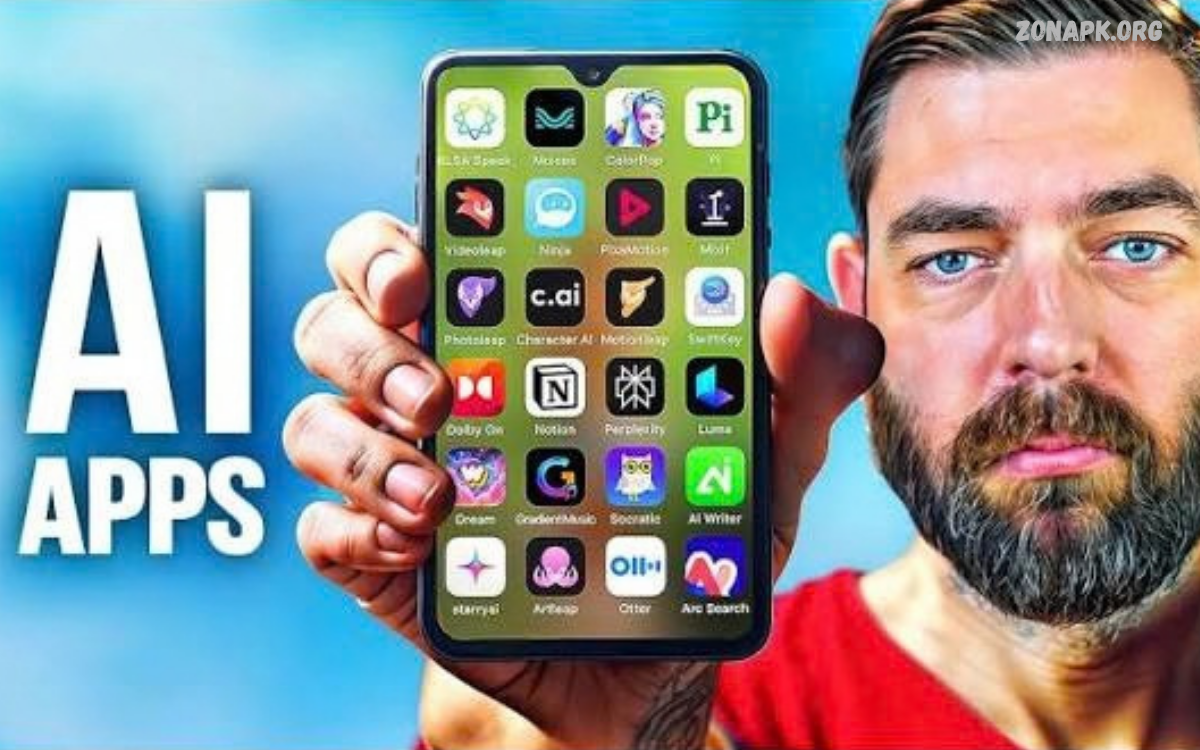
he Best AI Apps for Android are changing how people work, study, create content, edit photos, and manage everyday tasks. Artificial intelligence makes smartphones more useful by helping users find information, generate ideas, summarize text, translate languages, and automate simple activities.
Today, AI-powered mobile applications offer features for students, professionals, content creators, business owners, and everyday smartphone users. Some apps focus on intelligent conversations, while others specialize in image generation, writing assistance, video editing, or personal organization.
Why Use AI Apps on Android?
AI apps help Android users complete tasks more efficiently by reducing repetitive work and providing useful suggestions. They can explain complex topics, organize information, improve writing, and support creative projects. Instead of switching between several traditional tools, users can often complete multiple related tasks within one AI-powered application.
Another advantage is accessibility. Most AI apps work directly on smartphones, letting users access helpful features while traveling, studying, working, or relaxing at home. Many provide free plans, although advanced features may require subscriptions. Before installing an app, review its capabilities, device compatibility, data permissions, and pricing to determine whether it meets your needs.
1. ChatGPT: An All-Purpose AI Assistant
Best for conversations, writing, learning, brainstorming, and everyday problem-solving

ChatGPT
ChatGPT is a versatile AI assistant that helps users answer questions, understand complicated topics, write articles, summarize information, and generate creative ideas. It can also assist with coding, language learning, planning, and solving everyday problems through conversational instructions.
Android users can use ChatGPT for schoolwork support, content planning, professional writing, and brainstorming. Its capabilities and usage limits depend on the available plan and features. Users should verify important facts and avoid sharing sensitive personal information when chatting with AI.
2. Google Gemini: Smart Android Assistance

Google Gemini
Google Gemini is an AI assistant designed to answer questions, explain concepts, brainstorm ideas, and support creative tasks. Depending on availability, it can work with text, images, voice, and selected Google services to help users manage information and complete everyday activities.
Gemini can be useful for students, professionals, travelers, and Android users who already use Google’s ecosystem. It can help draft messages, summarize material, and explore unfamiliar subjects. Available integrations, model capabilities, and subscription benefits vary by region, account, device, and plan.
3. Microsoft Copilot: AI for Work and Study

Microsoft Copilot
Microsoft Copilot is an AI assistant for generating ideas, drafting content, answering questions, and helping users organize their work. It can support tasks such as creating outlines, improving written communication, exploring topics, and producing creative content.
Copilot may be particularly useful for people who regularly work with Microsoft products or need assistance preparing professional documents. Some Microsoft 365 features require eligible subscriptions or organizational access. Users should check current plan details before relying on advanced productivity integrations.
4. Perplexity: AI-Powered Research and Search

Perplexity
Perplexity combines AI-generated responses with web research to help users investigate questions and discover useful sources. It is suitable for researching technology, understanding current topics, exploring products, and finding references for articles or study projects.
One useful feature is its source-linked approach, which makes it easier to inspect supporting material. However, citations do not guarantee that every statement is correct or that a source fully supports the answer. Open the original sources, compare reliable references, and verify important claims before publishing research.
5. Canva: AI Design and Content Creation

Canva
Canva helps users create social media graphics, presentations, posters, thumbnails, and marketing materials. Its available AI-powered tools can assist with writing, design ideas, image creation, and visual editing, making it useful for beginners and experienced creators.
For website owners and social media managers, Canva can simplify the creation of consistent visual content directly on Android. Templates help users get started quickly, while editing tools allow customization for different platforms. Some AI features, premium assets, and advanced design options may require a paid plan.
6. Grammarly: AI Writing Improvement

Grammarly
Grammarly helps users improve grammar, spelling, clarity, tone, and written communication. Its writing assistance can be useful for emails, assignments, messages, professional documents, and English-language content created on an Android smartphone.
Writers can use Grammarly to identify common mistakes and make sentences easier to understand. Depending on the product and plan, additional AI writing capabilities may be available. Always review suggested changes to preserve your intended meaning, especially when writing technical material or communicating in a personal voice.
7. Adobe Express: AI-Powered Graphic Editing

Adobe Express
Adobe Express offers tools for creating graphics, social media posts, promotional designs, and short-form visual content. Depending on the features available, users can access AI-assisted creation and editing alongside templates, text effects, and other design options.
This application can help creators prepare polished visuals without advanced graphic design experience. It is useful for promotional images, blog graphics, and social media content. Check feature availability and licensing terms before using generated or stock assets for commercial projects.
8. Photomath: AI-Assisted Math Learning

Photomath
Photomath helps learners work through mathematical problems using camera-based input and step-by-step explanations. It can support topics such as arithmetic, algebra, and other areas of mathematics, depending on the problem and available features.
Students can use Photomath to review methods, understand intermediate steps, and practice solving similar questions independently. It works best as a learning aid rather than a replacement for studying. Check each step, compare it with classroom methods, and ask a teacher for help when an explanation is unclear.
9. Notion: AI-Assisted Organization

Notion
Notion combines notes, task management, documents, databases, and collaborative workspaces. Its AI capabilities, where available under the relevant plan, can help summarize notes, organize ideas, improve text, and turn unstructured information into more useful content.
Notion can help students manage study notes and professionals track projects, deadlines, and meeting information. Users can organize related information in one workspace and retrieve it when needed. Review subscription limits and AI access before choosing it as the main tool for a long-term productivity system.
10. DeepL: AI Translation and Language Support

DeepL
DeepL helps users translate text between supported languages and understand written communication. It can be useful for reading foreign-language material, translating messages, and preparing initial drafts for multilingual websites or international communication.
Translation quality depends on the language pair, context, and text complexity. For technical documents, cultural expressions, or important professional communications, review the output carefully. Language tools can make communication easier, but human review remains valuable when accuracy and tone matter.
11. CapCut: AI-Assisted Video Editing

CapCut
CapCut offers mobile video editing tools for trimming clips, adding captions, applying effects, improving audio, and creating short videos. Selected versions and workflows include AI-assisted features that can reduce editing time and help creators prepare content for social platforms.
CapCut is useful for creators making tutorials, product videos, educational clips, and short-form entertainment. Feature availability can vary by region, device, version, and account. Before publishing, check music and media permissions, review automatic captions, and ensure the final video accurately represents its subject.
Otter: AI Meeting Notes and Transcription

Otter
Otter provides transcription and meeting-note features designed to help users capture spoken information and organize discussions. Depending on the service and plan, it can assist with summaries, searchable transcripts, and reviewing key points from conversations.
This type of tool can be helpful for interviews, meetings, and study sessions where accurate notes are important. Transcription quality may decrease when speakers talk over each other or audio is unclear. Always obtain appropriate permission before recording people, and check transcripts for mistakes before sharing them.
AI Photo Editors for Android
AI-powered photo editing applications can help users improve pictures, remove unwanted backgrounds, adjust lighting, and create artistic effects. Tools like Picsart offer creative editing options, while others focus on image enhancement, retouching, or generating visuals from text descriptions.
The best photo editor depends on the type of images you create and the controls you need. Beginners may prefer templates and automatic adjustments, while experienced creators may want layers, masks, and detailed controls.
How to Choose the Best AI Apps for Android
Start by identifying the task you want to improve, such as writing, researching, studying, designing, translating, or editing videos. Compare applications based on their core features, ease of use, language support, Android compatibility, and performance on your device. Recent reviews can also help you spot limitations and common problems.
Next, consider privacy, pricing, and reliability. Review app permissions and data-handling policies, and avoid uploading confidential documents or personal information unless you understand how the service handles them. A free plan may be enough for occasional use, while a subscription may suit frequent users who need higher limits or advanced features.
Best Free AI Apps for Android
Users looking for free AI tools should start with applications that offer useful features without requiring an immediate subscription. ChatGPT, Google Gemini, Microsoft Copilot, Canva, and Perplexity are worth exploring, although free access, usage limits, and available capabilities may change. Some apps also provide limited access to premium features.
Instead of installing every available app, choose two or three tools that match your needs. Test their results, compare ease of use, and choose the ones that deliver real value. A smaller collection of reliable tools can be more useful than a smartphone filled with applications that perform similar tasks.
Read Also: New Apps 2026: Best New Applications to Try This Year
Benefits of AI Apps for Everyday Android Users
AI applications can help users save time, improve writing, understand unfamiliar subjects, and organize daily responsibilities. Students can use them to review lessons, professionals can prepare drafts, and creators can explore design ideas. These tools can also support cross-language communication and simplify repetitive tasks.
However, AI-generated information is not always accurate, original, or appropriate for every situation. Users should verify important information, protect personal data, and follow school or workplace rules. Treat AI as a helpful assistant that supports human judgment rather than a substitute for independent thinking and decision-making.
Tips for Getting Better Results from AI Apps
Write clear prompts that explain your goal, provide relevant context, and specify the format you need. For example, instead of asking an AI tool to write something about technology, request an easy-to-read article with suitable headings, practical examples, and a defined audience. Clear instructions generally make the output more relevant and useful.
Review the generated response before using it in an assignment, website, business document, or social media post. Correct factual errors, remove repetitive sentences, and add trustworthy references when necessary.
Frequently Asked Questions
What are the Best AI Apps for Android in 2026?
Popular choices include ChatGPT, Google Gemini, Microsoft Copilot, Perplexity, Canva, and Grammarly. Each application serves a different purpose, so the best option depends on whether you need assistance with writing, research, design, learning, or productivity.
Which AI Apps for Android Are Free?
Several popular AI applications offer free access or limited free plans, including ChatGPT, Gemini, Copilot, and Canva. Available features, usage limits, and regional availability vary, so check the current terms before installing or subscribing.
Which AI App Is Best for Students?
ChatGPT, Google Gemini, Photomath, and DeepL can support different learning activities. Students can use them to understand concepts, practice mathematics, and translate material. Always follow academic rules and use these tools to support learning rather than replace it.
Which AI App Is Best for Photo Editing?
Canva, Adobe Express, and Picsart are useful options for creating and editing visual content. Compare their editing tools, export options, available AI features, and pricing to find the best fit for your creative projects.
Are AI Apps Safe to Use on Android?
AI apps can be useful, but safety depends on the application, its permissions, and how you use it. Download apps from trusted sources, review privacy policies, and avoid sharing passwords, financial details, or confidential information with AI services.
Can AI Apps Work Without an Internet Connection?
Some AI features can operate offline when an application supports on-device processing and has the required models downloaded. However, many popular AI assistants rely on internet access for their main features. Check each app’s offline capabilities before relying on it without connectivity.
Do AI Apps Require Powerful Android Phones?
Many AI apps run on ordinary compatible Android smartphones because much of the processing happens online. Features involving local AI models, advanced image generation, or demanding video editing may require more memory, storage, processing power, or a supported device.
Conclusion
The Best AI Apps for Android can make everyday smartphone activities easier by helping users write, research, study, create graphics, edit videos, translate languages, and manage information.
Choose tools based on your needs, budget, privacy expectations, and preferred features. Start with free options where available, compare their results, and verify important information before relying on AI-generated content.

1 Comment
Pingback: Best App Lock Apps: Top Choices for Android Privacy and Security - Zonapk