

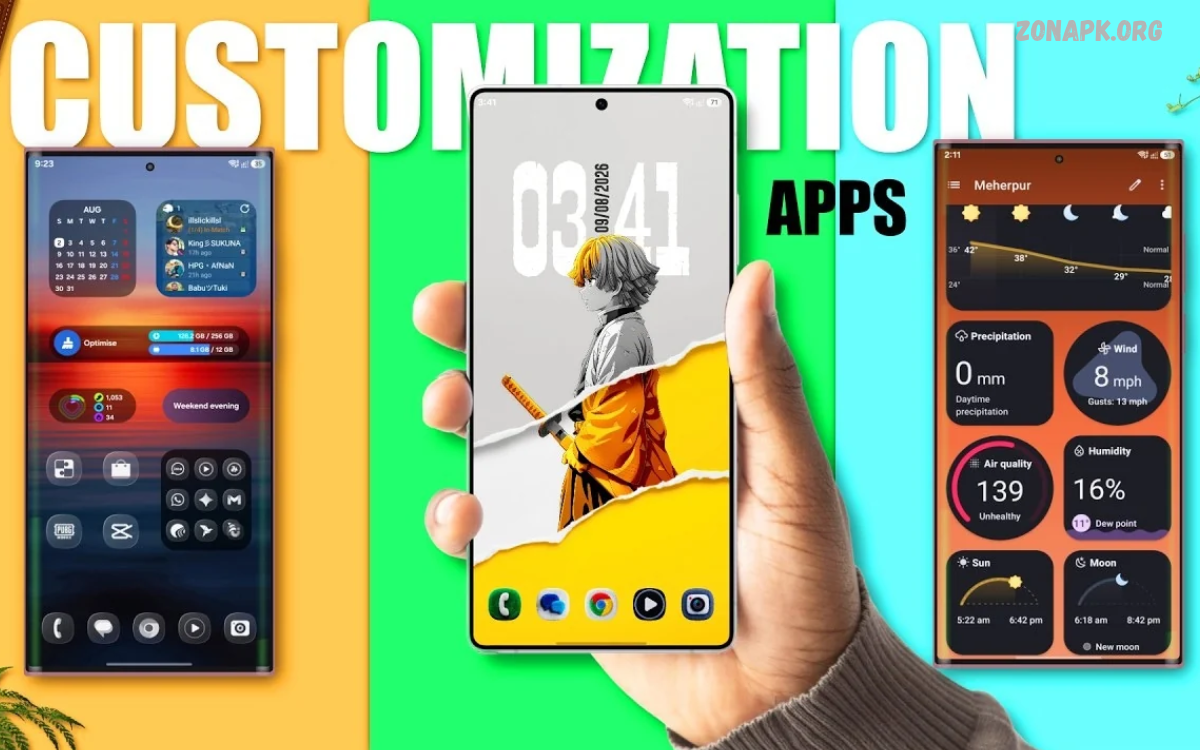
Screen customization apps help transform ordinary smartphone displays into personalized digital spaces. These apps let you change wallpapers, icons, widgets, themes, fonts, and home screen layouts.
Modern smartphones provide several built-in customization options, but dedicated apps offer greater flexibility. Users can create unique screen designs, organize applications, and improve everyday smartphone experiences.
What Are Screen Customization Apps?
Screen customization apps are mobile applications designed to change a smartphone’s appearance and layout. They provide features such as custom icons, interactive widgets, animated wallpapers, launchers, and personalized themes.
These applications let users adjust display elements to match their preferences. Whether someone prefers a minimalist layout or a colorful interface, customization tools provide plenty of creative possibilities.
Why Use Screen Customization Apps?
Smartphone screens are among the most-viewed parts of mobile devices. Customization apps help create attractive layouts that reflect individual preferences and improve visual organization.
A personalized interface can also make frequently used applications easier to access. Custom widgets, shortcuts, and organized folders help users manage daily smartphone activities efficiently.
Best Screen Customization Apps for Android
Android offers extensive customization flexibility through third-party applications. Users can install launchers, icon packs, widget creators, and wallpaper tools to change almost every aspect of their home screens.
Several popular applications provide different customization experiences. Choosing suitable tools depends on desired features, device compatibility, simplicity, and available personalization options.
Nova Launcher
Nova Launcher is widely recognized for its flexible Android home screen customization features. It offers options for adjusting application icons, grid layouts, scrolling effects, folders, and navigation experiences.
Users can organize their home screens according to personal preferences. Its customization settings make it useful for people who want greater control over smartphone appearance and application organization.
Microsoft Launcher
Microsoft Launcher provides a clean interface with useful personalization and productivity features. Users can customize wallpapers, icon layouts, themes, widgets, and home screen arrangements.
The application also supports convenient access to calendars, tasks, and other productivity information. Its organized design makes it suitable for users who prefer simplicity and practical smartphone features.
Smart Launcher
Smart Launcher focuses on simplicity, organization, and efficient application management. Its interface automatically organizes applications into categories, helping users locate installed tools without unnecessary searching.
The application also provides customizable themes, adaptive icons, and widget options. Its organized layout offers an alternative to traditional smartphone home screen designs.
Niagara Launcher
Niagara Launcher offers a minimalist home screen experience with a simple vertical application list. Its interface reduces unnecessary visual elements and focuses on quick access to frequently used applications.
Users can personalize colors, icons, and other interface settings. This approach works well for people who prefer clean layouts and straightforward smartphone navigation.
KWGT Kustom Widget Maker
KWGT Kustom Widget Maker allows users to create personalized widgets for Android devices. It provides extensive design controls for displaying clocks, weather information, calendars, battery details, and other useful information.
Users can adjust widget colors, fonts, shapes, and layouts. These features make KWGT a useful choice for creating unique home screen designs without changing the entire launcher.
Best Screen Customization Apps for iPhone
iPhone users can personalize their home screens through widgets, wallpapers, icon shortcuts, and available customization settings. Apple’s built-in tools provide several options for creating organized and attractive layouts.
Third-party applications expand these possibilities with additional widget designs and creative templates. Users can combine different customization features to develop a personalized iPhone experience.
Widgetsmith
Widgetsmith provides customizable widgets for iPhone home screens. Users can create personalized clock, calendar, photo, date, and weather widgets with different visual styles.
Its design options include fonts, colors, backgrounds, and layout adjustments. These features help users build coordinated home screens that match their preferred appearance.
Color Widgets
Color Widgets offers ready-made widget designs for iPhone users. Its collection includes clocks, calendars, battery displays, and decorative home screen elements.
Users can select different styles and adjust available design settings. The application is useful for people who want attractive widgets without creating every element manually.
Widgy
Widgy provides advanced widget customization options for iPhone and other supported Apple devices. Users can create detailed widgets featuring different information, colors, shapes, and visual arrangements.
Its flexible editor supports creative home screen designs. Beginners can explore existing templates, while experienced users can experiment with more detailed customization options.
Aesthetic Kit
Aesthetic Kit provides design resources for personalized smartphone home screens. Users can explore icon collections, wallpapers, widgets, and coordinated visual themes.
Its ready-made designs help simplify the customization process. People who enjoy matching colors and decorative layouts can use these resources to create consistent screen appearances.
Important Features of Screen Customization Apps
Selecting the right customization application requires understanding its available features. Some apps focus on visual appearance, while others provide productivity tools and advanced layout controls.
The best choice depends on individual requirements and smartphone compatibility. Understanding important features helps users avoid unnecessary applications and choose tools that offer practical value.
Custom Wallpapers
Wallpapers play an important role in smartphone personalization. Screen customization apps provide access to different backgrounds, including nature photography, abstract artwork, gradients, illustrations, and minimalist designs.
Users can select images that match their preferred colors and interface layouts. High-quality wallpapers can improve screen appearance while maintaining readability across different applications and widgets.
Custom App Icons
Custom application icons help create a consistent smartphone interface. Many customization apps provide icon collections with different colors, shapes, artistic styles, and visual themes.
Users can choose matching icons to coordinate their home screens. This feature is particularly useful for people who prefer organized layouts with consistent visual elements.
Interactive Widgets
Widgets display useful information directly on smartphone screens. Depending on the application, users can add clocks, calendars, weather updates, reminders, battery information, and other supported features.
Custom widget tools provide additional control over appearance and arrangement. Users can select suitable designs while keeping important information accessible from the home screen.
Live and Animated Wallpapers
Live wallpapers introduce movement and animation to smartphone displays. Depending on device support, these backgrounds can include animated patterns, changing colors, natural scenes, and subtle visual effects.
Some applications provide additional controls for adjusting animation preferences. Users should consider battery consumption and device performance when selecting animated backgrounds.
Custom Fonts and Themes
Fonts and themes influence the overall appearance of smartphone interfaces. Supported customization applications allow users to explore different typography, colors, backgrounds, and coordinated design elements.
These options help create a consistent appearance across supported screen components. However, font customization availability depends on the smartphone operating system and manufacturer settings.
Home Screen Layout Customization
Home screen layouts determine how applications, folders, widgets, and shortcuts appear. Customization apps provide controls for arranging these elements according to individual preferences.
Users can experiment with different icon sizes, grid arrangements, spacing, and widget positions. A well-organized layout can improve accessibility and make everyday smartphone navigation more convenient.
How to Customize Your Smartphone Screen
Customizing a smartphone screen becomes easier when users follow a simple process. Starting with a clear design idea helps prevent unnecessary changes and keeps different screen elements visually consistent.
Users should choose applications compatible with their devices before applying themes or widgets. A gradual approach also makes it easier to identify which settings provide the best experience.
Choose a Customization Application
Start by selecting a screen customization app that supports your smartphone. Android users can explore launchers and advanced widget creators, while iPhone users can explore available widget and design applications.
Check application features, compatibility, permissions, and recent updates before installation. Choosing reliable software helps create a smoother customization experience.
Select a Suitable Wallpaper
Choose a wallpaper that complements your preferred screen design. Consider colors, brightness, and image quality when selecting a background for your smartphone.
Avoid backgrounds that make application names or widget information difficult to read. Simple wallpapers often provide a balanced appearance and help important screen elements remain visible.
Organize Application Icons
Arrange application icons according to daily usage and personal preferences. Frequently used applications can remain on the main screen, while less frequently used tools can stay inside folders.
Matching icon designs can create a coordinated visual appearance. Consistent arrangements also make applications easier to locate.
Add Useful Widgets
Select widgets that provide information you regularly need. Calendar, clock, weather, reminders, and battery widgets can make home screens more practical.
Avoid adding too many unnecessary elements because crowded layouts can reduce readability. A balanced combination of useful widgets and application shortcuts usually provides a better experience.
Apply a Consistent Theme
Choose colors, icons, fonts, and wallpapers that complement one another. A consistent theme creates a polished appearance without requiring complicated customization.
Users can experiment with minimalist, colorful, dark, or nature-inspired designs. Saving preferred layouts makes it easier to restore a familiar appearance after experimenting with new settings.
Screen Customization Apps for Productivity
Customization applications are not limited to improving smartphone appearance. Several tools also help users access important information and organize everyday activities.
Productivity-focused widgets can display schedules, reminders, notes, and calendar events directly on home screens. These features reduce unnecessary navigation and make important information easier to find.
Minimalist Screen Customization Apps
Minimalist customization focuses on simple layouts, limited colors, and fewer visual distractions. Applications such as Niagara Launcher provide interfaces designed around straightforward navigation and organized application access.
Users can combine minimalist launchers with simple wallpapers and essential widgets. This approach creates clean home screens without removing useful smartphone functionality.
Aesthetic Screen Customization Apps
Aesthetic customization emphasizes coordinated colors, decorative icons, creative wallpapers, and attractive widgets. Many applications provide ready-made designs that help users build visually consistent home screens.
Popular styles include pastel themes, dark layouts, nature-inspired backgrounds, and minimalist artwork. Users can select designs that reflect personal interests without making interfaces difficult to navigate.
Free Screen Customization Apps
Many screen customization apps offer useful features without requiring an initial payment. Free versions may include wallpapers, basic widgets, icon collections, and standard layout adjustments.
However, some advanced features may require subscriptions or one-time purchases. Reviewing pricing information helps users understand which customization options are available without additional costs.
Paid Screen Customization Apps
Paid customization applications sometimes provide additional templates, premium icon collections, advanced editing tools, and exclusive designs. These features can benefit users who want more control over smartphone appearance.
Before buying an app, compare its features with free alternatives. A paid subscription is worthwhile only when its additional tools provide meaningful value.
Benefits of Screen Customization Apps
Screen customization apps provide several advantages beyond visual improvements. They allow users to create organized interfaces, access useful information, and personalize different smartphone elements.
The available benefits depend on the app and the device’s operating system. Selecting practical customization features can improve everyday usability without making the interface unnecessarily complicated.
Read Also: Best Wallpaper Apps: Top Applications for Beautiful Android Wallpapers
Personalized Smartphone Experience
Customization apps let users create smartphone layouts based on their preferences. Different wallpapers, widgets, themes, and icons offer many design options.
This flexibility makes smartphones feel more personal and visually distinctive. Users can update their screen appearance whenever they want to explore a different design.
Better Application Organization
Launchers and home screen tools help users arrange applications into convenient categories. Custom folders, shortcuts, and icon layouts can make frequently used tools easier to access.
Organized interfaces reduce unnecessary searching. Users can create layouts based on work, education, entertainment, or everyday activities.
Improved Information Access
Widgets provide useful information without requiring users to open individual applications. Depending on available integrations, users can display weather updates, upcoming events, calendar entries, and other details.
This feature makes smartphone interfaces more functional. Users can select information that supports their daily routines.
Creative Design Opportunities
Customization apps provide creative tools for experimenting with different visual styles. Users can combine wallpapers, icons, widgets, and colors to develop original layouts.
Some applications also support custom widget creation. These features make smartphone personalization an enjoyable creative activity.
Potential Drawbacks of Screen Customization Apps
Although customization apps provide useful features, some limitations deserve attention. Certain applications request unnecessary permissions, display advertisements, or consume additional system resources.
Compatibility can also vary between smartphone models and operating system versions. Reviewing application details before installation helps users make informed decisions.
Battery Consumption
Live wallpapers and certain animated widgets may consume additional battery power. Their impact depends on animation frequency, background activity, and device hardware.
Users who prefer longer battery life can choose static wallpapers and lightweight widgets. Adjusting background activity can also help maintain efficient smartphone performance.
Device Performance
Some launchers and customization applications use additional memory and processing resources. Older smartphones may experience slower performance when running several resource-intensive tools simultaneously.
Choosing lightweight applications can reduce unnecessary system activity. Users should remove unused customization tools to maintain a smoother experience.
Privacy and Permissions
Customization applications may request access to photos, notifications, storage, or other device features. These permissions should match the application’s actual functionality.
Users should review privacy information and avoid granting unnecessary access. Installing applications from trusted sources also helps reduce security risks.
Advertisements and Premium Features
Some free customization applications include advertisements or limit access to premium designs. These restrictions can affect the overall user experience.
Reviewing application descriptions and pricing details helps users understand available features. Users should avoid unexpected purchases by checking subscription information before confirming payments.
Tips for Choosing the Best Screen Customization Apps
Choosing the right application requires balancing design options, usability, performance, and security. An application with numerous features is not necessarily the best choice for every smartphone user.
Start by identifying the customization options you actually need. Compare available applications based on compatibility, reviews, permissions, and long-term usefulness.
Check Device Compatibility
Always confirm that an application supports your smartphone model and operating system version. Some features work differently across Android and iOS devices.
Reading compatibility information before installation can prevent unnecessary problems. Updated applications generally provide better support for newer operating system features.
Review Available Features
Compare the features offered by different customization applications. Some focus on wallpapers, while others specialize in widgets, launchers, icon packs, or complete themes.
Select tools that match your design preferences and everyday requirements. Avoid installing multiple applications that offer identical features without additional benefits.
Read User Reviews
User reviews can provide useful information about application performance and reliability. Look for feedback regarding advertisements, customization options, crashes, compatibility, and recent updates.
Consider recent reviews instead of relying exclusively on older ratings. This approach provides a clearer understanding of the application’s current performance.
Consider Battery and Storage Usage
Check whether a customization application requires significant storage or background activity. Animated themes and complicated widgets may need additional resources.
Lightweight applications are often suitable for users who prefer simple smartphone experiences. Regularly reviewing installed applications can help maintain available storage space.
Screen Customization Apps for Different Users
Different smartphone users have different customization requirements. Students, professionals, creative users, and everyday smartphone owners may prefer different applications and interface designs.
Understanding these needs helps identify suitable customization tools. The best application is one that supports the user’s preferred appearance without sacrificing usability.
Best Options for Students
Students may benefit from widgets that display calendars, reminders, and important schedules. Organized application folders can also provide quick access to educational and productivity tools.
Simple home screen designs can make study-related applications easier to locate. Choosing practical customization features helps maintain an organized digital environment.
Best Options for Professionals
Professionals may prefer clean interfaces with calendar widgets, task information, and frequently used application shortcuts. Minimalist launchers can help create organized home screens.
A simple design can make important information easier to access. Users can arrange work-related tools separately from entertainment applications.
Best Options for Creative Users
Creative users may enjoy advanced widget editors, custom icon collections, and coordinated wallpapers. These applications provide opportunities to experiment with different visual arrangements.
Tools such as KWGT and Widgy offer flexible widget design options. Users can create personalized layouts that reflect their creative interests.
Best Options for Everyday Users
Everyday smartphone users may prefer simple customization applications with straightforward settings. Basic wallpapers, attractive widgets, and organized icons can provide enough personalization.
Applications with easy navigation and lightweight features are often suitable choices. Users do not need complicated tools to create attractive smartphone screens.
Future of Screen Customization Apps
Screen customization continues to develop as smartphone operating systems introduce new interface features. Improved widgets, adaptive layouts, and intelligent personalization tools are creating additional opportunities for smartphone users.
Future applications may offer more flexible design controls and better integration with device features. However, usability, privacy, and performance will remain important considerations.
Frequently Asked Questions
What Are Screen Customization Apps?
Screen customization apps are tools that help users personalize smartphone displays. They offer features such as wallpapers, widgets, icon packs, themes, and customized home screen layouts.
Which Are the Best Screen Customization Apps?
Popular options include Nova Launcher, Microsoft Launcher, Smart Launcher, Niagara Launcher, KWGT, Widgetsmith, and Widgy. The best choice depends on device compatibility and customization requirements.
Are Screen Customization Apps Free?
Many customization applications offer free versions with basic features. Some provide premium themes, advanced widgets, or additional editing options through paid subscriptions.
Can I Customize My Android Home Screen?
Yes, Android supports extensive home screen customization through launchers, widgets, icon packs, wallpapers, and themes. Available features depend on the smartphone manufacturer and operating system.
Can I Customize My iPhone Home Screen?
Yes, iPhone users can customize home screens using widgets, wallpapers, application icon shortcuts, and supported system settings. Third-party applications provide additional widget designs and templates.
Do Screen Customization Apps Drain Battery?
Some applications may increase battery consumption, particularly those using animated wallpapers or frequent background updates. Static wallpapers and lightweight widgets generally require fewer resources.
Are Screen Customization Apps Safe?
Many customization applications are safe when obtained from trusted sources. Users should review permissions, privacy information, developer details, and application reviews before installation.
Can I Change Application Icons?
Yes, supported customization tools allow users to change application icons or create shortcuts with personalized designs. The available process depends on the smartphone operating system.
Do Custom Widgets Affect Smartphone Performance?
Some widgets use additional memory and processing resources, especially when they update frequently. Selecting lightweight widgets can help maintain smoother device performance.
How Can I Create an Aesthetic Home Screen?
Choose a coordinated wallpaper, matching application icons, and a few useful widgets. Consistent colors and organized layouts help create an attractive smartphone interface.
Conclusion
Screen customization apps provide convenient ways to personalize smartphone displays through wallpapers, widgets, themes, launchers, and application icons. Android and iPhone users can explore different tools according to their devices and design preferences.
Choosing reliable applications with useful features can improve both appearance and organization. Whether you prefer minimalist layouts, creative widgets, or colorful themes, the right customization tools can make your smartphone experience more personal and enjoyable.

1 Comment
Pingback: Best Entertainment Apps for Android: Top Apps for Movies, Music, Gaming & More - Zonapk