

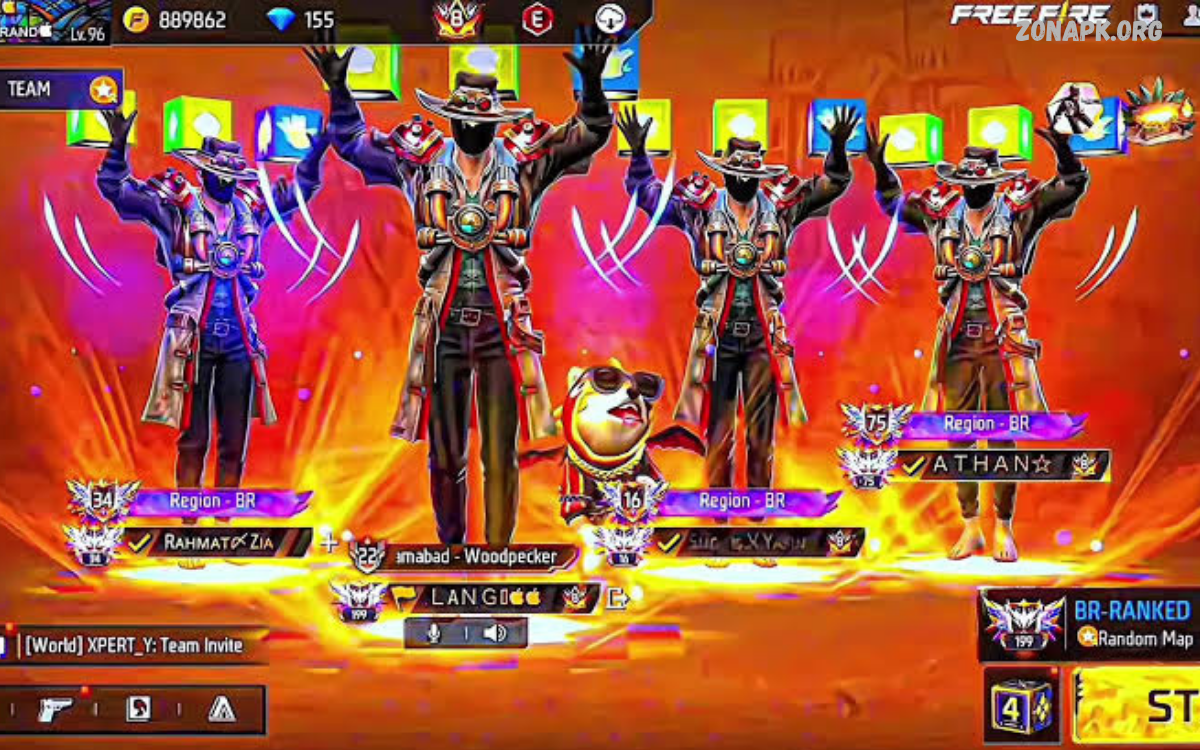
Free Fire emote customization allows players to personalize the way their characters celebrate, communicate, and react during matches. Emotes have become an important part of the Free Fire experience because they add personality to gameplay without affecting combat performance. Players can select different animations, assign them to available emote slots, and use them at suitable moments during a match.
With a large selection of character animations available through different events, rewards, passes, and in-game features, choosing the right emotes can make your profile feel more personal. Whether you prefer funny animations, stylish celebrations, classic movements, or special event emotes, customization helps you organize your collection and quickly access the animations you enjoy most.
What Is Free Fire Emote Customization?
Free Fire emote customization refers to the process of selecting, organizing, and equipping emotes for your character. Instead of keeping every available animation in a random arrangement, players can choose their preferred emotes and place them into available slots. This makes commonly used animations easier to access during gameplay.
Emotes are primarily cosmetic features designed to express reactions or personality. Some players use them before a match, while others use them after winning a fight or completing an objective. Because emotes do not provide a direct combat advantage, customization is mainly about style, convenience, and personal expression.
Why Does Emote Customization Matter?
A well-organized emote collection can make gameplay more enjoyable. When your favorite animations are placed in convenient slots, you do not need to search through a large collection whenever you want to use one. This is especially useful for players who have collected numerous emotes over time.
Customization also allows players to create a recognizable style. One player might prefer humorous emotes, while another may choose energetic or celebratory animations. Selecting emotes based on personality gives the character a distinct identity and can make social interactions inside Free Fire more entertaining.
How to Customize Emotes in Free Fire
The exact menu layout can change as Free Fire receives updates, but the general process is straightforward. Start by opening Free Fire and entering the character or collection customization area. Look for the section dedicated to emotes, where available animations can be viewed and managed.
Select the emote you want to use and assign it to an available slot. Replace an existing emote when necessary, then save or confirm the selection if the interface provides a confirmation option. Once equipped, the selected emote can be accessed through the in-game emote interface.
Understanding Emote Slots
Emote slots determine how many animations you can keep readily available for quick access. Players with several favorite emotes should think carefully about which animations deserve priority. Instead of selecting emotes randomly, organize slots according to how frequently you use each animation.
For example, you could place your most frequently used celebration in an easily accessible slot while assigning humorous or situational animations to other positions. A practical arrangement reduces unnecessary scrolling and allows you to focus more on the match instead of searching through your collection.
Choosing the Best Emotes
There is no single best emote for every Free Fire player. The right selection depends on personal preference, collection size, and how you like to interact with other players. Some players enjoy classic animations, while others prefer limited-time or event-themed options.
When selecting your emotes, consider animations that match your overall character style. You can build a collection around a specific theme, such as celebrations, comedy, competitive moments, or seasonal events. A consistent theme can make your customization feel more organized.
Free Fire Emote Customization for New Players
New players often have fewer emotes than experienced accounts, so customization can initially seem simple. However, learning how emote slots work early can help develop good habits for managing cosmetic collections. Start by equipping the animations you enjoy most rather than trying to collect everything immediately.
As your collection grows, regularly review your equipped emotes. Remove animations you rarely use and replace them with newer favorites. This simple approach keeps your emote wheel organized and prevents unnecessary clutter.
Free Fire Emote Customization for Experienced Players
Experienced players may have a much larger collection because they have participated in multiple events and obtained different cosmetic rewards. Managing a large collection requires more attention because many animations may compete for limited slots.
A useful strategy is to create a small group of essential emotes and rotate the remaining slots. For example, you can keep favorite celebrations permanently equipped while changing other slots according to the current event, season, or personal mood.
Organizing Emotes by Purpose
One effective customization strategy involves assigning emotes according to their purpose. Celebration animations can be grouped together, while funny reactions can occupy other slots. This approach makes it easier to remember where each type of animation is located.
You can also organize your emotes around different gameplay situations. For instance, one slot can contain an animation you frequently use in the lobby, while another can hold a favorite celebration for the end of a successful match. The goal is to create an arrangement that feels natural.
Customizing Emotes for Style
Emotes are one of the easiest ways to give your Free Fire character more personality. A stylish character can be paired with energetic animations, while a humorous setup can include funny or exaggerated movements. Your choices can complement your outfit, character appearance, and overall profile theme.
Consider creating a visual identity instead of selecting emotes individually. When outfits, character cosmetics, and emotes follow a similar theme, your profile can feel more polished. This does not improve combat ability, but it can make the cosmetic side of Free Fire more enjoyable.
Emotes and Character Personalization
Character personalization extends beyond clothing and weapon skins. Emotes contribute to the way other players see your character during social moments. A carefully selected set of animations can make your character feel more distinctive.
Players who enjoy collecting cosmetic content can treat emote customization as part of their broader account customization strategy. Combining suitable outfits, profiles, banners, and emotes creates a more consistent presentation without changing the core mechanics of the game.
How to Change Equipped Emotes
Changing equipped emotes is useful when you discover a new animation that you like more than one of your current selections. Open the relevant customization menu and review your available emotes. Select the animation you want to replace and choose another available option.
After making changes, check the equipped slots before entering a match. This quick review helps ensure that your preferred animations are correctly assigned. Interface names and locations can vary between Free Fire versions, so follow the labels displayed by your current game client.
Rotating Emotes Regularly
Using the same animations for a long time can become repetitive. Rotating your emote selection gives your collection more value and lets you experience animations that might otherwise remain unused.
Consider changing your setup when a new event begins, after obtaining a new emote, or whenever you update your character’s appearance. Regular rotation can keep customization fresh without requiring any major changes to your gameplay routine.
Event-Based Emote Customization
Free Fire frequently introduces themed content connected with events, collaborations, celebrations, and seasonal campaigns. When you obtain an event-related emote, you can temporarily build your setup around that theme.
Event-based customization is especially useful for players who enjoy collecting limited cosmetic content. Matching an event emote with related character cosmetics can create a temporary theme that reflects the current Free Fire campaign.
Rare and Limited Emotes
Some emotes can become especially desirable because they were associated with older events or limited availability. Players may value these animations because they represent particular periods in the game’s history.
However, rarity does not automatically make an emote better. A common animation that you genuinely enjoy may be more useful to you than a rare animation that you never use. Personal preference should remain the main factor when organizing your emote collection.
Free Fire Emote Customization and Gameplay
Emote customization does not replace gameplay skills. Emotes are cosmetic animations, so improving aim, movement, positioning, awareness, and teamwork remains much more important for competitive performance.
Still, emotes can contribute to the social and entertainment aspects of a match. Free Fire includes many features designed to let players express themselves, and emotes are one of the most recognizable forms of in-game expression.
Using Emotes Responsibly
Emotes can be fun, but context matters. Using an animation after a friendly interaction can create a positive social moment, while repeatedly using certain animations to annoy another player can make the experience less enjoyable.
Good sportsmanship is important in online gaming. Treat emotes as a form of expression rather than a tool for provoking other players. A balanced approach allows you to enjoy customization while keeping matches respectful.
Common Emote Customization Mistakes
One common mistake is filling every available slot without considering how often each animation is used. Having many emotes equipped does not necessarily create a better setup. If you frequently forget where your favorite animation is located, the arrangement may need improvement.
Another mistake is choosing emotes only because they are popular. Trends can change quickly, and an animation that is popular among other players may not match your preferences. Build your collection around animations you genuinely enjoy.
Mistake: Ignoring New Emotes
Players sometimes unlock a new emote and forget to add it to their active setup. This can leave recently obtained content unused for weeks.
After receiving a new emote, visit your customization menu and decide whether it deserves a slot. If you like it more than an existing option, replace the older selection. This keeps your active collection aligned with your current preferences.
Mistake: Changing Everything at Once
Completely redesigning your emote setup every time you receive a new animation can make your arrangement difficult to remember. A better approach is to make small changes.
Keep your most-used emotes in familiar positions and rotate only one or two slots when testing new animations. Once you become comfortable with the new setup, you can make additional changes if necessary.
Creating a Balanced Emote Setup
A balanced setup can include several types of animations instead of focusing on one category. For example, you might keep a favorite celebration, a funny animation, a social reaction, and a special event emote.
This approach provides variety without making the collection difficult to manage. The exact combination depends on your personal preferences, so experiment with different arrangements until you find one that feels comfortable.
Emote Customization for Different Modes
Different game modes can create different social situations. You may prefer one emote setup for casual matches and another for modes where you frequently interact with teammates.
If your version of Free Fire allows convenient customization between different contexts, take advantage of it. Otherwise, you can manually change your active selections when you want a different style.
Emotes in the Lobby
The lobby is an important social area where players can display aspects of their character customization. Using suitable emotes here can complement your overall appearance and make interactions with friends more entertaining.
A lobby-focused setup can prioritize animations that look good alongside your chosen outfit and character. Since the lobby is less focused on combat, it provides more freedom for experimenting with cosmetic combinations.
Emotes During Matches
During matches, emotes should be used with awareness of the situation. Opening the emote interface at an inappropriate moment can distract you from important gameplay information.
Use emotes when the situation allows it. After a successful moment or during a safe interaction, an animation can add personality to the experience. During active combat, however, gameplay awareness should remain the priority.
Building a Personal Emote Collection
Building an emote collection can become a long-term part of Free Fire customization. Instead of trying to obtain every animation, focus on collecting options that fit your preferred style.
Keep track of which emotes you regularly use and which ones remain unused. Over time, this naturally creates a collection that reflects your personality rather than simply containing random cosmetic items.
Read Also: Free Fire Emote Equip: Complete Guide to Equipping and Using Emotes
Free Fire Emote Customization Without Spending
Players do not necessarily need to spend money to enjoy customization. Free Fire may provide opportunities to obtain cosmetic content through gameplay events, missions, rewards, login campaigns, and other official activities.
Availability changes over time, so always check the current in-game event information for legitimate opportunities. Avoid websites or tools promising unauthorized emotes, unlimited rewards, or modified accounts, as these can create security and account-related risks.
Avoiding Fake Emote Generators
Search results sometimes contain websites claiming to provide unlimited Free Fire emotes through generators, hacks, scripts, or unofficial tools. Such claims should be treated cautiously.
Never provide your account credentials to an unknown website or application promising cosmetic rewards. Official in-game features and legitimate promotional channels are safer ways to manage your account and obtain available content.
Account Security and Emote Customization
Your Free Fire account is more important than any cosmetic item. Protect account credentials and avoid sharing login information with websites, applications, or individuals offering unauthorized emotes.
Be especially careful with offers that promise rare emotes instantly. Attractive cosmetic rewards can be used as bait for scams. If an offer requires suspicious downloads, account details, or unusual permissions, avoid it.
Keeping Free Fire Updated
Game interfaces and customization features can change when Free Fire receives updates. If you cannot find an expected emote option, first check whether your game client is running the latest official version.
Updates can introduce new cosmetic systems, reorganize menus, or modify how certain features work. Following official update information helps you understand changes without relying on potentially outdated third-party instructions.
Emote Customization and Performance
Because emotes are cosmetic, they should not be confused with settings that directly influence performance. If your goal is better gameplay, focus on controls, sensitivity, graphics configuration, network stability, and practice.
Emote customization belongs to the personalization side of Free Fire. It can improve the entertainment value of the game, but it does not replace mechanical skill or strategic decision-making.
Best Practices for Free Fire Emote Customization
The most effective approach is simple: choose emotes you enjoy, organize them logically, and update your selection when your preferences change. There is no universal configuration that every player should follow.
Keep frequently used animations easy to access and avoid filling slots with animations you rarely use. Review your setup regularly, especially after unlocking new content or changing your character’s visual theme.
Future of Free Fire Emote Customization
As Free Fire continues to evolve, cosmetic customization may become more diverse. New animation styles, collaborations, seasonal events, and interactive features can provide players with additional ways to personalize their characters.
The increasing variety of cosmetic content makes organization even more important. Players who maintain a clean and practical emote setup can enjoy new additions without losing track of their favorite animations.
Frequently Asked Questions
What is Free Fire emote customization?
Free Fire emote customization allows players to select, equip, arrange, and change their favorite emotes for quick access during gameplay and social interactions.
How can I customize emotes in Free Fire?
Open the emote or customization section in Free Fire, select your preferred animation, assign it to an available slot, and confirm your selection.
Can I change my equipped Free Fire emotes?
Yes. You can replace equipped emotes with other available animations whenever you want, depending on the customization options available in your current game version.
How many emotes can I equip in Free Fire?
The number of emotes you can equip depends on the available emote slots and the current version of Free Fire. The interface displays the slots available on your account.
Do Free Fire emotes improve gameplay?
No. Emotes are primarily cosmetic features and do not directly improve shooting accuracy, movement speed, damage, or other combat abilities.
Can I get Free Fire emotes without spending money?
Some emotes may be available through official events, missions, rewards, login campaigns, or other promotional activities. Availability can change over time.
How should I organize my Free Fire emote slots?
Place your most frequently used emotes in easy-to-access slots. You can organize the remaining slots around celebrations, funny animations, reactions, or event-themed emotes.
Can I customize emotes for different Free Fire modes?
Your available customization options depend on the current game features. If separate configurations are not supported, you can manually change your equipped emotes when needed.
Are Free Fire emote generators safe?
Unofficial emote generators, hacks, and websites promising unlimited emotes can create account-security risks. Use official Free Fire features and legitimate events instead.
Why are my Free Fire emotes not showing?
Check whether the emote is actually equipped, whether the correct customization slot is selected, and whether your game is updated. Menu layouts and features can change after updates.
Conclusion
Free Fire emote customization is a simple but effective way to personalize your in-game experience. By selecting favorite animations, organizing emote slots, rotating older choices, and matching emotes with character cosmetics, players can create a setup that feels unique and convenient.
The best customization is not necessarily the rarest or most expensive. It is the setup that matches your personality and makes your Free Fire experience more enjoyable. Keep your favorite animations accessible, use official game features, protect your account, and experiment with different combinations as your collection grows.

1 Comment
Pingback: How to Get Free Fire Emotes: Complete Guide for Players- Zonapk