

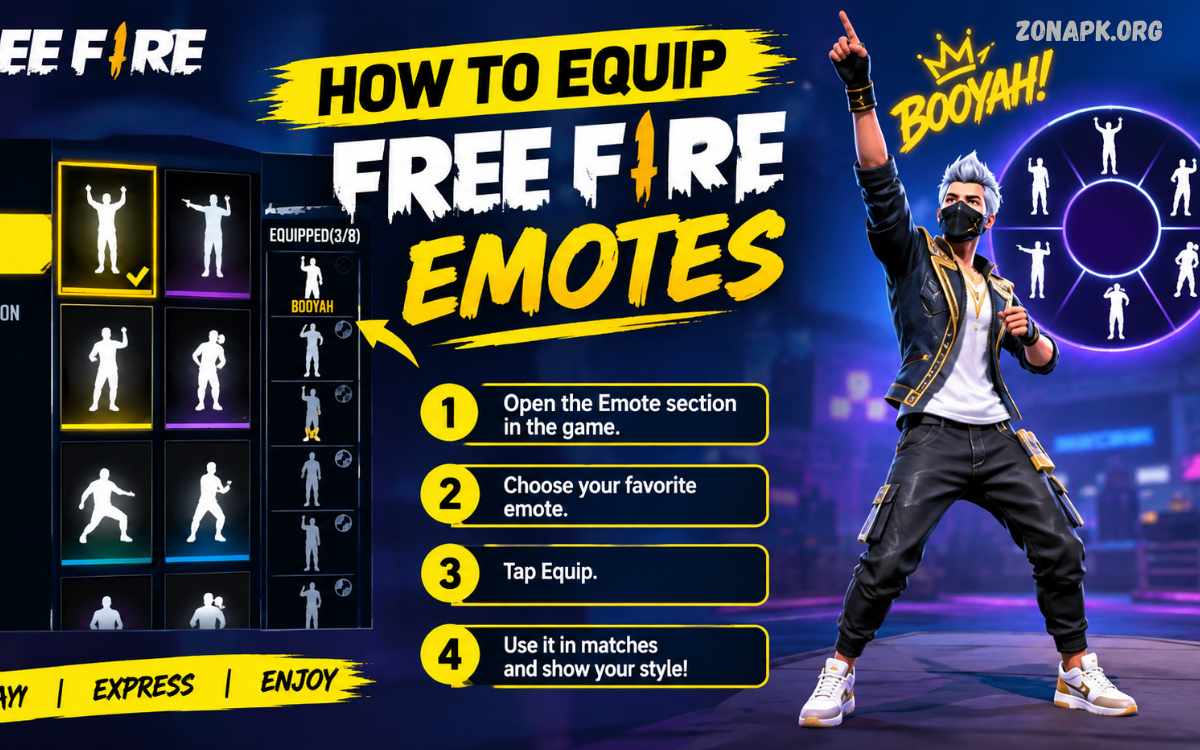
Free Fire emotes are one of the easiest ways to express emotions, celebrate victories, communicate with teammates, and add personality to every match. Players can use different emotes during battles, inside the lobby, or after achieving important moments. However, new players may not immediately understand how the emote system works or where available emotes can be equipped.
If you are searching for how to equip Free Fire emotes, this guide explains the complete process simply and practically. You will learn how to access the emote section, select your favorite emotes, assign them to available slots, replace existing emotes, and use them during gameplay. The guide also covers common problems that may prevent emotes from appearing correctly.
What Are Free Fire Emotes?
Free Fire emotes are special animations that allow players to express different reactions through their characters. Depending on the emote, a character may perform a celebration, greeting, dance, gesture, or other visual animation. Emotes are mainly cosmetic features, meaning they are designed for expression and personalization rather than improving combat performance.
Players can collect multiple emotes through different in-game events, rewards, passes, missions, or other legitimate game features. Once an emote becomes available in an account, players can normally manage it through the customization or emote interface. Equipped emotes can then be accessed during supported gameplay situations.
How to Equip Free Fire Emotes
The process for How to equip Free Fire emotes is straightforward. First, launch Free Fire and wait until the main lobby appears. Make sure the game is fully loaded and that you are using the account containing the emotes you want to use. From the main interface, look for the collection or customization section where character-related items are managed.
Open the Collection section and locate the Emote category. The exact interface can change after major Free Fire updates, so menu names or button positions may look slightly different depending on the current version. Once the emote section opens, you should see available emotes along with the slots assigned to your character.
Step 1: Open Free Fire
Start by opening the Free Fire application on your Android or iOS device. Allow the game to finish loading before entering the customization menus. A stable internet connection can help ensure that your account inventory loads correctly.
After reaching the main lobby, avoid entering a match immediately. The emote management options are normally accessible from the lobby interface, allowing you to customize your character before starting a game. This makes the lobby the ideal place to organize your emote collection.
Step 2: Enter the Collection Section
From the main lobby, find the Collection option. This section contains various cosmetic and customization features associated with your account. Depending on the current Free Fire interface, the location of this option can vary after updates.
Tap the Collection option and browse the available categories. Look for the section dedicated to emotes. Selecting this category should display the emotes currently available in your account, including equipped and unequipped options.
Step 3: Select the Emote Category
After opening the appropriate customization section, choose Emotes. You should now see a list or grid containing the emotes available for your character. Locked emotes may also appear in the collection, but they cannot be equipped until they are unlocked through an official game feature.
Take a moment to review your available options. If you have collected several emotes, you can select the animations you prefer for regular gameplay. Choosing emotes based on your play style can make the emote wheel easier to manage during fast-paced matches.
Step 4: Choose an Available Emote
Select an emote that you want to equip. The game may display the emote animation or provide information about its current status. If the emote is already unlocked, you should be able to assign it to an available emote slot.
If an emote cannot be selected, check whether it is locked, unavailable, or already assigned to another slot. Some interface differences may also appear after game updates. Make sure you are selecting an emote that is actually available in your account inventory.
Step 5: Assign the Emote to a Slot
After choosing your preferred emote, assign it to one of the available slots. These slots determine which emotes appear when you open the emote wheel during a match. Selecting the right combination can make frequently used emotes easier to access.
If every slot is already occupied, you may need to replace an existing emote. Select the slot you want to change and choose the new emote. Confirm the selection if the game displays a confirmation option. Your new emote should then become associated with that slot.
Step 6: Save Your Changes
Once your preferred emotes have been assigned, check the interface for a save, confirm, or apply option if required. Some versions of Free Fire may automatically save customization changes, while other interfaces may use a confirmation action.
Return to the main lobby after completing the setup. You can then enter a supported game mode and test the emote wheel. Testing your configuration before an important match helps ensure that your selected emotes are available in the expected positions.
How to Use Equipped Emotes During a Match
Equipping an emote is only the first part of the process. You also need to know how to access the equipped emotes during gameplay. After entering a supported match, look for the emote control displayed on the game interface.
Tap the emote button to open the available emote wheel or selection menu. Choose the desired emote from your equipped slots, and your character should perform the selected animation. Avoid using emotes when you need to focus on movement, positioning, or combat because the animation can temporarily distract you from the surrounding game environment.
How to Change Equipped Free Fire Emotes
Players often change their emote selection when they obtain a new animation or want a different setup. Changing an equipped emote generally follows the same process as equipping one for the first time. Open the customization section from the lobby and navigate to your emote collection.
Select the emote slot you want to modify and choose another unlocked emote. Confirm or save the change if required. The new animation should replace the previous selection, making it available from that slot during supported matches.
How Many Emotes Can You Equip?
The number of emotes you can equip depends on the current Free Fire interface and available emote slots. Game updates can change customization features, so the exact number may differ between versions or modes.
Instead of focusing only on the maximum number of slots, organize your emotes based on frequency of use. Place your favorite or most commonly used animations in convenient positions. This approach makes the emote wheel easier to navigate during gameplay.
How to Equip Free Fire Emotes in the Lobby
Free Fire also allows players to personalize their presence outside active matches. Depending on the current game version, certain emotes may be available for use in the lobby or other supported areas.
Open the relevant emote customization menu and select an unlocked animation. If the game provides a separate option for lobby-related emotes, use that section instead of the standard match emote slots. Feature availability can change through updates, so always follow the options displayed in your current game version.
How to Equip Free Fire Emotes for Different Characters
Players may wonder whether an emote belongs permanently to one character. In general, emotes are cosmetic inventory items associated with the player’s account rather than combat abilities. Their availability can depend on the current game system and selected customization settings.
If you change your character and notice differences in customization, return to the emote menu and verify your equipped slots. Rechecking the configuration is especially useful after changing characters, presets, or other customization settings.
Why Is My Free Fire Emote Not Showing?
One common problem occurs when a player owns an emote but cannot find it during a match. The first thing to check is whether the emote is actually equipped. Owning an emote does not necessarily mean that it automatically appears in the active emote wheel.
Open the emote collection and check your equipped slots. If the desired animation is missing, assign it to an available slot and save the configuration. Also check whether you are playing a mode or situation where emotes are supported.
Why Can’t I Equip an Emote?
An emote may not be equipable for several reasons. It could be locked, unavailable, already assigned to another slot, or affected by a temporary interface issue. Start by checking the emote’s status in your collection.
If the emote is unlocked but still cannot be equipped, restart Free Fire and check again. Ensure that the game is updated through the official app store. Avoid downloading modified game files or unofficial tools that claim to unlock restricted features because they can create account and security risks.
Free Fire Emotes Not Working After an Update
Major Free Fire updates can modify menus, customization systems, and interface layouts. As a result, players may temporarily have difficulty finding previously familiar options.
When an update changes the interface, explore the current Collection and Emote sections rather than relying on an older tutorial. If an emote disappears unexpectedly, restart the game and verify that the account has synchronized correctly. Persistent problems may require checking official support information for the current game version.
How to Organize Your Emote Wheel
Good emote organization can make your collection much easier to use. Instead of randomly assigning animations, place your favorite emotes in the most convenient positions. Frequently used celebrations, greetings, and communication-style animations should be prioritized.
You can also create different combinations based on your preferences. For example, one setup may focus on celebration animations, while another can contain casual or social emotes. If the game provides preset customization options, use them to switch between different configurations when available.
Best Practices for Using Free Fire Emotes
Emotes are primarily designed for entertainment and expression. Using them at the right moment can add personality to a match, but excessive use can distract you from important gameplay situations.
Use emotes when the situation is safe and appropriate. Avoid opening the emote wheel when you are exposed to opponents or need to react quickly. A well-timed emote can be fun, while unnecessary animation during a dangerous moment can reduce your focus.
Can Emotes Improve Gameplay?
Free Fire emotes generally do not provide a direct combat advantage. They are cosmetic features created for expression, customization, and social interaction. Equipping a particular emote does not automatically increase weapon damage, movement ability, armor, or other core combat statistics.
However, emotes can improve the overall experience by allowing players to personalize their characters. They can also provide a fun way to celebrate achievements or interact with friends during suitable moments.
How to Get More Free Fire Emotes
Players can obtain additional emotes through legitimate in-game opportunities. Depending on the current Free Fire version, these opportunities may include events, missions, rewards, passes, promotions, or other official features.
Always check the in-game event section for current opportunities. Avoid websites or applications promising unlimited free emotes through unofficial methods. Such services may request account credentials, install unsafe software, or violate game rules.
Are Free Fire Emotes Free?
Some emotes can be obtained through free rewards or limited-time activities, while others may require participation in specific events or use of in-game resources. Availability changes over time, so there is no permanent list of emotes that are always free.
The safest approach is to check official in-game events and rewards. If an emote is offered through a legitimate free activity, follow the requirements shown inside the game rather than relying on third-party claims.
Can You Use Emotes Without Unlocking Them?
An emote generally needs to be available in your account before it can be equipped. Locked emotes may appear in the collection so players can see them, but they cannot normally be selected for active use until the required unlock condition is completed.
If you see a locked emote, select it to review the information provided by the game. The displayed requirements may explain whether the item is connected to an event, reward, pass, or another official feature.
Read Also: How to Unlock Free Fire Emotes: Complete Guide for Players
Free Fire Emote Customization Tips
The best customization setup depends on personal preference. Start by identifying the emotes you use most frequently and place those in easy-to-access slots. Remove animations that you rarely use if your available slots are limited.
Review your setup whenever you obtain a new emote. A growing collection can make it easy to forget which animations are equipped. Regularly updating your slots keeps the emote wheel organized and ensures that your preferred animations remain accessible.
Common Mistakes When Equipping Emotes
One common mistake is assuming that obtaining an emote automatically equips it. In most cases, players still need to open the emote customization section and assign the animation to an available slot.
Another mistake is following outdated instructions after a major game update. Menus can change, meaning an older guide may show buttons that no longer appear in the same location. Always compare instructions with the current Free Fire interface on your device.
Free Fire Emotes and Account Safety
Account safety should always remain a priority when collecting cosmetic items. Never provide your Free Fire login credentials to websites promising unlimited emotes, diamonds, skins, or other rewards.
Avoid unofficial applications, modified clients, suspicious generators, and services requesting sensitive account information. Legitimate emote features can be managed through the official game environment without requiring unknown third-party tools.
What to Do If Your Equipped Emote Disappears
If an equipped emote suddenly disappears, start by returning to the Collection section. Check whether the item is still present in your account inventory and whether the correct emote slot is active.
If the emote remains missing after restarting the game and checking your inventory, review official support information. Keep your account secure and avoid attempting to fix the problem with unofficial applications or modified files.
Does Changing an Emote Delete the Old One?
Replacing an equipped emote normally changes the active slot rather than permanently deleting the original item from your collection. The previously equipped emote should remain available in your inventory if you still own it.
You can return to the emote collection whenever you want to select another animation. This makes it easy to experiment with different combinations without losing previously obtained cosmetic items.
How to Equip Free Fire Emotes Faster
Once you understand the customization system, equipping emotes becomes a quick process. Open the Collection menu, select the Emote category, choose an available animation, assign it to a slot, and confirm the change if necessary.
For faster management, decide which emotes you want before opening the menu. Knowing your preferred setup reduces the time spent browsing through a large collection. Keeping your most-used animations organized also makes future changes easier.
Frequently Asked Questions
How do I equip Free Fire emotes?
Open Free Fire and enter the Collection or customization section. Select Emotes, choose an unlocked animation, assign it to an available slot, and confirm the change if the interface requires confirmation.
Why can’t I see my equipped emote?
Check the emote wheel and confirm that the desired animation is assigned to an active slot. Also verify that you are using a game mode where emotes are supported. Restarting the game can help resolve temporary synchronization or interface issues.
Can I replace an equipped Free Fire emote?
Yes, you can normally replace an equipped emote by opening the emote customization menu and assigning another unlocked animation to the selected slot. The previous emote can generally remain in your collection.
Do Free Fire emotes give players special abilities?
Emotes are primarily cosmetic animations. They are intended for expression and personalization rather than providing direct combat advantages such as additional damage, armor, or weapon performance.
Can I get Free Fire emotes without unofficial websites?
Yes. Players should focus on legitimate in-game events, missions, rewards, passes, and other official opportunities. Avoid third-party services that claim to provide unlimited emotes or require account credentials.
Why did my emote stop working after an update?
An update may change the customization interface or temporarily affect how items are displayed. Check your Collection and Emote sections, verify the equipped slots, restart the game, and use official support channels if the problem continues.
Conclusion
Learning how to equip Free Fire emotes is simple once you understand the game‘s customization system. Start from the main lobby, open the Collection section, find the Emotes category, select an unlocked animation, and assign it to an available slot.
Free Fire emotes are designed to make the game more expressive and enjoyable. Whether you prefer celebration animations, friendly gestures, or unique character expressions, organizing your emote slots gives you faster access to your favorites.

1 Comment
Pingback: How to Use Free Fire Emotes: Complete Guide for Beginners - Zonapk