

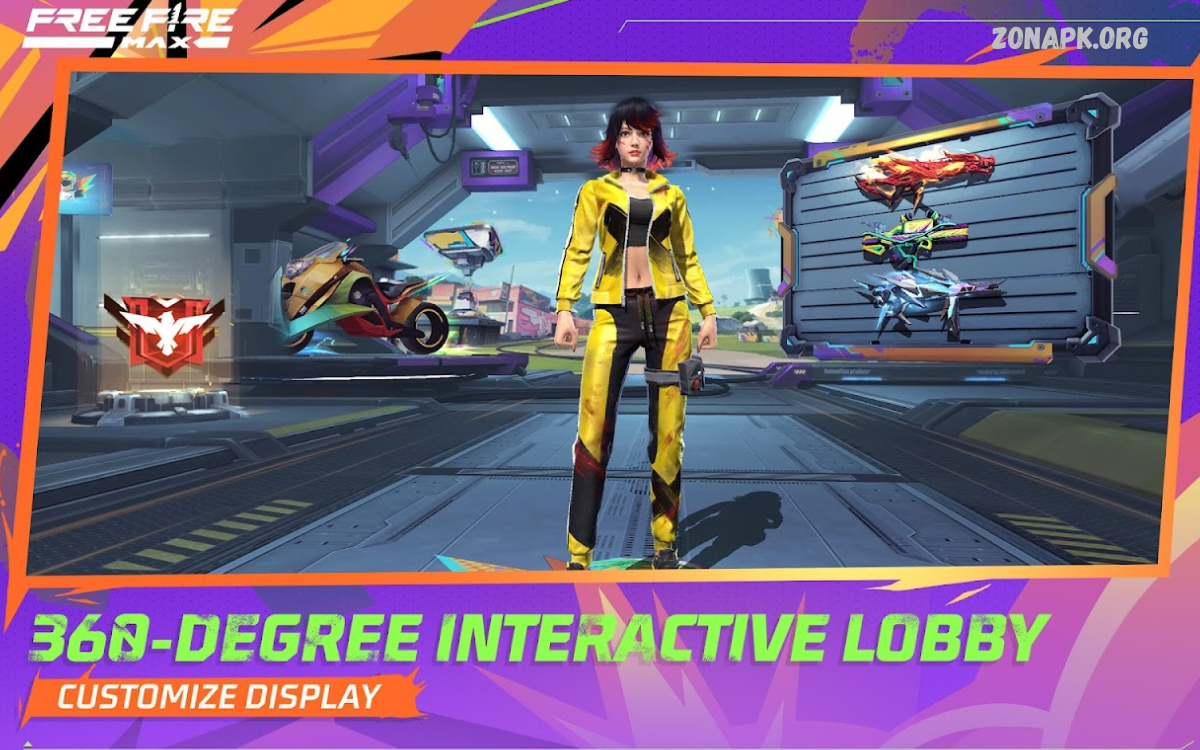
Free Fire MAX is one of the most popular battle royale games designed especially for players who love high-quality graphics and smooth gameplay on their Android devices. Developed by Garena, this upgraded version of Free Fire offers an immersive gaming experience with enhanced visuals, realistic effects, and faster performance.
The APK version allows Android users to download and install the game directly on their phones without depending only on the Play Store. This is especially useful when the game is not available in certain regions or if you face installation issues. Once installed, Free Fire MAX brings you into a thrilling world where 50 players fight to be the last one standing on an island.
What is Free Fire MAX?
Free Fire MAX is the advanced version of Garena Free Fire, specially optimized to deliver a premium gaming experience. While the original Free Fire runs smoothly on low-end devices, Free Fire MAX focuses on high-quality graphics, immersive sound effects, and exclusive features that make the game even more engaging. The best part? Both versions are compatible with each other, meaning you can still play with friends who are using the standard Free Fire.
Key Features of Free Fire MAX
Here are some of the standout features that make Free Fire MAX a must-try:
- Ultra HD Graphics – Enjoy more realistic battlegrounds, character designs, and weapon details.
- Firelink Technology – Log in with your existing Free Fire account and keep your progress synced across both versions.
- Enhanced Animations – Smooth reloads, parachuting, and other in-game actions for a more immersive feel.
- Exclusive Maps & Modes – Special events, maps, and modes only available in Free Fire MAX.
- Customizable Controls – Easily adjust sensitivity, buttons, and HUD layouts to match your playstyle.
Free Fire MAX vs Free Fire
- Free Fire MAX is designed for players with mid to high-end smartphones who want the best graphics and performance.
- Free Fire is ideal for players with budget devices who still want fast-paced gameplay.
Both games share the same servers, so you can team up with your friends no matter which version they are using.
How to Download Free Fire MAX APK on Android
Since Free Fire MAX is available in most regions, you can download it directly from the Google Play Store. However, if it’s not showing up in your region, you can install the game using the APK file.
Steps to Download and Install:
- Download the APK & OBB File – Get the latest Free Fire MAX APK file from a trusted source.
- Enable Unknown Sources – Go to your phone settings → Security → Enable “Install apps from unknown sources.”
- Install the APK File – Tap on the APK file to start installation.
- Move the OBB File – Copy the OBB file to
Android/OBB/com.dts.freefiremaxfolder. - Launch the Game – Open Free Fire MAX, log in with your Free Fire account, and enjoy.
Read Also: Garena Free Fire Redeem Codes For 20 August 2025
System Requirements for Free Fire MAX
To ensure smooth gameplay, make sure your Android device meets these minimum requirements:
- OS: Android 5.0 (Lollipop) or higher
- RAM: At least 2 GB (4 GB recommended)
- Storage: Around 1.5 GB of free space
- Processor: Dual-core 1.8 GHz or better
Why Download Free Fire MAX APK?
- Access the latest version even if it’s not available in your Play Store region.
- Experience exclusive features and content before they officially roll out.
- Enjoy an upgraded version without losing your existing account progress.
Tips for Better Gameplay in Free Fire MAX
- Use headphones for an immersive sound experience.
- Adjust graphics settings according to your device to avoid lag.
- Try out different characters and pets to maximize your in-game abilities.
- Always keep your game updated to access new maps, weapons, and events.
Frequently Asked Questions
Is Free Fire MAX APK safe to download?
Yes, as long as you download the APK from trusted sources such as official app stores or Garena’s official platforms. Avoid third-party unsafe sites to prevent malware risks.
Can I play with my friends who are using Free Fire?
Yes, Free Fire MAX supports Firelink technology, which allows cross-play with players on the original Free Fire version.
Do I need a separate account for Free Fire MAX?
No, you can use the same Free Fire account to log in to Free Fire MAX. All your progress, skins, and purchases will sync automatically.
How much storage space does Free Fire MAX APK require?
The APK file size is usually around 1 GB. After installation and updates, you may need at least 2.5 GB of free storage space.
Is Free Fire MAX free to play?
Yes, Free Fire MAX is completely free to download and play. However, you can purchase in-game items like skins, characters, and elite passes.
Why can’t I install the APK on my Android phone?
This usually happens if your phone doesn’t meet the minimum requirements, or if you haven’t enabled “Install from Unknown Sources” in your Android settings.
Can I transfer my Free Fire progress to Free Fire MAX?
Yes, with Firelink, all your progress, friends list, and purchased items are automatically synced between Free Fire and Free Fire MAX.
Conclusion
Free Fire MAX is the perfect choice for players who want a richer and more exciting version of Garena Free Fire. With better graphics, smoother animations, and exclusive features, it’s a game that takes the battle royale experience to the next level. Downloading the APK on Android is simple, and once you’re in, you’ll see why millions of players have already made the switch. So, if you’re ready for intense survival battles with stunning visuals, Free Fire MAX APK for Android is your gateway to a whole new level of action.
