

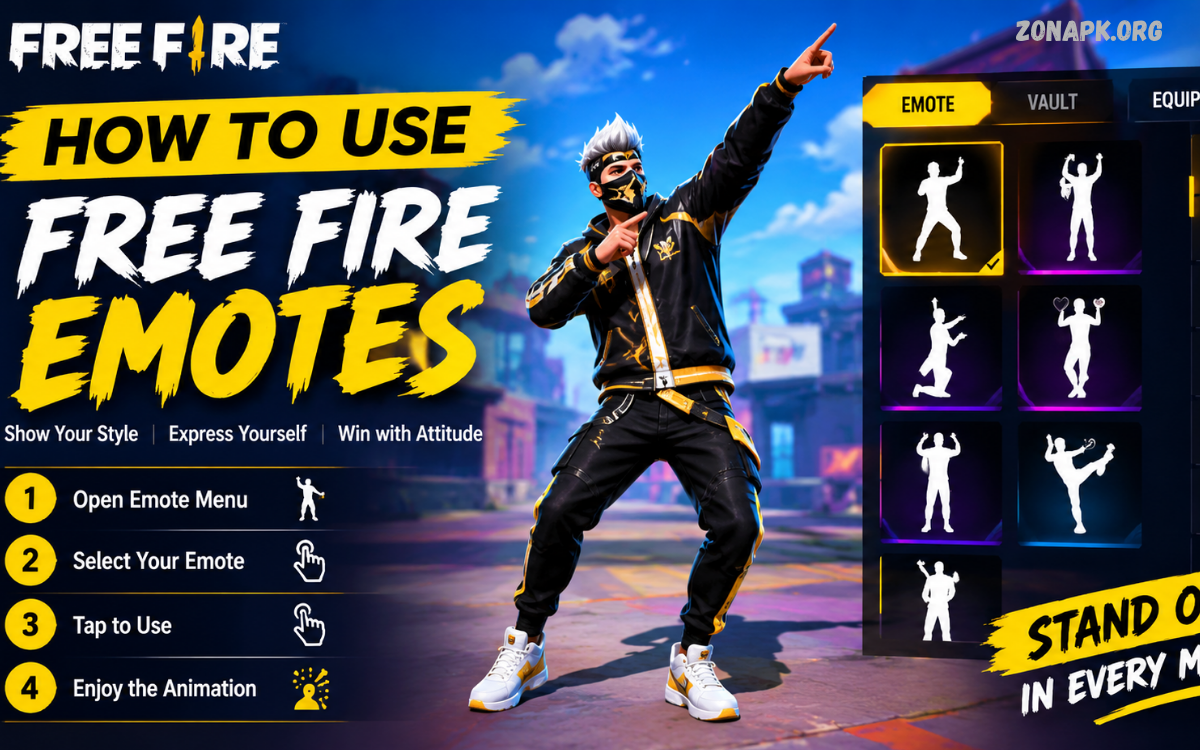
Free Fire emotes are one of the most popular ways to express yourself during a match. Whether you want to celebrate a great play, communicate with teammates, show your personality, or simply have fun, emotes add an entertaining social element to the game.
If you are new to Free Fire and wondering how to use Free Fire emotes, the process is straightforward. You first need to unlock or obtain an emote, equip it through the customization menu, and then select it from the emote wheel during a match.
What Are Free Fire Emotes?
Free Fire emotes are animated expressions that allow players to perform different actions or celebrations. Instead of using voice chat or typing a message, players can use an emote to communicate a reaction quickly.
Some emotes are designed for celebrations, while others have funny, stylish, or competitive animations. Depending on the available collection, players can choose emotes that match their preferred personality and gameplay style.
How to Use Free Fire Emotes
The basic process for using Free Fire emotes can be completed in a few simple steps. Before entering a match, make sure you have at least one emote available in your account.
Open Free Fire and access your account’s customization or collection section. Look for the emote section, where your available emotes can be viewed and managed.
Step 1: Open Free Fire
Start by launching Free Fire on your Android or iOS device. Allow the game to finish loading until you reach the main lobby.
The exact appearance of the interface can change after updates, but the main lobby normally provides access to your collection, customization, and other account features.
Step 2: Open the Emote Section
From the main lobby, look for the section where you can customize your character. Depending on the current game version, the menu names and locations may vary.
Enter the emote section to view the animations available on your account. You may see both equipped and unequipped emotes.
Step 3: Select an Emote
Choose an emote that you want to use. If you have several animations available, you can browse through your collection and select your preferred options.
Some players prefer celebration emotes, while others choose funny or stylish animations. Your choice does not affect the core gameplay mechanics.
Step 4: Equip the Emote
After selecting an emote, assign it to one of the available emote slots. The number of slots and customization options may depend on the current version of Free Fire.
Once the emote has been equipped, save or confirm your selection if the interface provides a confirmation option.
Step 5: Enter a Match
Start your preferred game mode after equipping your emote. You can use your equipped emotes during supported moments in the match.
Remember that the interface may look different across Free Fire updates, so focus on the emote or customization icons rather than relying on an exact button position.
Step 6: Open the Emote Wheel
During a match, locate the emote button on your screen. Tapping the button should open your available emotes or emote wheel.
The position of the button can vary depending on your device, HUD layout, and game settings. If you have customized your controls, the emote button may appear in a different location.
Step 7: Select Your Emote
After opening the emote wheel, choose the animation you want to perform. Your character should begin the selected emote if the game allows it at that moment.
With practice, selecting an emote becomes quick and natural. This is especially useful when you want to celebrate a successful play without spending time navigating menus.
How to Equip Free Fire Emotes
Knowing how to use Free Fire emotes is only part of the process. You also need to understand how to equip them correctly before a match.
Start from the main lobby and navigate to your character customization or collection area. Find the emote category and open it to see the animations available to your account.
Select an available emote and assign it to an open slot. If all slots are occupied, you may need to replace an existing emote with your new selection.
How to Change Equipped Emotes
Players often collect several emotes but can only use a limited selection at a time. Changing equipped emotes allows you to keep your favorite animations ready for matches.
Open the emote management section and review your currently equipped animations. Select the slot you want to change and replace the existing emote with another available option.
This is useful when you want to create different emote setups for different occasions. You can choose a combination of celebration, funny, and communication-focused animations.
How to Use Emotes During a Match
Once your emotes are equipped, using them during gameplay is simple. Enter a match and locate the emote icon on the HUD.
Tap the icon to open the available emote selection. Choose your preferred animation and wait for your character to perform it.
Using an emote generally requires only a few taps, but you should avoid opening the emote wheel during an important combat situation. Staying aware of your surroundings should always come before cosmetic interactions.
Best Times to Use Free Fire Emotes
There are many appropriate moments for using emotes. Players commonly use them after completing a successful play or when interacting with teammates.
For example, you might use an emote after winning a close encounter, reaching a safe location, or completing an objective. Emotes can make these moments more entertaining.
After a Successful Play
A successful play can be a natural opportunity for a celebration emote. After you are safely away from immediate danger, you can open the emote wheel and select an animation.
This adds personality to the match without changing your gameplay strategy. However, always make sure the area is safe before stopping to use an emote.
With Teammates
Emotes can also be used as a simple way to interact with squad members. Friends can use different animations to celebrate achievements or create funny moments.
In team matches, emotes can add another layer of communication. They can complement voice chat, quick messages, and other communication features.
During the Lobby
The lobby is another suitable place to experiment with emotes. You can check animations and become familiar with their appearance before entering a serious match.
Testing your equipped emotes in a relaxed environment also helps you understand which animations you enjoy using most.
How to Get Free Fire Emotes
Free Fire periodically provides different ways for players to obtain cosmetic items. Depending on current events and promotions, emotes may appear through events, rewards, missions, or other official game features.
Availability can change over time, so players should check the current in-game event and reward sections instead of relying on outdated information.
Events and Missions
Special events may include cosmetic rewards, including emotes or items connected to emote collections. The requirements can vary from one event to another.
Always read the event instructions carefully. Some rewards may require completing specific tasks within a limited period.
In-Game Rewards
Certain official rewards may provide access to cosmetic items. Check the game’s current reward systems to see what is available.
The exact requirements can change after updates, so information from an older Free Fire version may not match the current interface.
Official Promotions
Garena may introduce promotional activities connected with Free Fire. These promotions can sometimes include cosmetic items or other rewards.
Use official Free Fire channels and in-game announcements when checking promotional opportunities. Avoid websites promising unrealistic rewards or asking for sensitive account information.
Free Fire Emote Wheel Explained
The emote wheel is designed to make your animations accessible during a match. Instead of opening a large collection menu, you can select from the emotes assigned to your active slots.
This system allows players to keep their most frequently used animations ready. A well-organized emote selection can make it easier to choose an animation quickly.
How Many Emotes Should You Equip?
The ideal number depends on the slots available in your current game version and your personal preferences. You do not need to equip every emote you own.
Choose animations that you genuinely enjoy or frequently use. Keeping your selection focused can make the emote wheel easier to navigate.
Read Also: How to Equip Free Fire Emotes: Complete Guide
How to Use Emotes Without Affecting Gameplay
Emotes are cosmetic, but using them at the wrong moment can distract you from the match. Good timing is therefore important.
Avoid using an emote when opponents may be nearby or when your team is actively fighting. Your character’s attention should remain focused on survival and positioning during dangerous situations.
Common Problems When Using Free Fire Emotes
Sometimes players may have difficulty finding or using their emotes. These problems can happen because of interface changes, incorrect customization, connection issues, or other game-related factors.
Fortunately, many basic issues can be resolved by checking your emote settings and confirming that the selected animation is actually equipped.
Emote Is Not Appearing
If an emote does not appear during a match, return to the customization section and check whether it is equipped.
An emote in your collection is not necessarily assigned to your active slots. Equip it before entering another match.
Emote Button Is Missing
If you cannot find the emote button, check your HUD or control layout. Customizing the interface may have moved the button to another location.
Resetting the relevant control layout or adjusting the HUD can help you locate the feature again.
Emote Does Not Activate
If an emote does not activate immediately, check whether your character is currently performing another action or whether the game restricts the animation in that situation.
Moving to a safe area and trying again can help determine whether the problem is temporary or related to your controls.
How to Customize Your HUD for Easier Emote Access
Free Fire allows players to customize various elements of their on-screen controls. If you frequently use emotes, you may want to position the relevant button somewhere that is easy to reach.
Avoid placing important controls too close together. A crowded HUD can lead to accidental taps, particularly during fast gameplay.
Emotes on Different Devices
Free Fire is played on many different smartphones and tablets. Because screen sizes vary, the position of interface elements may also differ.
Players using smaller screens may prefer a more compact HUD, while players with larger displays may have more room for customization.
Can Emotes Give You an Advantage?
Free Fire emotes are primarily designed for expression and entertainment. They do not normally increase your character’s damage, health, movement speed, or other core combat statistics.
Their main value is social and cosmetic. They allow players to personalize their interactions and make gameplay moments more memorable.
Emote Etiquette in Free Fire
Emotes can be fun, but using them respectfully can make multiplayer matches more enjoyable for everyone.
Some players may use emotes as part of friendly competition, while others may interpret repeated emotes as unnecessary provocation. Good sportsmanship is therefore important.
Tips for Using Free Fire Emotes
One of the best tips is to keep your favorite emotes equipped. You do not need to constantly change your selection if you already have animations that fit your playing style.
Another useful tip is to learn the location of the emote button before playing competitive matches. Knowing where the button is located makes it easier to access your animations without wasting time.
How to Use Free Fire Emotes With Friends
Playing with friends is one of the most entertaining ways to use emotes. Squad members can coordinate different animations to celebrate victories or create memorable moments.
You can also use emotes during relaxed moments when your squad is waiting, preparing for the next objective, or exploring a safe area.
How Updates Can Change Emotes
Free Fire receives updates that can change menus, interface layouts, events, and cosmetic collections. Because of these updates, the location of an emote feature may change.
If you notice that an older tutorial does not match your game, check the current interface carefully. Look for customization, collection, or emote-related icons.
Safe Ways to Manage Free Fire Emotes
Players should always obtain emotes through legitimate in-game methods. Avoid websites, applications, or individuals claiming to provide unauthorized emotes through account modifications.
Never share your Free Fire login information, passwords, verification codes, or other sensitive account details with strangers.
Frequently Asked Questions
How do I use Free Fire emotes?
To use Free Fire emotes, first equip the desired animations through the game’s emote or customization section. Enter a match, open the emote button, and select the animation you want to perform.
Where can I find my Free Fire emotes?
Your available emotes can normally be found through the game’s collection or customization features. The exact menu location can change with updates.
Why can’t I use my Free Fire emote?
Check whether the emote is equipped to an active slot. If it is equipped but still does not work, check your HUD controls and try again in a safe situation.
Can I change my Free Fire emotes?
Yes. You can generally replace equipped emotes with other animations available in your collection. The available slots and interface can vary between game versions.
Do Free Fire emotes improve gameplay?
Emotes are mainly cosmetic and social features. They are designed for expression and entertainment rather than improving core combat abilities.
Can I use emotes during every situation?
Not necessarily. Some situations may restrict animations or make using an emote impractical. It is best to use them when your character is in a safe position.
How can I get more Free Fire emotes?
New emotes may become available through official events, rewards, promotions, or other in-game opportunities. Check current Free Fire announcements and event sections for legitimate options.
Conclusion
Learning how to use Free Fire emotes is simple once you understand the basic customization and in-match controls. Start by finding the emote section, selecting your favorite animations, and assigning them to available slots.
After entering a match, use the emote button to access your equipped animations. With a little practice, you can quickly select the right emote without interrupting your gameplay.

1 Comment
Pingback: How to Change Free Fire Emotes: A Complete Step-by-Step Guide- Zonapk