

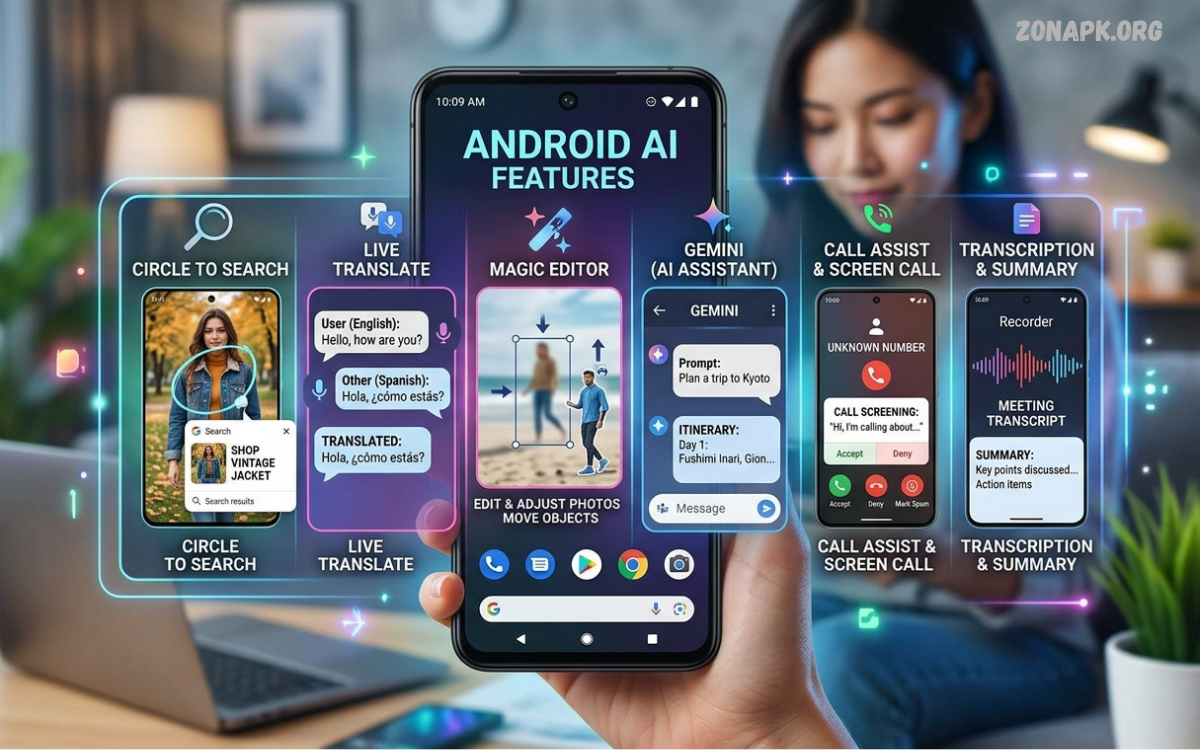
Android AI Features are changing how people use smartphones for communication, productivity, photography, entertainment, and everyday tasks.
As artificial intelligence becomes more deeply integrated into mobile software, Android smartphones are moving beyond traditional applications.
What Are Android AI Features?
Android AI Features are intelligent tools and functions built into Android smartphones, applications, and operating systems. These features use artificial intelligence and machine learning to analyze information, understand user requests, generate content, improve media, and automate selected smartphone tasks.
AI capabilities can appear in many areas of an Android device. Users may encounter AI-powered writing assistance, smart search, photo editing, voice recognition, translation, call assistance, personalized recommendations, and intelligent notification management.
How Android AI Features Work
Android AI Features rely on machine learning models that process information and identify patterns. Depending on the feature, processing can happen directly on the smartphone or through cloud-based computing services connected to the internet.
On-device AI can provide faster responses and help certain tasks run without sending information to a remote server. Cloud-based AI can provide access to larger models and more complex processing, though availability, privacy practices, and internet requirements can vary by service.
AI-Powered Writing Assistance
AI writing tools can help Android users draft messages, improve wording, correct grammar, summarize text, and adjust writing styles. These capabilities can make everyday communication more efficient, especially when users need to transform rough ideas into clearer text.
Writing assistance can also support productivity by helping users organize information or create concise responses. Users should still review AI-generated text before sharing it because AI systems can occasionally produce inaccurate information, misinterpret meaning, or use wording that doesn’t match the intended message.
AI Photo Editing on Android
AI-powered photo editing has become an important part of modern Android smartphones. Intelligent editing tools can recognize subjects, remove unwanted objects, improve lighting, enhance details, and adjust selected elements without requiring advanced photography skills.
Some Android devices can also use generative editing capabilities to modify parts of an image or create new visual elements. These tools can simplify creative work, though results may vary by smartphone model, software version, image quality, and available AI processing capabilities.
AI Image Recognition
Android AI Features can recognize objects, scenes, documents, text, and other visual information through smartphone cameras and applications. Image recognition allows users to search for information based on visual content rather than relying only on manually entered keywords.
For example, an AI-powered camera application may identify a plant, recognize written text, scan a document, or identify elements within a photograph. Such capabilities can make cameras useful for information discovery, organization, and accessibility.
AI-Powered Voice Assistants
Voice-based AI allows Android users to interact with smartphones through spoken commands. Users can ask questions, set reminders, search for information, control compatible functions, and complete other tasks without manually navigating multiple menus.
Modern AI assistants are increasingly capable of understanding conversational requests and contextual instructions. However, the exact capabilities depend on the assistant, smartphone manufacturer, operating system version, language support, and services available in the user’s region.
AI Call Assistance
AI call features can help users manage conversations by providing transcription, summaries, translation, screening, or other assistance. These capabilities can help when users need to understand important information from a conversation without manually taking notes.
Call-related AI tools can also support accessibility by converting spoken information into readable text. Because calls may contain sensitive information, users should understand how their device processes, stores, and protects call-related data before enabling advanced AI functions.
AI Translation Features
Translation is another major area where Android AI Features can improve smartphone usability. AI-powered translation tools can convert written or spoken language into another language, helping users communicate across language barriers.
Some translation features can work directly through cameras, microphones, messaging applications, or dedicated translation tools. Accuracy can vary with accents, background noise, handwriting, specialized terminology, and language combinations, so important translations should be reviewed by a human.
AI Search on Android
AI-powered search can make it easier to locate information across applications, files, photos, messages, and online sources. Instead of relying exclusively on exact keywords, intelligent search systems can interpret natural-language requests and identify relevant results.
This approach can reduce the time required to find specific information on a smartphone. AI search may also understand relationships between words, images, documents, and other content, creating a more flexible search experience than traditional keyword-based systems.
AI-Powered Personalization
Android devices can use AI to personalize recommendations, settings, notifications, application behavior, and other smartphone experiences. Machine learning systems can identify patterns in device usage and use those patterns to provide context-sensitive suggestions.
Personalization can make a smartphone feel more responsive to individual habits. However, personalization may involve processing information about usage patterns, making privacy controls, permissions, and data-management settings important considerations for users.
AI Battery Optimization
AI can help Android smartphones manage battery consumption by analyzing application activity and device usage patterns. Intelligent power-management systems may identify applications that consume significant resources and adjust background activity when appropriate.
Battery optimization can potentially improve everyday device efficiency without requiring users to manually manage every application. Actual battery performance still depends on hardware capacity, screen brightness, network conditions, application behavior, temperature, and overall smartphone usage.
AI Security Features
Artificial intelligence can contribute to Android security by identifying unusual activity, suspicious behavior, malicious applications, and potential threats. Machine learning systems can analyze patterns that simple rule-based security methods may miss.
AI-based security does not eliminate every cybersecurity risk. Users should continue using official application sources when possible, installing software updates, reviewing permissions, using strong authentication, and avoiding suspicious links or unknown files.
AI Accessibility Features
Android AI Features can improve accessibility for users with different needs. Speech recognition, image descriptions, live transcription, intelligent captions, translation, and other tools can make digital information easier to understand and interact with.
Accessibility-focused AI can also help users interact with visual or audio content in alternative ways. Availability varies across devices and Android versions, so users should check their smartphone’s accessibility settings to see which features are supported.
AI Notifications and Smart Suggestions
AI can analyze notification patterns and suggest which information may require attention. Intelligent systems can help users manage large numbers of messages and alerts without opening every application individually.
Smart suggestions may also appear while composing messages, responding to notifications, or completing common actions. These tools reduce repetitive work, but users should review suggested responses before sending them.
AI Features for Productivity
Android AI Features can support productivity through summarization, writing assistance, scheduling, transcription, document analysis, and intelligent organization. These capabilities can reduce repetitive tasks and help users focus on more important activities.
Students, professionals, creators, and everyday smartphone users can benefit from AI productivity tools when they use them as assistants rather than replacements for human judgment. Reviewing generated information remains important when accuracy matters.
Generative AI on Android Smartphones
Generative AI can create new text, images, summaries, suggestions, and other content based on user instructions. Its integration into Android smartphones marks a shift from software that only performs predefined commands to systems that can produce new outputs.
Generative AI can help with brainstorming, rewriting, planning, creative projects, and organizing information. However, generated content may contain factual errors or unexpected results, making human verification important for educational, professional, financial, and other high-impact tasks.
On-Device AI vs Cloud AI
On-device AI processes information using computing resources available on the smartphone. This approach can reduce dependence on an internet connection and may provide benefits for speed, privacy, and offline functionality, depending on the implementation.
Cloud AI sends information to remote computing infrastructure for processing. Cloud systems can support larger and more complex models, but users should review the provider’s privacy policies and understand what information may be transmitted, stored, or processed.
Android AI Features and Privacy
Privacy is an important consideration when using AI-powered smartphone tools. AI features may process text, images, voice recordings, device activity, or other information depending on how a particular feature is designed and configured.
Users should review application permissions, AI settings, account controls, and privacy options before activating advanced features. Understanding whether processing happens locally or remotely can also help users make informed choices about sensitive information.
Read Also: Android 17 Features: New Changes, Improvements, and What to Expect
Android AI Features and Smartphone Performance
AI processing can require substantial computing resources, especially when smartphones run advanced models locally. Modern devices increasingly use specialized hardware such as neural processing components to handle AI workloads more efficiently.
Smartphone performance depends on the processor, memory, software optimization, thermal design, and AI model requirements. As Android AI Features become more advanced, dedicated AI hardware is expected to remain an important part of smartphone development.
Android AI Features for Content Creation
AI tools can assist Android users with writing, photography, video editing, brainstorming, design, and other creative activities. A smartphone can increasingly function as a portable creative workstation with AI assisting multiple stages of the content-production process.
Creators can use AI to accelerate repetitive editing and generate ideas while maintaining control over the final result. Human creativity remains important because AI-generated material can require refinement, fact-checking, editing, and personal direction.
AI in Android Gaming
AI technology can improve several aspects of mobile gaming, including graphics optimization, performance management, personalization, and automated system adjustments. Smartphone manufacturers can use AI-based systems to manage resources according to gaming workloads.
AI can also support gaming-related applications through voice interaction, translation, recommendations, and content tools. The exact benefits depend on the game, device hardware, Android version, and software ecosystem.
Android AI Features for Students
AI-powered Android tools can help students organize notes, summarize information, translate content, improve writing, and search for explanations. These functions can make smartphones useful learning companions when used responsibly.
Students should use AI to understand concepts and improve their learning rather than relying on generated answers without checking them. AI systems can make mistakes, and independent reasoning remains essential for accurate academic work.
Android AI Features for Everyday Users
Everyday users can benefit from AI without needing specialized technical knowledge. Features such as smart photo editing, voice commands, translation, writing assistance, search, and recommendations can operate within familiar Android applications.
The main advantage is convenience. Instead of manually completing every step, users can describe what they need and let AI-assisted software handle selected parts of the task while staying in control.
Future of Android AI Features
The future of Android AI Features is likely to involve deeper integration across applications, cameras, communication tools, search systems, and device controls. AI models may become more efficient as smartphone hardware improves and software developers optimize models for mobile environments.
Future Android devices may also offer more personalized, context-aware assistance. As AI becomes more capable, privacy controls, transparent processing, reliable information, and user control will matter more as smartphones become increasingly intelligent.
How to Get the Most From Android AI Features
Users can get better results by learning which AI tools are available on their particular smartphone. Checking system settings, updating applications, reviewing manufacturer documentation, and testing supported features can reveal capabilities that may not be immediately visible.
Clear instructions also improve AI results. Users should make specific requests, review outputs, protect sensitive information, and avoid assuming every AI response is correct. Responsible use keeps AI a practical tool rather than an unchecked source of information.
Frequently Asked Questions
What are Android AI Features?
Android AI Features are artificial-intelligence-powered tools available through Android smartphones, applications, and related services. They can support writing, photography, translation, search, voice interaction, accessibility, productivity, and other everyday tasks.
Are Android AI Features available on every Android phone?
Not every Android smartphone provides the same AI capabilities. Newer devices often include more advanced AI hardware and software, while older smartphones may support only basic machine-learning functions.
Can Android AI Features work without internet access?
Some AI functions can operate offline when the required model is installed directly on the smartphone. On-device processing can support selected tasks without continuous cloud connectivity.
Are Android AI Features safe to use?
AI features can be useful, but users should understand what information each feature processes. Privacy settings, application permissions, account controls, and data-processing policies can differ between services.
Can Android AI improve smartphone photography?
Yes, AI can assist with photography through scene recognition, image enhancement, object removal, portrait processing, noise reduction, and other computational photography functions.
Will Android AI replace traditional smartphone applications?
AI is more likely to integrate into existing applications than replace every traditional application. AI can provide additional ways to interact with software while conventional menus and controls remain useful.
How can users protect privacy while using Android AI?
Users can review application permissions, privacy settings, account controls, and AI-specific options. They should also understand whether a feature processes information locally or through cloud services.
What is the future of Android AI Features?
Future Android AI Features are expected to become more integrated with device hardware, applications, cameras, communication tools, and productivity services. Smaller and more efficient AI models may also enable additional on-device functionality.
Conclusion
Android AI features are expanding smartphone capabilities across photography, communication, productivity, accessibility, translation, security, search, and content creation. AI can automate repetitive tasks while helping users interact with information through natural language, images, and voice.
Android AI’s strongest value comes from practical assistance, not technology alone. Users can benefit from these tools by understanding their capabilities, checking privacy settings, verifying important results, and staying in control of how AI uses personal information.

1 Comment
Pingback: Android Features: A Complete Guide to Modern Android Capabilities - Zonapk