

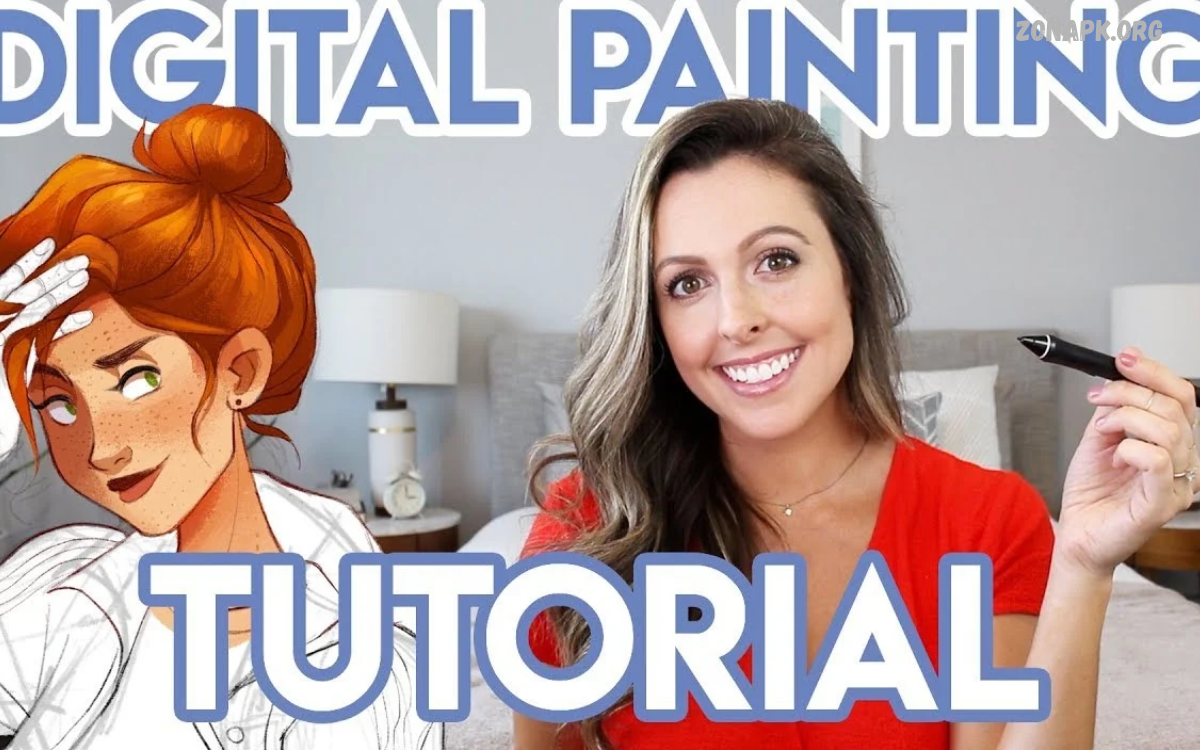
Digital painting techniques help artists create beautiful illustrations, realistic portraits, imaginative landscapes, and professional concept art. Digital tools offer flexibility, allowing artists to experiment with colors, brushes, textures, and lighting without wasting traditional art materials.
Whether you are a beginner or an experienced artist, learning digital painting techniques can improve your creativity and artistic skills. Understanding essential tools, brush settings, color theory, and shading methods creates a strong foundation for producing impressive digital artwork.
Understanding Digital Painting Fundamentals
Digital painting combines traditional artistic principles with modern technology. Artists use drawing tablets, styluses, computers, and painting software to create artwork on digital canvases, using tools that imitate pencils, watercolors, oils, and other traditional materials.
Before exploring advanced digital painting techniques, learn basic concepts such as composition, perspective, value, color harmony, and form. These principles help create balanced images with convincing depth, clear focal points, and visually appealing details.
Choosing the Right Digital Painting Software
Selecting suitable software makes digital painting easier and more enjoyable. Popular programs include Krita, Adobe Photoshop, Procreate, and Clip Studio Paint, each offering different brushes, blending options, layer controls, and illustration tools for various artistic needs.
Beginners can start with free software such as Krita before investing in premium applications. Explore each program’s interface, customize essential shortcuts, and practice simple illustrations to discover which tools support your preferred artistic workflow.
Selecting Brushes for Digital Painting
Brush selection plays an important role in digital painting techniques because different brushes create different textures, edges, and strokes. Soft brushes work well for smooth gradients, textured brushes imitate natural materials, and hard brushes produce sharp edges for precise details.
Experiment with brush size, opacity, flow, spacing, and pressure sensitivity to understand how each setting changes your strokes. Instead of downloading hundreds of brushes, develop confidence with a small collection of versatile tools that suit your artistic style.
Mastering Layers and Layer Management
Layers allow artists to separate different elements within a digital painting. You can place sketches, backgrounds, characters, shadows, highlights, and finishing effects on individual layers, making revisions easier without damaging the rest of the artwork.
Use descriptive layer names and organize related elements into groups when working on complex illustrations. Learn blending modes such as Multiply for shadows and Screen for brightening effects, while adjusting opacity to control how strongly each layer influences the final image.
Sketching and Building Strong Composition
A successful digital painting often begins with a simple sketch. Start by identifying the main subject, arranging large shapes, and establishing the image’s focal point before adding complex details that might distract from the overall composition.
Create several small thumbnail sketches to test different layouts and viewpoints. Use techniques such as the rule of thirds, leading lines, and overlapping shapes to guide the viewer’s attention and create a stronger visual experience.
Using Color Theory in Digital Painting
Color theory helps artists choose combinations that communicate mood, atmosphere, and visual harmony. Understanding primary, secondary, complementary, analogous, and monochromatic colors makes it easier to build attractive palettes for characters, environments, objects, and abstract illustrations.
Limit your initial palette to a few coordinated colors and expand it when necessary. Observe how warm colors create different impressions from cool colors, and consider how saturation, brightness, and contrast influence the emotional impact of your artwork.
Creating Smooth Color Blending
Color blending is one of the most useful digital painting techniques for creating gradual transitions between colors. Artists can blend skin tones, cloudy skies, reflective surfaces, and soft backgrounds using low-opacity brushes, smudge tools, or carefully layered strokes.
Avoid blending every edge because excessive smoothing can make artwork appear flat or blurry. Combine soft transitions with deliberate hard edges to preserve structure, maintain visual clarity, and emphasize important features within the composition.
Understanding Light and Shadow
Lighting gives digital paintings depth, volume, and atmosphere. Before adding shadows or highlights, determine the direction, intensity, and color of the light source, then apply consistent lighting principles across every object in the scene.
Practice painting simple spheres, cubes, and cylinders to understand light behavior. Study highlights, midtones, core shadows, reflected light, and cast shadows, gradually applying these concepts to portraits, landscapes, architecture, and complex illustrations.
Applying Effective Shading Techniques
Shading transforms flat shapes into objects that appear three-dimensional. Digital artists can use soft brushes, hard-edged strokes, gradient tools, and separate shadow layers to establish form while preserving the original colors and structure of their subjects.
Start with simple shadow shapes instead of immediately adding tiny details. Build shading gradually, checking whether the light direction remains consistent and whether shadows strengthen the overall form rather than creating unnecessary visual noise.
Painting Realistic Skin Tones
Painting skin requires careful attention to color variation, lighting, and surface texture. Skin contains subtle changes in hue, saturation, and temperature, so relying on a single beige or brown color often produces an artificial appearance.
Begin with a suitable base color, then add shadows, highlights, and gentle color shifts around facial features. Study real references under different lighting conditions, and avoid excessive smoothing that removes natural structure from cheeks, noses, lips, and other features.
Creating Realistic Hair and Fur
Hair painting becomes easier when artists understand large shapes before individual strands. Start by blocking in the hairstyle’s overall silhouette, identifying major light and shadow areas, and following the natural direction in which the hair grows or flows.
Use a combination of broad strokes and selective fine lines to create believable texture. Reserve the brightest highlights for important areas, and avoid outlining every strand because this can make hair look stiff, overly detailed, or disconnected from the head.
Digital Painting Techniques for Landscapes
Landscape painting involves combining foreground, middle ground, and background to create convincing environmental depth. Atmospheric perspective helps distant mountains and objects appear lighter, less saturated, and softer than nearby elements, producing a natural sense of distance.
Begin with large color masses before painting trees, rocks, buildings, or grass. Observe the environment’s lighting and weather, then use varied brushwork to distinguish different materials without spending unnecessary time detailing every small element.
Painting Clouds, Sky, and Water
Skies establish the atmosphere of a landscape, while clouds add movement, depth, and visual interest. Use broad brushes to establish cloud masses, then introduce softer transitions and selected sharper edges according to the direction and intensity of the light.
Water requires careful observation of reflections, ripples, and surrounding colors. Paint broad reflection patterns first, then add horizontal strokes, highlights, and small details that support the scene’s perspective without making the surface appear unnaturally uniform.
Using Texture Brushes Effectively
Texture brushes help artists suggest materials such as stone, wood, fabric, foliage, and rough surfaces. These brushes can speed up the painting process by introducing irregular patterns that would otherwise require many individual strokes.
Apply texture selectively according to the subject’s material and distance from the viewer. Excessive texture can overwhelm the composition, so combine textured marks with simpler painted areas to maintain readability and direct attention toward the main subject.
Mastering Edge Control
Edge control is an essential skill in professional digital painting. Hard edges clearly separate shapes, soft edges create gradual transitions, and lost edges allow adjacent shapes to merge when their values or colors become similar.
Use sharp edges around important focal points and soften less important areas to create visual hierarchy. This approach guides the viewer’s attention naturally while preventing every part of the painting from competing for equal importance.
Improving Perspective and Depth
Perspective allows artists to represent three-dimensional spaces on a flat digital canvas. Linear perspective uses converging lines and vanishing points, while atmospheric perspective relies on changes in contrast, saturation, and detail to communicate distance.
Practice drawing simple rooms, roads, buildings, and outdoor environments before attempting complicated scenes. Establish the horizon line, identify the main vanishing points, and check the scale of objects to prevent perspective errors from weakening the composition.
Digital Painting Techniques for Character Design
Character design combines anatomy, silhouette, expression, clothing, and color to create memorable visual personalities. Start with simple shapes and gesture sketches, then refine proportions, facial features, clothing folds, and accessories as the design develops.
Choose colors that support the character’s personality and role within the story. Use consistent lighting, readable silhouettes, and purposeful details to make characters recognizable, especially when designing game characters, animated figures, fantasy heroes, or original illustrations.
Painting Clothing and Fabric
Clothing looks convincing when its folds respond to gravity, movement, fabric thickness, and the position of the body. Begin with the garment’s overall shape, then identify tension points around shoulders, elbows, knees, waistbands, and other areas where fabric gathers.
Different materials require different painting approaches. Silk benefits from smooth transitions and concentrated highlights, while denim and wool generally need broader value changes and more visible texture to communicate their physical qualities.
Read Also: Digital Artwork Designs: Ideas, Techniques, and Creative Trends
Creating Digital Painting Effects
Digital effects can enhance artwork through glows, atmospheric haze, motion blur, particles, and subtle color adjustments. These effects work best when they support the lighting, environment, and subject rather than becoming the main focus of the image.
Use separate layers for experimental effects so you can adjust their intensity without repainting the entire illustration. Review the image at different zoom levels and remove effects that reduce clarity, weaken contrast, or distract from the composition.
Using References Without Losing Creativity
Reference images help artists understand anatomy, lighting, materials, architecture, and natural environments. Photographs, observation sketches, and real-world studies provide useful information that improves accuracy while reducing the need to invent every visual detail from memory.
Study references for specific purposes rather than copying every visible feature. Combine observations from multiple sources, make intentional design choices, and respect copyright when using other artists’ work, photographs, or visual resources in projects intended for publication.
Common Digital Painting Mistakes
Beginners often spend too much time on details before establishing composition, values, and major shapes. Other common problems include inconsistent lighting, muddy colors, excessive blending, weak silhouettes, and using too many brushes without understanding their purpose.
Correct these issues by working from large shapes toward smaller details. Flip the canvas horizontally to identify visual imbalances, reduce the image’s size to evaluate readability, and periodically compare the artwork against its original goals.
Developing a Consistent Digital Painting Workflow
A reliable workflow helps artists complete paintings efficiently without losing creative flexibility. A typical process includes collecting references, creating thumbnails, sketching, blocking in colors, establishing lighting, refining shapes, adding details, and performing final adjustments.
Save different versions of important projects and organize layers throughout the process. Establishing checkpoints makes experimentation safer, supports easier revisions, and helps you identify which stages require improvement during future painting sessions.
Practicing Digital Painting Every Day
Consistent practice improves observation, brush control, color selection, and visual problem-solving. Short exercises focused on individual skills can be more effective than repeatedly attempting complicated illustrations without understanding the weaknesses that limit progress.
Create a manageable routine that includes value studies, color studies, object painting, and occasional finished illustrations. Review earlier work regularly to identify improvements, track recurring mistakes, and choose practical goals for your next practice session.
Learning From Professional Digital Artists
Professional artists provide valuable examples of efficient brushwork, strong compositions, expressive colors, and convincing lighting. Tutorials, recorded painting sessions, online courses, and artist demonstrations can introduce methods that might take considerable time to discover independently.
Focus on understanding the reasoning behind each technique instead of memorizing brush settings. Pause tutorials to recreate individual steps, compare your results, and adapt the demonstrated methods to your own subjects, tools, and preferred artistic style.
Best Hardware for Digital Painting
A drawing tablet with pressure sensitivity can make digital painting more comfortable and precise. Pen displays allow artists to draw directly on a screen, while screenless tablets provide an affordable alternative that works well with a separate computer monitor.
Choose hardware according to your budget, workspace, software requirements, and preferred drawing experience. A reliable computer, comfortable stylus, suitable screen, and regular backups are often more valuable than expensive equipment with features you rarely use.
Advanced Digital Painting Techniques
Advanced digital painting techniques include complex lighting, controlled color variation, textured edge transitions, atmospheric effects, and selective detail. These methods become easier to understand after mastering basic drawing, composition, perspective, and value relationships.
Experiment with rim lighting, color grading, environmental reflections, and multiple light sources to expand your visual vocabulary. Study how each technique affects readability and mood, then use only the methods that strengthen the artistic purpose of your illustration.
Saving and Exporting Digital Artwork
Proper file management protects your artwork and ensures that it displays correctly across different platforms. Save editable project files in your painting software’s native format, preserving layers, masks, and other information needed for future revisions.
Export finished artwork using a suitable format such as PNG or JPEG, depending on transparency and image-quality requirements. Check image dimensions, color appearance, and file size before publishing, and retain a high-quality master copy for future editing or printing.
Frequently Asked Questions
What Are Digital Painting Techniques?
Digital painting techniques are methods used to create artwork with digital devices and painting software. They include sketching, color blending, shading, texturing, lighting, brush control, and layer management for creating illustrations.
Which Digital Painting Techniques Should Beginners Learn First?
Beginners should focus on basic drawing, composition, value studies, color theory, and simple shading. Learning these fundamentals first makes advanced techniques easier to understand and apply effectively.
Which Software Is Best for Digital Painting?
Krita is a useful free option, while Adobe Photoshop, Procreate, and Clip Studio Paint offer different features for illustration and painting. The best choice depends on your device, budget, and preferred workflow.
How Can I Improve My Digital Painting Skills?
Practice regularly with simple exercises, study real-world references, and review your previous artwork. Focus on one weakness at a time, such as lighting, perspective, anatomy, or color selection.
Are Digital Painting Techniques Difficult to Learn?
Digital painting can feel challenging initially, but consistent practice makes the process easier. Starting with simple shapes and gradually exploring more advanced techniques helps build confidence and artistic understanding.
Can I Learn Digital Painting Without a Drawing Tablet?
Yes, you can begin digital painting with a mouse, although drawing tablets generally provide more natural control and pressure sensitivity. Free software and simple exercises are enough to start learning essential techniques.
How Long Does It Take to Learn Digital Painting?
Learning time varies according to your experience, practice schedule, and artistic goals. Basic techniques may become familiar within weeks, while developing advanced skills and a distinctive style usually requires continued practice.
What Is the Most Important Digital Painting Technique?
There is no single technique that guarantees excellent results. Strong composition, value control, lighting, and color relationships provide a foundation that supports almost every digital painting style.
Conclusion
Digital painting techniques give artists practical ways to improve brush control, lighting, color harmony, texture, composition, and visual storytelling. Mastering these skills takes time, but regular practice and careful observation can gradually produce more confident, polished, and expressive artwork.
Start with simple subjects, learn one technique at a time, and experiment with different approaches as your skills develop. By combining strong artistic fundamentals with suitable digital tools, you can create original illustrations and build a workflow that supports your long-term creative goals.
