

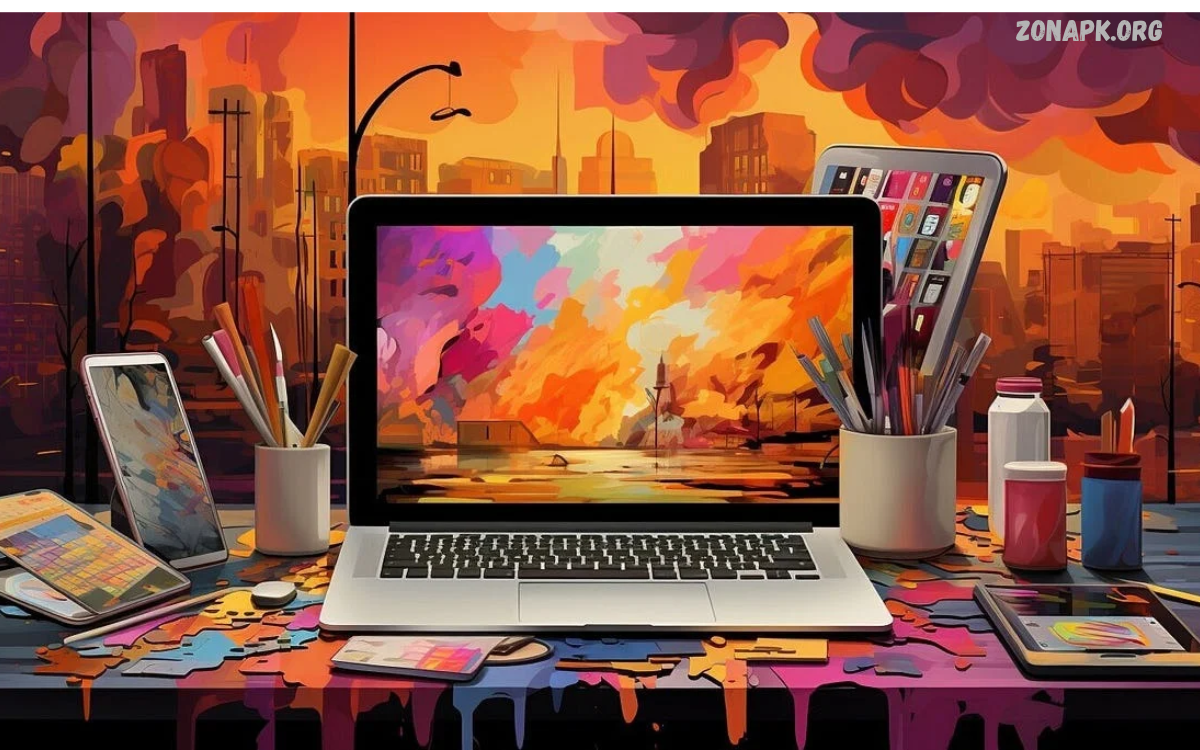
Digital artwork designs combine creativity, technology, and visual storytelling to produce engaging illustrations, graphics, and artistic compositions. Artists use digital tools to transform ideas into unique visuals for personal projects, websites, social media, advertising, and professional portfolios.
The popularity of digital artwork designs continues to grow as creative software becomes more accessible. Beginners and experienced designers can experiment with colors, textures, shapes, and effects to develop original artwork without relying entirely on traditional materials.
What Are Digital Artwork Designs?
Digital artwork designs are visual creations developed or edited on computers, tablets, smartphones, and specialized creative applications. These designs include digital paintings, illustrations, character art, abstract compositions, typography, concept art, and decorative graphics.
Unlike traditional artwork created entirely with physical materials, digital art offers flexible editing options and convenient file storage. Artists can adjust individual elements, experiment with different styles, and export their finished work in formats suitable for printing, publishing, or online sharing.
Popular Types of Digital Artwork Designs
Digital Illustrations
Digital illustrations use lines, shapes, colors, and textures to communicate ideas through visual storytelling. Artists create illustrations for books, websites, advertisements, educational materials, product packaging, and online publications.
Modern illustration styles range from simple line drawings to detailed, realistic compositions. Designers can develop recognizable visual identities by maintaining consistent colors, character features, and artistic techniques throughout their collections.
Digital Painting
Digital painting recreates the creative experience of painting through software and electronic drawing tools. Artists use virtual brushes, blending modes, textured canvases, and layered compositions to produce expressive images.
This technique supports landscapes, portraits, fantasy scenes, still-life compositions, and imaginative environments. Adjustable brushes and undo functions help artists experiment freely while refining details and improving their painting skills.
Abstract Digital Art
Abstract digital art explores shapes, patterns, colors, and textures without requiring recognizable subjects. Artists combine geometric forms, flowing lines, gradients, and visual contrasts to create compositions that communicate emotion or movement.
Abstract digital artwork designs work well for wallpapers, posters, website backgrounds, album covers, and modern interior decoration. Their flexible visual language allows designers to develop distinctive compositions suited to different creative projects.
Character Design
Character design focuses on creating memorable personalities through appearance, clothing, expressions, proportions, and visual details. Artists develop characters for animation, comics, video games, advertisements, and digital storytelling projects.
Successful character artwork maintains visual consistency while communicating personality and purpose. Designers often explore multiple sketches, poses, and color palettes before selecting a final appearance that supports the intended story.
Typography and Lettering Art
Typography-based digital artwork combines written language with visual composition. Designers experiment with font styles, letter spacing, alignment, decorative elements, and color combinations to transform words into expressive graphics.
This style appears in posters, motivational graphics, social media posts, logos, and promotional campaigns. Effective typography balances readability with visual appeal, ensuring the message remains understandable across different screen sizes.
Essential Tools for Creating Digital Artwork Designs
Digital Art Software
Creative software provides the workspace for drawing, painting, editing, and arranging visual elements. Popular options include Adobe Photoshop, Procreate, Krita, Clip Studio Paint, and Affinity Designer.
Each application offers different features for illustration, image manipulation, painting, or vector graphics. Beginners should select software that matches their preferred artistic style, device compatibility, available budget, and learning requirements.
Drawing Tablets and Styluses
Drawing tablets allow artists to control digital brushes through pen-based input. Pressure sensitivity helps produce varied line thicknesses, while tilt recognition in supported devices can create more natural shading and brush effects.
A dedicated drawing tablet can improve precision, particularly for detailed illustrations and digital paintings. However, beginners can also create impressive digital artwork designs using a touchscreen device, a compatible stylus, or a standard computer mouse.
Smartphones and Tablets
Modern smartphones and tablets provide convenient options for creating artwork without a full desktop setup. Many drawing applications include layers, brushes, selection tools, color palettes, and export options suitable for everyday creative work.
Portable devices are particularly useful for sketching ideas, practicing illustrations, and editing graphics while traveling. Choosing an application with a comfortable interface and reliable file management can make mobile creativity more productive.
Best Techniques for Professional Digital Artwork
Understanding Layers
Layers allow artists to organize separate elements within a single composition. Backgrounds, characters, shadows, highlights, text, and decorative details can remain independent, making revisions easier and reducing the risk of unwanted changes.
Organizing layers with clear names improves workflow efficiency, especially when projects become complex. Artists should also save editable project files so they can revisit earlier decisions and make adjustments without rebuilding the entire design.
Using Color Theory
Color theory explains how different colors interact and influence visual perception. Complementary colors create contrast, analogous colors provide harmony, and monochromatic palettes produce cohesive compositions through variations in brightness and saturation.
A carefully selected palette helps digital artwork designs communicate a consistent mood. Artists should consider the subject, audience, background, and intended platform before choosing colors for a finished composition.
Creating Depth and Perspective
Depth makes a two-dimensional composition appear more realistic or visually engaging. Artists can combine perspective lines, overlapping shapes, atmospheric effects, shadows, and differences in scale to establish spatial relationships.
Lighting also plays an important role in creating dimension. Consistent light direction, believable shadows, and carefully placed highlights help objects appear more defined while directing attention toward important parts of the artwork.
Applying Texture and Lighting
Textures introduce surface detail that makes digital compositions feel richer and more distinctive. Artists can simulate paper grain, fabric, stone, brushstrokes, metal, or natural surfaces through textured brushes and image overlays.
Lighting enhances texture by creating highlights and shadows across different materials. Subtle effects often produce more convincing results than excessive filters, especially when the artwork requires a clean, professional appearance.
Creative Ideas for Digital Artwork Designs
Nature-Inspired Artwork
Nature provides endless inspiration through mountains, forests, oceans, flowers, clouds, and wildlife. Artists can combine realistic observations with imaginative colors or simplified shapes to create distinctive landscapes and decorative compositions.
Nature-inspired digital artwork designs suit wallpapers, posters, greeting cards, digital prints, and environmental campaigns. Experimenting with different seasons, weather conditions, and lighting styles can help artists build a diverse collection.
Fantasy and Sci-Fi Illustrations
Fantasy artwork explores imaginative worlds featuring magical environments, mythical creatures, unusual architecture, and extraordinary characters. Science-fiction illustrations focus on futuristic technology, space exploration, advanced cities, and speculative environments.
Both genres encourage experimentation with atmosphere, perspective, dramatic lighting, and unusual color combinations. Artists can develop original concepts by combining familiar visual elements with unexpected details and carefully planned compositions.
Minimalist Digital Designs
Minimalist artwork uses a limited number of elements to communicate a clear visual idea. Simple shapes, generous negative space, restrained color palettes, and clean lines help create balanced compositions without unnecessary decoration.
This approach works particularly well for posters, editorial graphics, modern illustrations, and digital backgrounds. Minimalist digital artwork designs demonstrate how thoughtful placement and visual hierarchy can make a simple composition memorable.
Personalized Portraits
Digital portraits transform photographs or original sketches into personalized illustrations. Artists may choose realistic painting, cartoon rendering, flat illustration, watercolor-inspired effects, or expressive line art.
Personalized portraits can support creative gifts, profile pictures, character concepts, and portfolio projects. Artists should obtain permission before using another person’s photographs commercially and respect the applicable copyright and privacy requirements.
Digital Artwork Designs for Social Media
Social media platforms provide opportunities to share artwork, build an audience, and connect with other creative professionals. Instagram, Pinterest, Behance, and other visual platforms let artists showcase illustrations, design collections, process videos, and finished projects.
Successful posts often feature clear compositions, suitable dimensions, readable text, and consistent visual branding. Artists can improve presentation by preparing platform-specific exports and writing accurate descriptions that explain the inspiration or techniques behind each creation.
Digital Artwork Designs for Branding and Marketing
Businesses use digital artwork to communicate their identity through logos, advertisements, product graphics, promotional banners, and website illustrations. Consistent visual elements help customers recognize a brand and understand its personality across different communication channels.
Designers working on commercial projects should consider audience expectations, brand guidelines, accessibility, and image licensing. Professional artwork should also remain adaptable across sizes and formats without losing key visual details.
Read Also: Digital Art Ideas: Creative Inspiration for Beginners and Artists
How to Create Digital Artwork Designs Step by Step
Start With a Clear Concept
Every successful artwork begins with a basic idea, subject, or purpose. Decide whether the project will communicate information, express emotion, promote a product, decorate a space, or explore a particular artistic style.
Create a few rough sketches before moving into detailed work. Collecting relevant references, selecting a visual direction, and defining the intended audience can help prevent unnecessary revisions later.
Choose the Right Canvas
Canvas dimensions depend on the final destination of the artwork. Social media graphics, desktop wallpapers, website banners, and print illustrations each require different proportions and resolution settings.
For print projects, consider the printer’s recommended dimensions and resolution. For digital publishing, choose suitable pixel dimensions and check how the design appears on different screens before exporting the final file.
Build the Composition
Arrange the main subject, supporting elements, background, and empty space to establish a clear visual hierarchy. Composition techniques such as the rule of thirds, symmetry, and directional lines can help guide attention naturally.
Avoid adding decorative details simply to fill every available area. A strong composition gives important elements room to stand out while maintaining balance, readability, and a clear connection between the artwork’s individual parts.
Refine and Export the Artwork
Review the composition for inconsistent colors, awkward spacing, unfinished edges, and distracting details. Zoom in to inspect small elements, then view the entire image to evaluate its overall balance and impact.
Save an editable version before exporting the finished design. PNG works well for many graphics requiring transparency, JPEG suits many photographic images, and SVG supports scalable vector artwork when the design and intended application permit it.
Common Mistakes to Avoid
One common mistake is adding too many colors, effects, fonts, or decorative elements to a single composition. Excessive visual detail can weaken the focal point and make the artwork difficult to understand, particularly on smaller screens.
Another mistake is neglecting file organization, reference quality, or export settings. Keeping project files organized, checking image dimensions, using legitimate assets, and reviewing the final output can help prevent avoidable problems during publication or printing.
Tips for Improving Digital Art Skills
Regular practice helps artists develop better control over composition, anatomy, perspective, shading, and color selection. Short exercises focusing on one skill at a time often provide clearer learning goals than attempting a highly detailed masterpiece every day.
Studying professional artwork can also reveal useful techniques and creative approaches. Analyze how artists use light, shape, texture, and visual hierarchy, then apply those principles to original projects rather than copying another creator’s work for commercial use.
Current Trends in Digital Artwork Designs
Contemporary digital art includes bold typography, minimalist illustrations, textured compositions, retro-inspired graphics, 3D visuals, and experimental combinations of traditional and digital techniques. Artists frequently adapt these styles to reflect changing visual preferences and the needs of specific audiences.
Artificial intelligence tools have also introduced new approaches to ideation, image generation, and creative editing. Artists should evaluate the terms of each tool, verify output quality, respect other creators’ rights, and disclose AI involvement when required by clients or platform policies.
Copyright and Responsible Artwork Creation
Originality and proper licensing are essential when creating digital artwork for personal or commercial use. Artists should understand the permissions attached to photographs, fonts, brushes, templates, stock images, and other resources incorporated into their designs.
Using original sketches, properly licensed assets, and documented permissions helps reduce copyright risks. When collaborating with clients, clearly establish ownership, permitted uses, revision expectations, and delivery formats before beginning the project.
How to Build a Digital Art Portfolio
A digital art portfolio showcases an artist’s strongest work and demonstrates their creative range. Include selected illustrations, character concepts, branding projects, paintings, or experimental designs that reflect the type of opportunities you want to pursue.
Present each project with a clear title, a short explanation, and relevant process images when appropriate. A well-organized portfolio makes it easier for potential clients, employers, and collaborators to understand your skills and artistic approach.
Career Opportunities in Digital Art
Digital artists can explore careers in illustration, graphic design, animation, game development, advertising, publishing, and user interface design. Some professionals work at creative agencies, while others run independent businesses or take freelance commissions.
Building a career usually requires consistent practice, a focused portfolio, communication skills, and an understanding of client requirements. Learning new tools and adapting to industry developments can help artists expand their capabilities and explore different professional opportunities.
Frequently Asked Questions
What Are Digital Artwork Designs Used For?
Digital artwork designs are used for illustrations, social media graphics, advertisements, posters, websites, game assets, book covers, and decorative prints. Their versatility allows artists to create visuals for entertainment, communication, education, branding, and personal expression.
Which Software Is Best for Digital Art Beginners?
Krita is a useful free option for digital painting, while Procreate is popular among supported iPad users. Adobe Photoshop, Clip Studio Paint, and Affinity Designer offer additional capabilities for different workflows, so the best choice depends on your device, budget, and preferred style.
Can I Create Digital Artwork Without a Drawing Tablet?
Yes, you can create digital artwork using a mouse, touchscreen, smartphone, or standard computer. Drawing tablets offer greater control for many artistic tasks, but beginners can still build valuable skills with the equipment they already have.
How Can I Make My Digital Artwork Look Professional?
Focus on composition, color harmony, consistent lighting, clean edges, and suitable export settings. Practice regularly, review your work at different sizes, and seek constructive feedback to identify areas that need improvement.
Can Digital Artwork Designs Be Sold Online?
Yes, artists can sell original digital illustrations, printable artwork, commissioned designs, and licensed graphics through suitable marketplaces or personal websites. Review each platform’s rules, protect your original files where practical, and clearly explain the usage rights included with every purchase.
What File Format Is Best for Digital Artwork?
The ideal format depends on the artwork’s purpose. PNG supports transparency, JPEG works well for many photographic images, SVG supports scalable vector graphics, and layered formats preserve editable project information in compatible applications.
Conclusion
Digital artwork designs offer creative opportunities for beginners, experienced artists, businesses, and independent designers. With the right tools, thoughtful composition, effective color choices, and regular practice, artists can create distinctive visuals for personal projects and professional applications.
Start with a simple concept, experiment with different techniques, and gradually refine your artistic approach. By building original work, learning from constructive feedback, and following responsible copyright practices, you can strengthen your skills and create a digital art portfolio that reflects your creativity.

1 Comment
Pingback: Digital Painting Techniques: A Complete Guide for Beginners and Artists - Zonapk