

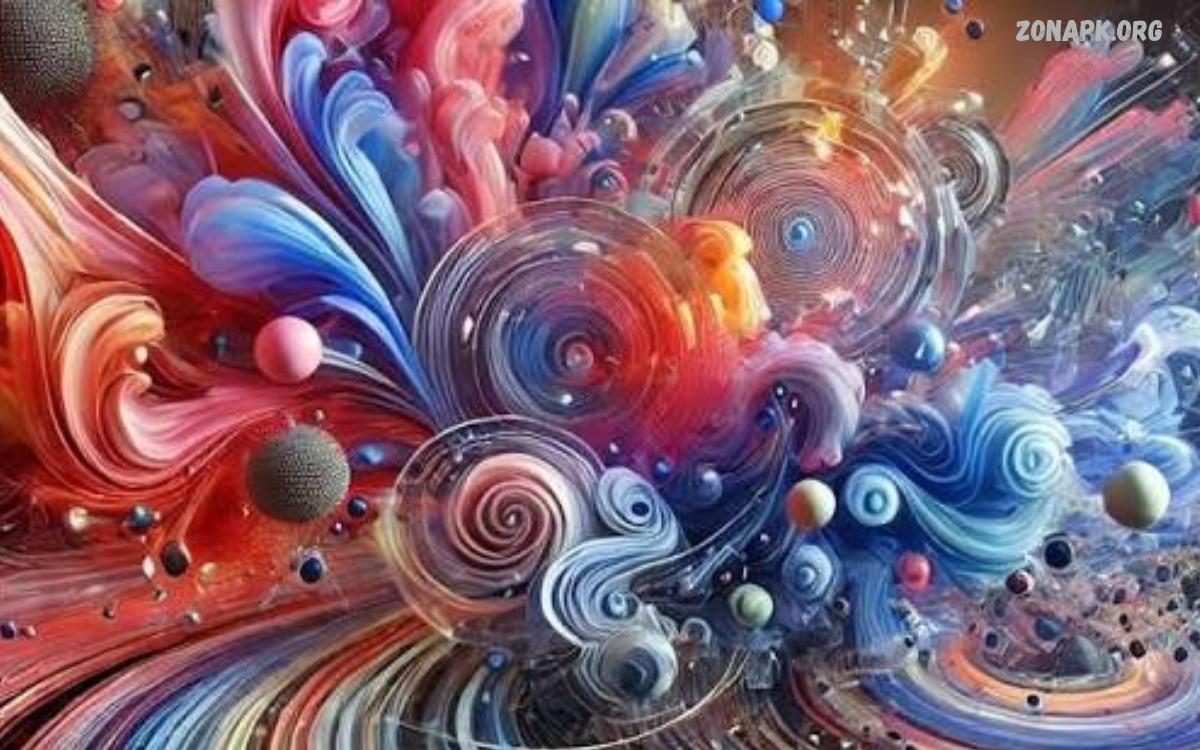
AI Digital Artwork refers to digital images, illustrations, paintings, and designs created or enhanced using artificial intelligence. These tools turn text prompts, reference images, and creative ideas into visuals.
AI Digital Artwork combines human imagination with machine learning technology to simplify the creative process. Artists, designers, bloggers, and content creators use AI tools to explore styles, generate concepts, and produce visuals that look original.
How AI Digital Artwork Works
AI art generators use machine learning models trained on large collections of images and related information. These models learn visual patterns, colors, textures, shapes, and artistic styles to generate images from user instructions.
Users enter a text prompt describing their desired artwork, including subjects, lighting, composition, and style. The AI model processes the instructions and creates an image that reflects the requested visual characteristics.
Benefits of AI Digital Artwork
AI Digital Artwork makes visual creation accessible to beginners and experienced designers. Users can explore creative ideas without mastering every traditional drawing technique, making experimentation faster and more convenient.
Another important benefit is creative flexibility. AI tools can generate multiple concepts, test different artistic directions, and help creators develop visuals for websites, social media, presentations, and personal projects.
Popular Types of AI Digital Artwork
AI Digital Artwork includes many visual styles, ranging from realistic portraits to fantasy illustrations. Photorealistic images, digital paintings, abstract compositions, cartoon characters, and futuristic landscapes are popular choices among creators.
Other styles include anime-inspired illustrations, minimalist graphics, surreal artwork, concept art, and 3D-style renders. Each style offers different creative possibilities, allowing users to match artwork with a specific project or audience.
Best Tools for Creating AI Digital Artwork
Several AI platforms help users create digital images through text prompts, reference pictures, or editing features. Popular options include Adobe Firefly, Midjourney, ChatGPT image generation, Canva AI tools, and Stable Diffusion-based applications.
Each platform offers different features, workflows, and usage conditions. Beginners may prefer simple interfaces, while experienced artists might choose tools with advanced controls, image references, customization options, or flexible generation settings.
Creating AI Digital Artwork With Text Prompts
Text prompts play an important role in AI Digital Artwork because they communicate the creator’s visual idea to the AI model. A useful prompt describes the main subject, environment, artistic style, lighting, colors, and composition.
For example, a prompt might request a futuristic city at sunset, glowing architecture, reflective streets, cinematic lighting, and detailed digital painting. Clear instructions help establish the intended direction, although results can vary between tools and generations.
Choosing the Right Art Style
Selecting an appropriate art style helps make AI Digital Artwork more effective and visually consistent. Realistic photography may suit product concepts, while illustrations and colorful graphics may work better for educational content, storytelling, or social media posts.
Creators can experiment with watercolor, oil painting, vector illustration, pixel art, cinematic realism, and abstract design. Testing several approaches helps identify a style that communicates the intended message without making the artwork unnecessarily complicated.
AI Digital Artwork for Beginners
Beginners can start creating AI Digital Artwork by choosing an accessible image generator and entering a simple description. Starting with one subject and a clear visual direction makes it easier to understand how prompts influence generated images.
After generating the first image, users can adjust the prompt, change the background, refine colors, or experiment with composition. Saving useful prompts and comparing results can help beginners develop a repeatable creative workflow.
AI Digital Artwork for Social Media
Social media creators use AI-generated visuals to develop posts, banners, profile graphics, thumbnails, and promotional content. Distinctive artwork can support a recognizable visual identity and help communicate information in an engaging format.
For stronger results, creators should consider platform dimensions, text readability, contrast, and audience expectations. AI-generated images may also need manual editing to correct visual inconsistencies and ensure that important details remain clear on smaller screens.
AI Digital Artwork for Websites and Blogs
Website owners can use AI Digital Artwork to create featured images, article illustrations, background graphics, and visual explanations. Custom visuals can make articles more appealing while helping readers understand topics that are difficult to communicate through text alone.
Bloggers should select images that match the article’s subject and maintain a consistent visual style across the website. They should also review image licensing, platform terms, file size, accessibility, and optimization requirements before publishing artwork.
AI Digital Artwork for Business and Marketing
Businesses can use AI-generated images for campaign concepts, advertising drafts, product mockups, presentation graphics, and brand storytelling. These visuals can help marketing teams explore several creative directions before committing resources to a final design.
However, commercial use requires careful review of platform terms, trademark concerns, and applicable laws. Businesses should check generated images for misleading details, unauthorized brand elements, and potential similarities to existing copyrighted artwork.
AI Digital Artwork and Graphic Design
Graphic designers can incorporate AI Digital Artwork into brainstorming, layout development, mood boards, and illustration workflows. AI tools can help generate initial concepts that designers refine through typography, composition, color correction, and other design techniques.
Human judgment remains important because generated images do not automatically satisfy every design requirement. Designers must consider visual hierarchy, accessibility, brand guidelines, technical specifications, and the purpose of the final design.
Tips for Writing Better AI Art Prompts
Effective prompts usually include a clear subject, setting, artistic medium, lighting, color palette, and composition. Instead of using vague descriptions, explain what the image should communicate and which visual elements deserve the most attention.
Creators should change a few prompt details at a time to understand their effects. Specific instructions can improve consistency, but overly complicated prompts may introduce conflicting requirements or produce results that differ from the original intention.
Improving AI Digital Artwork After Generation
AI-generated images often benefit from additional editing before publication. Users can adjust brightness, contrast, saturation, sharpness, cropping, and composition with image-editing software to polish the final artwork.
Detailed inspection matters because AI images may contain inconsistent objects, distorted lettering, unusual anatomy, or unrealistic patterns. Manually correcting these issues can improve image quality and make the artwork more suitable for professional projects.
Read Also: Photo Editing Ideas: Creative Ways to Transform Your Pictures
AI Digital Artwork and Copyright
Copyright rules for AI Digital Artwork vary by country and depend on factors such as human creative contribution and how the image was generated. Purely AI-generated material may receive different protection from artwork created through substantial human authorship.
Creators should review the terms of their chosen AI platform and understand the laws that apply to their location. They should avoid copying recognizable copyrighted characters, logos, or existing artwork without appropriate permission when permission is required.
Ethical Considerations in AI Art
Responsible AI art creation involves respecting artists, audiences, privacy, and intellectual property. Users should avoid deceptive representations, unauthorized impersonation, and prompts intended to reproduce another creator’s protected work too closely.
Transparency can also matter when AI-generated visuals are used in journalism, advertising, educational materials, or other contexts where authenticity affects public understanding. Clear disclosure may help audiences understand how an image was created.
Challenges of AI Digital Artwork
Although AI tools can generate impressive images, they do not always interpret instructions accurately. Images may contain inconsistent details, incorrect text, unnatural object relationships, or visual elements that conflict with the creator’s original idea.
Another challenge involves originality and consistency across multiple images. Creators may need repeated generations, detailed editing, and careful review to achieve a cohesive visual style that meets professional expectations.
Future of AI Digital Artwork
AI Digital Artwork continues to develop as image-generation models and creative software improve. Emerging workflows may offer better editing controls, more consistent characters, improved text rendering, and closer integration with professional design applications.
These developments may expand opportunities for artists, educators, businesses, and independent creators. Human creativity will remain valuable for defining artistic goals, evaluating results, establishing meaning, and making responsible decisions about how generated visuals are used.
How to Build a Creative AI Artwork Workflow
A reliable workflow begins with a clear project goal and a description of the intended audience. Creators can then choose an appropriate tool, write a prompt, generate several concepts, and select the strongest result for refinement.
The next steps involve checking image quality, making necessary edits, and confirming that the artwork meets the project’s requirements. Before publication, creators should review licensing conditions, accessibility needs, image dimensions, and any relevant disclosure requirements.
AI Digital Artwork for Personal Projects
Personal projects provide an opportunity to experiment with AI Digital Artwork without following strict commercial design requirements. Users can create fantasy landscapes, decorative illustrations, fictional environments, greeting cards, and visual concepts inspired by their own interests.
Keeping a collection of successful prompts and favorite outputs can help creators track their progress. Experimentation also encourages users to discover new combinations of colors, textures, lighting, and artistic styles while developing an individual creative approach.
Frequently Asked Questions
What Is AI Digital Artwork?
AI Digital Artwork is visual content generated or enhanced with artificial intelligence. It includes digital paintings, illustrations, realistic images, concept art, and other creative designs.
Which Tools Can Create AI Digital Artwork?
Popular options include Adobe Firefly, Midjourney, ChatGPT image generation, Canva AI tools, and Stable Diffusion-based applications. Features, prices, and usage rights vary by platform.
Can Beginners Create AI Digital Artwork?
Yes. Beginners can describe an idea in a text prompt and use an AI image generator to create an image. Experimenting with different prompts helps improve results over time.
Is AI Digital Artwork Free to Create?
Some platforms offer free access or limited image-generation credits, while others require paid subscriptions or additional usage fees. Check current pricing and plan restrictions before choosing a tool.
Can AI Digital Artwork Be Used Commercially?
Commercial use may be permitted under certain platform terms, but restrictions can apply. Review licensing conditions, copyright concerns, trademarks, and relevant local laws before using images in commercial projects.
How Can I Improve AI Digital Artwork?
Use specific prompts, test different styles, refine composition, and edit the generated image when necessary. Inspect the final result for errors and confirm that it meets your project’s visual requirements.
Conclusion
AI Digital Artwork offers a flexible way to transform creative ideas into digital images, illustrations, and visual concepts. With suitable tools and clear prompts, beginners and professionals can explore artistic styles, develop concepts, and produce visuals for many different projects.
The best results combine AI generation with human creativity, careful editing, and responsible use. By learning prompt-writing techniques, understanding licensing requirements, and checking every image before publication, creators can make AI Digital Artwork a useful part of their creative workflow.

1 Comment
Pingback: Smartphone Photography Ideas: Creative Ways to Capture Stunning Photos - Zonapk