

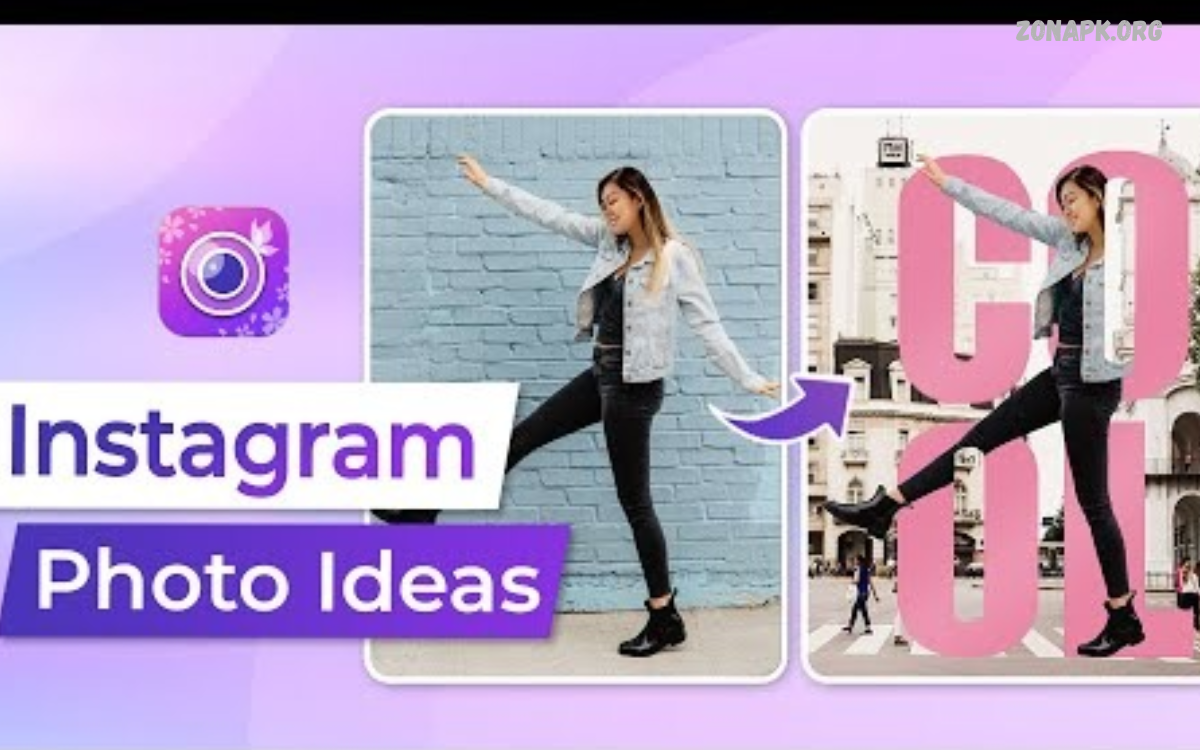
Photo editing ideas help transform ordinary pictures into creative, attractive images. With the right techniques, anyone can improve colors, adjust lighting, enhance details, and create a unique visual style.
Modern editing apps offer powerful tools for beginners and experienced creators. From natural portraits to cinematic landscapes, photo editing ideas make it easier to express creativity and produce memorable photographs.
Why Photo Editing Matters
Photo editing improves an image’s overall appearance by correcting exposure, balancing colors, and removing distractions. Small adjustments can make photographs look clearer, brighter, and more professional without changing their original character.
Creative editing also helps people develop a recognizable visual identity. Whether you create social media posts, blog images, travel photographs, or personal portraits, consistent editing techniques can make your pictures more engaging.
Creative Photo Editing Ideas for Beginners
Beginners can start with simple adjustments such as brightness, contrast, saturation, sharpness, and cropping. These basic tools help improve image quality while keeping the editing process easy and manageable.
Another useful idea is to experiment with different moods. Warm tones create a cozy atmosphere, cool tones create a calm look, and balanced natural colors preserve a photograph’s original feel.
Aesthetic Photo Editing Ideas
Aesthetic editing focuses on creating a consistent mood through colors, lighting, composition, and subtle effects. Soft highlights, gentle shadows, muted colors, and carefully selected filters can give photographs a polished appearance.
Choose an aesthetic that matches the subject instead of applying every available effect. Minimalist edits work well for clean compositions, while pastel tones suit gentle scenes and darker color palettes can create dramatic visual storytelling.
Vintage Photo Editing Ideas
Vintage editing recreates the appearance of photographs from earlier decades. Slightly faded colors, warm highlights, soft contrast, and subtle grain can give modern pictures a nostalgic atmosphere.
For a convincing vintage effect, avoid excessive fading or artificial textures. Adjust the tones gradually and preserve important details so the finished image feels timeless rather than overly processed.
Cinematic Photo Editing Ideas
Cinematic editing uses contrast, color grading, shadows, and highlights to create a film-inspired appearance. Teal shadows, warm highlights, and controlled exposure can help establish a dramatic mood in portraits, street photography, and travel images.
Start by correcting the original exposure before applying cinematic colors. Keep skin tones realistic, protect bright areas, and use cropping to strengthen composition when a wider, movie-inspired frame suits the subject.
Portrait Photo Editing Ideas
Portrait editing focuses on facial details, skin tones, lighting, and background distractions. Gentle exposure corrections, natural color adjustments, and subtle sharpening can help portraits look polished while preserving their authentic appearance.
Avoid excessive smoothing or dramatic facial alterations that remove natural texture. Instead, improve the lighting, reduce temporary distractions, and adjust the background carefully to keep attention on the person in the photograph.
Selfie Photo Editing Ideas
Selfie editing can begin with balanced lighting, accurate colors, and a suitable crop. A small exposure adjustment or a softer background can improve the overall composition without requiring complicated editing tools.
Experiment with natural filters, subtle highlights, and background blur when appropriate. The goal is to create a clear, expressive selfie that reflects your personality rather than relying on heavy effects.
Landscape Photo Editing Ideas
Landscape editing helps bring out details in mountains, beaches, forests, and city views. Adjusting highlights, shadows, contrast, and color temperature can reveal details that may appear hidden in the original photograph.
For a natural result, keep skies believable and avoid pushing saturation too far. Selective adjustments can emphasize clouds, water, or distant hills while preserving a balanced relationship between different parts of the scene.
Travel Photo Editing Ideas
Travel photographs often include colorful streets, famous landmarks, local markets, and beautiful natural scenery. Consistent color grading, straight horizons, and thoughtful cropping can make a travel collection look cohesive and visually appealing.
Try creating a separate editing style for each destination while maintaining similar exposure and contrast levels. This approach helps travel albums tell a visual story without making every photograph look exactly the same.
Black and White Photo Editing Ideas
Black and white editing removes color distractions and highlights contrast, texture, shape, and emotion. It works particularly well for portraits, architecture, street photography, and scenes with strong patterns or interesting lighting.
Adjust the brightness of individual tones to create depth and separation between subjects. A balanced monochrome image should contain meaningful highlights, detailed shadows, and enough tonal variation to keep important elements visible.
Color Grading Photo Editing Ideas
Color grading changes the overall mood of a photograph by adjusting its color relationships. Warm grading can suggest sunlight and comfort, while cooler grading may communicate a peaceful, modern, or dramatic atmosphere.
Use color temperature, tint, saturation, and selective color controls to develop a consistent look. Compare the edited image with the original frequently to ensure the grading supports the subject instead of overpowering it.
Minimalist Photo Editing Ideas
Minimalist editing emphasizes simplicity, clean backgrounds, balanced composition, and limited colors. Removing unnecessary distractions through cropping or selective retouching can make the main subject stand out more clearly.
This approach works well for product photography, architecture, food images, and social media graphics. Keep effects subtle, leave sufficient negative space, and avoid adding decorative elements that compete with the main subject.
Double Exposure Photo Editing Ideas
Double exposure combines two images to create a layered artistic composition. A portrait combined with trees, clouds, city lights, or flowers can produce a creative effect that connects a person with another visual theme.
Choose images with compatible shapes and lighting for the best results. Use blending modes, masks, and opacity controls to balance both photographs while ensuring the main subject remains recognizable.
Background Editing Ideas
Background editing can improve a photograph by removing distractions, changing colors, or placing the subject in a more suitable environment. These techniques are especially useful for product images, profile pictures, promotional graphics, and creative portraits.
Use selection tools and masks to separate the subject from the background accurately. Pay attention to hair, transparent objects, shadows, and edge details so the final composition looks believable and carefully finished.
Photo Editing Ideas for Instagram
Instagram photos often benefit from consistent colors, thoughtful cropping, and clear visual composition. Choose a recognizable editing style that matches your content, whether you share travel experiences, food photography, portraits, fashion, or everyday moments.
Create a small collection of preferred presets to maintain consistency across posts. Adjust each image individually before applying a preset because different lighting conditions can produce different results with the same settings.
Photo Editing Ideas for Pinterest
Pinterest images should communicate their subject quickly through attractive visuals and clear composition. Bright product photographs, soft aesthetic pictures, colorful room designs, and creative before-and-after edits can help make visual content more noticeable.
For blog graphics and idea collections, leave sufficient space for readable text when text is necessary. Keep the photograph relevant to the topic, maintain good image quality, and avoid unnecessary decorations that reduce clarity.
Photo Editing Ideas for Facebook
Facebook photographs can be improved through balanced colors, suitable cropping, and clear subject placement. Family pictures, travel memories, event photographs, and business images each benefit from editing choices that support their purpose.
Avoid excessive sharpening and strong filters that make pictures appear unnatural. For promotional content, maintain consistent colors and ensure the important information remains easy to recognize on smaller screens.
Photo Editing Ideas Using Snapseed
Snapseed provides tools for adjusting brightness, contrast, white balance, details, and selective areas of a photograph. Its editing features allow users to improve everyday pictures without needing a complicated desktop workflow.
Start with basic corrections before experimenting with creative effects. Save a clean version of the original photograph and make gradual adjustments so you can compare different results and choose the most suitable style.
Photo Editing Ideas Using PicsArt
PicsArt offers creative tools for combining photographs, adding artistic effects, applying overlays, and designing image compositions. These features are useful for posters, social media graphics, digital collages, and imaginative photo projects.
Begin with a clear concept before adding stickers, textures, or decorative elements. Limit the number of competing effects, maintain a consistent color palette, and check that the main subject remains easy to recognize.
Photo Editing Ideas Using Lightroom
Lightroom is useful for controlling exposure, white balance, color grading, highlights, shadows, and other image characteristics. Its editing controls make it possible to create natural photographs or develop a distinctive style across a collection of images.
Presets can speed up repetitive editing tasks, but they should not replace individual adjustments. Review each photograph for exposure, skin tones, and color accuracy before exporting the final image.
Photo Editing Ideas Using Photoshop
Photoshop supports advanced editing through layers, masks, selections, retouching tools, and compositing features. These capabilities help with detailed background changes, creative advertising images, digital artwork, and professional photo manipulation.
Organize layers clearly and use masks whenever possible to preserve editing flexibility. Work on separate layers for major changes so you can revise individual effects without damaging the original photograph.
Read Also: Digital Painting Techniques: A Complete Guide for Beginners and Artists
AI Photo Editing Ideas
AI photo editing tools can simplify tasks such as background removal, object selection, image enhancement, and automatic adjustments. These features can save time when preparing photographs for websites, social media, presentations, and personal projects.
Always review automated results before sharing or publishing an edited image. AI tools can sometimes create incorrect details, unnatural edges, or misleading visual changes, so careful checking remains an important part of the editing process.
Photo Editing Ideas for Product Photography
Product editing aims to present an item clearly through accurate colors, balanced lighting, clean backgrounds, and visible details. This approach is valuable for online stores, product reviews, advertisements, and website images.
Avoid changing important product characteristics or using effects that misrepresent the item. Maintain realistic colors, remove distracting background elements, and use consistent framing to create a professional product gallery.
Photo Editing Ideas for Food Photography
Food photography becomes more appealing when editing enhances natural colors, texture, and lighting. Slight warmth, balanced exposure, and controlled contrast can emphasize details such as fresh ingredients, crispy surfaces, and attractive presentation.
Avoid excessive saturation that makes food appear artificial. Brighten dark areas carefully, maintain realistic color tones, and crop the photograph to highlight the dish without removing important parts of its presentation.
Photo Editing Ideas for Night Photography
Night photography often requires careful adjustments to exposure, highlights, shadows, and noise. Editing can help reveal details in buildings, streets, city lights, and evening landscapes while preserving the atmosphere of darkness.
Reduce noise gradually and avoid brightening every shadow excessively. Keep light sources under control, preserve natural contrast, and use selective adjustments to make important details visible without losing the nighttime mood.
Photo Editing Ideas for Nature Photography
Nature photographs can benefit from subtle color correction, improved contrast, and selective sharpening. These techniques help emphasize flowers, leaves, wildlife, and natural textures while maintaining the original appearance of the scene.
Use restraint when editing greens, blues, and other vivid colors. Excessive saturation can make natural environments look unrealistic, so focus on improving visibility and detail instead of changing the scene dramatically.
Creative Collage Photo Editing Ideas
Photo collages combine multiple images into one composition to tell a story or communicate a theme. They work well for travel memories, family events, fashion inspiration, mood boards, and creative social media posts.
Choose photographs with compatible colors and arrange them using a clear visual hierarchy. Consistent spacing, simple borders, and balanced image sizes can make the collage look organized rather than crowded.
Before-and-After Photo Editing Ideas
Before-and-after comparisons demonstrate how editing changes a photograph through exposure correction, color grading, cropping, and detail enhancement. They can also help beginners understand which adjustments make the greatest visual difference.
Keep both versions aligned and use the same image dimensions for a fair comparison. Present the original image clearly, explain the main editing changes when useful, and avoid suggesting that every photograph requires extensive modification.
Photo Editing Ideas for Old Pictures
Old photographs can sometimes benefit from careful restoration, improved contrast, and reduced discoloration. Depending on the image condition, editing tools may help recover visible details and make treasured memories easier to view and preserve.
Create a digital copy before making restoration changes and keep the original file untouched. Automated restoration can introduce errors, so compare the result with the source and avoid inventing details that cannot be verified.
How to Choose the Best Photo Editing App
The best editing app depends on your experience, device, budget, and creative goals. Beginners may prefer simple controls and ready-made filters, while experienced editors may need precise color grading, masking, layers, and advanced retouching features.
Compare export quality, supported file formats, available tools, and ease of use before choosing an application. Try basic features first and select an app that supports your regular workflow without adding unnecessary complexity.
Common Photo Editing Mistakes to Avoid
Common mistakes include excessive saturation, unnatural skin smoothing, over-sharpening, clipped highlights, and overly dark shadows. These adjustments can reduce image quality and distract viewers from the subject.
Another mistake is applying identical settings to every photograph regardless of lighting or composition. Review each image individually, compare it with the original, and make changes gradually to preserve important details and realistic colors.
Tips for Creating a Consistent Editing Style
A consistent editing style develops through repeated choices in color, contrast, lighting, composition, and overall mood. Saving useful presets and reviewing previous projects can help you recognize patterns and refine your preferred approach.
Consistency does not mean every photograph must look identical. Adapt settings to the subject and environment while maintaining a recognizable visual identity that suits your photography, website, or social media content.
Frequently Asked Questions
What Are the Best Photo Editing Ideas for Beginners?
The best starting points include adjusting brightness, correcting colors, cropping distracting areas, improving contrast, and trying subtle filters. These simple techniques help beginners improve photographs while learning how individual settings affect image quality.
Which App Is Best for Photo Editing?
The best app depends on your requirements. Snapseed and Lightroom offer useful adjustment tools, PicsArt supports creative compositions, and Photoshop provides advanced editing capabilities for users who need greater control.
How Can I Make My Photos Look Professional?
Start with correct exposure, balanced colors, clean composition, and natural-looking details. Use suitable cropping and subtle adjustments, then compare the edited version with the original to ensure the image remains clear and realistic.
Are AI Photo Editing Tools Useful?
AI editing tools can help automate background removal, image enhancement, and other repetitive tasks. However, reviewing the results is important because automated edits may introduce visual errors or change details unexpectedly.
How Can I Develop My Own Photo Editing Style?
Experiment with different color palettes, lighting adjustments, and editing techniques while keeping track of your favorite results. Practice regularly, study photographs you admire, and refine your approach until your images develop a recognizable visual identity.
Conclusion
Photo editing ideas offer countless ways to improve photographs, explore creativity, and develop a distinctive visual style. From simple color corrections to cinematic effects, creative collages, and AI-assisted enhancements, the right techniques can help every image communicate its intended mood.
Start with basic adjustments, experiment with different approaches, and choose tools that suit your goals. With regular practice and careful attention to detail, you can create attractive, natural-looking photographs for personal collections, blogs, websites, and social media platforms.
