

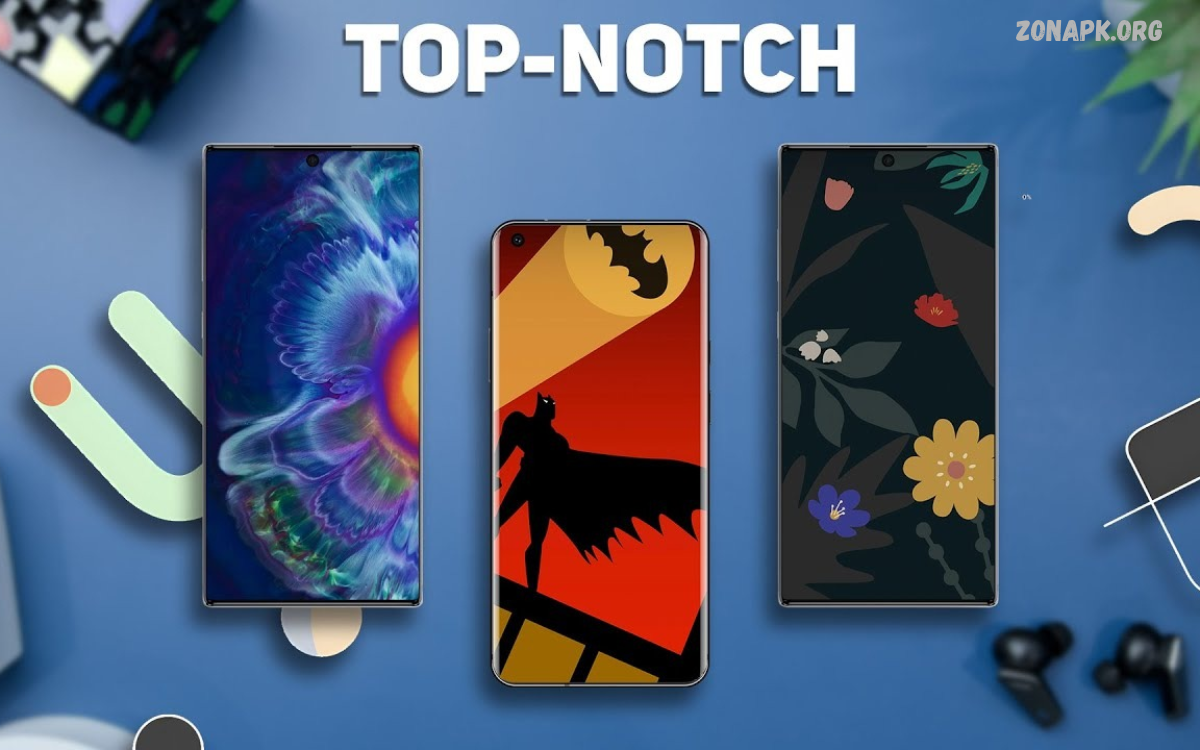
Smartphone wallpapers play an important role in personalizing the mobile experience. A beautiful background makes the home screen and lock screen more attractive, giving your device a fresh look every time you unlock it.
The Best Wallpaper Apps provide thousands of HD, 4K, AMOLED, nature, abstract, minimalist, and live wallpapers. These apps make it easier to discover unique backgrounds and offer designs for different smartphone styles.
Why Are Wallpaper Apps Popular?
Wallpaper applications are popular because they make smartphone customization simple and convenient. Instead of searching through random image collections, users can explore organized libraries containing thousands of attractive backgrounds.
Another reason behind their popularity is variety. Users can find nature photography, modern illustrations, gaming backgrounds, abstract artwork, and animated designs within a single application.
Backdrops – Creative Wallpapers
Backdrops is a popular wallpaper application featuring creative artwork and carefully organized collections. Its library includes abstract designs, geometric patterns, colorful illustrations, and minimalist backgrounds.
One interesting feature is its collection of original wallpapers created by artists. Users can explore different designs, save favorites, and discover fresh backgrounds through regularly updated content.
Walli – Artistic Wallpaper Collection
Walli focuses on artistic wallpapers created by digital artists and illustrators. Its collection includes colorful artwork, fantasy illustrations, nature-inspired designs, and modern digital paintings.
The app lets users discover creative backgrounds that stand out from standard smartphone wallpapers. Its organized interface helps users explore artwork by preferred visual style.
Zedge – Wallpapers and Customization
Zedge is a well-known personalization application offering wallpapers, ringtones, and other smartphone customization content. Its wallpaper library includes nature, landscapes, abstract designs, animals, and popular visual themes.
The application provides browsing categories and search functionality, helping users discover backgrounds according to their interests. Users can preview available designs before selecting suitable images for their devices.
Google Wallpapers – Simple Backgrounds
Google Wallpapers provides a straightforward way to discover and apply backgrounds on compatible Android devices. Its collections include landscapes, textures, city photography, artwork, and other visual categories.
The application offers a clean browsing experience without unnecessary complexity. Users can preview available backgrounds and select images for their home screen or lock screen, depending on device compatibility.
Wallcraft – HD and 4K Wallpapers
Wallcraft offers high-resolution backgrounds designed for modern smartphone displays. Its library includes colorful illustrations, nature scenes, abstract artwork, and different visual themes.
The application focuses on attractive presentation and wallpaper discovery. Users can explore available designs, preview images, and choose backgrounds that complement their device’s screen resolution.
Tapet – Automatic Wallpaper Generator
Tapet takes a different approach to smartphone customization by generating wallpapers rather than relying entirely on downloaded image collections. It creates patterns, gradients, and geometric backgrounds using different design combinations.
Users can explore generated designs and customize their appearance through available settings. This approach is useful for people who prefer unique backgrounds instead of selecting the same popular images found across multiple applications.
AMOLED Wallpaper Apps
AMOLED wallpaper applications focus on dark backgrounds, deep black colors, and visually attractive designs. Their collections commonly include black textures, neon artwork, dark landscapes, and colorful objects against black backgrounds.
These backgrounds can look particularly attractive on OLED and AMOLED smartphone displays. Users who prefer dark smartphone themes can create a consistent appearance by combining dark wallpapers with compatible home screen settings.
Live Wallpaper Apps
Live wallpaper applications provide animated backgrounds that add movement to smartphone screens. Depending on the application, users may discover flowing water, moving clouds, space animations, colorful effects, and interactive visual designs.
Unlike traditional static wallpapers, animated backgrounds change over time or respond to certain interactions. However, their battery and performance impact depends on animation complexity, device hardware, and application optimization.
Minimalist Wallpaper Apps
Minimalist wallpaper applications focus on simple designs, balanced colors, and clean visual elements. Their collections often include gradients, geometric shapes, soft patterns, and backgrounds with plenty of empty space.
These wallpapers can create an organized appearance without making smartphone screens look visually crowded. They also work well with simple icon arrangements, widgets, and different home screen layouts.
Best 4K Wallpaper Apps for Android
4K wallpaper applications provide access to detailed backgrounds designed for high-resolution smartphone displays. These images can include landscape photography, architecture, wildlife, abstract artwork, and colorful digital illustrations.
Before downloading a 4K background, users should consider their device’s actual screen resolution. Larger image files do not automatically guarantee better visual quality, especially when the original image has been compressed or poorly optimized.
Best HD Wallpaper Apps
HD wallpaper applications provide backgrounds suitable for everyday smartphone customization. Their collections commonly include photography, colorful artwork, illustrations, patterns, and different popular themes.
Many users prefer HD backgrounds because they provide a balance between image quality and file size. These images can work well on different Android devices without requiring extremely large downloads.
Best Nature Wallpaper Apps
Nature wallpaper applications offer backgrounds inspired by the natural world. Their collections may include mountains, forests, beaches, waterfalls, flowers, sunsets, wildlife, and scenic destinations.
These applications are useful for people who enjoy photography and outdoor landscapes. High-quality nature backgrounds bring beautiful scenery to smartphone screens and provide plenty of options for seasonal customization.
Best Aesthetic Wallpaper Apps
Aesthetic wallpaper applications provide visually coordinated backgrounds featuring attractive colors, creative illustrations, and modern designs. Popular collections include pastel themes, vintage photography, soft gradients, and artistic patterns.
These applications help users create a consistent smartphone appearance. Matching wallpapers with icons, widgets, and display themes can make the home screen look more organized and visually appealing.
Best Gaming Wallpaper Apps
Gaming wallpaper applications provide backgrounds inspired by video games, fantasy environments, characters, and digital artwork. Their collections may include colorful gaming scenes, futuristic designs, racing themes, and action-inspired illustrations.
Mobile gaming enthusiasts can use these backgrounds to personalize their smartphones according to their favorite gaming styles. Choosing suitable images creates an interesting home screen without affecting the phone’s performance settings.
Read Also: Best Messaging Apps for Android: Top Apps for Chatting and Communication
Best Anime Wallpaper Apps
Anime wallpaper applications offer illustrations inspired by animated entertainment and digital artwork. Their collections commonly include colorful character illustrations, fantasy environments, scenic backgrounds, and creative artistic designs.
These applications are useful for users who enjoy animated art and distinctive visual styles. Different categories and search features make it easier to find suitable anime-inspired backgrounds.
Important Features of Wallpaper Apps
A good wallpaper application should provide high-quality images, simple navigation, and useful customization options. Search filters, category collections, preview tools, and favorite lists make discovering suitable backgrounds more convenient.
Regular updates are another important feature because they introduce fresh designs and additional categories. Offline access, reasonable download sizes, and clear privacy settings can also improve the overall experience.
Benefits of Using Wallpaper Apps
Wallpaper applications save time by organizing thousands of backgrounds in one convenient location. Users can explore different visual styles without manually searching for individual images or editing every background themselves.
Another benefit is customization flexibility. Users can change their smartphone appearance whenever they want, experiment with different colors, and select backgrounds that match their personal interests.
How to Choose the Best Wallpaper App
Choosing a suitable wallpaper application depends on personal preferences and smartphone requirements. Users interested in photography may prefer nature collections, while those who enjoy modern artwork might choose applications featuring illustrations and abstract backgrounds.
It is also important to consider image quality, application size, advertisements, privacy settings, and compatibility. Reading app permissions and reviewing recent user feedback can help identify applications that offer a reliable experience.
How to Download and Apply Wallpapers
Most wallpaper applications provide a simple process for selecting and applying backgrounds. Users can open their preferred application, explore available categories, preview an image, and select the wallpaper option.
Depending on the application, backgrounds can be applied directly to the home screen, lock screen, or both. Some Android devices also provide additional cropping and positioning options for adjusting images to different display sizes.
Wallpaper Apps and Battery Performance
Static wallpapers generally have a limited effect on smartphone battery performance. Their impact mainly depends on display technology, brightness settings, and the amount of time the screen remains active.
Live wallpapers may consume additional battery because they use animation and sometimes interactive effects. Choosing optimized backgrounds and avoiding unnecessarily complex animations can help maintain comfortable everyday smartphone performance.
Are Free Wallpaper Apps Worth Using?
Free wallpaper applications can provide extensive collections without requiring a subscription. Many offer HD photography, creative artwork, abstract designs, and different customization options at no initial cost.
However, some free applications include advertisements, premium collections, or optional purchases. Users should review available features and privacy settings before deciding whether an application meets their expectations.
Common Problems With Wallpaper Apps
Some wallpaper applications experience slow loading, download errors, missing images, or compatibility problems. These issues may occur because of internet connectivity, outdated application versions, device restrictions, or temporary service interruptions.
Updating the application, checking available storage, and reviewing its permissions may resolve certain problems. Users should also avoid downloading suspicious applications that request unnecessary access to personal information.
Safety and Privacy Considerations
Before installing a wallpaper application, users should review its developer information, ratings, privacy policy, and requested permissions. A basic wallpaper application generally should not require access to unrelated personal information.
Downloading applications from trusted app distribution platforms can reduce exposure to suspicious software. Users should also avoid unfamiliar download files and review privacy settings before using additional customization features.
Future of Wallpaper Applications
Wallpaper applications continue developing alongside smartphone display technology and personalization features. Artificial intelligence, improved image generation, and advanced customization tools are creating new possibilities for digital backgrounds.
Future applications may provide more personalized recommendations, dynamic color combinations, and device-specific designs. These improvements could make smartphone customization easier while giving users greater creative control over their screens.
Frequently Asked Questions
What Are the Best Wallpaper Apps for Android?
Backdrops, Walli, Zedge, Google Wallpapers, Wallcraft, and Tapet are popular options. Each application offers different collections and customization features.
Which Wallpaper App Offers 4K Backgrounds?
Wallcraft is one option for exploring high-resolution backgrounds. Users should check individual image quality and device compatibility before downloading.
Are Wallpaper Apps Free?
Many wallpaper applications offer free downloads and collections. Some also provide premium backgrounds, optional subscriptions, or advertisements.
Which Wallpaper App Is Best for AMOLED Screens?
Applications featuring dark and black backgrounds are suitable for AMOLED-style customization. Users can explore collections containing deep black designs and colorful neon artwork.
Do Live Wallpapers Consume More Battery?
Live wallpapers can consume additional battery because they use animations and visual effects. Their actual impact depends on the application and smartphone hardware.
Can I Use Wallpaper Apps Without Internet?
Some applications support previously downloaded wallpapers offline. However, browsing new collections and downloading additional backgrounds generally requires an internet connection.
Which Wallpaper App Is Best for Minimalist Designs?
Tapet and other minimalist wallpaper collections offer simple patterns, gradients, and geometric backgrounds. These designs are suitable for clean and organized home screens.
Are 4K Wallpapers Better Than HD Wallpapers?
4K wallpapers can provide more image detail, but the difference depends on screen resolution and original image quality. HD wallpapers can also look excellent on many smartphones.
Can Wallpaper Apps Customize Lock Screens?
Many wallpaper apps let users choose backgrounds for home screens and lock screens. Available options depend on Android version, device manufacturer, and application compatibility.
How Often Should I Change My Smartphone Wallpaper?
There is no fixed schedule for changing wallpapers. Users can choose new backgrounds whenever they want a different look or find a design they enjoy.
Conclusion
The Best Wallpaper Apps make smartphone customization easier by providing attractive backgrounds in different resolutions, categories, and artistic styles. Applications such as Backdrops, Walli, Zedge, Google Wallpapers, Wallcraft, and Tapet offer different experiences for Android users.
The right app depends on image quality, personal interests, device compatibility, and available features. Whether you prefer HD photography, AMOLED backgrounds, minimalist designs, or animated wallpapers, the right app can help create a more personalized smartphone experience.

1 Comment
Pingback: Screen Customization Apps: Best Tools to Personalize Your Smartphone - Zonapk