
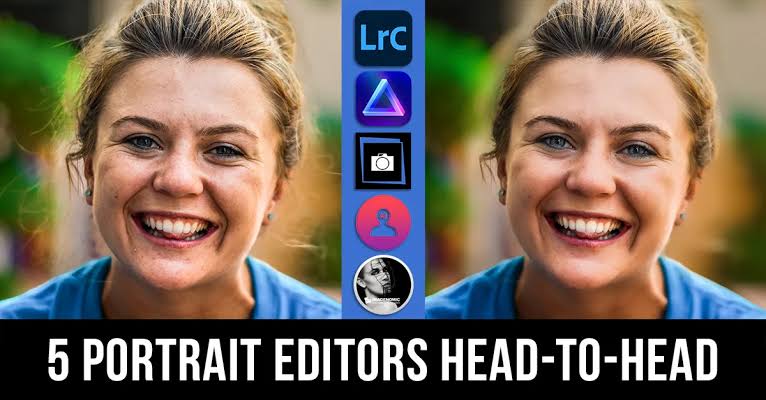
Portrait photography captures expressions, emotions, personalities, and memorable moments. A well-edited portrait can improve lighting, enhance colors, and create a polished appearance while preserving natural details.
The Best Portrait Editing Apps provide useful tools to improve photos without requiring professional editing experience. These applications offer background adjustments, portrait effects, color correction, skin retouching, and creative filters.
What Are Portrait Editing Apps?
Portrait editing apps are mobile photography applications designed to improve pictures featuring people. They offer tools to adjust brightness, contrast, color, backgrounds, and other photographic elements.
Modern portrait editors also include artificial intelligence features that simplify complicated editing tasks. Users can enhance image quality, adjust lighting, experiment with creative effects, and create attractive photos on their smartphones.
Why Are Portrait Editing Apps Important?
Portrait editing helps improve the overall appearance of photographs while maintaining their original meaning. Proper lighting adjustments, balanced colors, and background improvements can make ordinary pictures look more polished.
These applications also make photo editing accessible to beginners, content creators, students, and photography enthusiasts. Instead of using complicated desktop software, users can complete many editing tasks directly from mobile devices.
Best Portrait Editing Apps for Android and iPhone
Choosing the right portrait editor depends on editing preferences, available features, and personal creativity. Some applications focus on professional adjustments, while others provide simple filters and automatic enhancement tools.
The following applications offer different approaches to portrait photography and image enhancement. Each option has useful features that can help users improve their photographs and explore creative editing techniques.
Adobe Lightroom
Adobe Lightroom is a popular photography application offering advanced tools for editing portraits. Its interface provides precise control over exposure, contrast, highlights, shadows, color temperature, and saturation.
The application also supports selective editing, allowing users to adjust particular image areas. These features make Lightroom useful for photographers who want consistent colors, balanced lighting, and detailed photo adjustments.
Snapseed
Snapseed is a versatile photo editing application developed for mobile photography enthusiasts. It provides several editing tools, including Tune Image, Details, Curves, Selective Adjustments, and Healing.
Its simple interface makes everyday portrait editing convenient for beginners and experienced users. Snapseed also supports precise adjustments, helping users improve image brightness, contrast, sharpness, and overall color balance.
PicsArt
PicsArt offers creative editing features for people who enjoy experimenting with portrait photography. Its editing tools include filters, effects, background adjustments, artistic overlays, and various image enhancement options.
The application also provides creative design features for social media content. Users can combine portrait photographs with visual effects, text, and decorative elements to create personalized images.
Facetune
Facetune focuses on portrait photography and provides specialized tools for editing pictures featuring people. Its features include lighting adjustments, facial detail enhancement, background editing, and various portrait effects.
The application offers convenient controls for making targeted adjustments without complicated editing processes. Users should choose subtle settings to preserve natural photographic details and avoid excessive alterations.
YouCam Perfect
YouCam Perfect provides portrait enhancement tools alongside creative photography features. Users can explore photo filters, lighting adjustments, background effects, and other editing options.
Its interface makes basic portrait editing accessible to people with different experience levels. The application is useful for improving photographs and creating attractive images for personal collections or social media.
PhotoDirector
PhotoDirector combines traditional photo editing tools with artificial intelligence features. Its available capabilities include color adjustments, background editing, object removal, portrait enhancement, and creative effects.
The application supports several editing styles, making it suitable for casual photography and creative projects. Users can experiment with different effects while maintaining control over important photographic details.
Canva
Canva is widely recognized for graphic design, but it also includes useful photo editing capabilities. Its tools support brightness adjustments, filters, background editing, cropping, and creative portrait designs.
The application is particularly useful for people creating social media graphics and promotional content. Users can combine edited portraits with layouts, typography, and other design elements.
AirBrush
AirBrush offers portrait-focused editing features designed for straightforward mobile photography improvements. Its tools include lighting adjustments, filters, image enhancement, and selected portrait retouching options.
The application provides an accessible editing experience for users who prefer simple controls. Balanced adjustments can help improve photographic presentation without removing the natural character of an image.
VSCO
VSCO is known for its photography filters and color grading capabilities. Its editing tools provide control over exposure, contrast, temperature, saturation, and other visual characteristics.
The application is suitable for photographers who prefer artistic portrait styles. Its filters can help establish consistent visual themes across different photographs and photography collections.
Fotor
Fotor provides photo editing tools alongside several AI-powered image enhancement features. Users can explore portrait adjustments, color correction, background editing, and creative filters.
Its editing interface supports different photography requirements, from basic corrections to more advanced visual improvements. Fotor can be useful for people seeking multiple editing features within one application.
Pixlr
Pixlr offers a collection of photo editing tools designed for creative image enhancement. Its features include filters, overlays, color adjustments, cropping, and various artistic effects.
The application provides different ways to customize portrait photographs. Users can experiment with editing styles while maintaining control over the final appearance of their pictures.
Important Features of the Best Portrait Editing Apps
Selecting an appropriate application requires understanding which editing features matter most. A good portrait editor should provide useful controls without making ordinary editing unnecessarily complicated.
Different applications offer different capabilities, so comparing their tools can help users make informed decisions. The following features are particularly useful when choosing portrait editing software.
Skin Retouching Tools
Skin retouching tools help improve photographic presentation through selective adjustments. They can reduce the visibility of temporary distractions while preserving important natural details.
Quality portrait editors provide adjustable controls instead of applying excessive automatic changes. Natural editing helps maintain realistic textures and prevents photographs from looking overly processed.
Background Editing
Background editing allows users to improve or modify the surroundings of portrait photographs. Some applications provide background removal, replacement, blur effects, and selective adjustments.
These features help separate the main subject from distracting surroundings. Users can create cleaner compositions while maintaining appropriate lighting and realistic visual results.
Lighting Adjustments
Lighting plays an important role in portrait photography because it influences image clarity and atmosphere. Brightness, exposure, highlights, shadows, and contrast tools help improve uneven lighting conditions.
A useful editing application should provide enough control to balance different image areas. Proper adjustments can make photographs clearer without removing important details.
Color Correction
Color correction helps establish balanced and consistent tones throughout portrait photographs. Temperature, tint, saturation, vibrance, and individual color controls can improve the overall visual appearance.
Different photographs require different color adjustments depending on their original lighting conditions. Understanding these controls helps users create more consistent and visually appealing portraits.
AI Portrait Enhancement
Artificial intelligence has introduced convenient features into modern photography applications. AI-powered tools can recognize image elements and simplify tasks such as background selection, image enhancement, and automatic adjustments.
These features can save editing time, particularly for beginners. However, reviewing the final image remains important because automatic results may not always match personal preferences.
Face and Detail Enhancement
Detail enhancement tools help improve the clarity of portrait photographs. Selective adjustments can emphasize key details while maintaining a balanced look.
Users should avoid excessive sharpening or artificial effects. A natural-looking photograph generally benefits more from careful adjustments than unnecessary visual processing.
How to Choose the Right Portrait Editing App
Start by identifying your photography needs. Beginners may prefer simple interfaces, while experienced photographers might need selective editing and advanced color controls.
Also consider device compatibility, available storage, subscription requirements, and export quality. Comparing these factors can help users select an application that matches their everyday editing needs.
Read Also: Best Photo Editor for Beginners: Easy Tools for Stunning Photo Editing
Best Portrait Editing Apps for Beginners
Beginners should choose apps with straightforward interfaces and easy-to-understand controls. Snapseed, Canva, and YouCam Perfect provide accessible options for learning basic photography adjustments.
Starting with brightness, contrast, cropping, and color correction can make the editing process easier. Learning individual tools gradually helps users develop confidence and improve their photography skills.
Best Portrait Editing Apps for Professional Photography
Photographers seeking advanced controls may prefer apps that offer selective adjustments and detailed color grading. Adobe Lightroom, VSCO, and PhotoDirector provide different tools for more controlled editing workflows.
These applications can help establish consistent visual styles across photography projects. Their advanced features are particularly useful when image quality and editing precision are important priorities.
Best Free Portrait Editing Apps
Several portrait editing applications provide useful features without requiring an immediate subscription. Snapseed offers many traditional editing controls, while Canva and Pixlr provide different creative editing capabilities.
However, free versions may include limitations involving premium filters, advanced tools, advertisements, or export options. Reviewing the available features before choosing an application can prevent unexpected restrictions.
How to Edit Portrait Photos Like a Professional
Professional-looking portrait editing begins with understanding the original photograph. Before applying filters, review the lighting, composition, background, color balance, and overall image quality.
Make small adjustments instead of changing every setting simultaneously. A balanced editing process helps preserve photographic details and creates a more consistent final image.
Start with Brightness and Exposure
Brightness and exposure adjustments are useful starting points for improving portrait photographs. They help correct images that appear too dark or contain uneven lighting.
Make gradual changes while checking important details across the photograph. Avoid excessive brightness because it can reduce visible detail in brighter image areas.
Improve Contrast and Colors
Contrast adjustments help establish separation between lighter and darker parts of an image. Balanced colors can also improve the overall atmosphere and visual consistency of portraits.
Experiment with temperature and saturation settings to achieve a suitable appearance. Small adjustments often produce better results than applying strong filters without reviewing the photograph.
Adjust the Background Carefully
A distracting background can affect the composition of an otherwise attractive portrait. Background blur, selective adjustments, and removal tools can help create a cleaner photographic appearance.
Choose background effects that match the original lighting and perspective. Realistic editing helps maintain visual consistency between the main subject and surrounding elements.
Save Images in High Quality
Export settings influence the final appearance and quality of edited photographs. Selecting an appropriate resolution and image format helps preserve important details during saving and sharing.
Keep an original copy before making major editing changes. This practice allows users to compare different versions and return to the unedited photograph whenever necessary.
Common Portrait Editing Mistakes to Avoid
One common mistake involves applying excessive filters or adjustments to every photograph. Strong effects can change natural colors, remove important details, and make images appear inconsistent.
Another mistake is ignoring lighting conditions and background quality. Reviewing the entire photograph before editing helps users make better decisions and achieve more balanced results.
Benefits of Using Mobile Portrait Editing Apps
Mobile portrait editors offer convenience because users can improve photos without a desktop computer. Their accessible interfaces make basic and advanced adjustments available through smartphones.
Many applications also include creative tools, automatic enhancement, and flexible export options. These capabilities support different photography interests, including personal collections, social media content, and creative projects.
Privacy and Security Considerations
Portrait editing applications may request access to photographs, storage, cameras, or other device features. Users should review app permissions and understand how personal images are processed.
Choose applications from trusted developers and review their privacy policies before uploading sensitive photographs. Avoid granting unnecessary permissions and use secure device settings to protect personal content.
Future of Portrait Editing Applications
Artificial intelligence continues to influence the development of mobile photography software. New editing features are making image enhancement, background adjustments, and creative effects more accessible.
Future applications may provide more precise editing controls and improved image recognition. However, creative judgment and photography knowledge will remain important for producing meaningful and balanced portraits.
Frequently Asked Questions
Which Are the Best Portrait Editing Apps?
Adobe Lightroom, Snapseed, PicsArt, Facetune, and PhotoDirector are popular options. Each application provides different tools for portrait enhancement, color correction, and creative editing.
Which Portrait Editing App Is Best for Beginners?
Snapseed and Canva are useful choices for beginners because they provide accessible interfaces and straightforward editing features. Users can learn basic adjustments without complicated workflows.
Which App Is Best for Professional Portrait Editing?
Adobe Lightroom is a strong option for detailed portrait editing. Its selective adjustments, color controls, and exposure settings support more advanced photography workflows.
Are Free Portrait Editing Apps Available?
Yes, several applications offer free editing features. Snapseed, Pixlr, and the free versions of other popular editors provide different tools for improving photographs.
Can Portrait Editing Apps Change Backgrounds?
Yes, some applications provide background removal, replacement, blur, and adjustment features. Availability depends on the specific application and subscription level.
Can I Edit Portrait Photos Without Experience?
Yes, modern portrait editing applications include simple controls and automatic enhancement features. Beginners can start with brightness, cropping, contrast, and color adjustments.
Which App Is Best for Natural Portrait Editing?
Snapseed and Adobe Lightroom provide useful manual adjustment tools. Their controls allow users to improve photographs while maintaining natural image details.
Do Portrait Editing Apps Support Android and iPhone?
Many popular editing applications support both Android and iOS devices. However, individual features and subscription options may differ between platforms.
Is AI Useful for Portrait Editing?
AI can simplify background selection, image enhancement, and other editing tasks. Users should review automatic results to ensure photographs maintain their intended appearance.
How Can I Improve Portrait Photo Quality?
Start with balanced lighting, appropriate exposure, and accurate colors. Use selective adjustments carefully and save the finished photograph with suitable export settings.
Conclusion
The best portrait editing apps offer different tools for improving lighting, colors, backgrounds, and photographic details. Adobe Lightroom, Snapseed, PicsArt, Facetune, and other applications offer useful options for different editing preferences.
The right application depends on your needs, experience, and desired results. With careful adjustments and appropriate tools, users can create attractive portraits while preserving natural photographic details.

1 Comment
Pingback: Best Photo Collage Maker Apps: for Creative and Stunning Photo Designs - Zonapk