

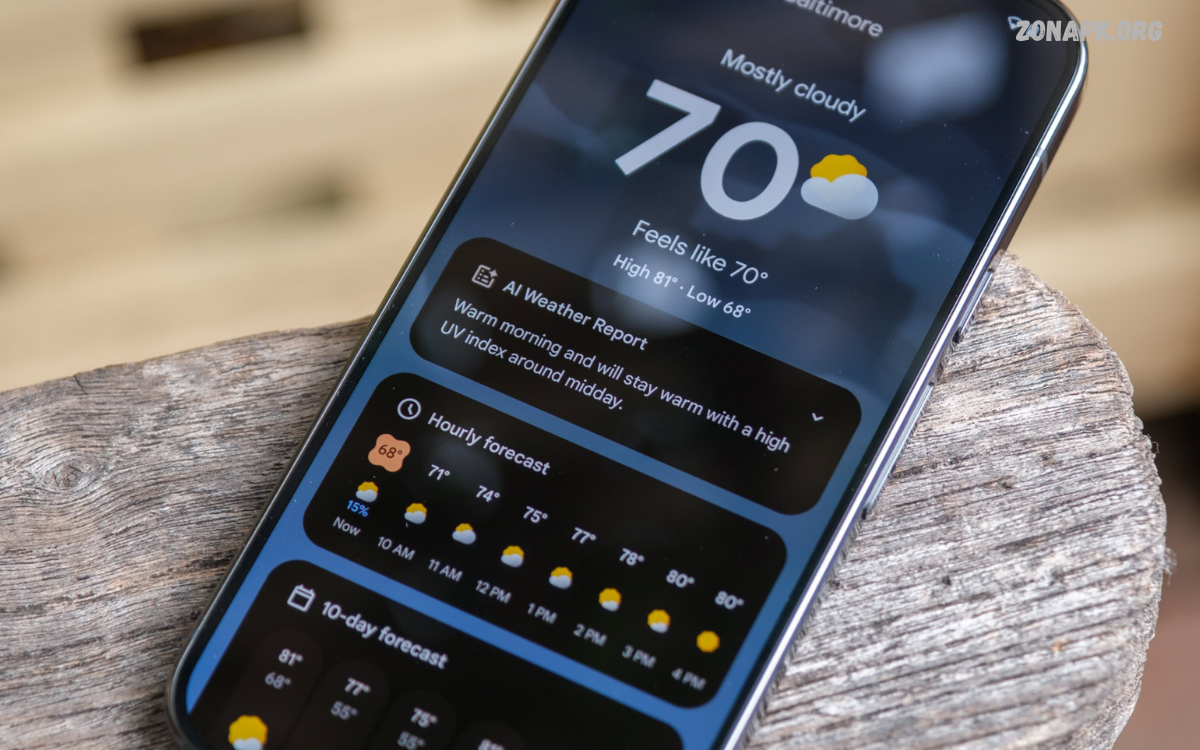
The Best Weather Apps help users check current conditions, monitor temperature changes, track rainfall, and prepare for upcoming weather. Whether you’re planning a trip, commuting to work, attending outdoor events, or managing everyday activities, a reliable weather app makes changing conditions easier to understand.
Choosing the right weather app depends on personal needs, device compatibility, forecast accuracy, and available features. Some apps focus on detailed radar maps, while others provide simple daily forecasts with clean interfaces.
Why Weather Apps Are Important
Weather conditions can change quickly, so regular forecasts help with everyday decisions. A weather app can help users decide what to wear, whether to carry an umbrella, and when to plan outdoor activities. Notifications about thunderstorms, heavy rain, strong winds, or extreme temperatures also provide valuable time to prepare. Reliable weather information supports safer travel and helps people adjust plans when conditions become unfavorable.
Weather apps are particularly useful in regions affected by seasonal monsoons, heatwaves, flooding, and sudden storms. Users can monitor approaching rain, compare hourly forecasts, and check temperatures before traveling. Although forecasts cannot guarantee future conditions, updated information helps people make informed decisions. The Best Weather Apps combine understandable forecasts with timely alerts, giving users practical information without requiring advanced meteorological knowledge.
Features to Look for in the Best Weather Apps
Forecast accuracy should be one of the first considerations when choosing a weather application. A useful app provides current conditions, hourly predictions, daily forecasts, and precipitation chances. Forecast details should update regularly and show the correct location. Temperature units, wind measurements, and time formats should also be easy to understand and customize according to individual preferences.
Additional features can improve the overall experience. Radar maps help users see precipitation, while severe weather notifications warn of potentially dangerous conditions. Air quality readings, UV indexes, humidity measurements, and sunrise or sunset times offer extra value.
AccuWeather: Detailed Forecasts and Weather Alerts
Best for detailed forecasts and severe weather information

AccuWeather is a popular weather application designed for users who want detailed forecasts and weather-related updates. It provides current temperatures, hourly predictions, daily forecasts, precipitation information, and severe weather alerts in supported regions. Its MinuteCast feature offers short-term precipitation predictions for supported locations, helping users understand when rain or snow may begin or end. Availability and feature access vary by location and subscription.
The app can be useful for commuters, travelers, students, and people who regularly plan outdoor activities. Users can review upcoming conditions, check changes throughout the day, and receive notifications about important weather events. Some advanced features may require a paid subscription, so reviewing the available options is worthwhile. AccuWeather is among the Best Weather Apps for people who prefer detailed information rather than a minimal forecast screen.
The Weather Channel: Comprehensive Weather Information
Best for everyday forecasts and weather news

The Weather Channel app combines local forecasts, hourly weather information, extended predictions, and weather-related news in one place. Depending on location, users can access precipitation forecasts, interactive radar, temperature trends, and alerts for significant weather conditions. The interface presents several types of weather information, making it useful for people who want to understand both current conditions and possible changes over the coming days.
The application suits users who prefer a comprehensive weather service with additional educational and news content. It can help families organize outdoor plans, travelers review upcoming conditions, and commuters prepare for changing temperatures. Some features, advertising arrangements, and subscription options differ by platform and region. For users seeking a broad range of weather information, The Weather Channel deserves consideration among the Best Weather Apps.
Weather Underground: Local Weather Observations
Best for weather stations and neighborhood-level observations

Weather Underground emphasizes local weather information and observations from a network that includes personal weather stations. Where station coverage is available, users can compare nearby temperature readings and other measurements with broader forecast information. This approach can be valuable in areas where weather conditions vary across short distances, such as neighborhoods near coastlines, hills, or urban heat zones.
The app also offers forecast information, radar features, and weather-related data, although availability can differ by platform and location. Users should remember that individual station readings depend on equipment quality, placement, and maintenance. Comparing local observations with official forecasts can provide a more balanced picture. Weather Underground is worth considering for people who want more detailed local measurements alongside conventional weather predictions.
Google Weather: Simple Forecasts for Everyday Use
Best for quick weather checks on supported devices

Google Weather offers a straightforward way to check current conditions and upcoming forecasts on supported Android devices and Google services. Its familiar interface can display temperatures, hourly conditions, precipitation chances, wind information, and daily predictions, depending on the version and location. Users can often reach weather information through Google Search or supported weather experiences without installing a separate full-featured application.
This option is suitable for people who prefer a clean interface and quick access to essential information. It avoids the need to learn a complicated dashboard just to check the temperature or see whether rain is expected. However, its availability and features may differ between devices, regions, and software versions. Google Weather is a convenient option for everyday use, particularly for users who value simplicity over extensive radar tools.
Apple Weather: A Convenient Choice for iPhone Users
Best for integrated weather information on Apple devices

Apple Weather is built into supported Apple devices, making it a convenient choice for iPhone users who want weather information without searching for another application. It can provide current temperatures, hourly forecasts, daily predictions, precipitation information, wind measurements, and other weather details where supported. The interface uses visual elements to communicate changing conditions and makes it easy to move between current observations and upcoming forecasts.
Integration with Apple’s ecosystem is another advantage. Users can access weather information through the Weather app, supported widgets, and compatible Apple Watch experiences. Available alerts and detailed measurements vary by country, device, and software version. Apple Weather is a strong starting point for users who want accessible forecasts, useful widgets, and a consistent experience across supported Apple devices.
Windy: Advanced Weather Maps and Forecast Models
Best for detailed maps, wind conditions, and outdoor planning

Windy is designed for users who want to explore weather conditions through detailed interactive maps. It can display information about wind, precipitation, temperature, clouds, and other atmospheric conditions, depending on the selected layer and forecast model. Users can move across the map, examine different locations, and compare available forecast models. These tools are especially useful for understanding larger weather systems and how conditions may change geographically.
The app can be valuable for hikers, sailors, cyclists, photographers, and people planning outdoor activities where wind or precipitation matters. Its extensive mapping options may feel complicated to beginners, but exploring a few essential layers can make the interface easier to understand. Windy should not replace official emergency warnings or specialist safety guidance. It is one of the Best Weather Apps for users who prefer visual weather analysis and detailed maps.
WeatherBug: Forecasts, Radar, and Environmental Information
Best for users interested in weather and environmental conditions

WeatherBug provides weather forecasts and environmental information through a mobile interface that may include radar, temperature readings, precipitation forecasts, and lightning-related information. Depending on location and feature availability, users can explore conditions affecting their local area and check forecasts before traveling or arranging outdoor activities. Its additional weather tools can be useful for people who want more than a basic temperature display.
The application may suit families, commuters, and outdoor enthusiasts who regularly monitor changing conditions. Users should review notification settings to receive relevant updates without unnecessary interruptions. As with any weather service, the quality of localized information depends on data availability and forecasting methods. Comparing its predictions with official weather services can help users understand uncertainty and make better-informed decisions.
1Weather: Practical Forecasts and Customization
Best for customizable weather information

1Weather is an option for users who want current conditions, hourly forecasts, extended predictions, and weather details within a single application. Depending on the version, features may include radar maps, precipitation information, sunrise and sunset times, and customizable weather widgets. These tools let users check forecasts directly from their home screen instead of opening the app every time they need an update.
Its usefulness depends on how easily users can access the information they need. People who mainly want temperatures and rain forecasts may appreciate its familiar layout, while users who want advanced mapping should explore the available radar features.
Read Also: Best Password Manager Apps: Top Tools for Online Security and Password Protection
CARROT Weather: A Different Approach to Forecasts
Best for customization and a distinctive interface

CARROT Weather presents weather information through a distinctive interface with customizable presentation options. Depending on the platform and configuration, it can display current conditions, hourly predictions, daily forecasts, and detailed weather measurements. Its personality-driven presentation makes routine forecast checks feel different from conventional weather apps, while its customization options appeal to users who enjoy adjusting their apps’ appearance and organization.
CARROT Weather may be especially attractive to people who want an alternative to standard weather interfaces. However, supported features, forecast sources, and subscription benefits can vary by platform and region. Users should compare its pricing with their actual needs before paying for premium features. For people who value customization as much as weather information, it can be a distinctive choice among the Best Weather Apps.
NOAA Weather and Official Forecast Sources
Best for official United States weather information

The United States National Weather Service, part of NOAA, provides official forecasts, watches, warnings, radar information, and other weather resources. Users can access these resources through its website and supported services, while third-party applications may also present National Weather Service data. Official information is particularly important during severe storms, flooding threats, winter weather, and other potentially dangerous conditions.
The main limitation is geographic coverage: National Weather Service forecasts are intended for the United States and its relevant service areas, so they are not a universal local forecasting solution. Users in other countries should consult their own national or regional meteorological agencies. For American users, official alerts are an important complement to commercial weather apps. During emergencies, follow instructions issued by local authorities rather than relying on a single app.
Best Weather Apps for Android
Android users can choose from many weather applications, ranging from simple forecast tools to advanced radar platforms. Google Weather provides convenient access to everyday information on supported devices, while AccuWeather and The Weather Channel offer broader forecast experiences. Windy is worth exploring for interactive maps, and Weather Underground may appeal to users interested in observations from nearby weather stations.
When selecting an Android weather app, consider notification controls, home-screen widgets, battery usage, advertising, and privacy permissions. A useful application should show the information you need without making routine checks difficult. Download apps through trusted sources such as Google Play, review recent user feedback, and confirm the developer’s identity. Keeping location access limited to what the app genuinely needs can also improve privacy without sacrificing essential forecasts.
Best Weather Apps for iPhone
iPhone users can begin with Apple Weather, which integrates naturally with supported Apple devices and offers convenient widgets. The Weather Channel and AccuWeather are alternatives for people who prefer more detailed forecast information, while Windy can provide extensive weather maps. CARROT Weather is another option for users who enjoy a customizable interface and a different presentation style.
Before choosing an iPhone weather app, compare its forecast details, supported alerts, subscription costs, and privacy settings. Some apps provide useful free features, while advanced radar layers or customization may require payment. Check whether the app supports the locations you visit regularly and whether its widgets display the details you need. A practical choice is one that combines reliable local information with a comfortable interface and manageable notifications.
Best Weather Apps for Pakistan
Weather apps can be especially useful in Pakistan, where conditions vary between coastal areas, plains, deserts, and mountainous regions. Karachi may experience coastal humidity and monsoon rainfall, while Lahore and other parts of Punjab can face seasonal thunderstorms and periods of intense heat. Northern areas may see snow, cold temperatures, and rapidly changing mountain weather, so location-specific forecasts matter for residents and travelers.
Users in Pakistan can use AccuWeather, The Weather Channel, Windy, and other apps that cover their cities and regions. Forecast quality and alert availability may vary, so compare app predictions with updates from the Pakistan Meteorological Department (PMD). During monsoon season, pay attention to official rainfall and flood warnings.
Best Weather Apps for Rain and Storm Tracking
Rain and storm tracking features help users understand precipitation patterns and prepare for changing conditions. Applications such as Windy, AccuWeather, and The Weather Channel may provide radar maps, rainfall predictions, and severe weather alerts in supported locations. These tools can help commuters choose suitable departure times, families organize outdoor events, and travelers identify weather changes that could affect their journeys.
Radar information should always be interpreted carefully because coverage, update frequency, and prediction accuracy vary. A radar map shows observed or estimated precipitation, while a forecast predicts what may happen next. Neither guarantees that rain will occur at a particular location or time. During thunderstorms, flash floods, or other hazardous conditions, use official warnings and follow local emergency instructions instead of relying solely on a radar animation.
Best Weather Apps for Hourly and Weekly Forecasts
Hourly forecasts help users plan activities around expected temperature changes, wind, and precipitation throughout the day. They are useful for deciding when to leave home, exercise outdoors, travel, or attend an event. AccuWeather, Apple Weather, Google Weather, and The Weather Channel offer hourly information in supported locations, although the available forecast details and update schedules differ.
Weekly forecasts provide a broader view of upcoming weather and help users prepare for trips, appointments, and outdoor plans. However, uncertainty generally increases as the forecast period becomes longer. Treat predictions for the next several days as guidance rather than guaranteed outcomes, and check for updates before making important decisions. Reviewing hourly information again on the day of an activity can provide a more useful picture than relying on a forecast viewed several days earlier.
Free Weather Apps vs. Paid Weather Apps
Free weather apps are often sufficient for checking temperatures, daily forecasts, rain chances, and basic weather alerts. Many popular services provide these essential features without requiring a subscription. However, free versions may include advertisements, limited customization, or restrictions on advanced radar and forecasting tools. The right free app depends on whether its available features meet your everyday requirements.
Paid weather apps or premium subscriptions may offer additional forecast tools, enhanced map layers, fewer advertisements, or expanded customization. Before paying, identify which specific features you need and compare the subscription terms carefully. A more expensive app does not automatically guarantee a more accurate forecast. For most casual users, a reliable free application combined with official weather alerts may provide everything necessary for routine weather planning.
How to Choose the Best Weather App
Start by identifying the information you check most often. If you only need temperatures and a simple daily forecast, choose an app with a clean interface and convenient widgets. If you regularly travel or participate in outdoor activities, prioritize hourly forecasts, precipitation information, wind measurements, and interactive maps. Users in areas affected by extreme weather should also consider dependable notifications and access to official warnings.
Next, compare location coverage, recent reviews, update frequency, privacy permissions, and subscription costs. Test an app in the locations you visit most often instead of judging it solely by its appearance. If two applications consistently show different predictions, compare their forecast times, data sources, and precipitation estimates. Using one main app alongside an official meteorological service can provide useful context without requiring you to install numerous applications.
Tips for Getting More Accurate Weather Information
Enable location access when needed so your weather app can provide forecasts for the correct area. If you prefer not to share precise location information, manually enter your city or select a nearby forecast location. Check whether the displayed temperature is current or predicted, and distinguish between the chance of precipitation and the amount of rain expected. These details help prevent misunderstandings when comparing forecasts.
Refresh forecasts before important outdoor activities, and review alerts when severe weather is possible. Keep your app updated to receive supported improvements and security fixes. For important travel decisions, compare the forecast with official advisories and information from relevant local authorities. Remember that no weather app can eliminate forecasting uncertainty, especially during rapidly developing storms or in locations where weather observations are limited.
Weather App Privacy and Security
Weather applications may request access to your location to provide local forecasts, nearby conditions, and location-specific notifications. Some services also collect usage information or device data according to their privacy policies. Review permissions before installation and choose the minimum access necessary for the features you use. For example, manually selecting a city may be sufficient if you do not need automatic location updates.
Download apps from trusted app stores and check the developer’s name before installing. Read privacy disclosures to understand how location data is collected, retained, and shared. Avoid unofficial downloads that request unnecessary permissions or promise unrealistic premium features. A good weather app should make its core functions accessible without requiring access to unrelated personal information, and users should be able to adjust notifications and location settings easily.
Common Mistakes to Avoid When Using Weather Apps
One common mistake is assuming that a forecast represents a guaranteed outcome. Weather predictions are estimates based on available observations and forecasting models, so conditions may change. Another mistake is checking only the daily high temperature while ignoring wind, humidity, or the possibility of heavy rain. Reviewing several relevant measurements gives a more complete picture of expected conditions.
Users should also avoid relying on an outdated forecast when traveling or planning outdoor activities. Check the latest information before departure, especially when thunderstorms, flooding, or extreme temperatures are possible. Do not ignore official emergency warnings just because a commercial app shows a less severe forecast. Comparing information from trusted sources helps users recognize uncertainty and make more responsible decisions.
Future of Weather Apps
Weather applications continue to develop through improved forecasting models, more detailed maps, and increasingly personalized notifications. Some services use advanced data processing to present changing weather patterns in easier-to-understand formats. Improvements in satellite observations, radar networks, and computing technology may help forecasting services provide more detailed predictions, although results will continue to depend on available data and local conditions.
Future apps may offer more useful explanations of forecast uncertainty, better accessibility features, and improved tools for understanding extreme weather risks. Personalized widgets and notifications may also make it easier for users to focus on the conditions that matter to them. Despite these developments, the fundamental purpose will remain the same: delivering timely, understandable information that helps people prepare for changing weather and make better everyday decisions.
Frequently Asked Questions
Which weather apps are best for Everyday Use?
AccuWeather, Apple Weather, Google Weather, and The Weather Channel are useful options for everyday forecasts. The best choice depends on your device, location, preferred interface, and need for additional features. Compare local forecast quality and alert availability before choosing a primary app.
Which Weather App Is Best for Android?
Google Weather is convenient for basic forecasts on supported Android devices, while AccuWeather, The Weather Channel, and Windy provide alternatives with different features. Choose an application that supports your location, offers useful notifications, and presents forecasts clearly.
Which Weather App Is Best for iPhone?
Apple Weather is a convenient starting point for iPhone users because it integrates with supported Apple devices. AccuWeather, The Weather Channel, and CARROT Weather are alternatives worth comparing for additional forecast details, customization, or other features.
Are Free Weather Apps Accurate?
Free weather apps can provide useful forecasts, but accuracy depends on the location, data sources, forecasting models, and weather conditions. Compare predictions with official meteorological information when decisions involve severe weather or significant travel.
Which Weather App Is Best for Pakistan?
Users in Pakistan can compare AccuWeather, Windy, and The Weather Channel with forecasts from the Pakistan Meteorological Department. Select a service that covers your city and review official warnings during monsoon rains, heatwaves, and other hazardous conditions.
Can Weather Apps Predict Rain Accurately?
Weather apps estimate the likelihood and timing of rain using available observations and forecasting models. Short-term predictions can be useful, but local showers may develop or change direction unexpectedly. Check updated forecasts and radar information when available.
Do Weather Apps Need Location Permission?
Location permission helps an app provide local forecasts and location-specific notifications. However, many applications also let users enter a city manually. Review permissions and choose the option that best balances convenience and privacy.
Are Paid Weather Apps Better Than Free Apps?
Not necessarily. Paid subscriptions may include advanced maps, customization, or fewer ads, but they don’t automatically provide more accurate forecasts. Compare the features you actually need before subscribing.
Conclusion
The Best Weather Apps make everyday planning easier by providing current conditions, hourly forecasts, precipitation information, and useful weather alerts. AccuWeather and The Weather Channel offer comprehensive forecast experiences, Windy offers interactive weather maps, and Apple Weather and Google Weather provide convenient options on supported devices.
Ultimately, the right weather application depends on your location, device, budget, and daily routine. Compare forecasts, check available alerts, protect your privacy, and consult official meteorological services during severe weather.
